
1. Introduction
Thank you for choosing the HELLEE N18 Portable Charger. This device is designed to provide convenient and efficient power for your electronic devices on the go. With its high capacity, fast charging capabilities, and integrated cables, it offers a versatile charging solution. Please read this manual carefully to ensure proper use and optimal performance of your power bank.
2. Product Overview
2.1 Key Features
- 15000mAh High Capacity: Provides multiple charges for smartphones and other devices.
- 22.5W Fast Charging: Supports rapid charging for compatible devices.
- 6 Output Options: Includes built-in cables (USB-C, Lightning, Micro USB, USB-A) and additional USB-A and USB-C ports.
- Built-in Cables: Eliminates the need to carry extra charging cables.
- LED Digital Display: Clearly shows the remaining battery percentage.
- Compact and Portable Design: Ideal for travel and daily use.
2.2 Components
The HELLEE N18 Portable Charger features a sleek design with integrated charging solutions.

Image: The HELLEE N18 Portable Charger, showcasing its compact form factor, integrated charging cables (USB-C, Lightning, Micro USB, USB-A), and the clear LED digital display on the front. The cables are neatly stored on the side of the device.
The device includes:
- LED Digital Display (front)
- Built-in USB-C Output Cable
- Built-in Lightning Output Cable
- Built-in Micro USB Output Cable
- Built-in USB-A Input Cable (for recharging the power bank)
- USB-A Output Port
- USB-C Input/Output Port
- Power Button

Image: A visual comparison illustrating the convenience of the HELLEE N18's built-in cables, shown neatly integrated, against a generic power bank requiring separate, tangled cables. This highlights the clutter-free design of the N18.
3. Setup
3.1 Initial Charging of the Power Bank
Before first use, it is recommended to fully charge your HELLEE N18 Portable Charger. This ensures optimal battery performance and accuracy of the LED display.
- Locate the built-in USB-A input cable on the side of the power bank.
- Plug the USB-A cable into a compatible USB wall adapter (not included) or a computer's USB port.
- The LED display will show the charging progress, indicating the battery percentage.
- Charge until the display shows 100%.
Alternatively, you can use a USB-C cable (not included) to charge the power bank via its USB-C input/output port.
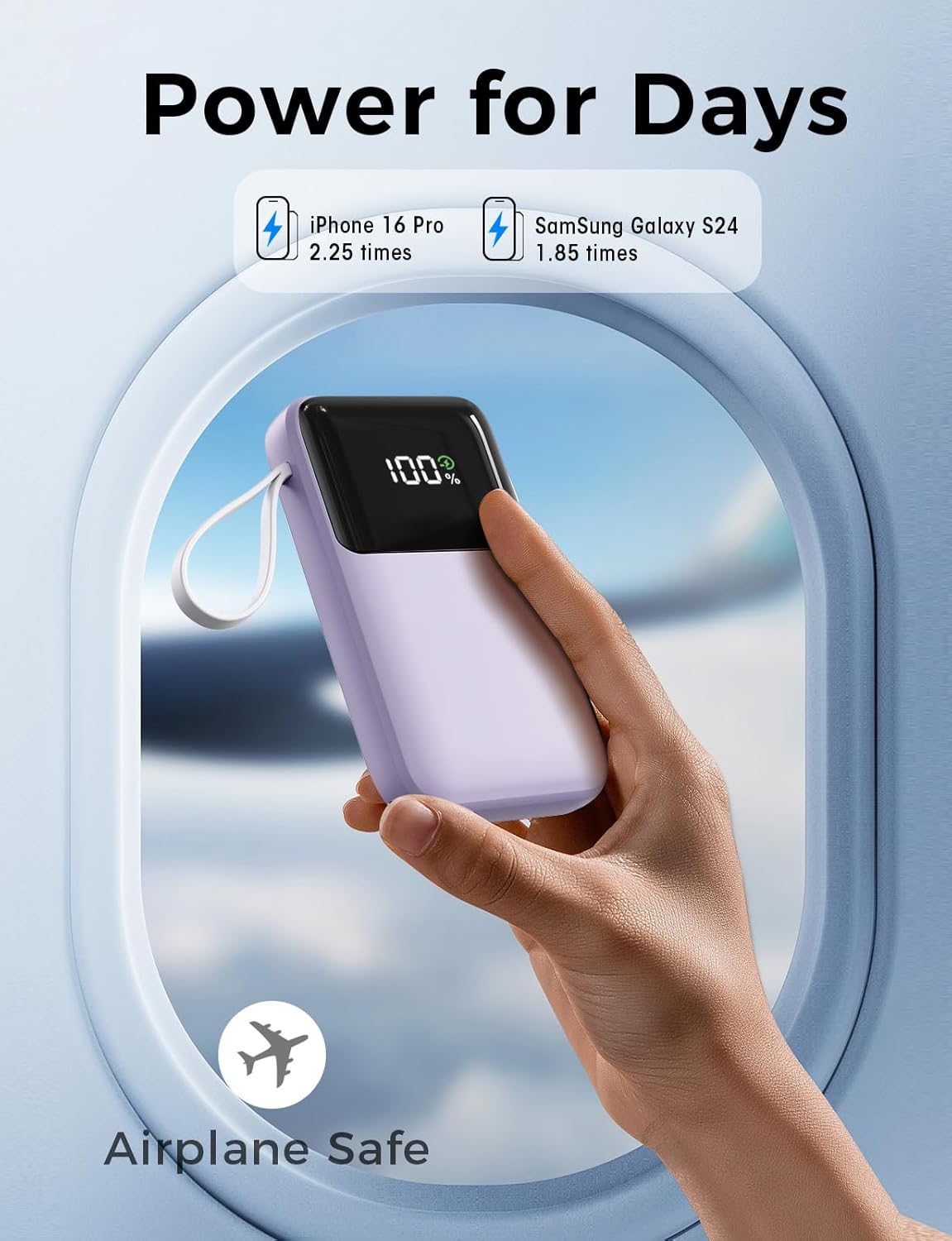
Image: The HELLEE N18 Portable Charger connected to a wall adapter using its integrated USB-A input cable, demonstrating how to recharge the power bank. The LED display shows the charging status.
4. Operating Instructions
4.1 Checking Battery Level
Press the power button once to activate the LED digital display, which will show the current battery percentage of the power bank.
4.2 Charging Your Devices
The HELLEE N18 offers multiple ways to charge your devices:
- Using Built-in Cables:
Pull out the appropriate built-in cable (USB-C, Lightning, or Micro USB) and connect it directly to your device's charging port. The power bank will automatically begin charging. - Using USB-A Output Port:
Connect your device's charging cable (USB-A end) to the USB-A output port on the power bank, then connect the other end to your device. - Using USB-C Input/Output Port:
Connect your device's USB-C to USB-C cable to the power bank's USB-C port, then connect the other end to your device. This port supports both input (for charging the power bank) and output (for charging devices).
The power bank supports charging up to 6 devices simultaneously using a combination of its built-in cables and external ports.

Image: A smartphone connected to the HELLEE N18 Portable Charger via a built-in cable, with the phone's screen indicating a fast charging status, highlighting the 22.5W output capability.

Image: The HELLEE N18 Portable Charger actively charging six different electronic devices, including smartphones, a tablet, and a smartwatch, demonstrating its multi-device charging capability using both built-in cables and external ports.
4.3 Trickle-Charging Mode
For small devices like wireless earphones or smartwatches that require low current charging, the power bank features a trickle-charging mode. To activate, double-press the power button. The LED display may show a specific indicator for this mode. To exit, double-press the power button again.
5. Maintenance
- Cleaning: Use a soft, dry cloth to clean the surface of the power bank. Avoid using harsh chemicals or abrasive materials.
- Storage: Store the power bank in a cool, dry place away from direct sunlight and extreme temperatures.
- Battery Care: To prolong battery life, fully charge the power bank at least once every three months, even if not in use. Avoid completely draining the battery frequently.
- Handling: Do not drop, disassemble, or attempt to repair the power bank yourself. This can damage the device and void any warranty.
6. Troubleshooting
6.1 Power Bank Not Charging
- Ensure the charging cable (built-in USB-A or external USB-C) is securely connected to both the power bank and the power source.
- Verify that the wall adapter or USB port is functional. Try a different adapter or port.
- Check if the power bank's LED display is active. If not, press the power button.
6.2 Device Not Charging from Power Bank
- Ensure the power bank has sufficient charge (check the LED display).
- Verify that the built-in cable or external cable is securely connected to both the power bank and your device.
- Try a different built-in cable or an external cable.
- Ensure your device is compatible with the power bank's output specifications.
- If charging a low-power device, ensure trickle-charging mode is activated.
6.3 Slow Charging
- Ensure you are using a fast-charging compatible cable and wall adapter (for recharging the power bank).
- For device charging, ensure your device supports 22.5W fast charging and that the cable used is capable of transmitting that power.
- Charging multiple devices simultaneously may reduce the charging speed for individual devices.
7. Specifications
| Feature | Specification |
|---|---|
| Model Number | N18 |
| Battery Capacity | 15000mAh |
| Max Output Power | 22.5W |
| Input (USB-A Built-in Cable) | 5V/2A, 9V/2A, 12V/1.5A |
| Input/Output (USB-C Port) | 5V/3A, 9V/2.22A, 12V/1.67A (PD) |
| Output (USB-A Port) | 5V/3A, 9V/2A, 12V/1.5A |
| Output (Built-in USB-C Cable) | 5V/3A, 9V/2.22A, 12V/1.67A (PD) |
| Output (Built-in Lightning Cable) | 5V/2.4A, 9V/2.22A |
| Output (Built-in Micro USB Cable) | 5V/2A |
| Product Dimensions | 5.59 x 3.35 x 0.94 inches |
| Item Weight | 8.4 ounces |

Image: A hand holding the HELLEE N18 Portable Charger against a clear sky, illustrating its small size and portability, along with text highlighting its 15000mAh large capacity.
8. Safety Information
Please observe the following safety guidelines to prevent damage to the product or injury to yourself:
- Do not expose the power bank to extreme temperatures (above 60°C/140°F or below 0°C/32°F).
- Avoid exposure to water, moisture, or high humidity.
- Do not drop, puncture, or disassemble the device.
- Keep out of reach of children.
- Do not use if the power bank is visibly damaged, swollen, or leaking.
- Dispose of the power bank responsibly according to local regulations. Do not dispose of it in household waste.
- This power bank is designed to be Airplane Safe, complying with typical airline regulations for portable electronic devices.
Image: The HELLEE N18 Portable Charger being held in a hand with an airplane window in the background, visually confirming its suitability and safety for air travel.
9. Warranty and Support
The HELLEE N18 Portable Charger comes with a standard manufacturer's warranty. For specific warranty details, support, or service inquiries, please refer to the product packaging or contact HELLEE customer support directly. Keep your purchase receipt as proof of purchase for warranty claims.