
ASOMETECH PKR01
ASOMETECH 120W 5-Port GaN USB C Charging Station
Model: PKR01 | Brand: ASOMETECH
Introduction
The ASOMETECH 120W 5-Port GaN USB C Charging Station is a versatile and efficient power solution designed to charge multiple devices simultaneously. Featuring advanced GaN technology, this compact hub provides fast and intelligent power delivery for laptops, tablets, smartphones, earbuds, game consoles, and more. Its rocket-shaped design and integrated LCD screen offer both functionality and a modern aesthetic for your home or office.

Image: The ASOMETECH 120W 5-Port GaN USB C Charging Station, a rocket-shaped device, shown with its accompanying power cable.
What's in the Box
Upon unboxing your ASOMETECH 120W 5-Port GaN USB C Charging Station, please ensure all the following components are present:
- 1 x ASOMETECH 5-Port USB C Charging Hub
- 1 x 4 ft / 1.2m AC Power Cord
- 1 x USB-C to USB-C Cable (100W, 3.3ft with E-marker Chip)
- 1 x User Manual
Product Features
The ASOMETECH 120W Charging Station is equipped with several key features to enhance your charging experience:
- 5-in-1 Multi-Port Design: This charging hub provides four USB-C ports and one USB-A port, allowing you to power up to five devices simultaneously without needing multiple adapters.
- 100W PD Fast Charging: The C1/C2/C3 ports, when used individually, can deliver a maximum Power Delivery (PD) output of 100W. This enables rapid charging for compatible devices, such as charging a MacBook Pro 14'' from 0% to 53% in approximately 30 minutes. The station intelligently allocates power to optimize charging efficiency for connected devices.
- GaN Technology: Built with Gallium Nitride (GaN) technology, the charger maintains a compact size while delivering high power output, making it suitable for home, office, and travel use.
- Digital LCD Display: An integrated LCD screen displays the real-time total power output across all five ports, providing clear information on your charging status.
- Universal Compatibility: Compatible with a wide range of devices including MacBook Pro/Air series, various tablets (iPad Pro/Air/Mini, Samsung Tab), smartphones (iPhone 15/14/13/12 series, Samsung Galaxy S24/S23/S22/S21, Google Pixel, Sony Xperia), earbuds, and game consoles.
- Multi-Protection Safety System: The charging station incorporates multiple safeguards and cryogenic microchips to protect against short circuits, overvoltage, overheating, overcurrent, and overcharging, ensuring safe and reliable operation.
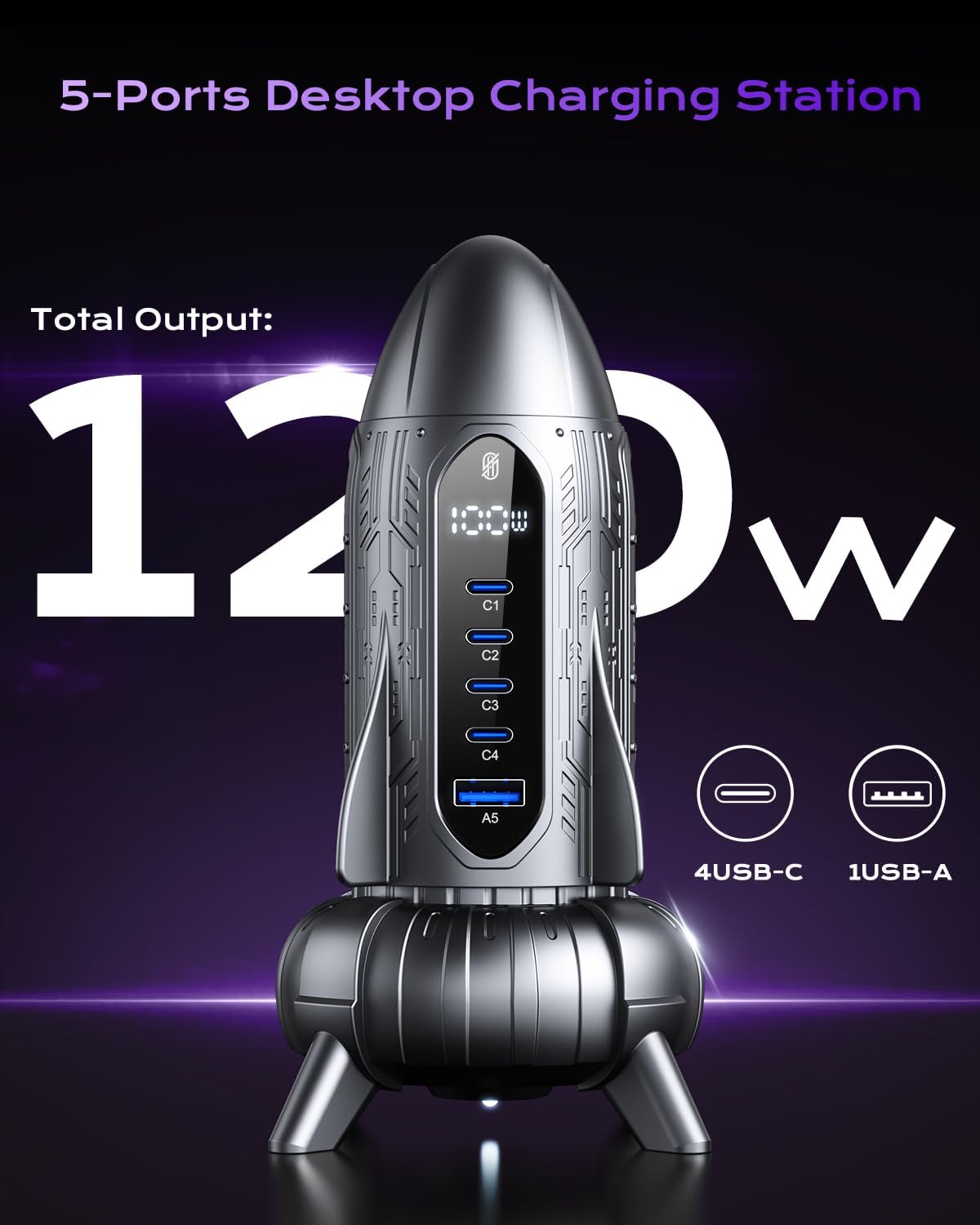
Image: The rocket-shaped charging station emphasizing its 120W total output, with icons for 4 USB-C ports and 1 USB-A port.

Image: The charging station connected to a MacBook Pro, illustrating its capability for 100W high-speed laptop charging.

Image: A detailed view of the charging station's digital LCD display, showing real-time power output.

Image: The charging station accompanied by icons representing its six multi-protection features: Overheat, Over-Current, Short-Circuit, Over-Charge, Over-Voltage, and Over-Load Protection.
Setup Instructions
Follow these steps to set up your ASOMETECH 120W 5-Port GaN USB C Charging Station:
- Unpack the Device: Carefully remove the charging station, AC power cord, and USB-C to USB-C cable from the packaging.
- Connect the Power Cord: Insert the included 4 ft / 1.2m AC power cord into the power input port located at the back of the charging station.
- Plug into Power Outlet: Plug the other end of the AC power cord into a standard AC 100-240V wall outlet. The LCD display on the charging station should illuminate, indicating it is powered on and ready for use.
- Position the Station: Place the charging station on a stable, flat surface, ensuring adequate ventilation around the device.
Operating Instructions
The ASOMETECH 120W Charging Station is designed for intuitive use. Here's how to operate it effectively:
Connecting Your Devices
- Identify the appropriate port for your device: The charging station features four USB-C ports (C1, C2, C3, C4) and one USB-A port (A5).
- Connect your device's charging cable to the corresponding port on the charging station.
- Connect the other end of the charging cable to your device. The charging process will begin automatically.
Intelligent Power Allocation
The charging station intelligently distributes power based on the number and type of devices connected. The maximum output of 120W is shared across all active ports. For optimal fast charging, especially for high-power devices like laptops, utilize the C1, C2, or C3 ports individually for up to 100W output.

Image: A diagram illustrating how power is intelligently allocated when one or two ports are in use, showing varying wattages per port.

Image: A diagram detailing the intelligent power allocation when three, four, or all five ports are simultaneously in use, showing how power is distributed among them.
Using the LCD Display
The LCD display on the front of the charging station provides real-time feedback:
- The main display shows the total wattage being delivered by the charging station to all connected devices.
- Individual indicators for each port (C1, C2, C3, C4, A5) may light up or show specific power outputs depending on the model and charging status.
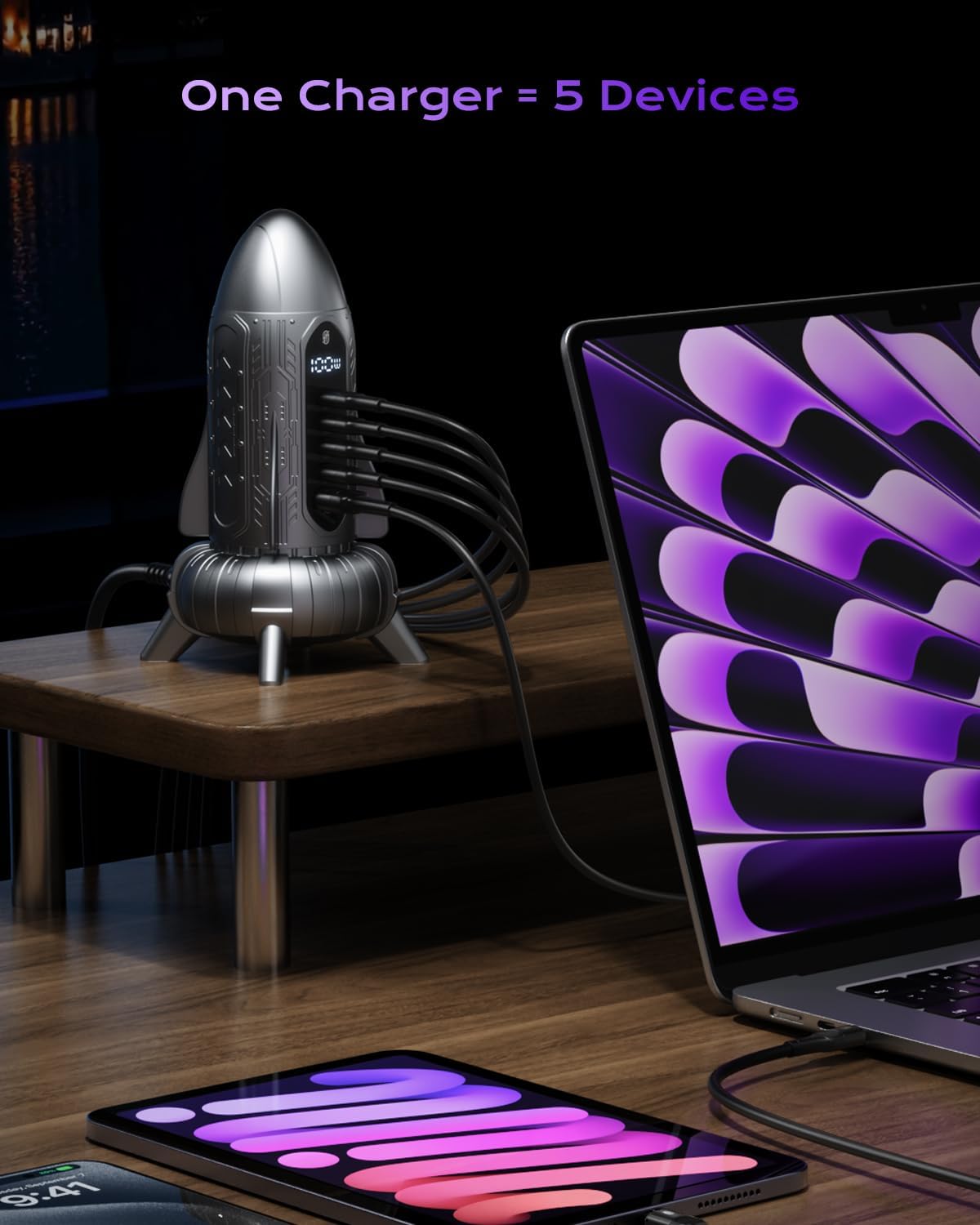
Image: The charging station with multiple cables connected, powering a laptop, tablet, and smartphone, demonstrating its ability to charge five devices simultaneously.

Image: The charging station displayed alongside various device icons, illustrating its broad compatibility with Apple, Samsung, Xiaomi, MacBooks, iPads, and other devices.
Maintenance
To ensure the longevity and optimal performance of your ASOMETECH 120W 5-Port GaN USB C Charging Station, follow these simple maintenance guidelines:
- Cleaning: Disconnect the charging station from the power outlet before cleaning. Use a soft, dry, lint-free cloth to wipe the exterior. Do not use abrasive cleaners, solvents, or aerosol sprays, as these may damage the surface or internal components.
- Storage: When not in use for extended periods, store the charging station in a cool, dry place away from direct sunlight and extreme temperatures.
- Ventilation: Ensure the charging station is placed in an area with adequate airflow to prevent overheating. Do not cover the device or place it in enclosed spaces during operation.
- Handle with Care: Avoid dropping the device or subjecting it to strong impacts, which could damage internal circuitry.
Troubleshooting
If you encounter issues with your ASOMETECH 120W 5-Port GaN USB C Charging Station, refer to the following common problems and solutions:
| Problem | Possible Cause | Solution |
|---|---|---|
| Device not charging or charging slowly. | Loose cable connection. Incompatible cable. Device not compatible with fast charging. Overloaded ports (power distributed too thinly). | Ensure all cables are securely connected. Use the original or a certified charging cable. Verify your device supports the charging protocol (e.g., PD, QC). Disconnect some devices to allow higher power to critical devices, especially for laptops. |
| LCD display is off or flickering. | No power to the station. Power surge or instability. | Check if the AC power cord is securely plugged into both the station and the wall outlet. Try a different outlet. Disconnect and reconnect the power cord. If the issue persists, contact customer service. |
| Charging station feels hot. | Normal operation under heavy load. Insufficient ventilation. | A slight warmth is normal during high-power charging. Ensure the station is placed in an open area with good airflow. Do not cover it. If it becomes excessively hot, disconnect it immediately and contact customer service. |
| One or more ports not working. | Faulty cable or device. Port malfunction. | Try a different cable and device to isolate the issue. If a specific port consistently fails, it may indicate a defect. Contact customer service for assistance. |
Specifications
Detailed technical specifications for the ASOMETECH 120W 5-Port GaN USB C Charging Station:
| Feature | Detail |
|---|---|
| Model Number | PKR01 |
| Product Dimensions | 3.07 x 3.07 x 6.37 inches (7.8 x 7.8 x 16.2 cm) |
| Item Weight | 7.5 ounces (212.6 grams) |
| Total Power Output | 120W Max |
| Input Voltage | AC 100-240V |
| Connector Type | USB Type A, USB Type C |
| Number of Ports | 4 x USB-C, 1 x USB-A (Total 5 Ports) |
| USB-C Output (Single Port) | Up to 100W (C1/C2/C3 when used alone) |
| Special Features | Fast Charging, GaN Technology, LCD Display, Multi-Protection System |
| Color | Silvery |
Warranty and Support
ASOMETECH stands behind the quality of its products. The ASOMETECH 120W 5-Port GaN USB C Charging Station comes with a 12-month warranty from the date of purchase.
This warranty covers manufacturing defects and issues arising from normal use. It does not cover damage caused by misuse, accidents, unauthorized modifications, or external factors.
For warranty claims, technical support, or any inquiries regarding your product, please contact ASOMETECH customer service. Have your purchase details and product model number (PKR01) ready when contacting support.
Contact information for ASOMETECH customer service can typically be found on the product packaging, the official ASOMETECH website, or through your point of purchase.
Related documentsPKR01


Ask a question about this manual
Ask about setup, troubleshooting, compatibility, parts, safety, or missing instructions. Manuals+ will review the question and use this page’s manual context to help answer it.