
Accutime HKF4000AZ
Cinnamoroll Kids Watch User Manual
Model: HKF4000AZ | Brand: Accutime
Introduction
Thank you for purchasing the Cinnamoroll Kids Watch. This watch is designed to be a fun and practical accessory for children, featuring an easy-to-read LED display and a durable, comfortable design. This manual provides essential information for setting up, operating, and maintaining your new watch to ensure long-lasting enjoyment.
Safety Information
- This product contains a button cell battery. Keep new and used batteries away from children.
- Do not attempt to open the watch casing or replace the battery yourself, as this may damage the watch and void the warranty.
- Avoid exposing the watch to extreme temperatures, direct sunlight for prolonged periods, or strong magnetic fields.
- The watch is not waterproof. Avoid submersion in water or exposure to excessive moisture.
- Supervise young children when they are wearing the watch to ensure proper use.
Package Contents
Please check the package to ensure all items are present:
- 1 x Cinnamoroll Kids Watch (Model: HKF4000AZ)
- 1 x Collectible Cinnamoroll Tin
- 1 x Pre-installed Lithium Ion Battery
- 1 x User Manual (this document)

Image: The Cinnamoroll Kids Watch neatly packaged within its decorative collectible tin, ready for gifting or storage.
Setup
Initial Activation
Your Cinnamoroll Kids Watch comes with a pre-installed battery. To activate the display and begin using the watch, simply press the button located on the side of the watch case. The LED display will illuminate, showing the current time.

Image: A close-up side view of the Cinnamoroll Kids Watch, highlighting the single button used for activation and time adjustment.
Operating Instructions
Reading the Time
The watch features a bright LED display. Press the side button once to illuminate the display and show the time in a clear digital format.

Image: The Cinnamoroll Kids Watch with its LED display actively showing the time, featuring colorful stars below the digits.
Setting the Time
To set the time on your Cinnamoroll Kids Watch:
- Press the side button once to display the current time.
- While the time is displayed, press and hold the side button for approximately 3 seconds until the hour digits begin to flash.
- Press the side button repeatedly to advance the hour. Each press will increase the hour by one.
- Once the correct hour is set, press and hold the side button again for approximately 3 seconds. The minute digits will begin to flash.
- Press the side button repeatedly to advance the minutes. Each press will increase the minutes by one.
- After setting the correct minutes, press and hold the side button one last time for approximately 3 seconds to confirm and save the time. The display will stop flashing, and the time will be set.
The watch operates on a 12-hour format with AM/PM indication (if applicable, check watch behavior). Ensure you set the correct AM/PM for the hour.
Maintenance
Cleaning Your Watch
To keep your Cinnamoroll Kids Watch clean and looking new:
- Wipe the watch case and strap with a soft, dry, or slightly damp cloth.
- Do not use harsh chemicals, abrasive cleaners, or solvents, as these can damage the watch's finish and printed artwork.
- Ensure no moisture enters the watch casing.
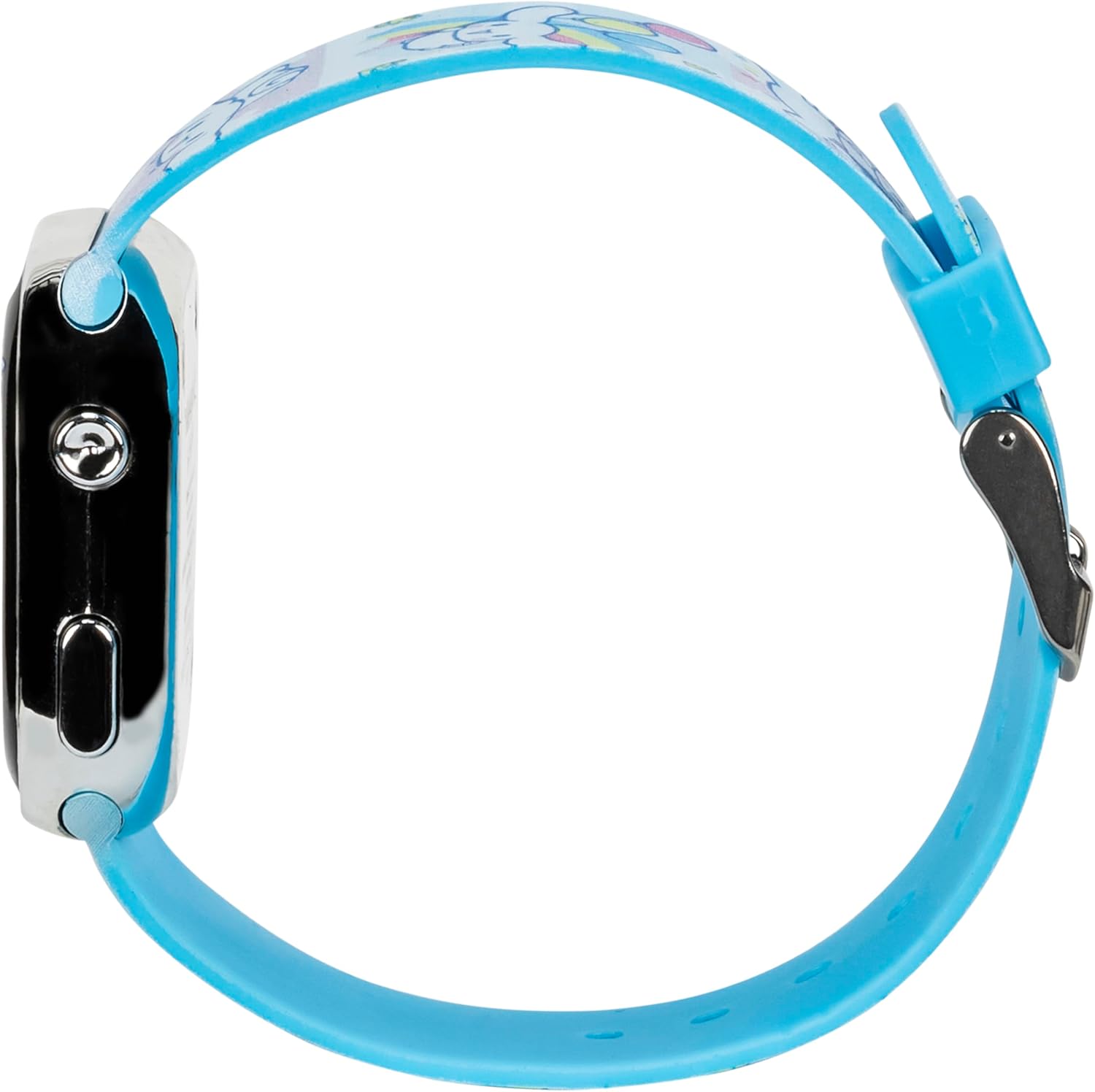
Image: A detailed view of the watch strap, showcasing the vibrant Cinnamoroll character designs and patterns that require gentle cleaning.
Battery Information
The watch uses a Lithium Ion battery (CR2032, 3V). The battery is pre-installed and designed for long-term use. If the display becomes dim or unresponsive, the battery may need replacement. It is recommended to have the battery replaced by a qualified watch technician to avoid damaging the watch or its internal components.

Image: The rear view of the Cinnamoroll Kids Watch, displaying the metal case back with engraved product information and the battery compartment cover.
Troubleshooting
| Problem | Possible Cause | Solution |
|---|---|---|
| Display is dim or not lighting up. | Low or depleted battery. | The battery may need replacement. Contact a qualified watch technician. |
| Time is incorrect. | Time not set correctly or accidentally reset. | Follow the "Setting the Time" instructions in the Operating section. |
| Watch is unresponsive. | Battery issue or internal malfunction. | Ensure the battery is not completely drained. If issues persist, contact customer support. |
Specifications
| Feature | Detail |
|---|---|
| Model Number | HKF4000AZ |
| Display Type | LED Digital |
| Case Material | Durable Plastic |
| Strap Material | Adjustable Plastic |
| Battery Type | 1 x Lithium Ion (CR2032, 3V) (Included) |
| Dimensions (Package) | 8.27 x 5.91 x 1.42 inches |
| Item Weight | 1.76 ounces |
| Manufacturer | Accutime |
Warranty and Support
Limited Warranty
This Cinnamoroll Kids Watch is covered by a limited warranty against defects in materials and workmanship from the date of purchase. This warranty does not cover damage caused by misuse, accidents, unauthorized repairs, or normal wear and tear. Please retain your proof of purchase for warranty claims.
Customer Support
For technical assistance, warranty inquiries, or any questions regarding your Cinnamoroll Kids Watch, please contact Accutime customer support. Refer to the contact information provided on the product packaging or the official Accutime website.
Online Support: Visit the Accutime Store on Amazon
Related documentsHKF4000AZ


Ask a question about this manual
Ask about setup, troubleshooting, compatibility, parts, safety, or missing instructions. Manuals+ will review the question and use this page’s manual context to help answer it.