1. Introduction
This manual provides detailed instructions for the safe and effective operation of your JYX T18-T Karaoke Machine. Please read this manual thoroughly before using the product and retain it for future reference. The JYX T18-T is a portable Bluetooth karaoke speaker designed for various audio applications, featuring dual wireless microphones, dynamic lighting, and multiple connectivity options.
2. Package Contents
Ensure all items listed below are present in your package:
- 1 x JYX T18-T Karaoke Machine with 6.5" Subwoofer
- 2 x Studio-grade Wireless Microphones
- 1 x Shoulder Strap
- 1 x Type-C Charging Cable
- 1 x AUX Cable
- 1 x User Manual

Figure 2.1: JYX T18-T Karaoke Machine with included wireless microphones, charging cables, and shoulder strap.
3. Product Overview
Familiarize yourself with the main components and controls of your karaoke machine.

Figure 3.1: Detailed view of the control panel, showing microphone volume, echo, USB/TF card slots, AUX input, master volume, and playback controls.
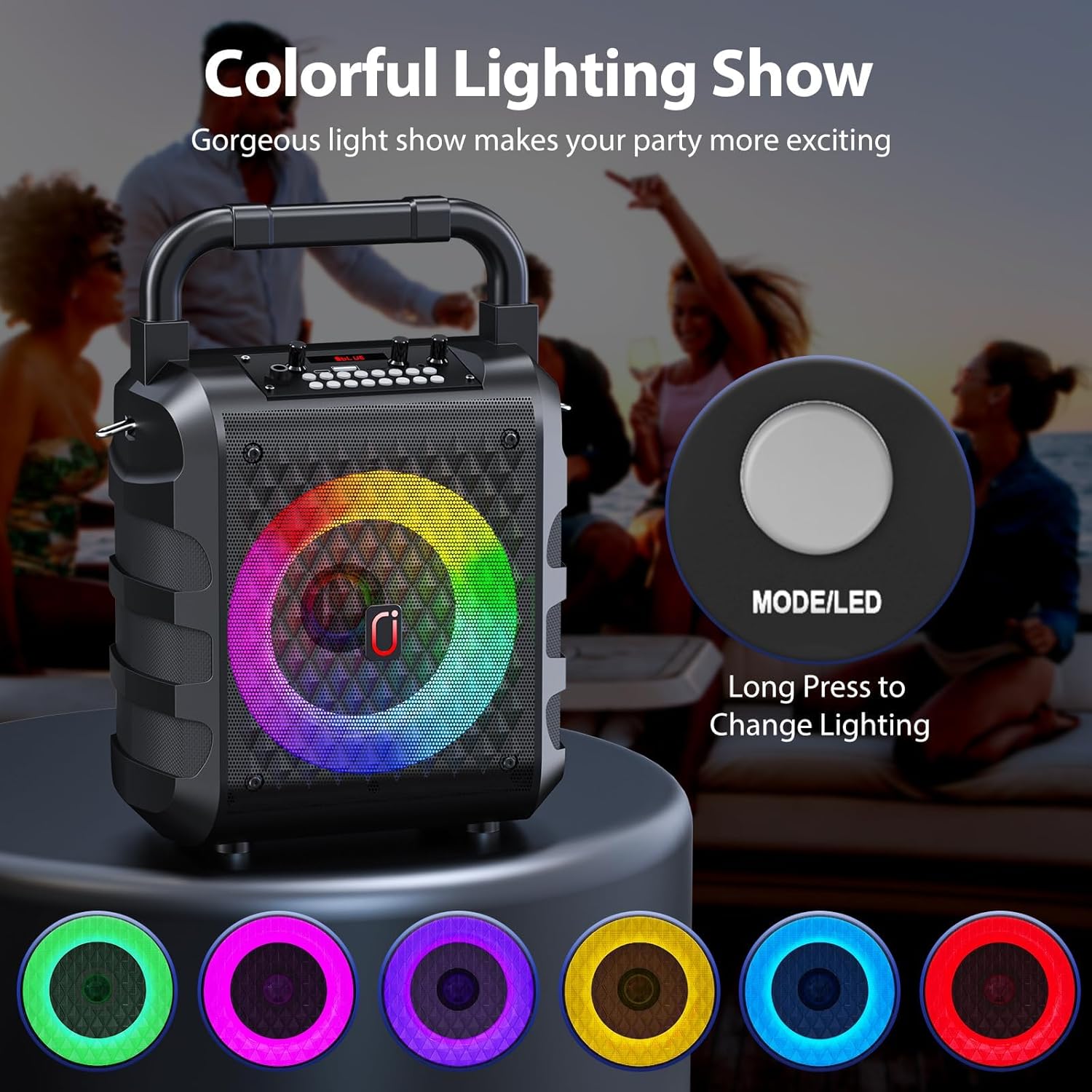
Figure 3.2: Close-up of a wireless microphone, highlighting its integrated volume and echo controls.
4. Setup
4.1 Charging the Device
Before first use, fully charge the karaoke machine and both wireless microphones. Use the provided Type-C cable to charge the main unit. The charging indicator light will illuminate during charging and turn off when fully charged. Microphones are also rechargeable via their respective Type-C ports.
4.2 Powering On/Off
To power on the karaoke machine, locate the ON/OFF switch on the control panel and slide it to the "ON" position. To power off, slide the switch to "OFF". For the wireless microphones, press and hold the power button on each microphone until the display illuminates.
5. Operating Instructions
5.1 Bluetooth Connection
- Power on the JYX T18-T Karaoke Machine. It will automatically enter Bluetooth pairing mode, indicated by "BLUE" on the display.
- Enable Bluetooth on your smartphone, tablet, or other Bluetooth-enabled device.
- Search for available devices and select "JYX-T18" (or similar, e.g., "T19" for variant) from the list.
- Once connected, you will hear an audible confirmation "Bluetooth connected".
- You can now play audio from your device through the karaoke machine.
Video 5.1: Demonstration of Bluetooth connection and basic operation for a JYX Karaoke Machine (T19-T variant shown, similar functionality to T18-T).
5.2 USB/TF Card/AUX Playback
- USB Playback: Insert a USB flash drive into the USB port. The machine will automatically switch to USB mode and begin playing compatible audio files (WAV format supported).
- TF Card Playback: Insert a Micro TF card into the TF card slot. The machine will automatically switch to TF card mode and play compatible audio files.
- AUX Input: Connect an external audio device (e.g., TV, PC) using the provided AUX cable to the AUX port. The machine will switch to AUX mode.
- Use the "MODE" button on the control panel to cycle between Bluetooth, USB, TF Card, and AUX modes.

Figure 5.1: The control panel illustrating the various input options for media playback.
5.3 Microphone Usage
- Power on both wireless microphones. They will automatically pair with the karaoke machine.
- Adjust microphone volume using the "MIC VOL" knob on the main unit or the volume buttons on the microphone itself.
- Adjust echo effect using the "MIC ECHO" knob on the main unit or the echo buttons on the microphone.
- Voice Changer: Press the "Voice" button on the main unit to cycle through different voice effects (e.g., deep, high-pitched).
- Microphone Priority: Press the "MIC Priority" button to lower the music volume automatically when speaking into the microphone.
Important: To avoid feedback, do not hold the microphone too close to the speaker while it is active.
Video 5.2: Demonstration of microphone features, including wireless connectivity and voice effects, demonstrated with a similar portable karaoke speaker.
5.4 Dynamic Lighting Effects
The JYX T18-T features 6 dynamic lighting modes. Press the "LED" button on the control panel to cycle through different light patterns and colors. The lights are designed to sync with the music, enhancing the audio experience.
Figure 5.2: The control panel illustrating the various input options for media playback.
Figure 5.3: Close-up of a wireless microphone, highlighting its integrated volume and echo controls.
Video 5.3: A short demonstration of the dynamic lighting effects on a portable karaoke machine.
5.5 Volume and Sound Adjustment
- Master Volume: Use the "VOLUME +" knob on the main unit to adjust the overall sound output.
- Bass Control: Use the "BASS" knob to adjust the bass level of the audio.
- Instrument Volume: If an instrument is connected, use the "Instrument VOL" knob to adjust its volume.
6. Maintenance
- Keep the device dry and clean. Avoid exposure to extreme temperatures or direct sunlight.
- Clean the exterior with a soft, dry cloth. Do not use abrasive cleaners or solvents.
- Store the device in a cool, dry place when not in use for extended periods.
- Do not attempt to disassemble or repair the device yourself. Contact customer support for assistance.
7. Troubleshooting
| Problem | Possible Cause | Solution |
|---|---|---|
| No power | Battery is low or depleted. | Charge the karaoke machine and microphones fully. |
| No sound from speaker | Volume is too low; incorrect input mode selected; device not connected. | Increase master volume; ensure correct mode (Bluetooth, USB, AUX) is selected; re-pair Bluetooth device. |
| Microphone not working | Microphone is off; low battery; not paired. | Power on microphone; charge microphone; ensure microphone is paired (indicated by display). |
| Feedback/Squealing sound | Microphone too close to the speaker. | Move the microphone further away from the speaker. |
8. Specifications
- Model: T18-T
- Output Wattage: 20 Watts
- Number of Channels: 2
- Subwoofer Size: 6.5 inches
- Connectivity: Bluetooth 5.3, Micro TF Card, USB, AUX
- Voltage: 5 Volts
- Battery: Rechargeable Lithium Polymer (8 hours playback)
- Material Type: Plastic
- Dimensions (L x W x H): 15.4 x 24.7 x 35.4 cm
- Item Weight: 2.2 Kilograms
- Special Features: Digital Tuner, Echo Effect, Light Up Speaker, PA System, Portable, Voice Changer, 6 Lighting Modes.
9. Warranty and Support
For warranty information, technical support, or any inquiries regarding your JYX T18-T Karaoke Machine, please refer to the contact details provided on the product packaging or the official JYX website. Keep your purchase receipt as proof of purchase for warranty claims.
Related Documents - T18-T
 |
JYX S1 Sound Card Audio Karaoke Machine User Manual - Setup and Operation Guide Official user manual for the JYX S1 Sound Card Audio Karaoke Machine. Find detailed instructions on setup, connections, product features, specifications, and troubleshooting for your JYX S1 karaoke system. |
 |
JYX TX05 Bluetooth Karaoke Machine User Manual Comprehensive user manual for the JYX TX05 Bluetooth Karaoke Machine, detailing setup, operation, features, and troubleshooting for this portable audio system with two microphones. |
 |
JYX D17-T Karaoke Machine User Manual User manual for the JYX D17-T Karaoke Machine, detailing product specifications, accessories, button operations, microphone functions, and user instructions for Bluetooth, TF card, and AUX modes. |
 |
JYX Karaoke Machine T10-T User Manual User manual for the JYX Karaoke Machine T10-T, providing instructions and specifications for operating the device with two wireless microphones. |
 |
JYX-TX02 Karaoke Machine User Manual: Operation, Specifications, and FAQs Comprehensive user manual for the JYX-TX02 Karaoke Machine. Learn about device controls, remote functions, specifications, packing list, and troubleshooting FAQs for this Bluetooth PA system. |
 |
JYX T17-T Karaoke Machine User Manual - Portable Speaker with Wireless Microphones Comprehensive user manual for the JYX T17-T portable karaoke machine. Learn about its features, setup, operation, and troubleshooting for wireless microphones, LED lights, Bluetooth, USB, TF, and AUX connectivity. |