
Introduction
This manual provides comprehensive instructions for the setup, operation, and maintenance of your Braun Digital Speaking Alarm Clock, model BC25WP. Designed with clarity and simplicity, this alarm clock features a positive LCD display, spoken time announcements, and a crescendo beep alarm. Please read this manual thoroughly to ensure proper use and to maximize the lifespan of your device.
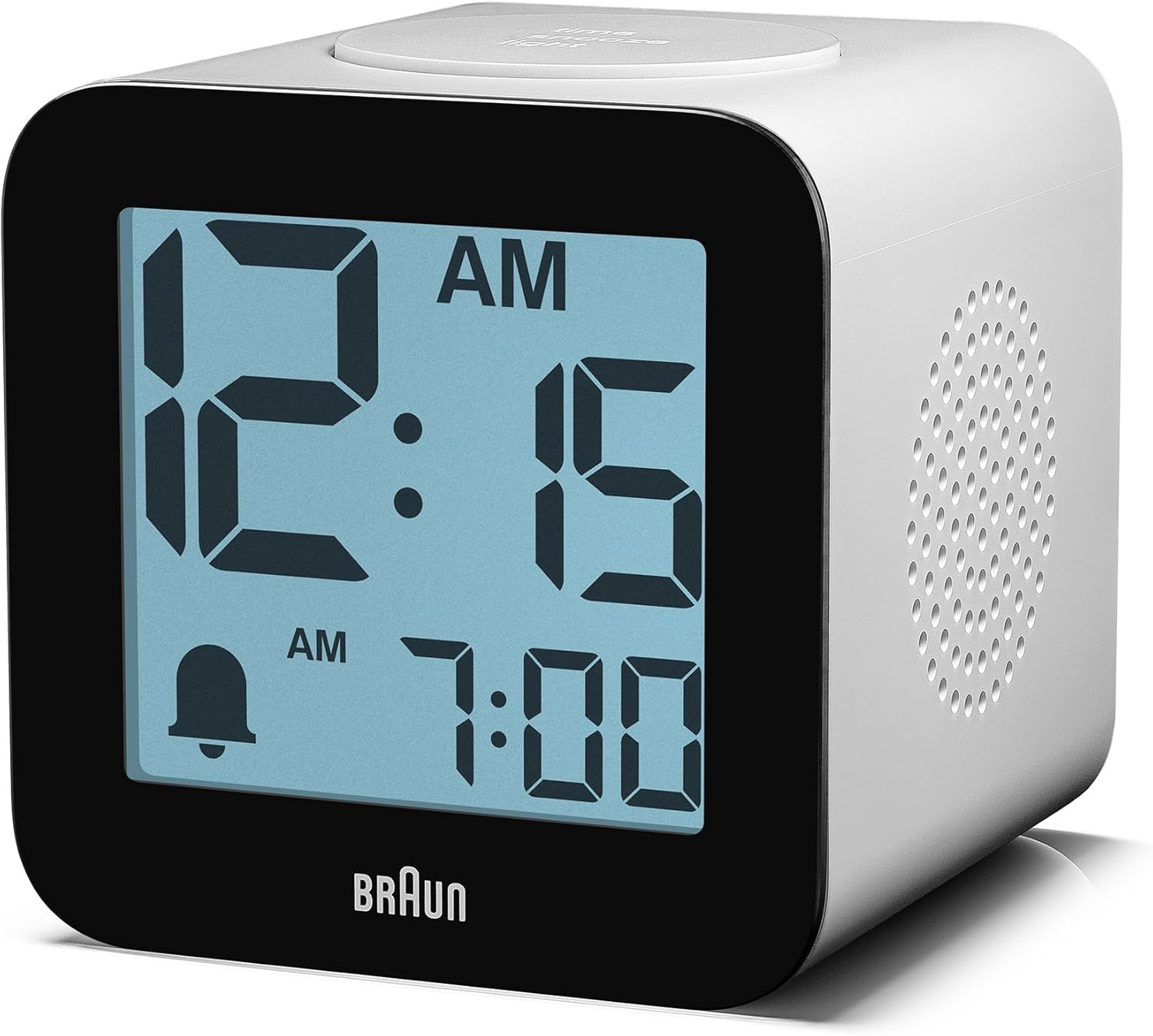
Figure 1: Front view of the Braun Digital Speaking Alarm Clock BC25WP, displaying the current time and alarm setting.
Setup
1. Battery Installation
The Braun BC25WP alarm clock requires three (3) AA batteries for operation. Batteries are not included with the product. For optimal performance and longevity, it is recommended to use new alkaline batteries.
- Locate the battery compartment cover on the back of the alarm clock.
- Slide the cover downwards to open the compartment.
- Insert three AA batteries, ensuring correct polarity (+ and -) as indicated inside the compartment.
- Replace the battery compartment cover by sliding it upwards until it clicks into place.

Figure 2: Back view of the alarm clock, highlighting the battery compartment and control buttons.
2. Initial Time Setting
Upon successful battery installation, the clock will power on. You will need to set the current time.
- Press and hold the MODE button (located on the back) until the hour digits begin to flash. The clock will provide spoken feedback during setting.
- Use the + or - buttons to adjust the hour. Note that the clock operates on a 12-hour display format (AM/PM).
- Press the MODE button again to switch to minute adjustment. The minute digits will flash.
- Use the + or - buttons to adjust the minutes.
- Press the MODE button one more time to confirm the time setting and exit the setting mode.
Operating Instructions
1. Speaking Clock Function
- On-Demand Time Announcement: Press the large circular button on the top of the clock to hear the current time announced.
- Automatic Hourly Announcement: The clock can be set to announce the time automatically at the beginning of every hour. Refer to the advanced settings section (usually accessed via the MODE button) to enable or disable this feature.
- Language Selection: The speaking function supports English and German. Language selection is typically part of the initial setup or accessible through the MODE button settings.

Figure 3: Top view of the alarm clock, featuring the multi-function button for time announcement, snooze, and backlight.
2. Setting and Activating the Alarm
The alarm features a crescendo beep, meaning the beep frequency and volume increase gradually to gently wake you.
- To set the alarm time, press the MODE button repeatedly until the alarm time (indicated by a bell icon on the display) begins to flash.
- Use the + or - buttons to adjust the desired alarm hour.
- Press the MODE button again to switch to minute adjustment for the alarm.
- Use the + or - buttons to adjust the desired alarm minutes.
- Press the MODE button to confirm the alarm setting.
- To activate or deactivate the alarm, use the ALARM ON/OFF slide switch located on the back of the clock. Slide it to the ON position (green indicator visible) to enable the alarm, or to the OFF position to disable it.
3. Snooze and Backlight Function
- Snooze: When the alarm sounds, press the large circular button on the top of the clock to activate the snooze function. The alarm will pause for 5 minutes and then sound again.
- Backlight: Press the large circular button on the top of the clock at any time to illuminate the display backlight. The backlight will remain lit for approximately 10 seconds.
Maintenance
Cleaning
To maintain the appearance and functionality of your alarm clock, follow these cleaning guidelines:
- Wipe the exterior of the clock with a soft, dry, lint-free cloth.
- Do not use abrasive cleaners, solvents, or chemical sprays, as these can damage the surface and internal components.
- Avoid getting moisture into any openings of the clock.
Battery Replacement
Replace the batteries when the display dims, the speaking function becomes unclear, or the alarm volume decreases. Refer to the "Battery Installation" section under Setup for detailed instructions on replacing batteries.
Troubleshooting
| Problem | Possible Cause | Solution |
|---|---|---|
| Clock display is blank or dim. | Batteries are depleted or incorrectly installed. | Check battery polarity. Replace with new AA alkaline batteries. |
| Speaking function is unclear or not working. | Low battery power. Incorrect language setting. | Replace batteries. Verify language setting using the MODE button. |
| Alarm does not sound. | Alarm is not activated. Alarm time is incorrectly set. | Ensure the ALARM ON/OFF switch is in the ON position. Re-set the alarm time. |
| Backlight is not working or too dim. | Low battery power. | Replace batteries. |
| Time is incorrect. | Time was not set correctly. | Re-set the current time following the "Initial Time Setting" instructions. |
Specifications
- Model: BC25WP
- Brand: Braun
- Color: White
- Display Type: Digital, Positive LCD
- Product Dimensions: 2.95"W x 3.03"H
- Power Source: Battery Powered
- Batteries Required: 3 x AA (not included)
- Material: Acrylonitrile Butadiene Styrene (ABS)
- Item Weight: 154 Grams (5.4 ounces)
- Alarm Type: Crescendo Beep Alarm
- Snooze Interval: 5 minutes
- Backlight Duration: 10 seconds (manual activation)
- Time Display: 12-hour format (AM/PM)
- Speaking Function Languages: English, German
Warranty Information
This Braun Digital Speaking Alarm Clock (Model BC25WP) comes with a 2-year limited guarantee from the date of purchase. This warranty covers defects in materials and workmanship under normal use. It does not cover damage resulting from misuse, accidents, unauthorized modifications, or failure to follow the instructions in this manual. Please retain your proof of purchase for warranty claims.
Support
For further assistance, technical support, or warranty inquiries, please contact Braun customer service. Refer to the official Braun website or product packaging for the most current contact information.
You can visit the Braun Store online for more information: Braun Official Store