
UJNIKM 50 50 Dual 2404
Contents
UJNIKM Tuya Smart WiFi Biometric Fingerprint Digital Door Lock User Manual
Model: 50 50 Dual 2404
1. Introduction
This manual provides comprehensive instructions for the installation, operation, and maintenance of your UJNIKM Tuya Smart WiFi Biometric Fingerprint Digital Door Lock, Model 50 50 Dual 2404. Please read this manual thoroughly before installation and use to ensure proper function and security.
2. Product Overview
The UJNIKM Smart Lock offers multiple secure access methods and smart features for enhanced home security and convenience.
2.1 Key Features
- Multiple Unlock Methods: Fingerprint, Password, IC Card, Mechanical Key, and Mobile Application (APP).
- WiFi Connectivity: 2.4GHz WiFi for remote management and notifications.
- Integrated Doorbell Function: Conveniently built-in.
- Normal Open Mode: Allows the door to remain unlocked for free access when desired.
- Durable Construction: Wire drawing panel, frosted shell, aluminum alloy panel/handle, black oxidation treatment.
- Power Supply: Operates on 4 AA batteries with a low power alarm.
- Emergency Access: Mechanical key for backup use.
- Dynamic Passcode Support: Generate temporary or time-limited access codes.
- Universal Handle Direction: Suitable for both left and right-handed door installations.
2.2 Components
Familiarize yourself with the main components of your smart door lock:

Figure 1: Front and back view of the UJNIKM Smart Door Lock, showing the exterior keypad and fingerprint reader, and the interior battery compartment and lock button.

Figure 2: Detailed diagram illustrating the various components of the smart lock, including the touch keypad, card sensing area, fingerprint reader, lock button, battery box, cylinder hole, and USB charging port.
3. Setup and Installation
Proper installation is crucial for the security and functionality of your smart lock. It is recommended to have this installed by a qualified professional if you are unsure.
3.1 Pre-Installation Checks
- Door Compatibility: Suitable for steel doors, wooden doors, glass doors, brass doors, and stainless steel doors.
- Door Thickness: Available for door thicknesses between 35 mm and 55 mm.
- Mortise Type: This model uses a 50 50 Dual 2404 mortise. Ensure your door is compatible with this type.
- Handle Direction: The handle direction is universal (left/right). Adjust during installation as needed.
3.2 Mortise Dimensions
Refer to the diagram below for the precise dimensions of the 50 50 Dual 2404 mortise lock to ensure proper fitting.

Figure 3: Detailed dimensions for the Dual Latch 5050 mortise lock, measuring 240x22mm, with specific measurements for the latch and bolt components.
3.3 Power Supply
The lock requires 4 AA batteries for operation. Install these into the battery box located on the interior unit. Ensure correct polarity.
4. Operating Instructions
Your UJNIKM Smart Lock offers multiple convenient ways to unlock your door.
4.1 Unlock Methods

Figure 4: Visual representation of the five primary unlock methods: Password, IC Card, Remote (via APP, activated by 9#), Fingerprint, and Mechanical Key.
- Fingerprint Unlock: Place your registered finger on the fingerprint reader. The lock will unlock upon successful verification.
- Password Unlock: Enter your registered password on the touch keypad, followed by the '#' key.
- IC Card Unlock: Present your registered IC card to the card sensing area.
- Mechanical Key Unlock: Insert the emergency key into the cylinder hole and turn to unlock. This is for backup use.
- APP Remote Unlock: Use the Tuya Smart APP to remotely unlock the door. This feature is typically activated by pressing '9#' on the keypad to enable remote access.
4.2 Tuya Smart APP Control
The lock integrates with the Tuya Smart APP for advanced control and management. Features include:
- Remote unlocking and locking.
- User management (adding/deleting fingerprints, passwords, IC cards).
- Viewing access logs.
- Receiving low power alarms and other notifications.
- Generating various types of passwords.

Figure 5: Overview of smart lock features, highlighting APP control, multiple unlock methods, WiFi & Bluetooth connectivity, low power alarm, family management, and AI report guidance.
4.3 Password Management (Online & Offline)
The Tuya Smart APP allows for flexible password generation:

Figure 6: Details on password types: Online Password (validity period, no need to send repeatedly), Offline One-Time Password (for temporary visitors, invalid after one use), and Offline Time-Limited Password (for cleaners/guests, expires after set time).
- Online Password: Can be set with a validity period. No need to repeatedly send the password. Periodicity can be configured.
- Offline One-Time Password: Generate a single-use password suitable for temporary access when you are not at home. This password becomes invalid after one use.
- Offline Time-Limited Password: Generate a password valid for a specific duration, ideal for service providers or short-term guests. The lock cannot be unlocked with this password once it expires.
4.4 Normal Open Mode
This mode allows the door to remain unlocked for free access. Consult the APP or lock settings for instructions on how to activate and deactivate this mode.
4.5 Doorbell Function
The lock includes a standard doorbell function. When activated, it will alert occupants inside the property.
5. Maintenance
Regular maintenance ensures the longevity and reliable operation of your smart lock.
- Battery Replacement: The lock features a low power alarm. Replace all 4 AA batteries promptly when this alarm is triggered to avoid loss of function.
- Emergency Key: Keep the mechanical emergency keys in a safe, accessible location outside the property.
- Cleaning: Wipe the lock's surface with a soft, dry cloth. Avoid abrasive cleaners or solvents that could damage the finish or electronic components.
- Fingerprint Sensor: Keep the fingerprint sensor clean and dry for optimal performance.
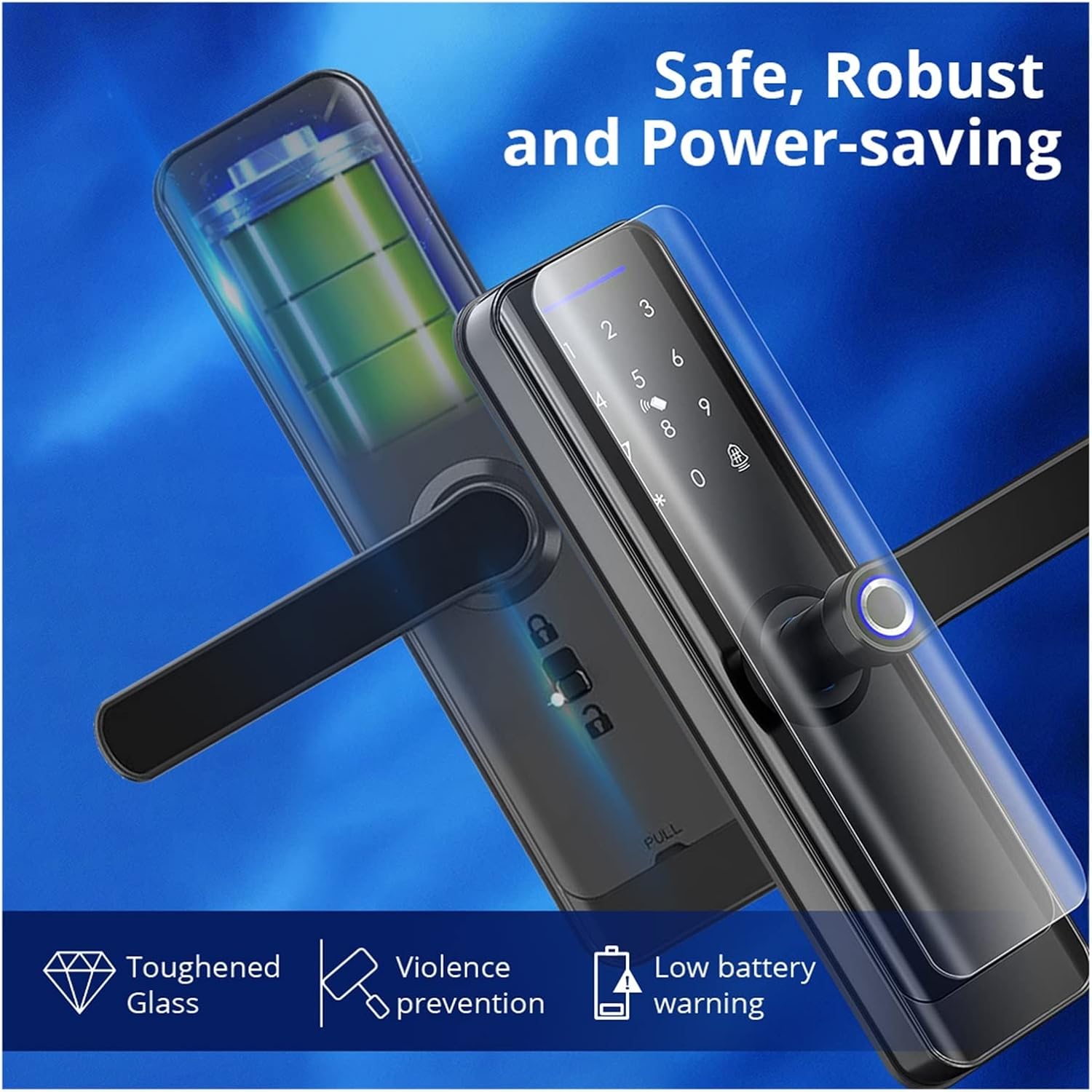
Figure 7: Illustration emphasizing the lock's robust design with toughened glass, violence prevention features, and a crucial low battery warning system.
6. Troubleshooting
If you encounter issues with your smart lock, refer to the following common problems and solutions:
- Lock not responding: Check battery levels. Replace batteries if low.
- Fingerprint not recognized: Ensure your finger is clean and dry. Re-register your fingerprint if issues persist.
- Password not working: Verify the correct password is being entered. Ensure the lock is not in a "Normal Open" state if you expect it to be locked.
- APP connectivity issues: Ensure your home WiFi network (2.4GHz) is stable. Restart the lock and your router if necessary. Check APP settings and permissions.
- Lock is completely unresponsive: Use the mechanical emergency key to open the door. Check battery compartment for proper battery installation.
For further assistance, please contact UJNIKM customer support.
7. Specifications
| Feature | Specification |
|---|---|
| Brand | UJNIKM |
| Model Name | 50 50 Dual 2404 |
| Special Feature | Fingerprint, Password, IC Card, Key, APP Unlock, Doorbell |
| Lock Type | Mortise Lock (50 50 Dual 2404) |
| Color | Black |
| Power Supply | 4 x AA batteries |
| Available Door Thickness | 35 mm ~ 55 mm |
| Unlock Direction | Left / Right (Universal) |
| Connectivity | Wi-Fi 2.4GHz, BLE Dual Mode |
| Product Dimensions | 39 x 263 x 22.5 mm (approximate, based on image) |
| Item Weight | 1.76 ounces (50 Grams) |
| Life Test | 300,000 times |
8. Warranty and Support
For warranty information, please refer to the documentation provided with your purchase or contact the seller directly. For technical support or inquiries, please reach out to UJNIKM customer service through their official channels.
You can often find support contact details on the product packaging or the seller's website.
Documents and downloads
Ask a question about this manual
Ask about setup, troubleshooting, compatibility, parts, safety, or missing instructions. Manuals+ will review the question and use this page’s manual context to help answer it.