
BAOFENG BF-888S
Contents
BAOFENG BF-888S Two-Way Radio User Manual
Model: BF-888S | Brand: BAOFENG
Introduction
The BAOFENG BF-888S is a compact and durable UHF two-way radio designed for reliable communication across various environments. Featuring 16 channels, a 1500mAh USB-C rechargeable battery, and essential functions like an LED flashlight and low battery alert, it is suitable for both professional and recreational use. This manual provides detailed instructions for the proper setup, operation, and maintenance of your BF-888S radio.

Image: Overview of the BAOFENG BF-888S radios and included accessories, such as antennas, headsets, and charging cables.
Key Features
- USB-C Charging: Equipped with a 1500mAh rechargeable lithium-ion battery, allowing for convenient charging via a USB-C charging stand. A full charge typically takes 4-5 hours and provides 8-12 hours of sustainable use.
- Durable Design: Constructed with strong ABS material, designed to withstand harsh environments. Features an anti-bending antenna, durable switch, and comfortable buttons for reliable performance.
- LED Flashlight: An integrated LED flashlight illuminates your path in dark conditions, enhancing safety during outdoor activities.
- Low Battery Alert: The radio automatically broadcasts an alert when the battery is running low, preventing unexpected power loss.
- Clear Audio: High-quality built-in speakers and microphones deliver clear and loud sound. A unique noise reduction function maintains voice clarity, even in noisy environments.
- 16 Channels: Provides 16 channels for communication, supporting 50 CTCSS/105 CDCSS for enhanced privacy.
- Power Saving: Includes a power-saving feature to extend battery life.
- Emergency Alarm: Built-in emergency alarm function for critical situations.

Image: The BF-888S radio connected to a USB-C charging cable, illustrating the charging port and LED indicator lights (red for charging, green for charged).

Image: The BF-888S radio placed on rocky terrain, emphasizing its durable ABS material construction, anti-bending antenna, and splash protection.

Image: The BF-888S radio in a dark outdoor setting, with its integrated LED flashlight beam illuminating the path ahead.

Image: The BF-888S radio with a visual representation of a low battery alert, indicating the need for recharging.
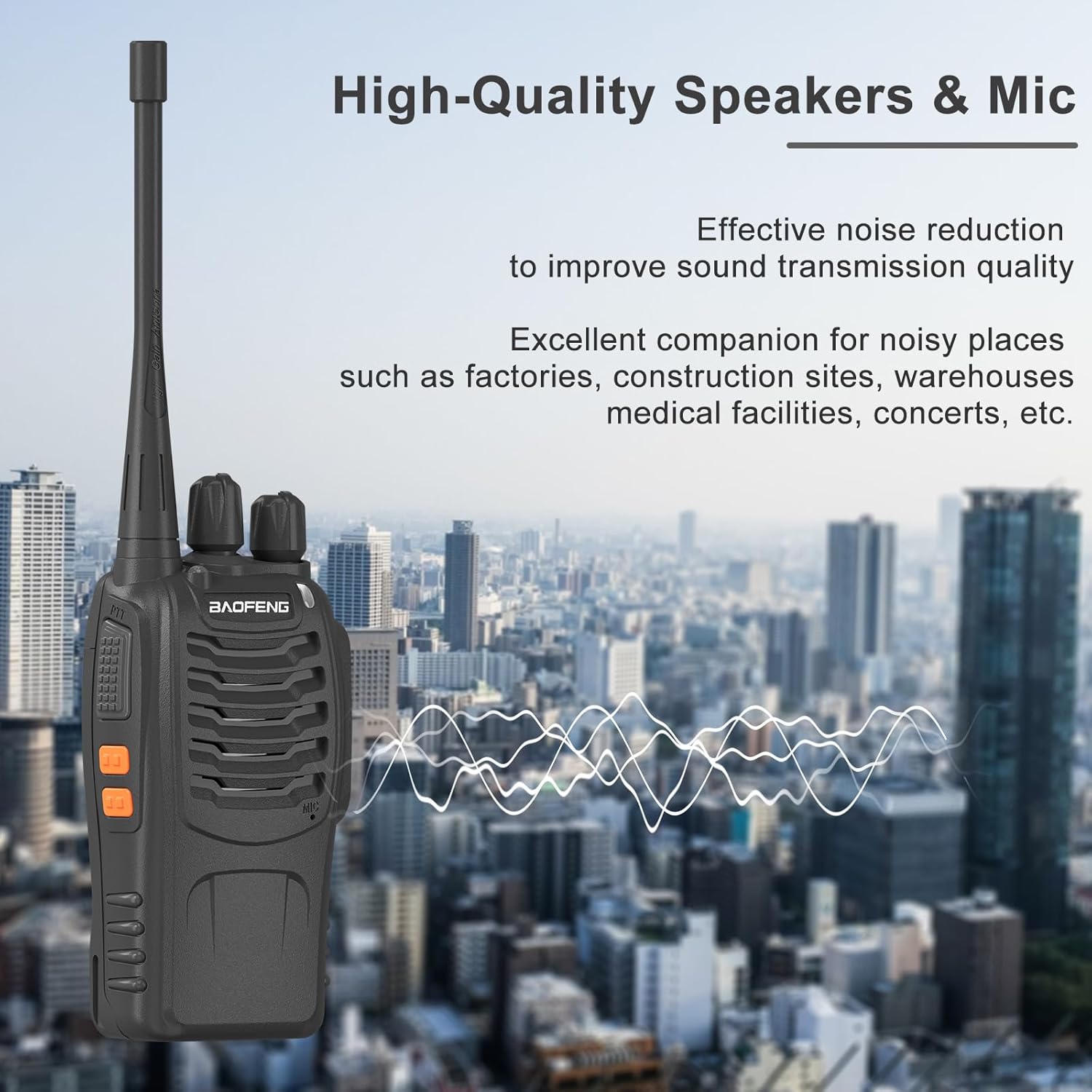
Image: The BF-888S radio against a city skyline, with sound waves emanating from it, symbolizing its high-quality speakers and noise reduction capabilities for clear audio.
Setup Guide
Follow these steps to prepare your BAOFENG BF-888S for first use:
- Charge the Battery:
- Insert the 1500mAh lithium-ion battery into the radio.
- Connect the USB-C charging cable to the charging dock, then place the radio into the dock.
- Plug the USB-C charger cord into a compatible USB power source. The LED indicator on the radio or dock will show red during charging and turn green when fully charged.
- Allow approximately 4-5 hours for a full charge.
- Attach the Antenna:
Screw the antenna clockwise into the connector on top of the radio until it is finger-tight. Do not overtighten.
- Attach Belt Clip and Sling:
Secure the belt clip to the back of the radio using the provided screws. Attach the sling to the designated loop on the radio for convenient carrying.
- Connect Acoustic Headset (Optional):
Plug the acoustic headset into the audio jack on the side of the radio for private listening and hands-free operation.
Operating Instructions
Basic Functions
- Power On/Off and Volume Control: Rotate the top-left knob clockwise to power on the radio and increase volume. Rotate counter-clockwise to decrease volume and power off.
- Channel Selection: Rotate the top-right knob to select one of the 16 available channels. Ensure all radios in your group are on the same channel for communication.
- Transmit (PTT) Button: Press and hold the large button on the left side of the radio to transmit your voice. Speak clearly into the microphone. Release the button to receive.
- Monitor Button: Press the button below the PTT button to temporarily disable squelch and listen for weak signals on the current channel.
Advanced Functions
- LED Flashlight: Press the top-most side button (above PTT) to turn the LED flashlight on or off.
- Emergency Alarm: The radio features an emergency alarm. Consult the full user manual for specific activation procedures, as this may vary based on programming.
- Time-out Timer (TOT): This feature prevents a user from occupying a channel for an extended period. If transmission exceeds a preset time, the radio will stop transmitting and emit an alert tone.
- Voice Operated Transmit (VOX): If enabled (requires programming), this allows hands-free transmission by speaking into the microphone without pressing the PTT button.
Maintenance and Care
- Cleaning: Use a soft, damp cloth to clean the radio's exterior. Do not use harsh chemicals or abrasive cleaners. Ensure the charging port and audio jack are free of dust and debris.
- Battery Care: To maximize battery life, avoid fully discharging the battery frequently. Recharge the battery when the low battery alert is activated. If storing the radio for an extended period, charge the battery to about 50% before storage and recharge every few months.
- Storage: Store the radio in a cool, dry place away from direct sunlight and extreme temperatures.
- Antenna Care: Handle the antenna carefully to prevent bending or damage. Avoid using the radio without the antenna attached, as this can damage the transmitter.
Troubleshooting
| Problem | Possible Cause | Solution |
|---|---|---|
| No power | Battery discharged or not properly installed. | Charge the battery fully. Ensure the battery is correctly seated in the radio. |
| Cannot transmit or receive | Incorrect channel selected; out of range; antenna loose or damaged. | Verify all radios are on the same channel. Move closer to other radios. Check antenna connection. |
| Poor audio quality / Static | Weak signal; interference; volume too low. | Adjust volume. Move to an area with better signal. Check for sources of interference. |
| Low battery alert constantly active | Battery needs replacement or is not holding charge. | Fully charge the battery. If the issue persists, consider replacing the battery. |
Technical Specifications
| Feature | Detail |
|---|---|
| Model Number | BF-888S |
| Brand | BAOFENG |
| Color | Black |
| Number of Channels | 16 |
| Tuner Technology | UHF |
| Power Output | 2W (typical) |
| Battery Capacity | 1500mAh Lithium-ion |
| Battery Life | Up to 12 hours (typical usage) |
| Charging Method | USB-C Charging Dock |
| Special Features | Low Battery Alert, USB-C Charging, Durable ABS Material, LED Flashlight, Noise Cancelling, Emergency Alarm, Time-out Timer, Power Saving, 50 CTCSS/105 CDCSS |
| Water Resistance Level | Water Resistant |
| Included Components | Radio, Antenna, USB Charger Dock, USB-C Charger Cord, 1500mAh USB-C Port Battery, Belt Clip, Sling, User's Manual, Acoustic Headset (quantities as per package) |
Warranty Information
This BAOFENG BF-888S product comes with a 1-year warranty. This warranty is provided exclusively through "Shiqun Electronics Co., Ltd". Please retain your proof of purchase for any warranty claims.
For warranty service or inquiries, please contact the seller directly.
Customer Support
For further assistance, technical support, or questions regarding your BAOFENG BF-888S two-way radio, please contact the manufacturer or authorized seller.
- Manufacturer: BAOFENG Electronics Co., Ltd
- Seller for Warranty: Shiqun Electronics Co., Ltd
- BAOFENG Store: Visit the Official BAOFENG Store on Amazon
Documents and downloads
Ask a question about this manual
Ask about setup, troubleshooting, compatibility, parts, safety, or missing instructions. Manuals+ will review the question and use this page’s manual context to help answer it.