
1. Introduction
This manual provides detailed instructions for the proper installation, operation, and maintenance of the YIBEICO PTFE Tube Adapters. These adapters are designed to enhance the filament feeding system of compatible Bambu Lab 3D printers, ensuring smoother material flow and improved printing quality. Please read this manual thoroughly before installation to ensure correct usage and optimal performance.
2. Product Overview
The YIBEICO PTFE Tube Adapters are replacement connectors for the filament path in your 3D printer. They are constructed from a durable plastic and metal mixed material, designed for high-temperature resistance and longevity. Each package contains three (3) adapters.

Figure 2.1: Three YIBEICO PTFE Tube Adapters. These adapters feature a grey body with blue and black end caps, designed for connecting PTFE tubing in 3D printer filament paths.
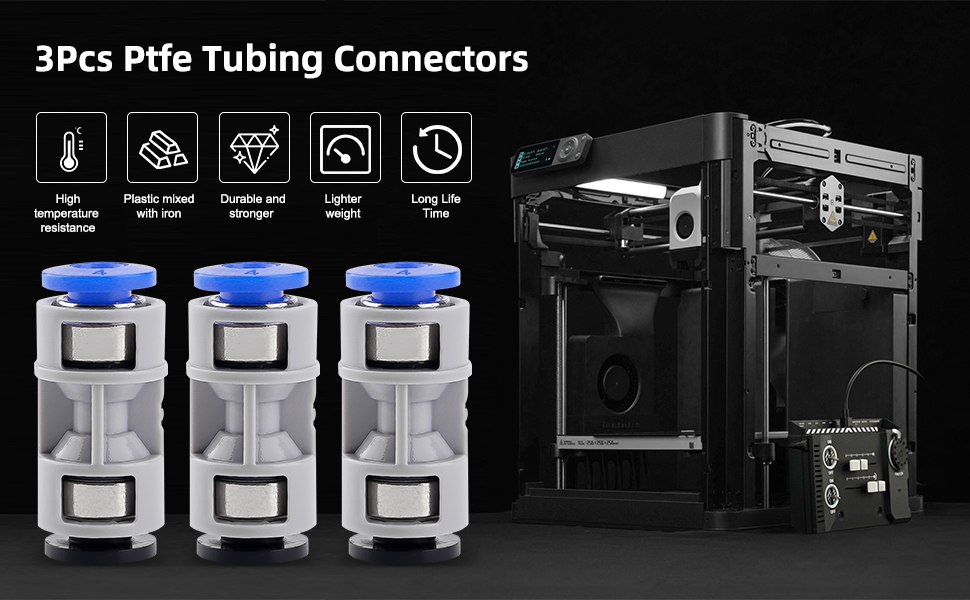
Figure 2.2: A set of three YIBEICO PTFE Tube Adapters positioned in front of a Bambu Lab 3D printer, illustrating their intended use as filament path connectors.
3. Specifications
- Model Number: T67335
- Product Dimensions: Approximately 1 x 0.5 x 0.5 inches (25mm x 10mm)
- Weight: Approximately 0.32 ounces (per adapter)
- Material: Plastic and Metal Mixed
- Quantity: 3 pieces per pack

Figure 3.1: A diagram illustrating the dimensions of a single YIBEICO PTFE Tube Adapter, showing a length of 25mm (0.98in) and a width of 10mm (0.39in).
4. Compatibility
These PTFE Tube Adapters are designed for use with the following Bambu Lab 3D printer models:
- Bambu Lab A1
- Bambu Lab A1 Mini
- Bambu Lab P1P
- Bambu Lab P1S
- Bambu Lab X1
- Bambu Lab X1C
- Bambu Lab X1E
- Bambu Lab H2D

Figure 4.1: Images of various Bambu Lab 3D printers, including the P1S, P1P, X1C, and X1E, demonstrating the range of compatible models for the PTFE tube adapters.
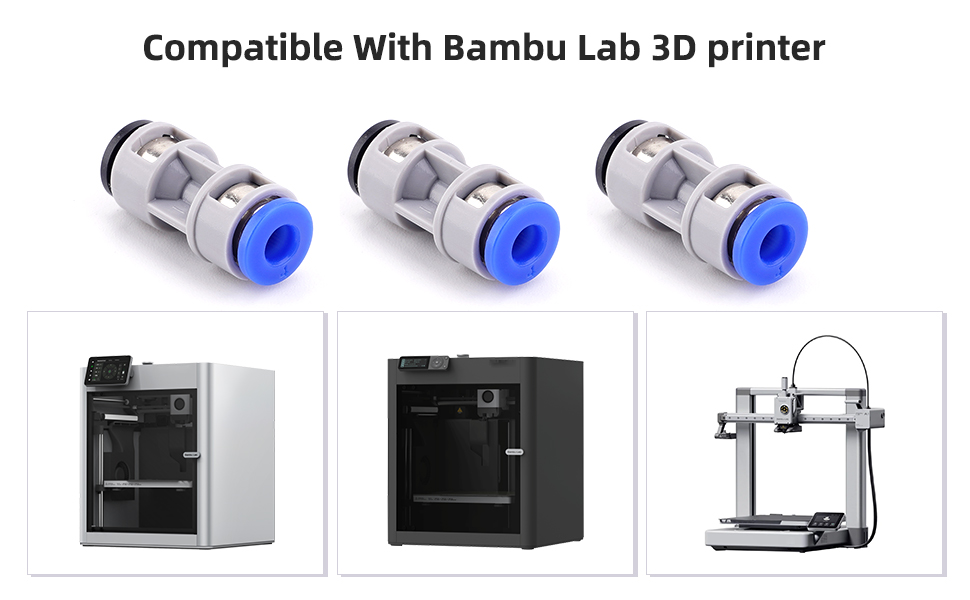
Figure 4.2: The YIBEICO PTFE Tube Adapters displayed alongside images of compatible Bambu Lab 3D printers, confirming their intended use with these models.
5. Installation Instructions
Follow these steps to correctly install the PTFE Tube Adapters:
- Identify Connection Direction: The adapter has a specific direction for filament flow. The black end is the IN port, where the filament enters. The blue end is the OUT port, where the filament exits. Connecting in reverse may cause filament blockage.
- Prepare PTFE Tubing: Before inserting PTFE tubing into the adapter, ensure that the end of the tube is perfectly round and cut cleanly. A flattened or uneven tube end can lead to blockages and poor filament feeding.
- Insert PTFE Tube: Gently push the prepared PTFE tube into the appropriate end (IN or OUT) of the adapter until it is firmly seated. Ensure a secure connection to prevent filament slippage or air gaps.
- Connect to Printer System: Integrate the adapter with the PTFE tubing into your Bambu Lab 3D printer's filament path as required. Refer to your printer's specific manual for details on its filament routing.

Figure 5.1: A close-up diagram of the PTFE tube adapter, clearly labeling the black end as the "IN" port (material enters) and the blue end as the "OUT" port (material exits).

Figure 5.2: A visual comparison showing a correctly cut, round PTFE tube (labeled "Normal - round") next to an incorrectly cut, flattened tube (labeled "Abnormal - flattened"), emphasizing the importance of a round tube for proper function.

Figure 5.3: An illustration depicting the connection of a PTFE tube adapter to a 3D printer's Automatic Material System (AMS) unit, highlighting the need to confirm the correct feed interface and installation position.
6. Operating Principles
Once correctly installed, the YIBEICO PTFE Tube Adapters facilitate a smooth and low-resistance path for filament. This design minimizes friction between the extruder and the filament, contributing to consistent extrusion and higher print quality. The robust construction ensures stability during operation, even with prolonged use.
7. Maintenance
To ensure the longevity and optimal performance of your PTFE Tube Adapters, consider the following maintenance tips:
- Regular Inspection: Periodically check the adapters and connected PTFE tubing for any signs of wear, damage, or deformation.
- Cleanliness: Ensure that no filament dust or debris accumulates inside the adapters, which could impede filament flow.
- Secure Connections: Verify that all PTFE tube connections remain secure and that the tubes are fully seated within the adapters.
- Tube Condition: If the PTFE tubing becomes flattened or damaged at the ends, trim it cleanly or replace it to prevent feeding issues.
8. Troubleshooting
If you encounter issues with filament feeding after installing the adapters, consider the following:
- Filament Blockage:
- Check Connection Direction: Ensure the adapter is installed with the black end as IN and the blue end as OUT. Reverse connection will cause blockages.
- Inspect PTFE Tube Ends: Verify that the PTFE tube ends are perfectly round and not flattened. Flattened tubes can obstruct filament movement.
- Clear Path: Confirm there are no kinks or sharp bends in the PTFE tubing that could restrict filament flow.
- Loose Connections: If filament is slipping or not feeding consistently, check that the PTFE tubes are fully inserted and securely gripped by the adapters.
9. Customer Support
For any questions or assistance regarding the YIBEICO PTFE Tube Adapters, please do not hesitate to contact our customer service team. We are committed to responding to inquiries within 24 hours to help resolve any issues you may encounter.
Contact Information: Refer to your purchase documentation or the YIBEICO official website for current support channels.