1. Introduction
This manual provides essential instructions for the safe operation and maintenance of your BAOFENG BF-888S Walkie Talkie. Please read this manual thoroughly before using the radio to ensure proper function and to prevent damage.
2. Package Contents
Verify that all items listed below are included in your package:
- 4 x BF-888S Radio Units
- 4 x Antennas
- 4 x USB Charger Docks
- 4 x USB-C Charger Cords
- 4 x 1500mAh USB-C Port Batteries
- 4 x Belt Clips
- 4 x Slings (Hand Straps)
- 4 x User's Manuals (this document)
- 4 x Headsets
- 1 x Programming Cable
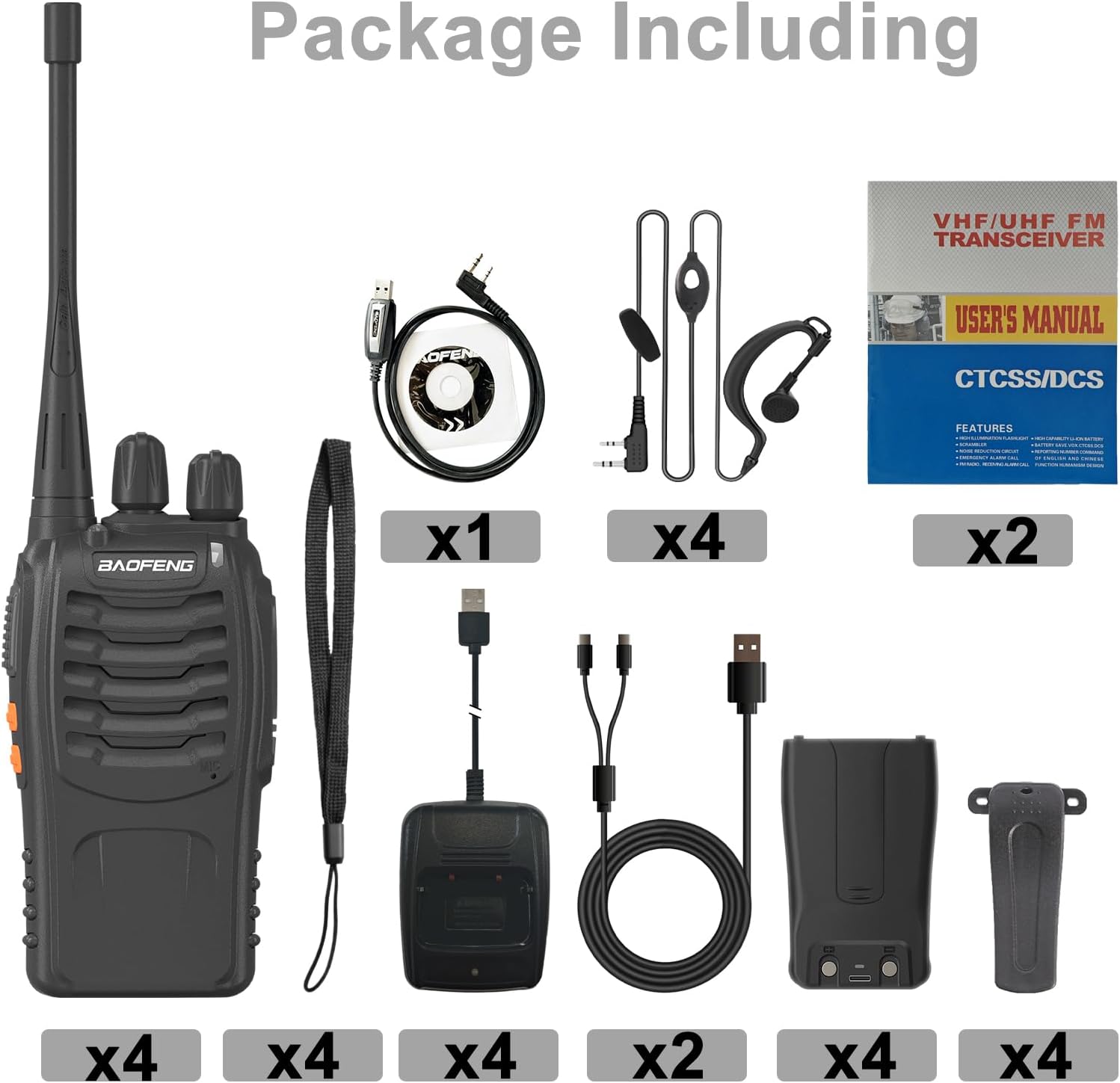
Image: All components included in the BAOFENG BF-888S package.
3. Product Features
- USB-C Charging: Equipped with a 1500mAh rechargeable lithium-ion battery, the BF-888S charges quickly via a USB-C charging stand. A full charge takes approximately 4-5 hours and provides 8-12 hours of sustainable use, depending on usage.
- Durable Design: Constructed with strong ABS material, the BF-888S is designed to withstand harsh environments. It features an anti-bending antenna, durable switches, and comfortable buttons.
- LED Flashlight: An integrated LED flashlight illuminates your path in dark conditions.
- Low Battery Alert: The walkie-talkie automatically broadcasts an alert when the battery is running low, preventing unexpected power loss.
- Clear Audio: High-quality built-in speakers and microphones deliver clear and loud sound. A unique noise reduction function maintains voice clarity, suitable for noisy environments.
- Channels: 16 channels for communication.
- CTCSS/CDCSS: Supports 50 CTCSS and 105 CDCSS codes for enhanced privacy.
- Power Saving: Automatic power-saving features extend battery life.
- Time-out Timer (TOT): Prevents accidental long transmissions.
4. Setup
4.1 Battery Installation
- Align the battery pack with the grooves on the back of the radio.
- Slide the battery pack upwards until it clicks into place.
4.2 Antenna Attachment
- Screw the antenna into the connector on the top of the radio clockwise until it is secure. Do not overtighten.
4.3 Charging the Battery
The BF-888S features convenient USB-C charging.
- Connect the USB-C charger cord to the USB charger dock.
- Place the radio (with battery installed) into the charging dock.
- The LED indicator on the radio will show RED while charging.
- Once fully charged (approximately 4-5 hours), the LED indicator will turn GREEN.

Image: USB-C charging process and LED indicators.
4.4 Attaching Belt Clip and Sling
- Belt Clip: Secure the belt clip to the designated slot on the back of the radio using the provided screws.
- Sling: Attach the sling (hand strap) to the loop on the top or side of the radio for secure carrying.
4.5 Headset Connection
Plug the headset connector into the audio jack on the side of the radio. Ensure it is fully inserted for proper audio transmission and reception.
4.6 Programming Cable
The included programming cable allows for advanced customization of radio settings, such as channel frequencies, CTCSS/CDCSS codes, and other features, using compatible software (not included). Refer to the software's instructions for detailed programming procedures.
5. Operating Instructions
5.1 Power On/Off and Volume Control
- To power on the radio, rotate the Power/Volume knob clockwise. You will hear a click and a voice prompt.
- Continue rotating the knob clockwise to increase the volume, and counter-clockwise to decrease it.
- To power off, rotate the knob counter-clockwise until you hear a click.
5.2 Channel Selection
Rotate the Channel Selector knob on the top of the radio to choose one of the 16 available channels. A voice prompt will announce the selected channel number.
5.3 Transmitting and Receiving
- To transmit, press and hold the Push-To-Talk (PTT) button on the side of the radio. Speak clearly into the microphone.
- Release the PTT button to stop transmitting and return to receive mode.
- When receiving a signal, the LED indicator will illuminate green.
5.4 LED Flashlight Operation
Press the dedicated flashlight button (usually located on the side or front) to turn the integrated LED flashlight on or off. This feature is useful for illuminating your path in low-light conditions.

Image: The integrated LED flashlight in operation.
5.5 Low Battery Alert
When the battery level is low, the radio will automatically broadcast an audible alert. Recharge the battery promptly to ensure uninterrupted communication.
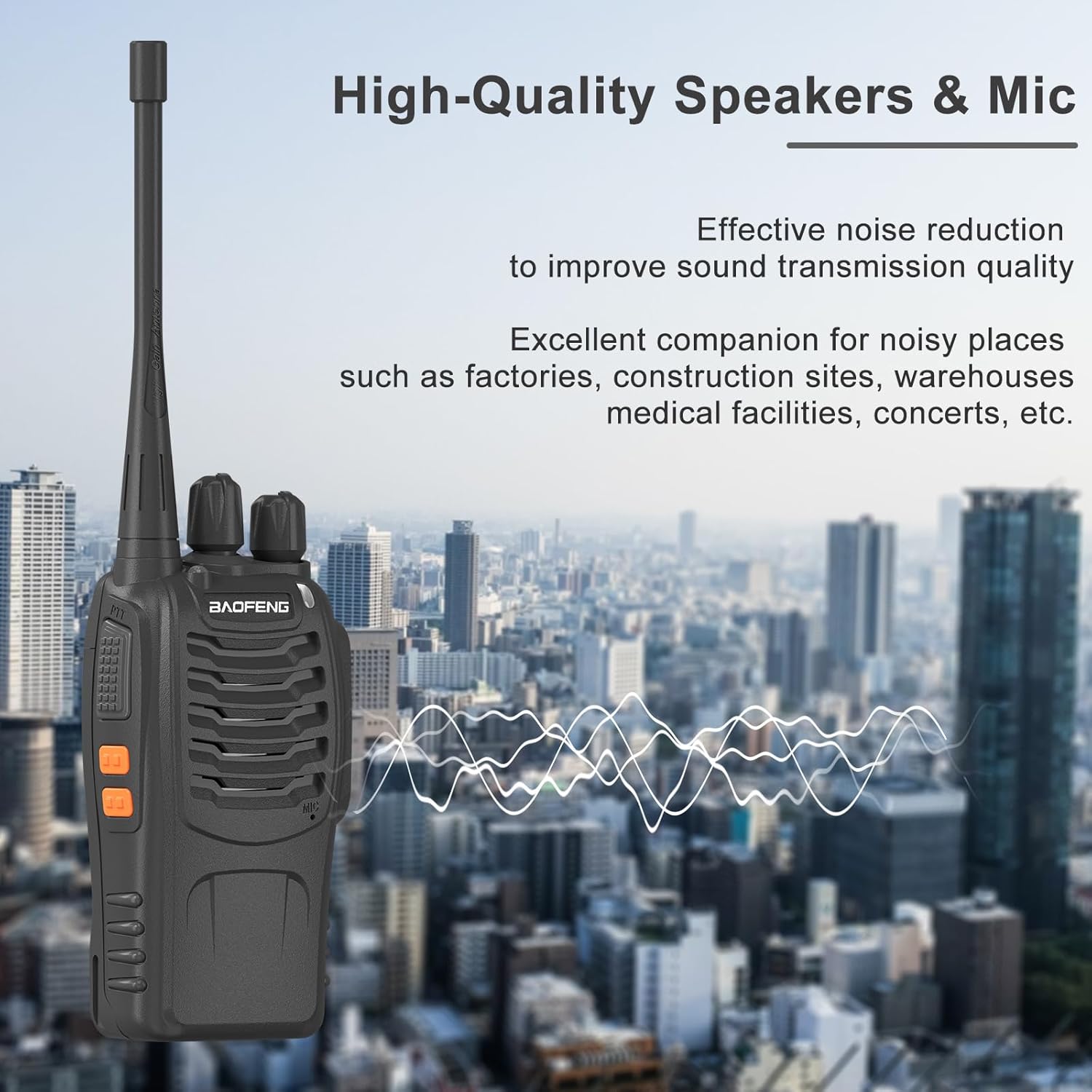
Image: Visual representation of the low battery alert.
5.6 Emergency Alarm
If your radio is programmed with an emergency alarm function, pressing the designated button will activate an audible alarm to signal for assistance. Consult your programming software settings for details on this feature.
6. Maintenance
6.1 General Care
- Keep the radio dry. If it gets wet, wipe it immediately.
- Avoid exposing the radio to extreme temperatures or direct sunlight for extended periods.
- Clean the radio's surface with a soft, damp cloth. Do not use harsh chemicals or abrasive cleaners.
- Ensure the antenna is securely attached but do not overtighten. The radio's durable ABS material and anti-bending antenna are designed for resilience.

Image: The durable ABS material construction of the BF-888S.
6.2 Battery Care
- Charge the battery fully before initial use.
- Do not overcharge or deep discharge the battery.
- If the radio will not be used for an extended period, remove the battery and store it in a cool, dry place.
- Dispose of batteries according to local regulations.
7. Troubleshooting
| Problem | Possible Cause | Solution |
|---|---|---|
| No power | Battery not installed correctly or discharged. | Ensure battery is properly installed. Charge the battery. |
| Cannot transmit or receive | Incorrect channel, low battery, or out of range. | Verify channel selection. Recharge battery. Move closer to other radios. |
| Poor audio quality | Volume too low, antenna loose, or interference. | Adjust volume. Check antenna connection. Move away from sources of interference. |
| Radio continuously transmits (stuck PTT) | PTT button stuck or Time-out Timer (TOT) not configured. | Check PTT button for physical obstruction. If issue persists, consult programming software for TOT settings. |
8. Specifications
- Model Number: BF-888S
- Brand: BAOFENG
- Number of Channels: 16
- Battery Capacity: 1500mAh (Lithium-Ion)
- Charging Type: USB-C Charging Dock
- Power Output: 2W
- CTCSS/CDCSS: 50 CTCSS / 105 CDCSS
- Material: Durable ABS
- Special Features: Low Battery Alert, LED Flashlight, Noise Reduction, Time-out Timer, Power Saving
- Water Resistance Level: Water Resistant
- Manufacturer: BAOFENG Electronics Co., Ltd
9. Warranty and Support
9.1 Warranty Information
A 1-year warranty is provided exclusively through "Shiqun Electronics Co., Ltd". Please retain your proof of purchase for warranty claims.
9.2 Customer Support
For technical assistance, troubleshooting beyond this manual, or warranty inquiries, please contact the vendor or manufacturer directly. Refer to your purchase documentation for specific contact details.