1. Introduction
This manual provides detailed instructions for the proper use, setup, maintenance, and troubleshooting of the SULMILE AZ-86023 Optical Dissolved Oxygen Meter. This device is designed for accurate measurement of dissolved oxygen (D.O.) and temperature in various water quality applications. Please read this manual thoroughly before operating the meter to ensure correct usage and optimal performance.
2. Safety Information
- Always handle the meter and probe with care to prevent damage.
- Do not immerse the main meter unit in water. The probe is designed for immersion.
- Ensure batteries are inserted correctly according to polarity markings.
- Keep the device away from strong electromagnetic fields.
- Store the meter and probe in a clean, dry environment when not in use.
- Do not attempt to disassemble or repair the device yourself. Refer to qualified personnel for service.
3. Package Contents
Verify that all items listed below are present in your package:
- SULMILE AZ-86023 Optical Dissolved Oxygen Meter
- Fluorescent Optical DO Probe
- Hard Carrying Case
- User Manual (this document)
- AAA Batteries (6 pieces)
4. Product Overview
The SULMILE AZ-86023 is an advanced optical dissolved oxygen meter featuring a fluorescent optical DO probe. It provides accurate D.O. and temperature measurements with automatic temperature compensation and manual salinity and barometric pressure compensation.
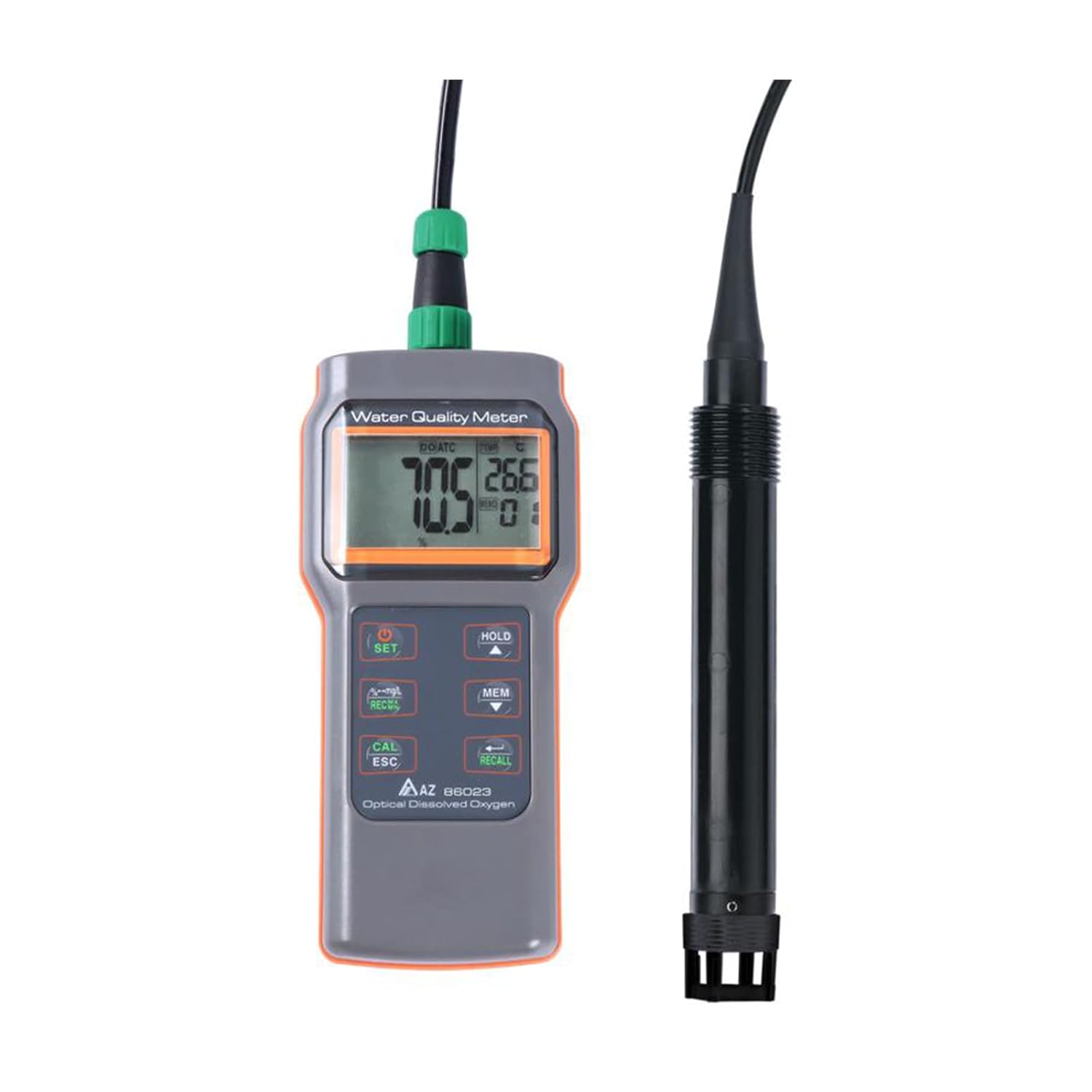
Figure 4.1: The AZ-86023 meter unit connected to its fluorescent optical DO probe.

Figure 4.2: The complete set including the meter, probe, storage cap, and anti-collision cap.
Key Features:
- Optical DO Probe: No polarization time, no probe maintenance, and unaffected by acid gases.
- Large LCD Display: Simultaneous display of Dissolved Oxygen and Temperature.
- Selectable Units: D.O. values can be displayed in % saturation or mg/L.
- Automatic Temperature Compensation: Built-in for °C/°F.
- Manual Compensation: For salinity and barometric pressure to enhance accuracy.
- 2-Point D.O. Calibration: Ensures precise measurements.

Figure 4.3: Overview of the AZ-86023's key advantages, including no electrolyte or membrane requirement and immunity to acid gases.

Figure 4.4: Illustration highlighting the low maintenance aspects of the AZ-86023, ideal for small volume samples and low DO values.

Figure 4.5: Diagram showing the three types of compensation (Automatic Temperature, Manual Salinity, Manual Barometric Pressure) for enhanced accuracy.
5. Setup
5.1 Battery Installation
- Locate the battery compartment cover on the back of the meter.
- Open the cover and insert six (6) AAA batteries, observing the correct polarity (+/-) as indicated inside the compartment.
- Close the battery compartment cover securely.
5.2 Probe Connection
- Connect the fluorescent optical DO probe to the designated port on the top of the meter unit.
- Ensure the connection is firm and secure to prevent water ingress and ensure proper signal transmission.
6. Operating Instructions
6.1 Power On/Off
- Press the POWER button to turn the meter on.
- Press and hold the POWER button to turn the meter off.
6.2 Taking Measurements
- Ensure the probe is properly connected and the meter is powered on.
- Immerse the fluorescent optical DO probe into the sample water. Ensure the sensor area is fully submerged and free from air bubbles.
- Allow a few moments for the readings to stabilize on the large LCD display. The display will show both Dissolved Oxygen and Temperature values.
- The meter automatically compensates for temperature.
6.3 Unit Selection
The D.O. value can be displayed in either percentage saturation (%) or milligrams per liter (mg/L). Refer to the meter's interface or specific button (e.g., SET or MODE) for instructions on switching between these units.
6.4 Manual Compensation (Salinity & Barometric Pressure)
For enhanced accuracy, especially in saline waters or at varying altitudes, the meter allows for manual input of salinity and barometric pressure values. Consult the meter's on-screen menu or specific buttons (e.g., SET or CAL) to access and adjust these parameters according to your measurement environment.
7. Calibration
The SULMILE AZ-86023 supports 2-point D.O. calibration to maintain measurement accuracy. Regular calibration is recommended, especially after prolonged storage or if readings appear inconsistent.
- Refer to the meter's specific calibration menu, typically accessed via the CAL/ESC button.
- Follow the on-screen prompts to perform a 2-point calibration using appropriate calibration solutions or air-saturated water.
- Ensure the probe is clean and properly prepared before calibration.
Detailed calibration procedures are usually outlined in the meter's on-screen guide or a dedicated section within the full product manual.
8. Maintenance
The fluorescent optical DO probe is designed for low maintenance, requiring no polarization time or traditional probe maintenance work (like membrane replacement or electrolyte refilling).
8.1 Probe Cleaning
- After each use, rinse the probe thoroughly with distilled or deionized water to remove any sample residue.
- Gently wipe the sensor surface with a soft, lint-free cloth if necessary. Avoid abrasive materials that could scratch the optical sensor.
- Do not use organic solvents or harsh chemicals for cleaning unless specifically instructed by the manufacturer.
8.2 Storage
- When not in use, ensure the probe is clean and dry.
- Attach the provided storage cap to protect the optical sensor.
- Store the meter and probe in the hard carrying case in a cool, dry place, away from direct sunlight and extreme temperatures.
- Remove batteries if the meter will not be used for an extended period to prevent leakage.
9. Troubleshooting
If you encounter issues with your SULMILE AZ-86023 meter, refer to the following common problems and solutions:
| Problem | Possible Cause | Solution |
|---|---|---|
| Meter does not power on | Dead or incorrectly installed batteries | Replace batteries with new ones, ensuring correct polarity. |
| Inaccurate D.O. readings | Probe not clean, not calibrated, or air bubbles on sensor | Clean the probe, perform a 2-point calibration, ensure no air bubbles are present during measurement. Check manual compensation settings. |
| Temperature reading incorrect | Probe not fully immersed or damaged | Ensure probe is fully immersed. If problem persists, contact support. |
| Probe connection error | Loose or damaged probe connection | Ensure the probe is securely connected. Inspect the connector for damage. |
If the problem persists after attempting these solutions, please contact SULMILE customer support.
10. Specifications
| Parameter | Value |
|---|---|
| Model | AZ-86023 |
| Measurement Type | Optical Dissolved Oxygen, Temperature |
| D.O. Units | % Saturation, mg/L |
| Temperature Compensation | Automatic (°C/°F) |
| Other Compensations | Manual Salinity, Manual Barometric Pressure |
| Calibration | 2 points D.O. calibration |
| Power Source | 6 AAA batteries (included) |
| Package Dimensions | 14.57 x 9.06 x 3.54 inches |
| Weight | 2.76 Pounds (approx.) |
| Manufacturer | HKNDT INSTRUMENTS |
| ASIN | B0DD6FC6ZL |

Figure 10.1: Dimensions of the SULMILE AZ-86023 meter unit.

Figure 10.2: Overall dimensions of the SULMILE AZ-86023 meter and its connected probe.
11. Warranty and Support
SULMILE products are manufactured to high-quality standards. This product comes with a manufacturer's warranty against defects in materials and workmanship. Please refer to the warranty card included in your package or visit the official SULMILE website for detailed warranty terms and conditions.
For technical support, service, or inquiries regarding your AZ-86023 Optical Dissolved Oxygen Meter, please contact SULMILE customer service through their official channels. When contacting support, please have your product model (AZ-86023) and purchase information readily available.


