
Victrola VTA-835SB-WLN
Contents
Victrola Century Signature+ 6-in-1 Music Center User Manual
Model: VTA-835SB-WLN | Brand: Victrola
Introduction
The Victrola Century 6-in-1 Music Center is a versatile home entertainment system designed to play music from various sources, including vinyl records, CDs, cassettes, Bluetooth devices, and auxiliary input. It features a classic design with modern functionalities, offering a rich audio experience through its built-in stereo speakers and multiple output options.
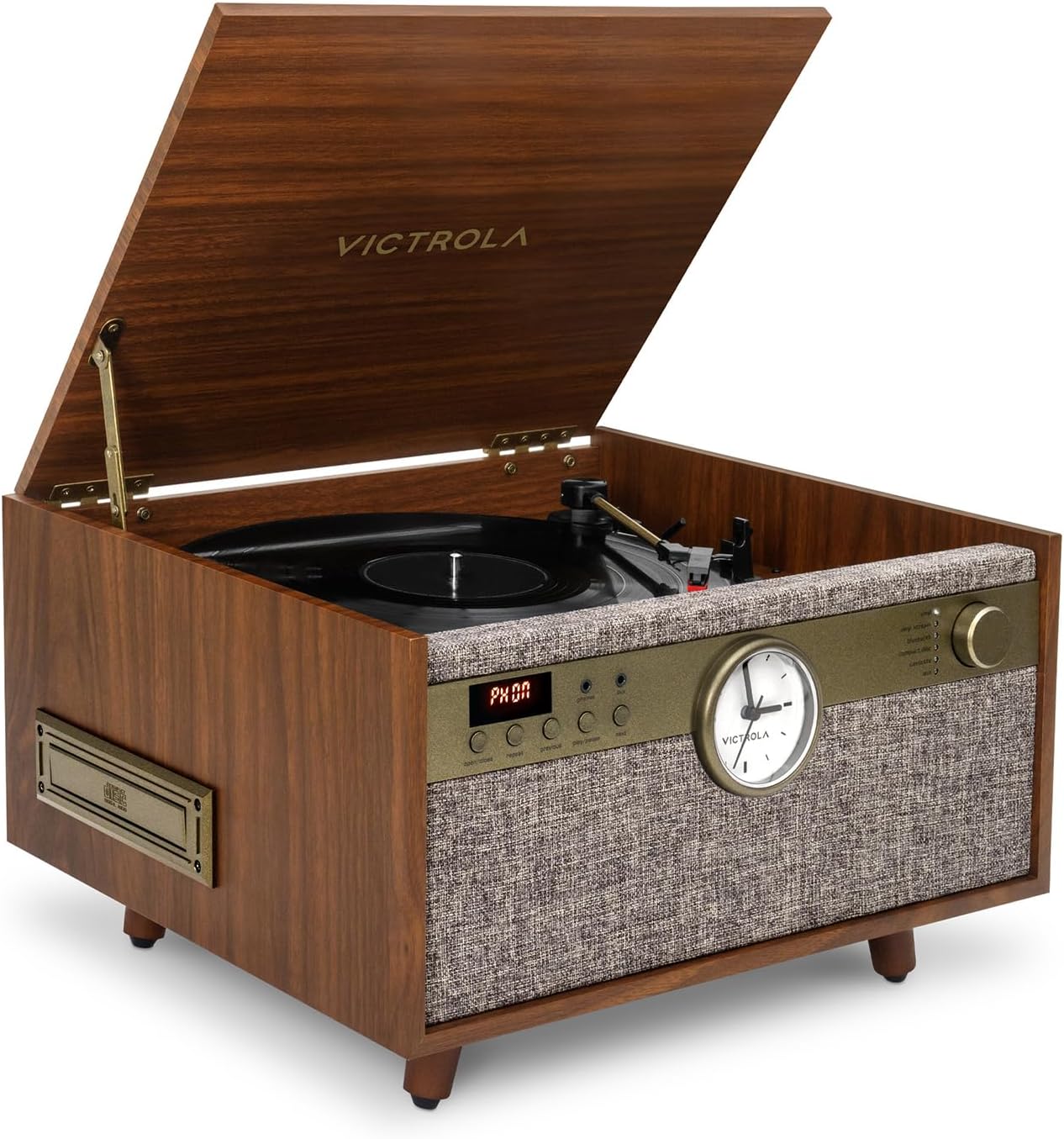
Image: The Victrola Century Signature+ Music Center, showcasing its elegant walnut finish, open lid revealing the turntable, and the front control panel with an analog clock.
What's in the Box
Please ensure all items are present before proceeding with setup:
- Record Player (Main Unit)
- Power adapter
- Instruction manual
- 1" feet (pre-attached or included)
- 18" Floor-Standing Legs (optional assembly)
Setup
Unpacking and Placement
Carefully remove all components from the packaging. Place the unit on a stable, flat surface. Ensure adequate ventilation around the unit.
Attaching the Legs (Optional)
Your Victrola Century Signature+ comes with both short 1" feet and taller 18" floor-standing legs. You can choose the configuration that best suits your space.
- If using the 18" legs, gently lay the main unit upside down on a soft, protected surface to avoid scratching.
- Locate the mounting points for the legs on the bottom of the unit.
- Screw each leg firmly into its designated mounting point. Do not overtighten.
- Carefully turn the unit upright.

Image: The Victrola Century Signature+ Music Center shown with the optional 18-inch floor-standing legs, illustrating its elevated placement.
Power Connection
Connect the provided power adapter to the DC IN jack on the back of the unit, then plug the adapter into a standard wall outlet.
Operating Instructions
Turntable Operation
The 3-speed turntable supports 33 1/3, 45, and 78 RPM records.
- Open the lid and place a record on the platter.
- Select the appropriate speed (33, 45, or 78) using the speed selector switch.
- If playing a 45 RPM record, place the included 45 RPM adapter on the center spindle.
- Gently lift the tone arm using the cue lever and position it over the desired track on the record.
- Lower the cue lever to slowly drop the tone arm onto the record. Playback will begin.
- To stop playback, lift the tone arm, return it to the tone arm rest, and secure it with the clip.
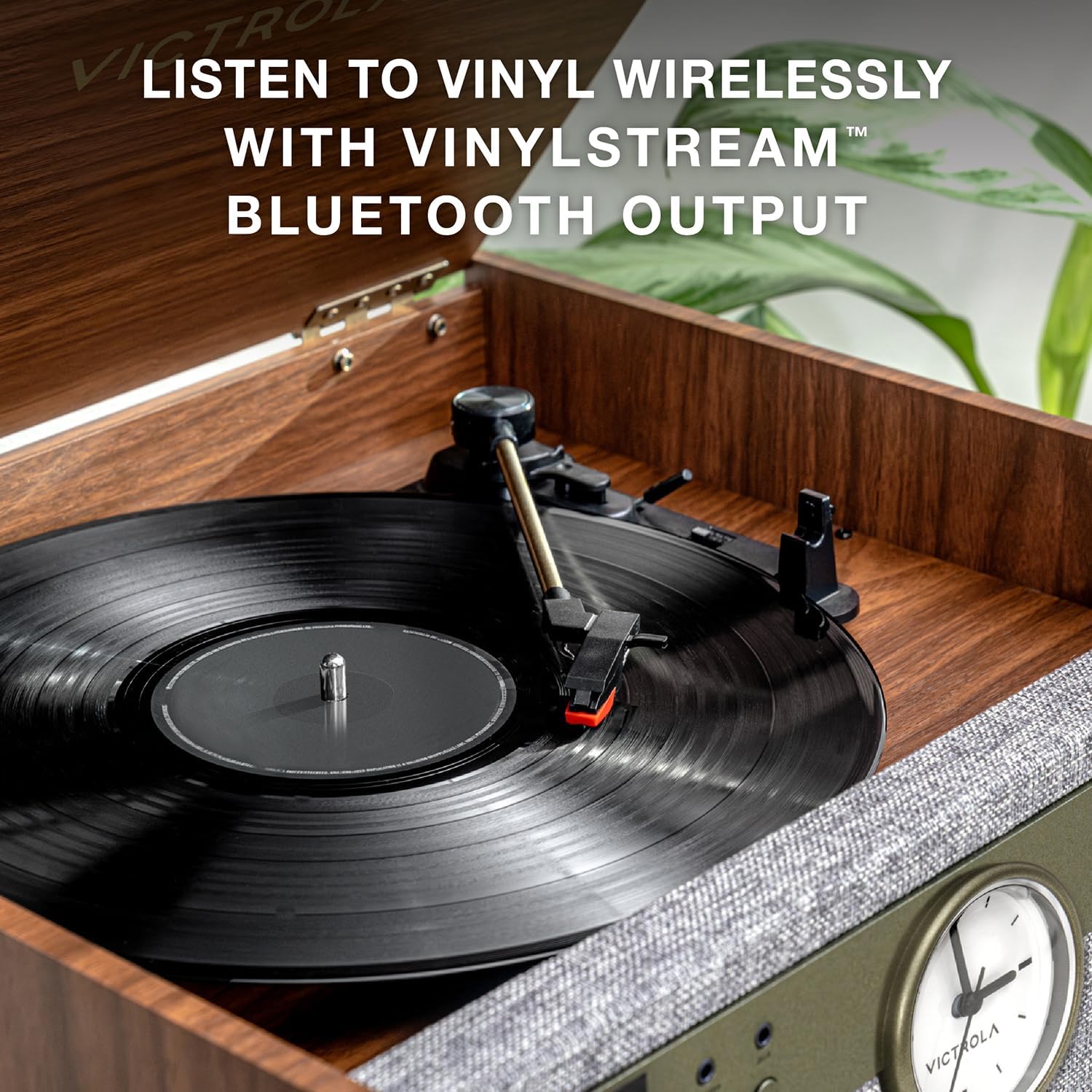
Image: A detailed view of the turntable mechanism, showing a vinyl record on the platter and the tone arm positioned for playback.
CD Player Operation
Insert a CD into the CD slot on the front of the unit. Use the control buttons (Play/Pause, Skip, Stop) to manage playback.
Cassette Player Operation
Insert a cassette tape into the cassette slot. Use the control buttons for playback, fast forward, rewind, and stop.
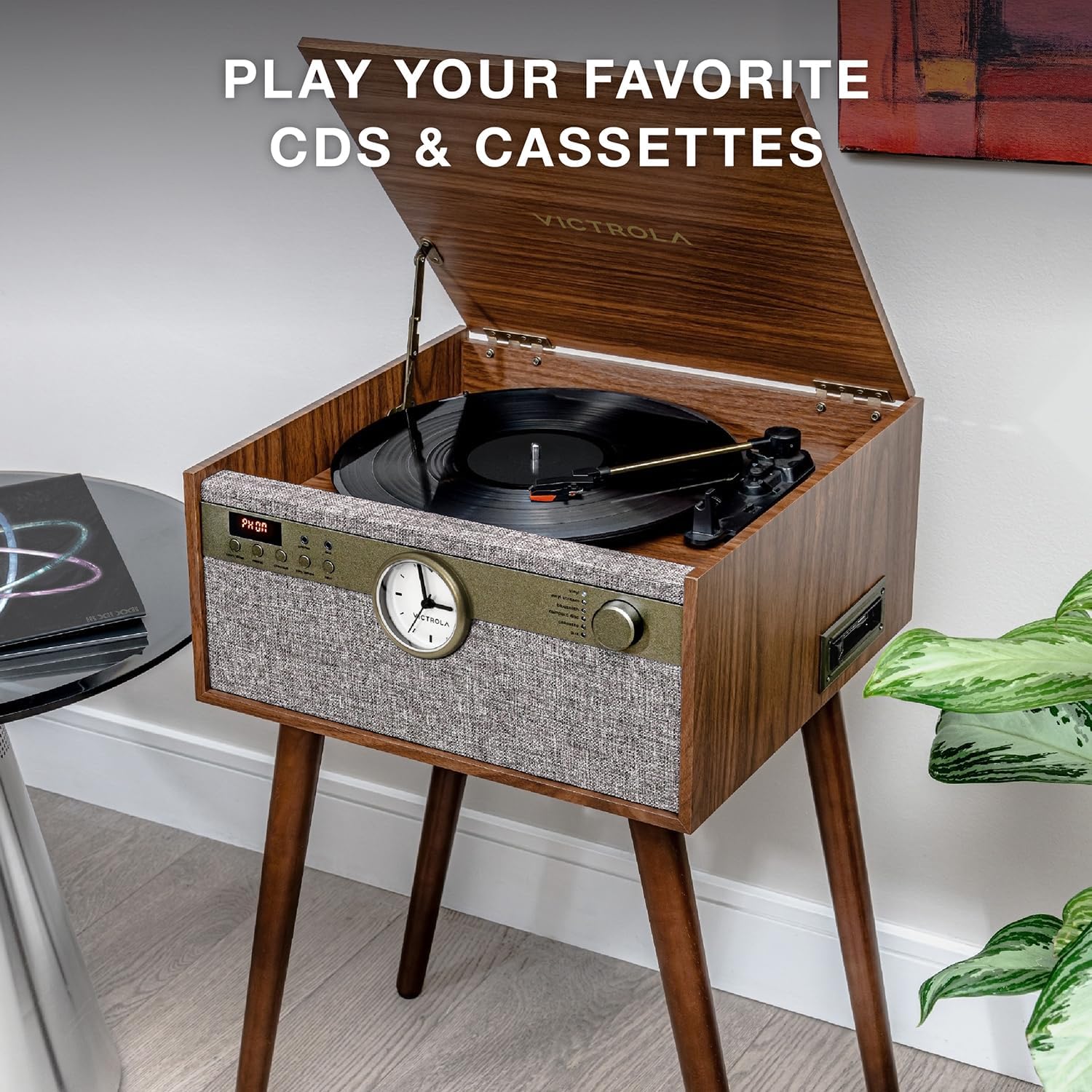
Image: The Victrola Century Signature+ unit highlighting the integrated CD player and cassette player slots for multi-format audio playback.
Bluetooth Input (Streaming from Device)
Stream audio wirelessly from your Bluetooth-enabled smartphone, tablet, or computer.
- Select the Bluetooth input mode on the music center. The Bluetooth indicator will flash.
- Enable Bluetooth on your device and search for "Victrola Century" (or similar name).
- Select the unit to pair. Once connected, the indicator will glow solid.
- Begin playing audio from your device.
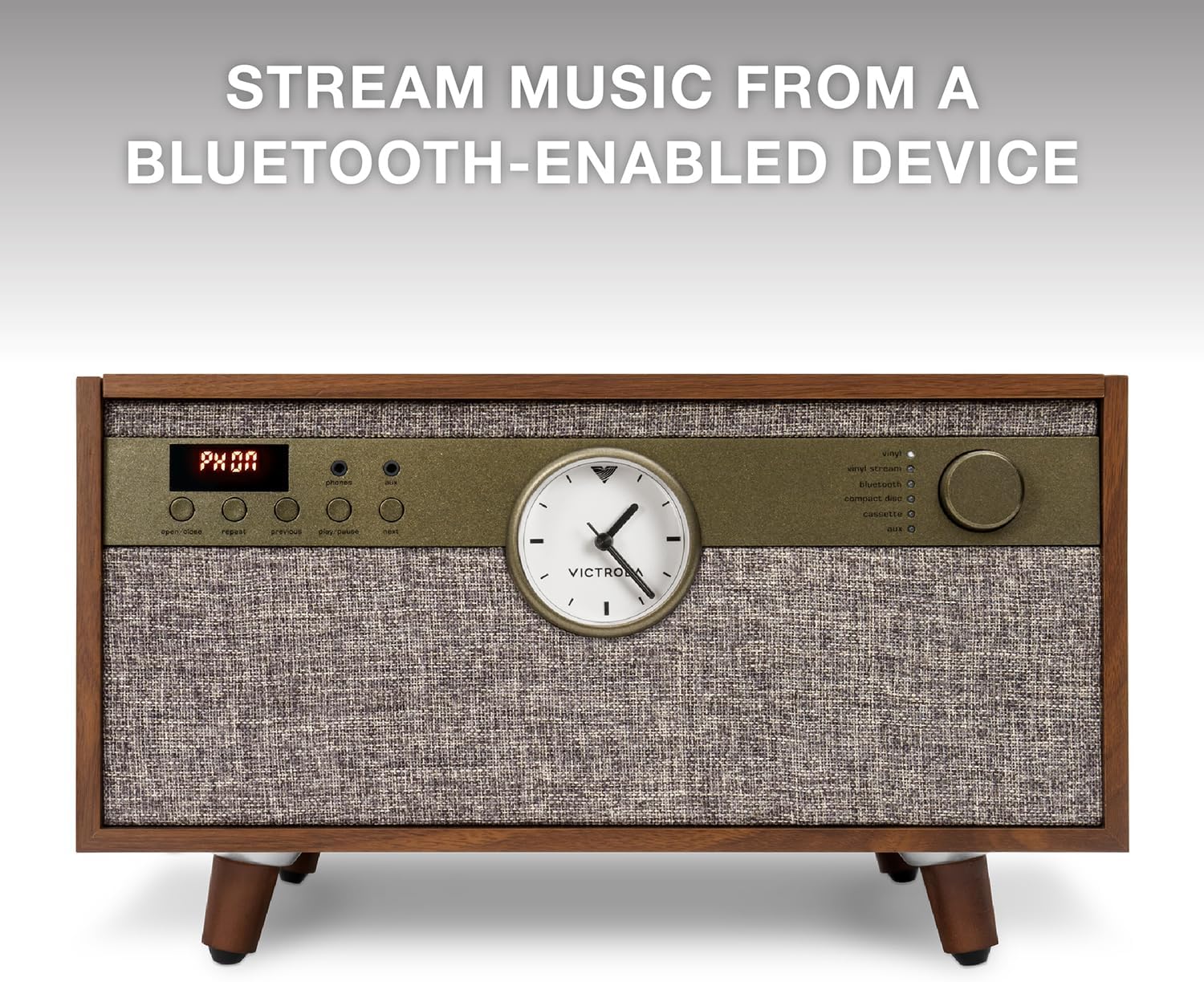
Image: The front panel of the Victrola Century Signature+ with the digital display showing "PHON" and the Bluetooth indicator, demonstrating its capability to stream music from a Bluetooth-enabled device.
VINYLSTREAM Bluetooth Output
Stream your vinyl records wirelessly to Bluetooth headphones or speakers.
- Ensure your Bluetooth headphones/speakers are in pairing mode.
- On the Victrola Century Signature+, activate VINYLSTREAM Bluetooth output (refer to specific button/mode on unit).
- The unit will search for and connect to nearby Bluetooth audio devices.
- Once connected, audio from the turntable will be streamed to your external Bluetooth device.

Image: The Victrola Century Signature+ with a vinyl record playing, illustrating its VINYLSTREAM Bluetooth output capability to wirelessly transmit audio to external Bluetooth speakers or headphones.
Auxiliary Input (AUX)
Connect external audio devices (e.g., MP3 players) using a 3.5mm audio cable to the AUX IN port.
RCA Output
Connect the unit to external powered speakers or a home audio receiver using RCA cables for enhanced sound.
Headphone Jack
For private listening, plug standard headphones into the headphone jack on the front of the unit.
Built-in Stereo Speakers
The unit features custom-tuned built-in stereo speakers for rich, room-filling sound without the need for external components.
Maintenance
Cleaning the Unit
Wipe the exterior of the unit with a soft, dry cloth. Do not use abrasive cleaners or solvents. For the turntable platter and stylus, use specialized cleaning tools designed for record players.
Stylus Care
The stylus (needle) is a delicate component. Avoid touching it with your fingers. Clean it periodically with a soft brush designed for styluses, brushing from back to front.
Troubleshooting
| Problem | Possible Cause | Solution |
|---|---|---|
| No Power | Power adapter not connected; outlet not active. | Ensure power adapter is securely connected to the unit and a working wall outlet. |
| No Sound | Volume too low; incorrect input mode; external speakers not connected/powered. | Increase volume; select correct input mode (Phono, CD, Bluetooth, AUX); check connections to external speakers if used. |
| Record Skipping | Dirty or scratched record; dirty stylus; unit not level; excessive vibration. | Clean record; clean stylus; ensure unit is on a stable, level surface; avoid placing near vibrating sources. |
| Bluetooth Pairing Issues | Device too far; Bluetooth not enabled on device; unit not in pairing mode. | Ensure device is within range; enable Bluetooth on device; put unit in Bluetooth pairing mode. |
Specifications
| Feature | Detail |
|---|---|
| Model Number | VTA-835SB-WLN |
| Dimensions (Package) | 19.3 x 17.75 x 12 inches |
| Item Weight | 22.2 pounds |
| Connectivity Technology | Auxiliary, Bluetooth, VINYLSTREAM |
| Maximum Rotational Speed | 78 RPM (supports 33 1/3, 45, 78 RPM) |
| Included Components | Record Player, Power adapter, Instruction manual, 1" feet, 18" Floor-Standing Legs |
| Special Features | AUX Input, Built-in Speaker, Dust Cover, Headphone Jack Output, RCA Output, Analog Clock |
| Material | Engineered Wood |
| Color | Walnut |
| Manufacturer | Innovative Technology |
Warranty and Support
This Victrola product is covered by a manufacturer's warranty. Please refer to the warranty card included in your packaging for specific terms and conditions. For technical support, troubleshooting assistance, or warranty claims, please contact Victrola customer service directly.
Visit the official Victrola website for the most up-to-date support information and contact details.
Ask a question about this manual
Ask about setup, troubleshooting, compatibility, parts, safety, or missing instructions. Manuals+ will review the question and use this page’s manual context to help answer it.