
1. Introduction
This manual provides detailed instructions for the safe and efficient operation of your Retevis B63B Walkie Talkie. Please read this manual thoroughly before using the device to ensure proper functionality and to prevent damage.

Image 1.1: Retevis B63B Walkie Talkies. These compact two-way radios are designed for portable communication.
2. Package Contents
Verify that all items are present in your package. If any items are missing or damaged, please contact customer support.
- Retevis B63B Walkie Talkie (x2)
- Type-C Charging Cable (x1)
- Belt Clip (x2)
- User Manual (x1)

Image 2.1: Included Package Contents. Ensure all listed items are present upon unboxing.
3. Setup
3.1. Charging the Battery
The Retevis B63B features an integrated 1620mAh Lithium-ion battery. Before first use, fully charge the device.
- Connect the supplied Type-C charging cable to the charging port on the side of the walkie talkie.
- Connect the other end of the cable to a compatible USB power adapter (not included) or a computer USB port.
- The charging indicator light will illuminate. Once fully charged, the indicator may change color or turn off, depending on the specific model.
- A full charge provides up to 34 hours of continuous use.

Image 3.1: Type-C Charging. The walkie talkie is easily rechargeable using the included Type-C cable.
3.2. Attaching the Belt Clip
To attach the belt clip, align it with the designated slots on the back of the walkie talkie and slide it into place until it clicks securely.
4. Operating Instructions
4.1. Power On/Off and Volume Control
- Power On: Rotate the Power/Volume knob clockwise until you hear a click and the device powers on.
- Power Off: Rotate the Power/Volume knob counter-clockwise until you hear a click and the device powers off.
- Volume Adjustment: Rotate the Power/Volume knob to increase (clockwise) or decrease (counter-clockwise) the listening volume.
4.2. Channel Selection
The Retevis B63B supports 16 channels. Use the 'MENU' button and the Up/Down arrow buttons to navigate and select channels.
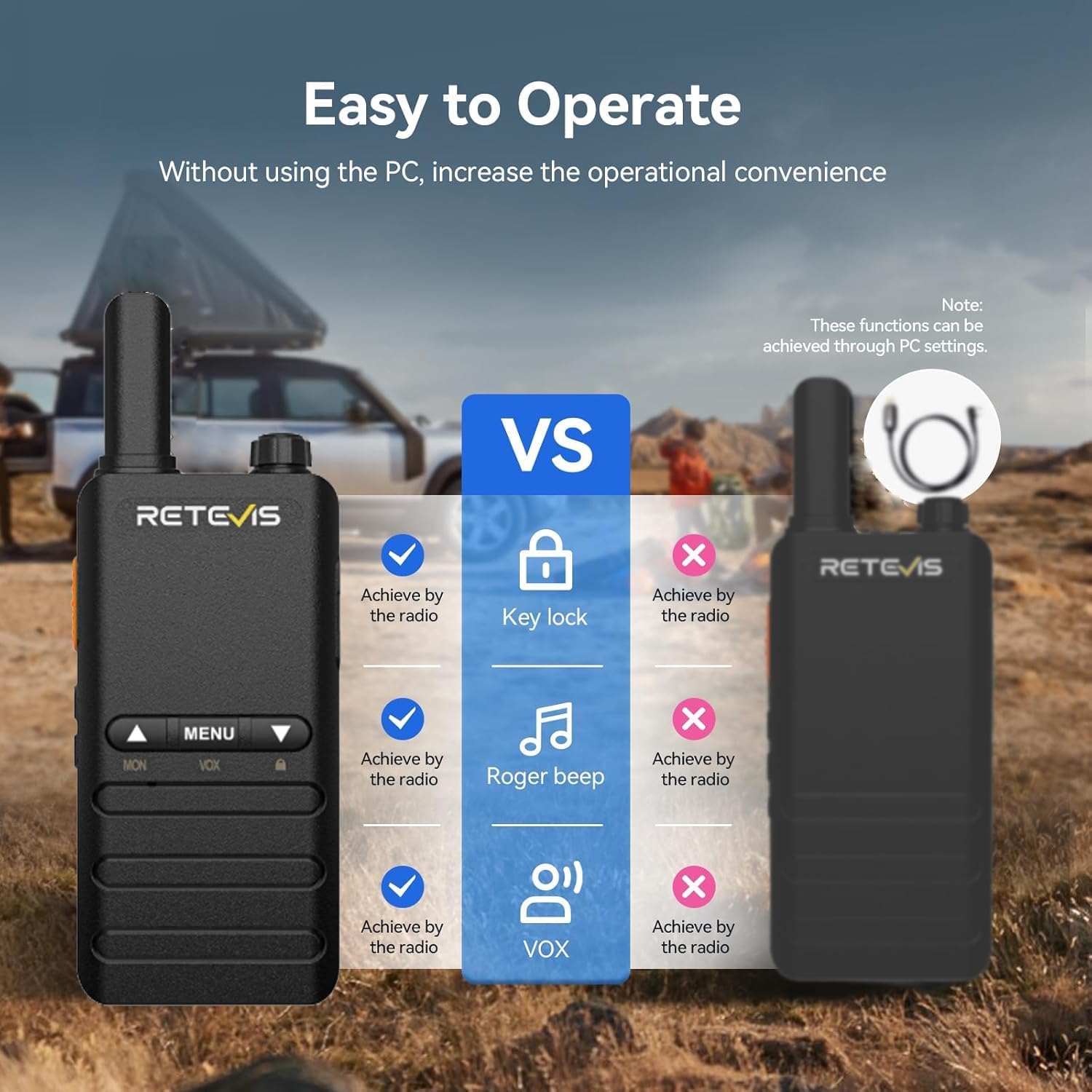
Image 4.1: Easy Operation. The B63B offers convenient front-panel controls for various functions without requiring PC software.
4.3. Transmitting and Receiving
- To Transmit: Press and hold the Push-To-Talk (PTT) button on the side of the radio. Speak clearly into the microphone. Release the PTT button to stop transmitting and listen for a response.
- To Receive: Ensure the PTT button is not pressed. The radio will automatically receive signals on the selected channel.
4.4. VOX Function (Voice Operated Exchange)
The VOX function allows for hands-free communication. When activated, the radio will automatically transmit when it detects your voice, without needing to press the PTT button.
- Activation: Access the menu using the 'MENU' button and navigate to the VOX setting. Select your desired VOX sensitivity level (0-7, where 7 is most sensitive).
- Usage: Once activated, speak normally into the microphone to transmit. The radio will automatically switch to transmit mode.

Image 4.2: VOX Function in Use. Speak directly into the walkie talkie without pressing the PTT button when busy.
4.5. Keypad Lock
The keypad lock prevents accidental changes to your settings. To activate or deactivate the keypad lock, long-press the 'DOWN' button.

Image 4.3: Keypad Lock. Long press the 'DOWN' button to prevent accidental setting changes.
4.6. Emergency Alarm
The B63B includes a local and remote alarm function for emergency situations.
- Activation: Refer to your specific model's button configuration for the alarm button (often a dedicated side button or a programmable function). Pressing this button will activate the alarm.
- Function: The alarm can emit a loud local siren and/or transmit an alarm tone to other radios on the same channel, alerting others to your situation.

Image 4.4: Local and Remote Alarm. Activate this function in emergencies to alert others.
4.7. CTCSS/DCS Codes
The B63B supports 50 CTCSS (Continuous Tone-Coded Squelch System) and 210 DCS (Digitally Coded Squelch) codes. These codes help filter out unwanted conversations on a channel, ensuring clearer communication.
- Setting: Use the 'MENU' button to access the CTCSS/DCS settings for each channel. Select a code that matches the radios you wish to communicate with.
- Note: All radios in a group must be set to the same channel and CTCSS/DCS code to communicate.

Image 4.5: CTCSS/DCS Function. These codes help maintain clear and private communication by filtering out interference.
5. Maintenance
5.1. General Care
- Keep the device dry. This product is not waterproof.
- Clean the radio with a soft, damp cloth. Do not use harsh chemicals or abrasive cleaners.
- Avoid exposing the radio to extreme temperatures, direct sunlight, or dusty environments.
5.2. Battery Care
- Recharge the battery when the low battery indicator appears.
- Do not attempt to disassemble or replace the integrated battery.
- Store the radio in a cool, dry place if not used for extended periods.
6. Troubleshooting
If you experience issues with your Retevis B63B, please refer to the following common troubleshooting steps:
| Problem | Possible Cause | Solution |
|---|---|---|
| No power | Battery depleted | Charge the battery fully. |
| Cannot transmit or receive | Incorrect channel/CTCSS/DCS; Out of range; Low battery | Verify channel and codes match; Move closer to other radios; Charge battery. |
| Poor audio quality | Weak signal; Interference; Volume too low/high | Move to an open area; Adjust volume; Check for obstructions. |
| Keypad unresponsive | Keypad lock activated | Long-press the 'DOWN' button to unlock. |
If the problem persists after trying these solutions, please contact Retevis customer support.
7. Specifications
Key technical specifications for the Retevis B63B Walkie Talkie:
- Brand: Retevis
- Model Number: B63B
- Color: Black
- Number of Channels: 16
- Frequency Range: 446.00625-446.19375 MHz
- Maximum Range: 5 Kilometers (under optimal conditions)
- Battery Composition: Lithium-ion
- Battery Capacity: 1620mAh
- Voltage: 3.7 Volts
- Work Time: Up to 34 hours
- Charging Type: Type-C
- Weight: 103 Grams
- Special Features: Portable, Rechargeable, VOX, Emergency Alarm, Keypad Lock, 50 CTCSS/210 DCS
- Water Resistance Level: Not waterproof
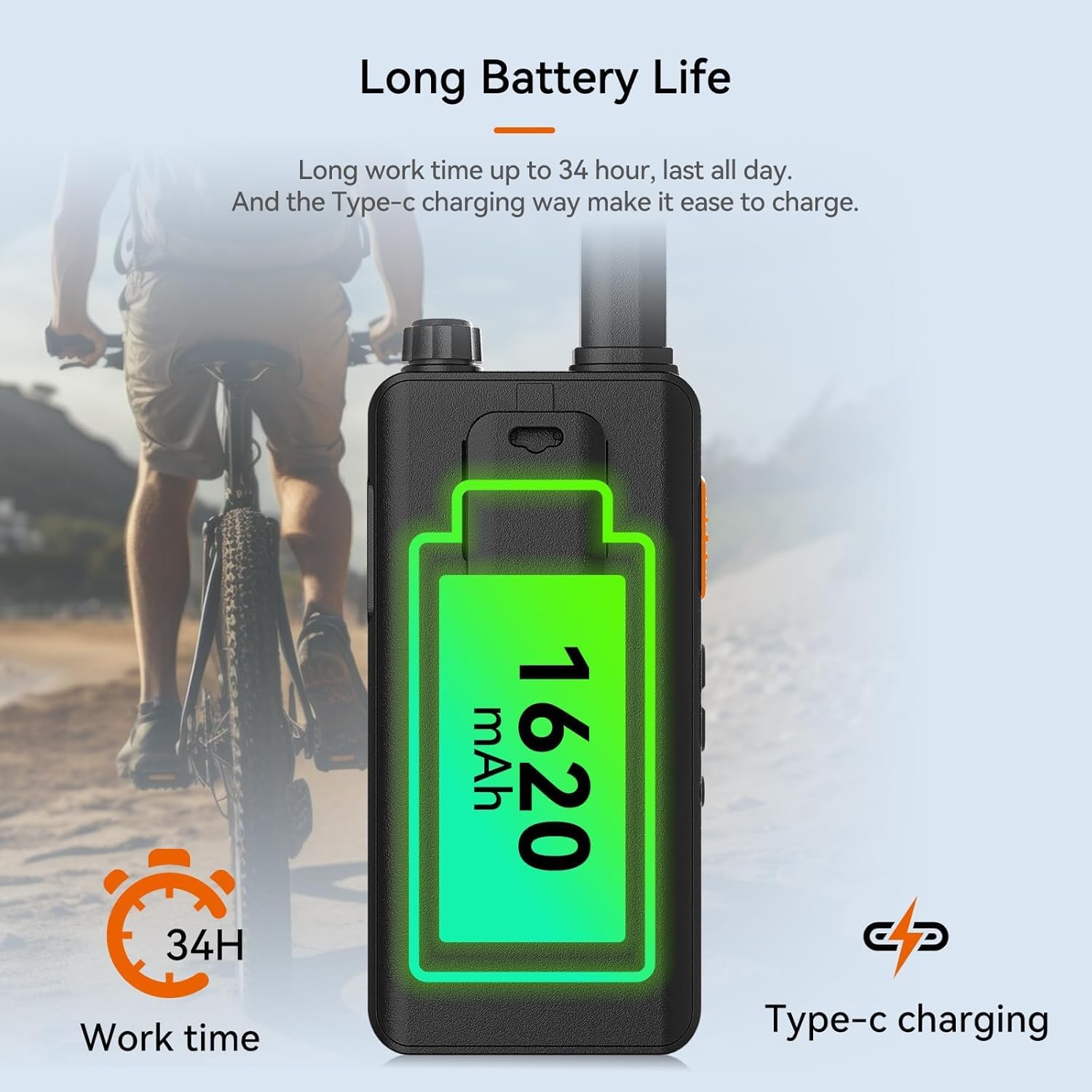
Image 7.1: Long Battery Life. The 1620mAh battery provides extended operation and convenient Type-C charging.

Image 7.2: Portable Design. The B63B features a thin body and light weight for easy carrying.
8. Warranty and Support
8.1. Manufacturer's Warranty
Retevis offers a 2-year warranty for the radio body and a 1-year warranty for accessories. A 30-day no-reason return policy is also provided. After the warranty period, maintenance services are available, with buyers responsible for associated costs.
8.2. Customer Support
For any questions, technical assistance, or warranty claims, please contact Retevis customer support directly through Amazon. Responses are typically provided within 12 hours.
Seller: RetevisDirect


