
NANROBOT N6
NANROBOT N6 Electric Scooter User Manual
Model: N6
1. Introduction
This manual provides essential information for the safe operation, assembly, maintenance, and troubleshooting of your NANROBOT N6 Electric Scooter. Please read this manual thoroughly before your first ride to ensure proper use and to maximize your riding experience. Retain this manual for future reference.
2. Safety Information
Your safety is paramount. Always wear a helmet and appropriate protective gear (knee pads, elbow pads) when riding. Adhere to local laws and regulations regarding electric scooter use.
- UL2272 Certified: The NANROBOT N6 has passed UL2272 certification for electrical safety.
- Weight Limit: Do not exceed the maximum weight limit of 330 pounds (150 kg).
- Age Range: This scooter is designed for adult riders.
- Pre-Ride Check: Before each ride, inspect the brakes, tires, and all connections to ensure they are secure and functioning correctly.
- Environmental Conditions: Avoid riding in heavy rain, snow, or on icy surfaces. The scooter is waterproof (IPX4 rated), but extreme conditions can compromise safety.
- Speed Control: Utilize the three available speed modes appropriate for your environment and skill level.
- Visibility: Ensure all lights are functioning, especially during night rides. The scooter features a 360° light system and bright LED headlights for enhanced visibility.
3. Package Contents
Upon unpacking your NANROBOT N6 Electric Scooter, please verify that all the following items are included:
- NANROBOT N6 Electric Scooter
- Scooter Charger
- NFC Cards (x2)
- Extended Air Inflator Tube
- Universal Repair Tool
- Wireless Remote Control for Lights
- User Manual (this document)
4. Product Overview
The NANROBOT N6 is a high-performance electric scooter designed for adults, featuring dual motors, long-range battery, and advanced suspension for both urban and off-road use.
Key Features:
- Powerful Dual Motor Performance: Equipped with 3000W dual motors (1500W x 2), providing front and rear dual drive for speeds up to 50 MPH. Three speed modes are available.
- Long-Range Battery: Features a 72V30AH large capacity lithium battery, offering a single-drive range of up to 80 miles (130 km) and a dual-drive range of 37-43 miles (60-70 km) per charge.
- Advanced Shock Absorption: Includes 10-inch road tires and front and rear spring suspensions to absorb shocks and bumps.
- Hydraulic Braking System: Front and rear oil brakes (Nutt oil brake) provide reliable stopping power.
- Enhanced Visibility: A 360° light system and bright head LED lights ensure visibility during night rides.
- Foldable Design: Features a 3-step folding mechanism for convenient storage and transport.
- Durable Construction: Ergonomic high-strength aluminum alloy frame for stability and durability.
- Smart Display: Upgraded smart display shows speed, speed mode, battery life, and range. NFC swipe card for unlocking.
Component Identification:
Refer to the image below for a visual guide to the main components of your NANROBOT N6 scooter.
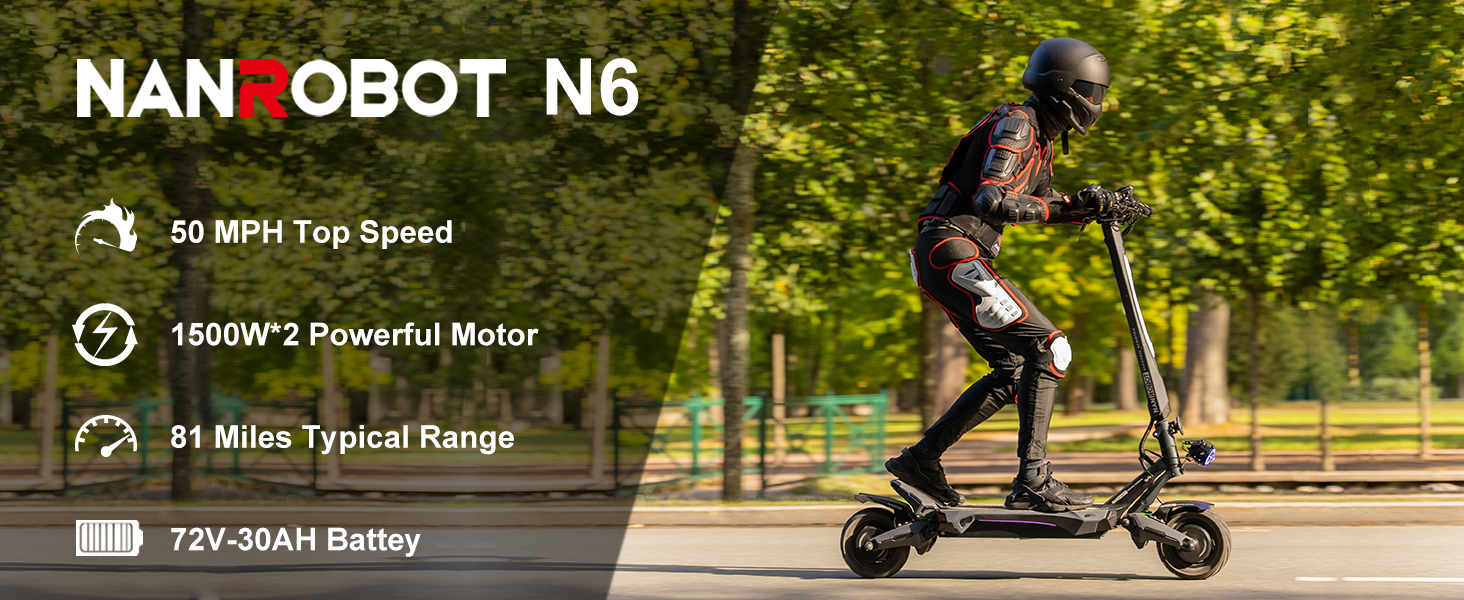
Image: Overview of NANROBOT N6 Electric Scooter with labeled components including finger throttle, display, brakes, stem light, folding mechanism, headlight, steering damper, rubber pedal, charging port, tail light, fender, and 10" road tire.

Image: Close-up of the NANROBOT N6 handlebar controls, showing the finger throttle, front brake, rear brake, turning signal, horn button, display, and ambient light controls.
5. Setup
5.1 Unfolding the Scooter
Your NANROBOT N6 scooter comes partially folded. Carefully unfold the stem until it locks into place. Ensure all locking mechanisms are securely engaged before use.

Image: Illustration of the NANROBOT N6 folding mechanism, showing the scooter in both unfolded and folded positions with dimensions.
5.2 Initial Charging
Before your first ride, fully charge the scooter's battery. Connect the charger to the charging port on the scooter and then to a power outlet. The indicator light on the charger will change (e.g., from red to green) when charging is complete.
5.3 Seat Installation (if applicable)
If your model includes a seat, follow these steps for installation. The provided universal repair tool can be used for this process.
Video: This video demonstrates the process of installing the seat on the NANROBOT electric scooter. It shows how to attach the seat post to the scooter's deck using a screwdriver.
6. Operating Instructions
6.1 Power On/Off and Unlocking
To power on the scooter, press and hold the power button on the display. To unlock the scooter, use one of the two provided NFC cards by swiping it over the designated area on the display. The display will show current speed, speed mode, battery life, and range.
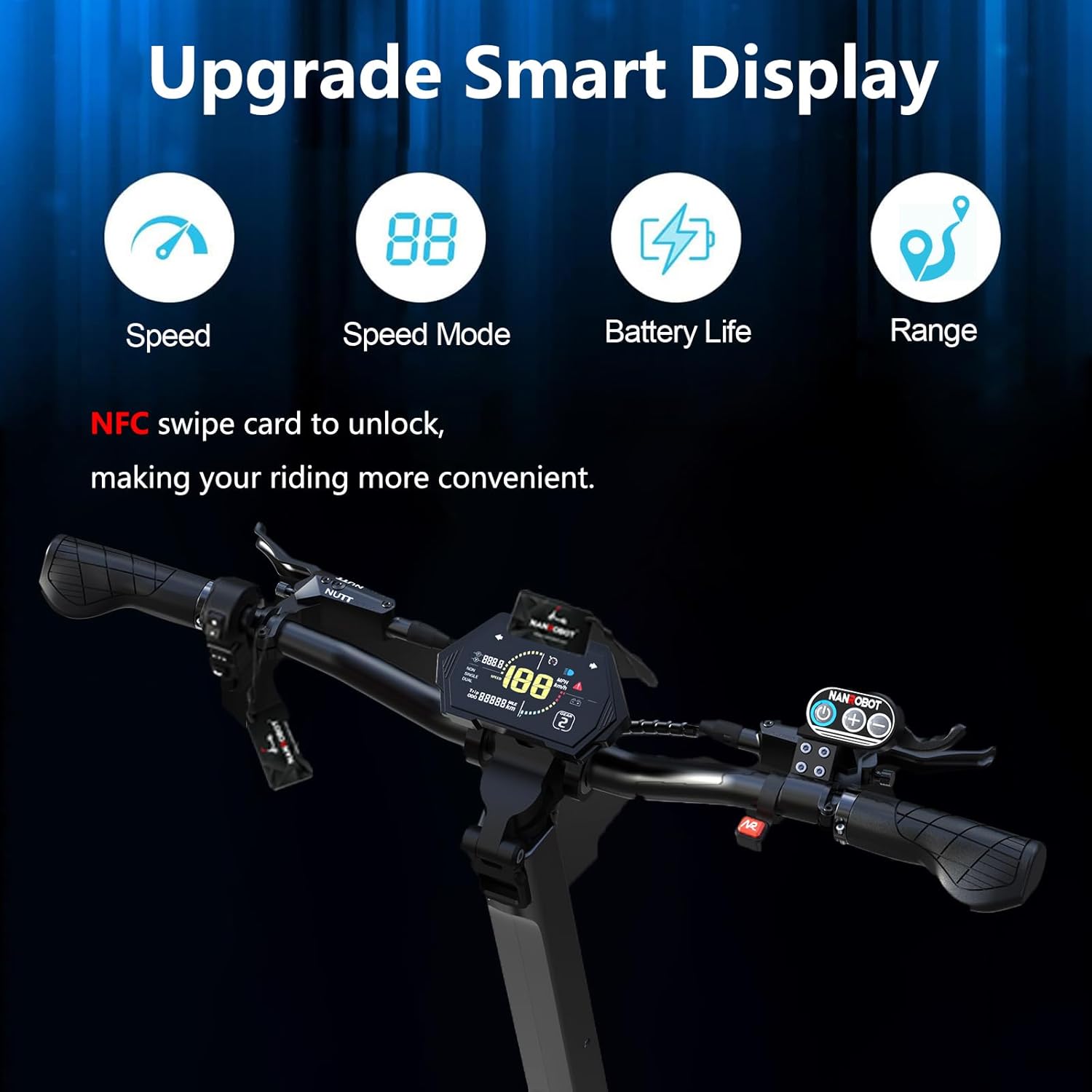
Image: The upgraded smart display of the NANROBOT N6 Electric Scooter, showing speed, speed mode, battery life, and range indicators. It also highlights the NFC swipe card unlock feature.
6.2 Riding the Scooter
- Starting: Place one foot on the deck and push off with the other foot to gain initial momentum. Then, gently press the finger throttle to accelerate.
- Speed Modes: The scooter offers three speed modes. Use the controls on the handlebar to switch between modes according to your preference and riding conditions.
- Braking: Use the front and rear brake levers on the handlebar to slow down or stop. Apply both brakes smoothly for controlled deceleration.
- Turning: Lean into turns and use the handlebars to steer.
6.3 Lighting System
The NANROBOT N6 features a comprehensive lighting system for safety and visibility, including LED headlights, brake taillights, and ambient surface lights. Use the wireless remote control to manage the lighting modes.
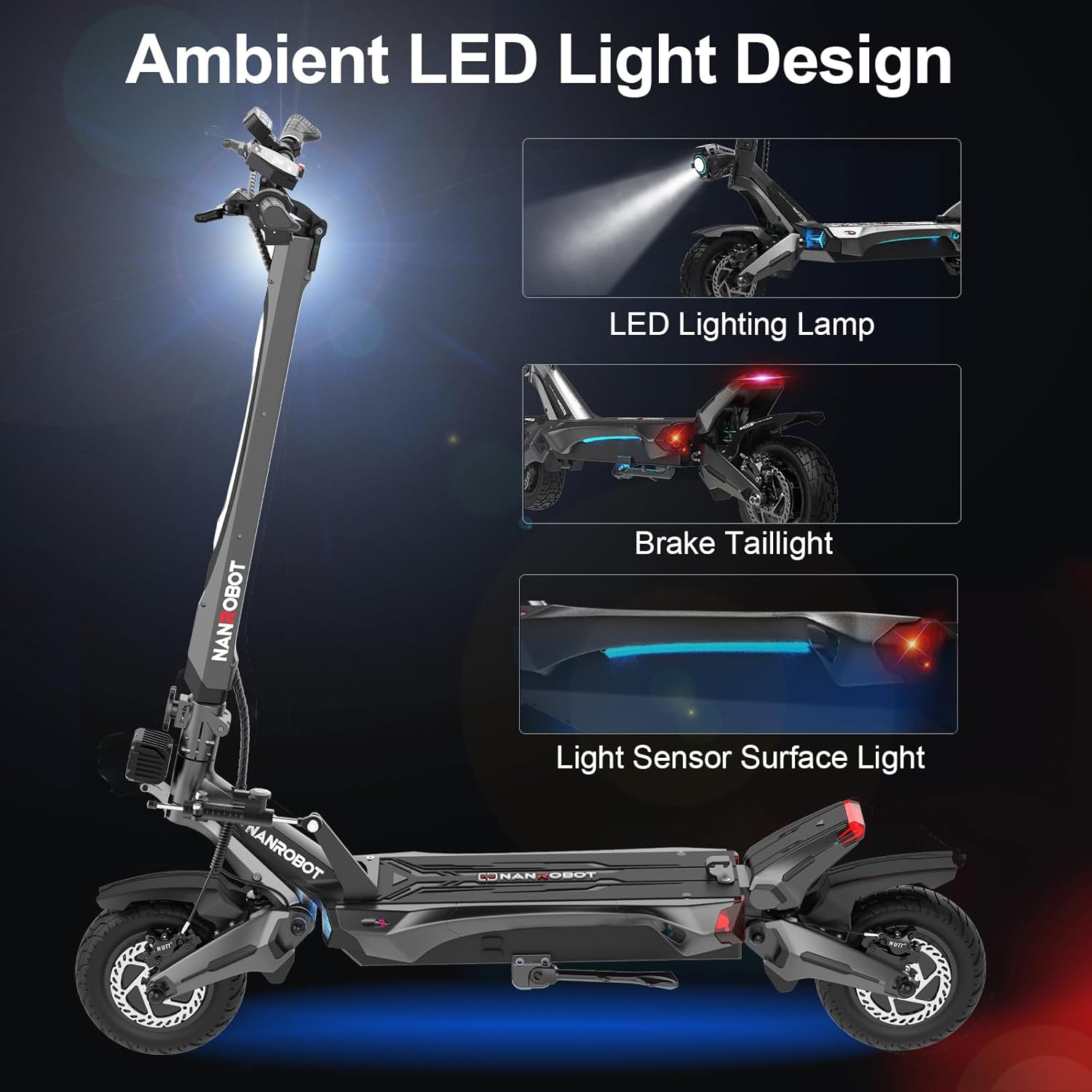
Image: The ambient LED light design of the NANROBOT N6 Electric Scooter, showcasing the LED lighting lamp, brake taillight, and light sensor surface light.
Video: This video demonstrates the various lighting effects and modes of the NANROBOT N6 electric scooter, including stem light, ambient light, light mode switches (opening, closing, breathing), static light modes, headlight modes, and music sync mode.
7. Maintenance
Regular maintenance ensures the longevity and safe operation of your scooter.
- Tire Pressure: Check tire pressure regularly. The 10-inch pneumatic off-road tires require proper inflation for optimal performance and safety.
- Brake System: Periodically inspect the front and rear oil brakes for wear and proper function. Adjust or replace brake pads as needed.
- Battery Care:
- Avoid fully discharging the battery.
- Charge the battery regularly, even if the scooter is not in use for extended periods.
- Store the scooter in a cool, dry place away from direct sunlight and extreme temperatures.
- The battery management system (BMS) provides protection against short circuits, over-discharge, overcharge, overcurrent, and over-temperature.
- Cleaning: Wipe down the scooter with a damp cloth. Avoid using high-pressure water jets directly on electrical components.
- Fasteners: Regularly check all screws and bolts for tightness.

Image: Diagram illustrating the NANROBOT N6 Electric Scooter's Battery Management System (BMS) and its protective features, including short circuit, over-discharge, overcharge, overcurrent, and over-temperature protection.
8. Troubleshooting
This section addresses common issues you might encounter with your NANROBOT N6 Electric Scooter.
| Problem | Possible Cause | Solution |
|---|---|---|
| Scooter does not power on. | Low battery, loose connections, power button issue. | Charge the battery. Check all visible cable connections. Ensure the power button is pressed correctly. |
| Reduced range or power. | Under-inflated tires, low battery charge, heavy load, riding uphill. | Check and inflate tires to recommended pressure. Fully charge the battery. Reduce load if possible. |
| Brakes feel weak or unresponsive. | Worn brake pads, air in hydraulic system, loose brake cable. | Inspect brake pads for wear and replace if necessary. Consult a professional for hydraulic system bleeding. Ensure brake cables are taut. |
| Unusual noises during operation. | Loose components, debris in wheels, motor issue. | Check all fasteners. Inspect wheels for foreign objects. If noise persists, contact customer support. |
For issues not listed here or if solutions do not resolve the problem, please contact NANROBOT customer support.
9. Specifications
| Feature | Detail |
|---|---|
| Brand | NANROBOT |
| Model Name | N6 72V30A seat |
| Motor Power | 3000W Dual Motor (1500W x 2) |
| Max Speed | Up to 50 MPH |
| Battery | 72V30AH Lithium Battery |
| Max Distance Range | 80 Miles (single drive), 37-43 Miles (dual drive) |
| Weight Limit | 330 Pounds |
| Tires | 10 Inches Pneumatic Off-Road Tires |
| Suspension Type | Dual Spring Suspension |
| Brake Style | Front Rear Hydraulic Braking (Nutt oil brake) |
| Frame Material | Aluminum Alloy |
| Product Dimensions (LxWxH) | 53"L x 25"W x 53.7"H |
| Special Features | Digital Display, Foldable, Speedometer, Waterproof (IPX4), Odometer, NFC Unlock, Ambient Lighting, Steering Damper |
| Certification | UL2272 Tested |
10. Additional Information Videos
Explore these official videos for more insights into your NANROBOT N6 Electric Scooter.
N6 72V Electric Scooter New Upgrade Overview
Video: This video highlights the new upgrades for the N6 72V electric scooter, comparing features like the display, headlights, motor power, shock absorbers, and oil brakes between the N6 52V and N6 72V models.
N6 72V Scooter Quick Ride
Video: This video showcases the NANROBOT N6 72V scooter in action, demonstrating its performance and handling across various terrains, including urban landscapes and off-road paths.
11. Warranty and Support
NANROBOT prioritizes product quality. The N6 electric scooter has passed UL2272 certification.
- Warranty: Different parts of the scooter are guaranteed for 3-12 months. Please refer to your purchase documentation for specific warranty details.
- Support: For technical assistance, warranty claims, or general inquiries, please contact the NANROBOT Store. A special maintenance point is established in the United States for service needs.
Related documentsN6


Ask a question about this manual
Ask about setup, troubleshooting, compatibility, parts, safety, or missing instructions. Manuals+ will review the question and use this page’s manual context to help answer it.