
Uten UTEN-BIKE-X1458
Uten Mini Exercise Bike Instruction Manual
Model: UTEN-BIKE-X1458
Introduction
Thank you for choosing the Uten Mini Exercise Bike. This manual provides essential information for the safe and effective use of your new exercise equipment. Please read this manual thoroughly before assembly and operation, and retain it for future reference.
Important Safety Information
- Consult your physician before starting any exercise program.
- Ensure all parts are securely assembled before each use.
- Place the exercise bike on a flat, stable surface. Use the included anti-slip mat if exercising on smooth floors.
- Keep children and pets away from the equipment during use.
- Do not stand on the pedals. This device is designed for seated use.
- Stop exercising immediately if you feel pain, dizziness, or shortness of breath.
- Maximum user weight recommendation: 240 Pounds.
Included Components
The Uten Mini Exercise Bike comes with the following components:
- Main Exercise Bike Unit
- Anti-slip Mat
- Instruction Manual
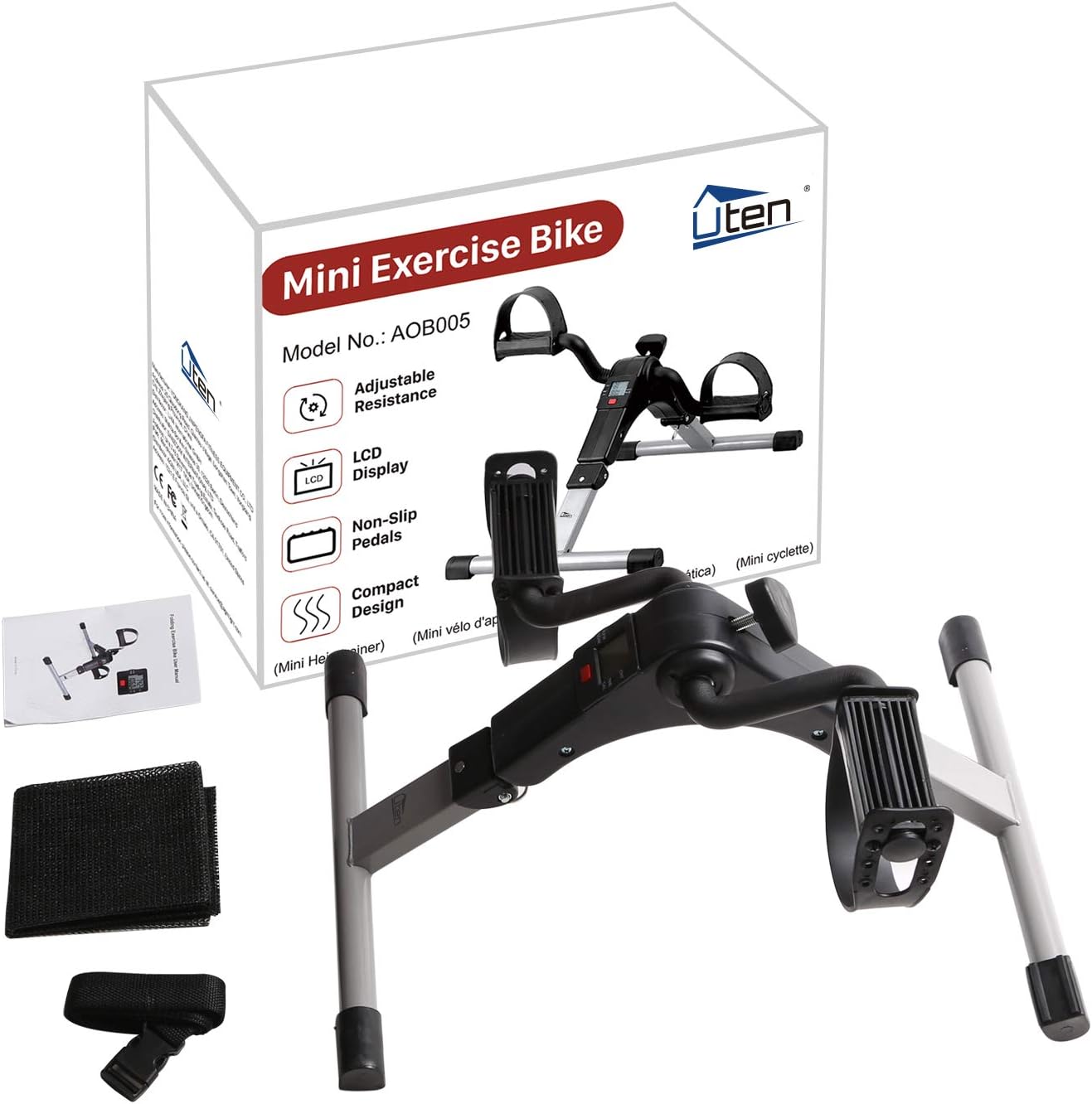
Image: The Uten Mini Exercise Bike, its packaging, and included accessories such as the anti-slip mat and instruction manual.
Setup and Assembly
The Uten Mini Exercise Bike is designed for quick and easy setup. It comes largely pre-assembled.
Folding and Unfolding the Unit
- Unfolding the Frame: Pull firmly on the ring located at the joint of the frame leg.
- Secure the Legs: Pull the leg out until it clicks securely into place. Repeat this process for the other leg. Ensure both legs are fully extended and locked before use.

Image: A diagram illustrating the two-step setup process: pulling the ring at the joint and extending the frame legs until they click into place.
Once unfolded, place the exercise bike on a stable, flat surface. For added stability and floor protection, place the included anti-slip mat underneath the unit.
Operating Instructions
Using the Exercise Bike
- Sit comfortably in a chair with your feet or hands placed in the pedal straps.
- Adjust the pedal straps to ensure a secure fit for your feet or hands. The adjustable straps accommodate various sizes.
- Begin pedaling in a smooth, controlled motion.
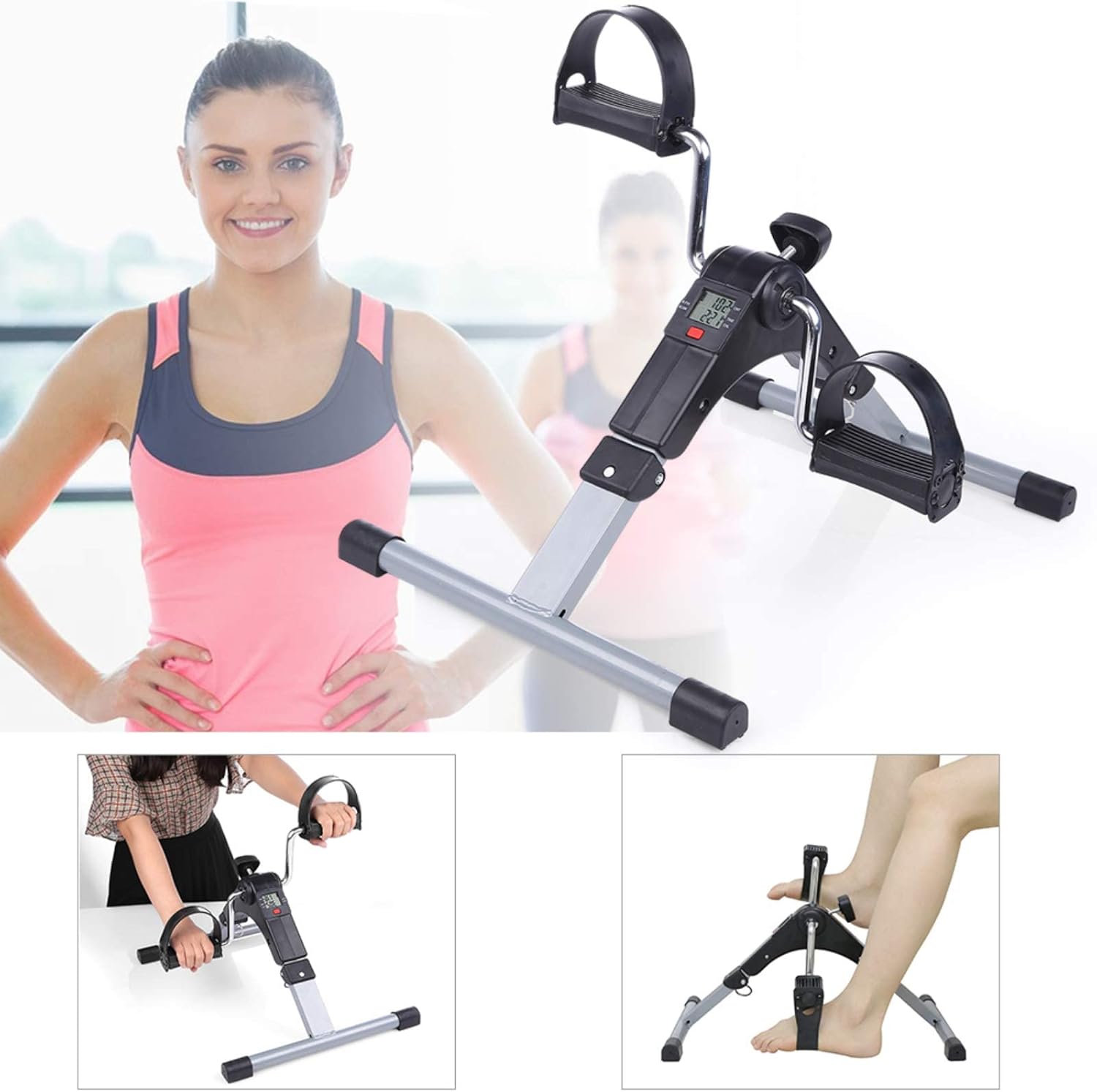
Image: A woman demonstrating the use of the Uten Mini Exercise Bike for both leg and arm exercises, highlighting its versatility.
Adjusting Resistance
The Uten Mini Exercise Bike features an adjustable resistance knob. Turn the knob clockwise to increase resistance for a more challenging workout, and counter-clockwise to decrease resistance for an easier session. Adjust the intensity to suit your fitness level and exercise goals.
LCD Display Functions
The integrated LCD display tracks your workout progress. It is battery-powered and automatically activates when you begin pedaling.
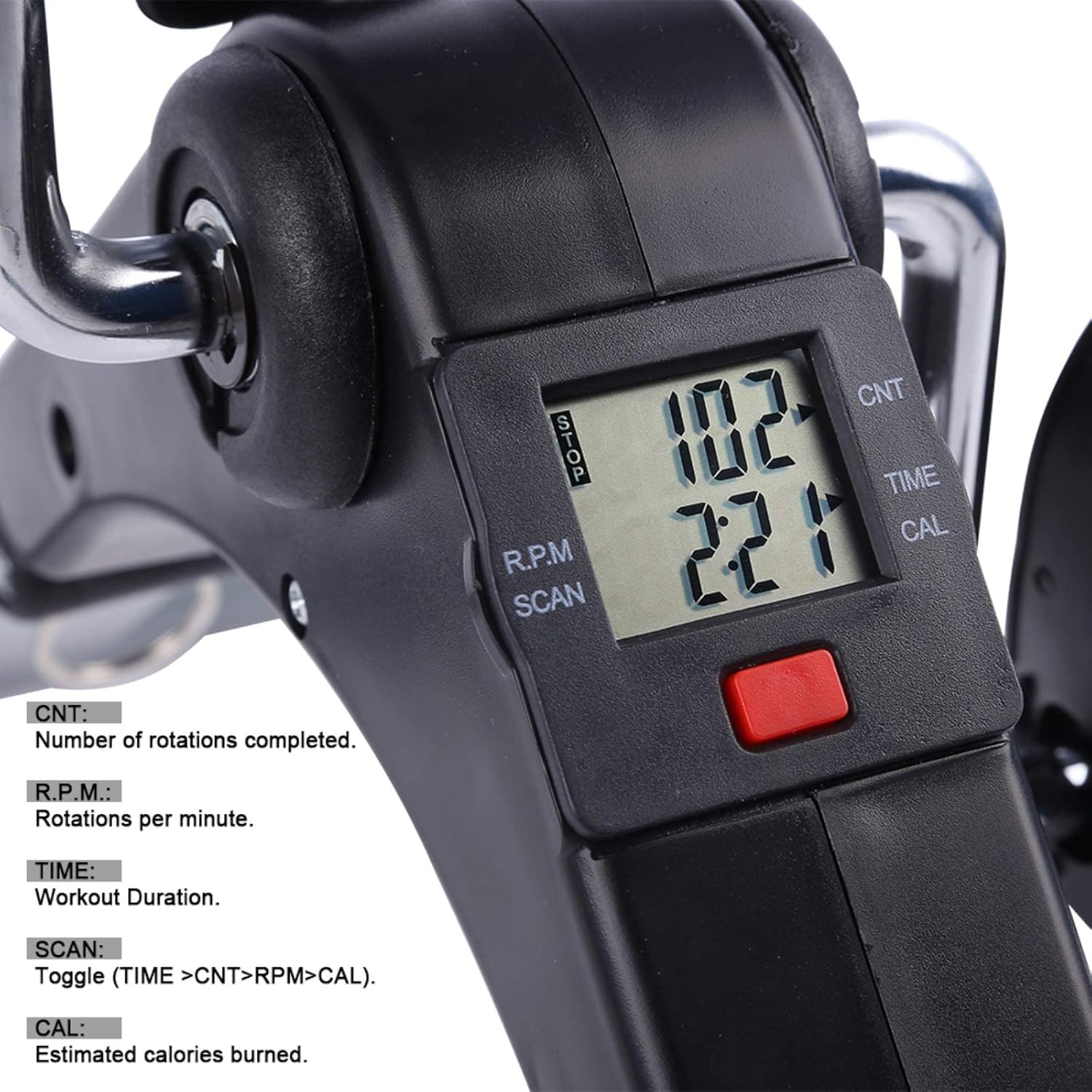
Image: A detailed view of the LCD display on the Uten Mini Exercise Bike, showing readouts for CNT (count), RPM (rotations per minute), TIME, and CAL (calories burned).
| Metric | Description |
|---|---|
| CNT (Count) | Total number of rotations completed during the current session. |
| R.P.M. (Rotations Per Minute) | Current pedaling speed in rotations per minute. |
| TIME | Duration of your current workout session. |
| CAL (Calories) | Estimated calories burned during the workout. Note: This is an estimate and may not be precise. |
| SCAN | Automatically cycles through all the metrics (TIME, CNT, RPM, CAL) every few seconds. |
To reset the display, press and hold the red button on the LCD unit for a few seconds until the values clear.
Maintenance
Cleaning
Wipe down the exercise bike with a damp cloth after each use to remove sweat and dust. Do not use abrasive cleaners or solvents, as these may damage the finish or electronic components.
Storage
When not in use, the Uten Mini Exercise Bike can be folded for compact storage. Store it in a cool, dry place away from direct sunlight and extreme temperatures.
Battery Replacement (LCD Display)
If the LCD display becomes dim or stops functioning, the battery may need replacement. Refer to the battery compartment on the back of the display unit for instructions on how to open it and replace the battery (typically a standard button cell battery).
Troubleshooting
| Problem | Possible Cause | Solution |
|---|---|---|
| Unit slides during use. | Not on a stable surface; anti-slip mat not used. | Ensure the unit is on a flat, stable surface. Use the included anti-slip mat, especially on smooth floors. |
| LCD display not working or dim. | Battery low or dead; loose connection. | Replace the battery in the LCD unit. Check for any loose connections to the display. |
| Pedals feel loose or wobbly. | Pedal screws are not tightened. | Ensure the pedal screws are securely tightened. Refer to assembly instructions if needed. |
| Resistance knob has no effect. | Internal mechanism issue. | Contact customer support for assistance. |
Specifications

Image: A technical diagram illustrating the key dimensions of the Uten Mini Exercise Bike in centimeters.
- Model Name: UTEN-BIKE-X1458
- Brand: Uten
- Product Dimensions (LxWxH): 14.96 x 12.6 x 6.89 inches (38 x 32 x 17.5 cm)
- Item Weight: 5.5 Pounds (2.5 kg)
- Material: Metal
- Color: Black & Silver
- Maximum Weight Recommendation: 240 Pounds (108 kg)
- Controls Type: Knob (Manual Resistance)
- Display Type: LCD
- Power Source: Battery Powered (for LCD)
- UPC: 841834137735
Warranty Information
The Uten Mini Exercise Bike comes with a 1-Year Limited Warranty from the date of purchase. This warranty covers manufacturing defects in materials and workmanship under normal use. It does not cover damage resulting from misuse, accident, alteration, neglect, or unauthorized repair.
Please retain your proof of purchase for warranty claims.
Customer Support
If you have any questions, concerns, or require assistance with your Uten Mini Exercise Bike, please contact our customer support team. For the most up-to-date contact information, please visit the official Uten website or refer to your purchase documentation.
We are committed to providing excellent service and support for our products.
Related documentsUTEN-BIKE-X1458

Ask a question about this manual
Ask about setup, troubleshooting, compatibility, parts, safety, or missing instructions. Manuals+ will review the question and use this page’s manual context to help answer it.