
1. Product Overview
The INIU P55L is a compact and powerful 10000mAh power bank designed for fast and efficient charging of various portable electronic devices. It features a 45W maximum output, an integrated USB-C cable, and a digital display for real-time battery status.
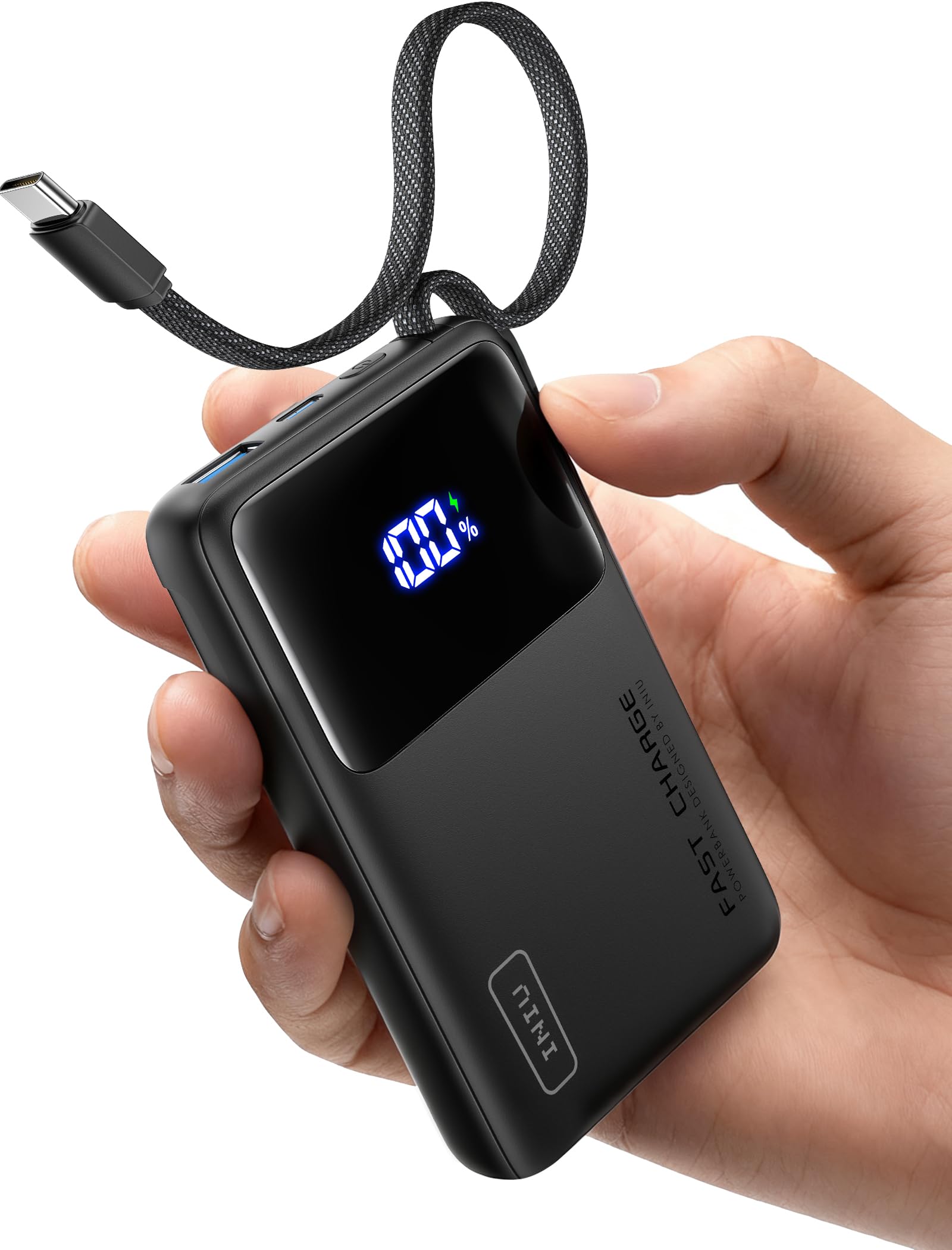
Image: The INIU P55L 10000mAh 45W Power Bank shown alongside a smartphone, highlighting its ultra-thin and compact design. Dimensions are indicated as 11.1cm length, 7cm width, and 1.8cm thickness, with a weight of 180.4g.
Key Features:
- 45W Fast Charging: Delivers up to 45W output, supporting PD and QC fast charging protocols. Capable of charging an iPhone 16 to 63% or a Samsung S24 Ultra to 73% in approximately 25 minutes.
- Integrated USB-C Cable: A built-in USB-C cable provides convenience, eliminating the need for extra cables. This cable can charge both your device and the power bank, and also functions as a lanyard.
- Compact and Lightweight: With a 10000mAh capacity, the power bank is designed to be 25% smaller and 15% lighter than comparable models, making it highly portable.
- Wide Compatibility: Supports fast charging for a broad range of devices, including iPhones, Samsung phones, Google Pixel phones, iPads, Apple Watches, and AirPods. Features an adaptive charging mode for smaller devices to protect battery health.
- Digital Display: An LED screen shows the precise remaining battery percentage.
2. Setup and Initial Use
2.1 Unboxing and Inspection
Upon receiving your INIU P55L Power Bank, carefully unbox the product. Verify that all components are present and undamaged. The package should contain: 1 INIU P55L Power Bank.

Image: The INIU P55L Power Bank shown with its retail packaging, emphasizing the 3-year warranty and eco-friendly design.
2.2 Initial Charging of the Power Bank
Before first use, it is recommended to fully charge your INIU P55L Power Bank. This ensures optimal performance and battery calibration.
- Connect the integrated USB-C cable or a separate USB-C cable to the power bank's input port.
- Plug the other end of the cable into a compatible USB wall charger (not included).
- The digital display will show the charging progress. The power bank is fully charged when the display shows 100%.

Image: The INIU P55L Power Bank recharging itself using its integrated USB-C cable connected to a wall charger. The digital display shows '100%', indicating a full charge in 1.7 hours.
3. Operating Instructions
3.1 Charging Your Devices
The INIU P55L Power Bank can charge a variety of devices using its multiple output ports and integrated cable.
- Using the Integrated USB-C Cable: Pull out the integrated USB-C cable and connect it directly to your compatible device's USB-C port.
- Using External Cables: For devices requiring other connectors (e.g., USB-A to Lightning), use your device's original charging cable. Connect one end to the power bank's USB-A or USB-C output port and the other end to your device.
- The power bank will automatically begin charging. The digital display will show the remaining battery percentage.

Image: The INIU P55L Power Bank simultaneously charging an iPhone, an iPad, an Apple Watch, and AirPods, demonstrating its multi-device charging capability and 10000mAh capacity. An 'Approved for flight' icon is also visible.
3.2 Pass-Through Charging
The power bank supports pass-through charging, allowing you to recharge the power bank while it simultaneously charges your devices.
- Connect the power bank to a wall charger for recharging.
- Connect your device(s) to the power bank's output ports.
- The power bank will prioritize charging your connected devices first, then recharge itself.

Image: A bedside charging setup showing the INIU P55L Power Bank connected to a wall outlet and simultaneously charging a smartphone, illustrating its pass-through charging capability.
4. Maintenance and Care
4.1 General Care
- Keep the power bank away from extreme temperatures, direct sunlight, and liquids.
- Avoid dropping or subjecting the power bank to strong impacts.
- Clean the exterior with a soft, dry cloth. Do not use harsh chemicals or abrasive materials.
4.2 Battery Calibration
To maintain optimal battery performance and accuracy of the digital display, it is recommended to periodically calibrate the power bank's battery. This involves fully discharging the power bank until it turns off, and then fully recharging it to 100%.
4.3 Cable Management
The integrated USB-C cable features a dedicated storage slot to keep it tidy and secure when not in use.

Image: A close-up view of the INIU P55L Power Bank, highlighting its integrated cable storage slot. This feature allows for easy insertion, neat organization, and secure fastening of the cable.
5. Troubleshooting
5.1 Power Bank Not Charging
- Ensure the charging cable is securely connected to both the power bank and the wall charger.
- Verify that the wall charger is functioning correctly and plugged into a live power outlet.
- Try using a different USB-C cable and/or wall charger.
5.2 Device Not Charging from Power Bank
- Check if the power bank has sufficient charge (indicated on the digital display).
- Ensure the charging cable is securely connected to both the power bank and your device.
- Try using a different charging cable or a different port on the power bank.
- Confirm your device is compatible with the power bank's output specifications.
5.3 Slow Charging
- Ensure both the power bank and your device support fast charging protocols (PD/QC) for optimal speed.
- Use a high-quality, fast-charging compatible cable.
- Charging multiple devices simultaneously may reduce the charging speed for individual devices.
6. Specifications
| Feature | Specification |
|---|---|
| Model Number | P55L |
| Battery Capacity | 10000 mAh |
| Battery Composition | Lithium-polymer |
| Input Ports | USB Type C (integrated cable) |
| Output Ports | USB Type C * 2, USB Type A * 1 |
| Max Output Power | 45W |
| Voltage | 5 Volts |
| Amperage | 20A |
| Dimensions (L x W x H) | 11.1 x 7 x 1.8 cm |
| Weight | 160 Grams |
| Color | Black |
| Manufacturer | Shenzhen Topstar Industry Co.,Ltd. |
| Country of Origin | China |
7. Warranty and Support
7.1 Warranty Information
INIU provides an industry-leading 3-year warranty for this product. If you encounter any quality issues within this period, please contact INIU customer support for a replacement.
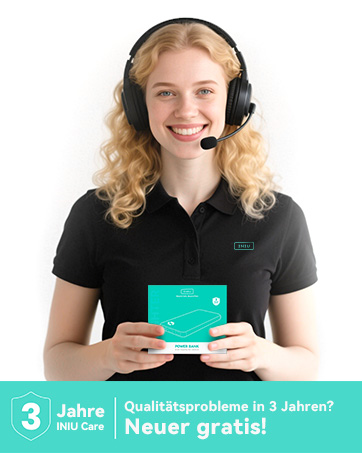
Image: An INIU customer support representative smiling, holding a product box, with a prominent '3 Years INIU Care' badge and text indicating that a new product will be provided for any quality issues within 3 years.
7.2 Customer Support
For any questions, technical assistance, or warranty claims, please contact INIU customer support through the official INIU website or your retailer's support channels. Please have your product model number (P55L) and purchase details ready.