
1. Introduction and Overview
The Garvee GR3500i Inverter Generator provides a reliable and portable power source with a rated output of 3.1kVA and a maximum output of 3500W. Designed for quiet operation and producing pure sine wave power, it is suitable for a wide range of applications from powering sensitive electronics to heavy-duty tools. Its lightweight design and multiple output options make it ideal for home use, DIY projects, food trucks, camping, events, construction work, and disaster preparedness.
- High Output, Portable Design: Despite its 3.1kVA output, this generator is compact and lightweight, making it easy to carry with one hand. It can power large home appliances like refrigerators, washing machines, and air conditioners, as well as electric tools for construction and interior work.
- Pure Sine Wave Inverter: Equipped with a pure sine wave inverter, it regulates the frequency of the generated electricity to provide high-quality power comparable to commercial power sources, ensuring stable operation for precision instruments and microcontroller-equipped devices.
- Fuel Level Display (2025 Model): The multi-function display panel now includes a fuel level indicator, allowing you to monitor the remaining gasoline at a glance. This reduces the risk of running out of fuel unexpectedly, providing peace of mind during use.
- Long Run Time & Fuel Efficiency: The engine speed is automatically controlled according to the load of the connected devices, resulting in excellent fuel efficiency and significantly extended continuous operation time. With a 6L large capacity tank, it can run continuously for approximately 4 hours at rated load and about 9 hours at 1/4 load, making it sufficient for prolonged power outages or natural disasters.
- Frequency Switching & Multiple Protection Devices: The power frequency can be easily switched between 50Hz and 60Hz with a single switch, making it usable in any region. It features multiple protection devices, including automatic engine shutdown in case of low engine oil, over-rotation, or abnormal temperature rise.
- Overload Protection: Designed with safety in mind, it includes overcurrent and overload protection devices. A warning lamp system indicates the generator's status, allowing for accurate monitoring. Additionally, the engine automatically stops when engine oil is low, preventing seizure.
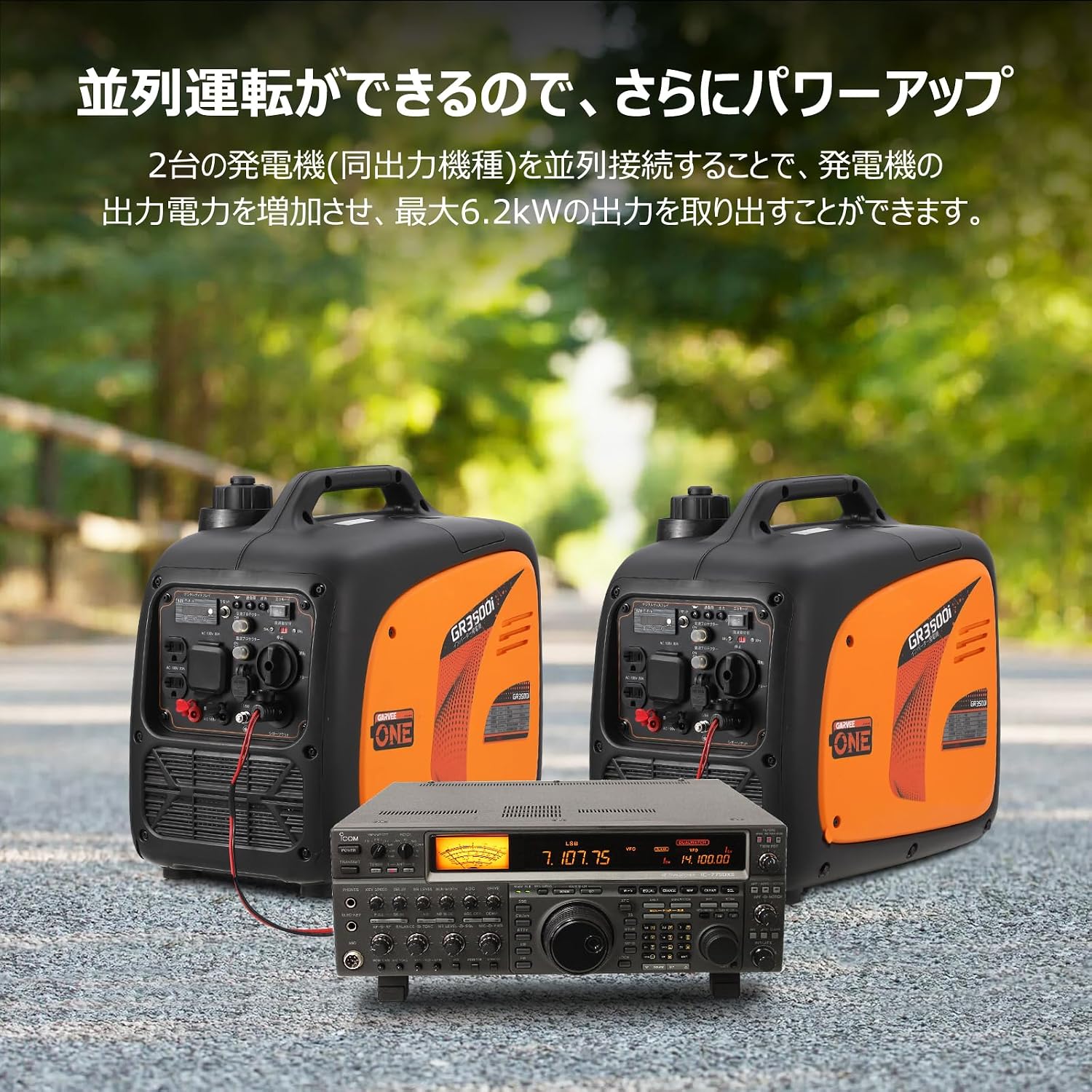
- 3-Way Output & Parallel Connection: Equipped with AC, DC, and USB terminals, it can power multiple electronic products simultaneously. Two generators (of the same output type) can be connected in parallel to increase power output, achieving a maximum output of 6.2kVA. This allows for powering devices with higher power consumption that a single generator cannot handle, expanding the generator's versatility.


2. Setup and Initial Start-up
Before starting the generator, ensure it is placed on a flat, stable surface in a well-ventilated area. Always check the oil and fuel levels before each use.
2.1. Adding Engine Oil
The generator is shipped without engine oil. You must add the specified amount of engine oil before the first use. Refer to the specifications for the correct oil type and volume.
- Remove the engine oil side cover and pour in the oil.
- Ensure the oil level does not exceed the upper limit of the oil plug.
2.2. Adding Fuel
Use unleaded gasoline. Do not overfill the fuel tank.
- Open the fuel tank cap.
- Carefully pour unleaded gasoline into the tank, ensuring the fuel level does not exceed the red line on the strainer.
- Securely close the fuel tank cap.
2.3. Starting Procedure
Follow these steps to start the generator:
- Turn the air knob on the fuel tank cap to 'ON'.
- Set the engine switch to 'CHOKE'.
- Pull the recoil starter firmly until you feel resistance, then pull it strongly to start the engine.
- Once the engine rotation stabilizes, turn the engine switch to 'RUN'.

3. Operating Instructions
3.1. Connecting Electrical Devices
The Garvee GR3500i features a total of 6 output ports (AC, DC, USB) to connect various electrical devices simultaneously. Ensure the total power consumption of connected devices does not exceed the generator's maximum output.

3.2. Eco Mode
Activate Eco Mode to optimize fuel consumption. In this mode, the engine speed adjusts automatically based on the load, reducing noise and extending run time, especially during light loads.
3.3. Parallel Operation
For higher power demands, two Garvee GR3500i generators can be connected in parallel using a dedicated parallel cable (sold separately). This increases the total output to a maximum of 6.2kVA.
4. Safety Features
The Garvee GR3500i is equipped with several safety features to ensure safe operation and protect the unit:
- Oil Warning: If the engine oil level falls below the specified amount during operation or startup, the oil warning lamp (red) will illuminate, and the engine will automatically shut down.
- Overload Warning: To protect internal circuits, if an overload condition or abnormal state occurs, the overload warning lamp will flash, and the generator may stop output.
- Overcurrent Protection: If current exceeding the rated current flows, the protector will automatically switch to 'OFF', cutting off the output.
- Over-rotation/Temperature Protection: The engine will automatically stop if it over-rotates or if the temperature rises abnormally.

5. Maintenance
Regular maintenance ensures the longevity and optimal performance of your generator.
5.1. Engine Oil Check and Change
Check the engine oil level before each use. Change the oil according to the maintenance schedule in the full manual. If the oil warning lamp illuminates, immediately shut down the engine and add oil.
5.2. Fuel Management
Always use fresh, unleaded gasoline. If the generator will not be used for an extended period, drain the fuel from the tank and carburetor to prevent fuel degradation.
6. Troubleshooting
If the generator encounters an issue, refer to the following common troubleshooting steps:
- Engine does not start: Check fuel level, oil level, and ensure the engine switch is in the correct position ('CHOKE' for starting, then 'RUN').
- No power output: Check for overload warning lamp. If illuminated, reduce the load on the generator. Ensure all circuit breakers are reset.
- Engine stops unexpectedly: Check engine oil level. The generator has an automatic low oil shutdown feature. Also, check for any abnormal temperature rise or over-rotation.
For more detailed troubleshooting, please consult the comprehensive user manual.
7. Specifications
| Feature | Specification |
|---|---|
| Brand | Garvee |
| Model Number | GR3500i (LF3800iYF7d4) |
| Rated Output | 3.1 kVA (3100W) |
| Maximum Output | 3500W |
| Engine Type | Forced air-cooled 4-stroke single cylinder OHV engine |
| Displacement | 149 ml |
| Fuel | Unleaded gasoline for automobiles |
| Starting Method | Recoil starter |
| Noise Level | 66 dB (at 7m) |
| Fuel Tank Capacity | 6 L |
| Continuous Operation Time | Approx. 4 hours (rated load), Approx. 9 hours (1/4 load) |
| Dimensions | 55 x 53 x 36 cm |
| Weight | 21 kg |
| Included Accessories | Instruction manual, DC power charging cable, Engine oil funnel, Screwdriver, Spark plug wrench |

8. Warranty and Support
The Garvee GR3500i Inverter Generator comes with a 1-year manufacturer's warranty. For warranty claims, technical support, or any inquiries, please refer to the contact information provided in the included instruction manual or contact Garvee customer service directly.