
sytiry B0DD3888S2
SYTIRY Walking Pad Treadmill User Manual
Model: B0DD3888S2
1. Introduction
Thank you for choosing the SYTIRY Walking Pad Treadmill. This 2-in-1 portable treadmill is designed for home use, offering a convenient way to integrate walking or light jogging into your daily routine. Featuring a wooden design, a powerful 2.5 HP motor, smart APP connectivity, and a remote control, it provides an efficient and comfortable workout experience. Please read this manual thoroughly before operation to ensure safe and proper use.

Figure 1.1: SYTIRY Walking Pad Treadmill in a home setting, demonstrating its dual functionality for walking and light running.
2. Safety Information
Your safety is paramount. Please adhere to the following guidelines:
- Always consult with a healthcare professional before starting any new exercise program.
- Ensure the treadmill is placed on a flat, stable surface.
- Maintain a clear area of at least 2 feet (0.6 meters) behind and 1 foot (0.3 meters) on each side of the treadmill during operation.
- Do not place the treadmill against a wall during storage or operation, as this can cause damage to the unit or wall.
- The maximum user weight capacity for this treadmill is 300 lbs (136 kg). Do not exceed this limit.
- Keep children and pets away from the treadmill during operation.
- Always wear appropriate athletic footwear when using the treadmill.
- Unplug the treadmill from the power outlet when not in use or before cleaning and maintenance.
- Do not operate the treadmill if it has a damaged cord or plug, or if it is not working properly.
- This appliance is not intended for use by persons with reduced physical, sensory or mental capabilities, or lack of experience and knowledge, unless they have been given supervision or instruction concerning use of the appliance by a person responsible for their safety.

Figure 2.1: Proper placement of the treadmill, illustrating that it should not be stored or operated directly against a wall to prevent damage.
3. Product Components
The SYTIRY Walking Pad Treadmill package includes:
- SYTIRY Walking Pad Treadmill Unit
- Remote Control
- Power Cord
- User Manual (this document)
4. Setup
The SYTIRY Walking Pad Treadmill arrives fully assembled, requiring minimal setup before first use.
- Unpacking: Carefully remove the treadmill from its packaging.
- Placement: Place the treadmill on a firm, level surface. Ensure there is adequate space around the unit as described in the Safety Information section.
- Power Connection: Plug the power cord into the treadmill's power input port, then plug the other end into a grounded electrical outlet.
- Initial Check: Before starting, ensure the running belt is centered and free of any obstructions.
Moving the Treadmill
The treadmill is equipped with built-in wheels for easy portability. To move the unit, gently lift the rear end of the treadmill until it rests on its wheels, then roll it to your desired location. Always ensure the treadmill is unplugged before moving.
5. Operating Instructions
Power On/Off
- To power on, ensure the treadmill is plugged in and press the power button on the unit or remote control.
- To power off, press the power button again. It is recommended to unplug the unit when not in use for extended periods.
Using the Remote Control
The included remote control allows for convenient adjustment of speed and other functions without interrupting your workout.
- Start/Stop: Press to begin or end your workout.
- Speed Adjustment: Use the '+' and '-' buttons to increase or decrease the belt speed. The maximum speed is 4 Miles per Hour.
LED Display
The integrated LED display provides real-time workout data:
- Time: Duration of your workout.
- Speed: Current speed of the running belt.
- Distance: Total distance covered during the workout.
- Calories: Estimated calories burned.

Figure 5.1: The LED display screen, providing essential workout metrics at a glance.
Smart APP Connectivity
Enhance your workout experience by connecting the treadmill to the dedicated SYTIRY Smart APP. The APP offers:
- Workout videos and guided programs.
- Monitoring of your progress and workout history.
- Ability to set and track fitness goals.
- Additional control over treadmill functions.
Refer to the APP's in-app instructions for detailed pairing and usage information.

Figure 5.2: Overview of the SYTIRY Smart APP, demonstrating its features for workout planning and progress monitoring.
Incline Feature
This treadmill features a slight incline (up to 5%) to intensify your workout and engage different muscle groups. This fixed incline is designed for ergonomic movement and increased calorie burn.

Figure 5.3: The treadmill's 5% incline feature, designed to enhance workout intensity.
Dual Shock Absorption System
The treadmill is equipped with a dual shock absorption system designed to reduce impact on your joints during exercise, providing a more comfortable and safer workout experience.
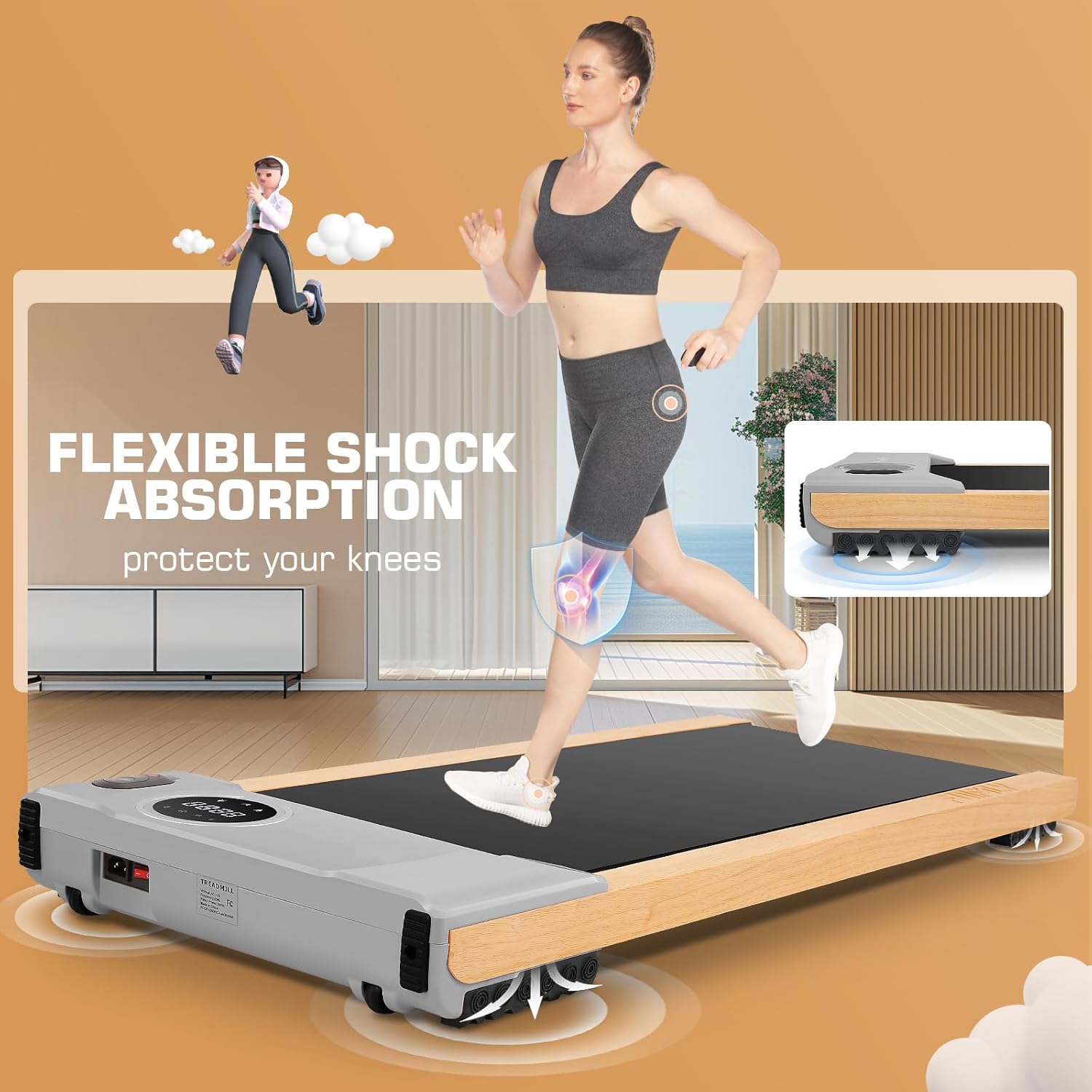
Figure 5.4: Illustration of the treadmill's dual shock absorption technology, designed to protect user's joints.
6. Maintenance
Regular maintenance ensures the longevity and optimal performance of your treadmill.
- Cleaning: Wipe down the treadmill surfaces with a damp cloth after each use to remove sweat and dust. Do not use abrasive cleaners or solvents.
- Belt Lubrication: While the treadmill is designed for low maintenance, periodic lubrication of the running belt may be required. Refer to the APP or SYTIRY support for specific instructions and recommended lubricants.
- Belt Alignment: If the running belt starts to drift to one side, consult the APP or SYTIRY support for instructions on how to adjust the belt tension and alignment.
- Storage: When not in use, store the treadmill in a dry, cool place. Its compact design allows for easy storage under furniture or upright against a wall (but not directly pressing against it, as shown in Figure 2.1).
7. Troubleshooting
If you encounter issues with your treadmill, please refer to the following common troubleshooting steps:
- Treadmill does not power on:
- Ensure the power cord is securely plugged into both the treadmill and a working electrical outlet.
- Check the circuit breaker in your home.
- Running belt stops or slips:
- Ensure the treadmill is on a level surface.
- The belt may require lubrication or adjustment. Refer to the maintenance section or contact customer service.
- Unusual noises:
- Check for any loose parts or foreign objects under the belt.
- Ensure the treadmill is on a stable surface.
- If the noise persists, discontinue use and contact customer service.
- Remote control not responding:
- Check the battery in the remote control and replace if necessary.
- Ensure there are no obstructions between the remote and the treadmill's receiver.
For issues not covered here, or if troubleshooting steps do not resolve the problem, please contact SYTIRY customer service.
8. Specifications
| Feature | Specification |
|---|---|
| Brand | SYTIRY |
| Model | B0DD3888S2 |
| Product Dimensions (LxWxH) | 47.6"D x 20.8"W x 4.5"H (120.9 x 52.8 x 11.4 cm) |
| Item Weight | 42.65 Pounds (19.34 kg) |
| Material | Wood |
| Maximum Speed | 4 Miles per Hour (6.4 km/h) |
| Maximum Horsepower | 2.5 HP |
| Maximum Incline Percentage | 5% (fixed) |
| Maximum Weight Recommendation | 300 Pounds (136 kg) |
| Deck Length | 40 Inches (101.6 cm) |
| Running Belt Area | 44" x 16" (111.7 cm x 40.6 cm) |
| Input Power | 300 Watts |
| Certifications | SGS CE, ROHS, CB, EN957, IEC |

Figure 8.1: Dimensions of the treadmill's running belt area.

Figure 8.2: Illustration of the high-quality 2.5 HP motor, designed for smooth and quiet operation (under 30dB).
9. Warranty & Customer Support
SYTIRY offers a one-year warranty for this treadmill, covering manufacturing defects and workmanship under normal use.
For any questions, concerns, or technical assistance, please contact our 24/7 customer service. Our team is ready to assist you.
- Customer Service: Refer to the contact information provided on the SYTIRY official website or your purchase documentation.
- Certifications: This product has passed SGS CE, ROHS, CB, EN957, and IEC certifications, ensuring its quality and safety standards.
Ask a question about this manual
Ask about setup, troubleshooting, compatibility, parts, safety, or missing instructions. Manuals+ will review the question and use this page’s manual context to help answer it.