
XBERSTAR M450
XBERSTAR ToolkitRC M450 Balance Charger
User Instruction Manual
1. Introduction
The XBERSTAR ToolkitRC M450 is a compact and powerful balance charger designed for various lithium-based battery types, including LiPo, LiHV, and LiFe, ranging from 2S to 4S. It features an integrated AC power supply, an intuitive IPS display, and comprehensive safety protections, making it ideal for charging and maintaining batteries for drones, RC cars, and other air models.

Image 1.1: The XBERSTAR ToolkitRC M450 Balance Charger, its packaging, and included EU power cable.
2. Safety Information
Please read all safety warnings and instructions before using this product. Failure to do so may result in fire, injury, or property damage.
- Always use the charger in a well-ventilated area, away from flammable materials.
- Never leave the charging battery unattended.
- Ensure the battery type and cell count selected on the charger match the battery being charged. Incorrect settings can lead to severe damage or fire.
- Do not charge damaged, swollen, or leaking batteries. Dispose of them properly.
- Keep the charger away from water, moisture, and extreme temperatures.
- Disconnect the charger from the power source and battery when not in use.
- This charger is equipped with voltage protection, current protection, temperature protection, short-circuit protection, and reverse connection protection. However, always exercise caution.

Image 2.1: The M450 charger features comprehensive security protection for safe operation.
3. Package Contents
Verify that all items are present in your package:
- M450AC LiPo Charger × 1
- AC Input Cable × 1 (EU Model)
- Quick Use Manual × 1
4. Product Features
- Balance Charging: Supports 2-4S LiPo, LiHV, and LiFe battery types for balanced charging and discharging.
- Storage Mode: Automatically recognizes battery voltage to charge or discharge to 3.85V for optimal storage.
- IPS Screen: Wide-angle, bright color display provides real-time visibility of battery voltage, power level, percentage, and charging status.
- Comprehensive Safety: Includes voltage, current, temperature, short-circuit, and reverse connection protection.
- Compact Design: Small footprint for easy portability and use.
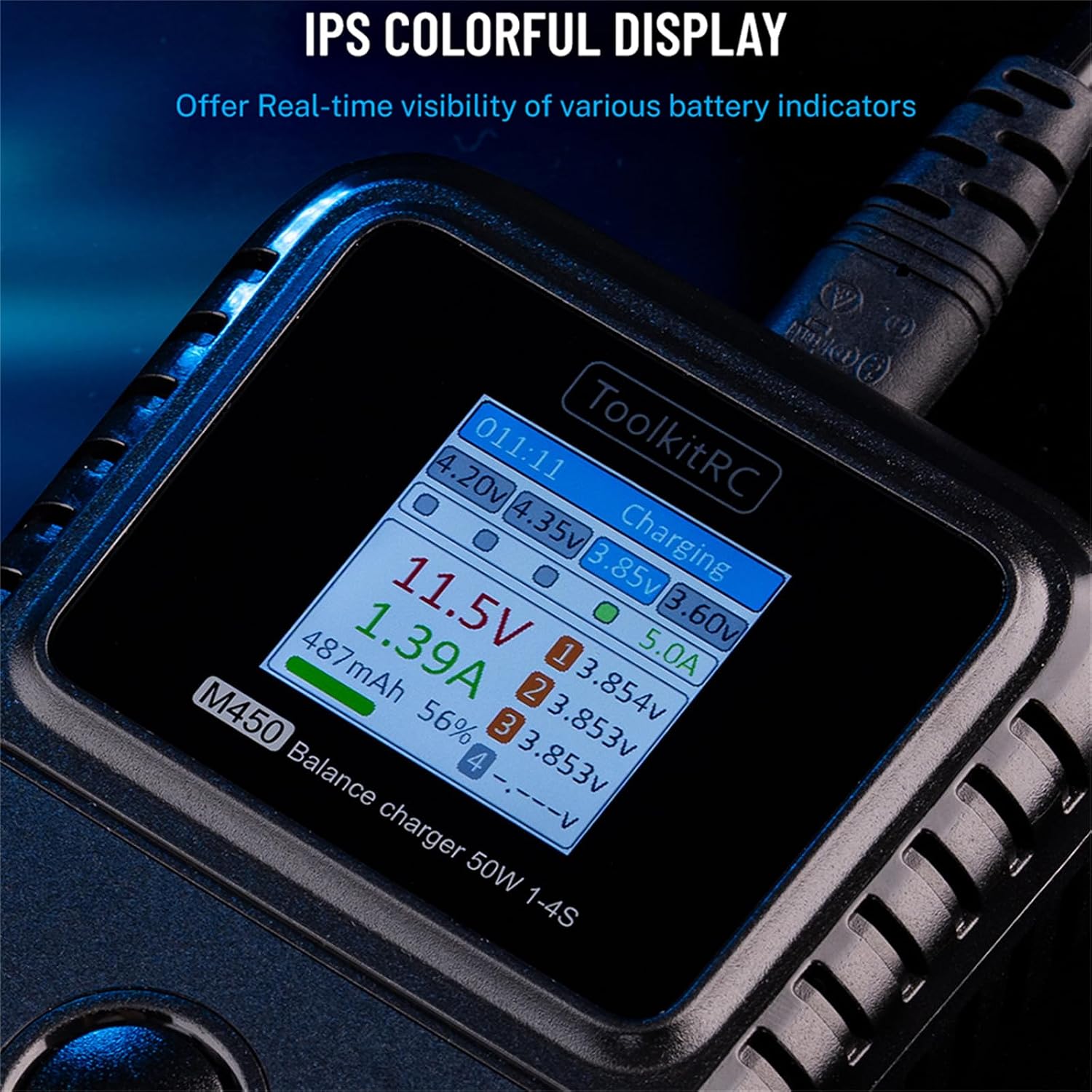
Image 4.1: The M450's IPS colorful display provides real-time battery indicators.
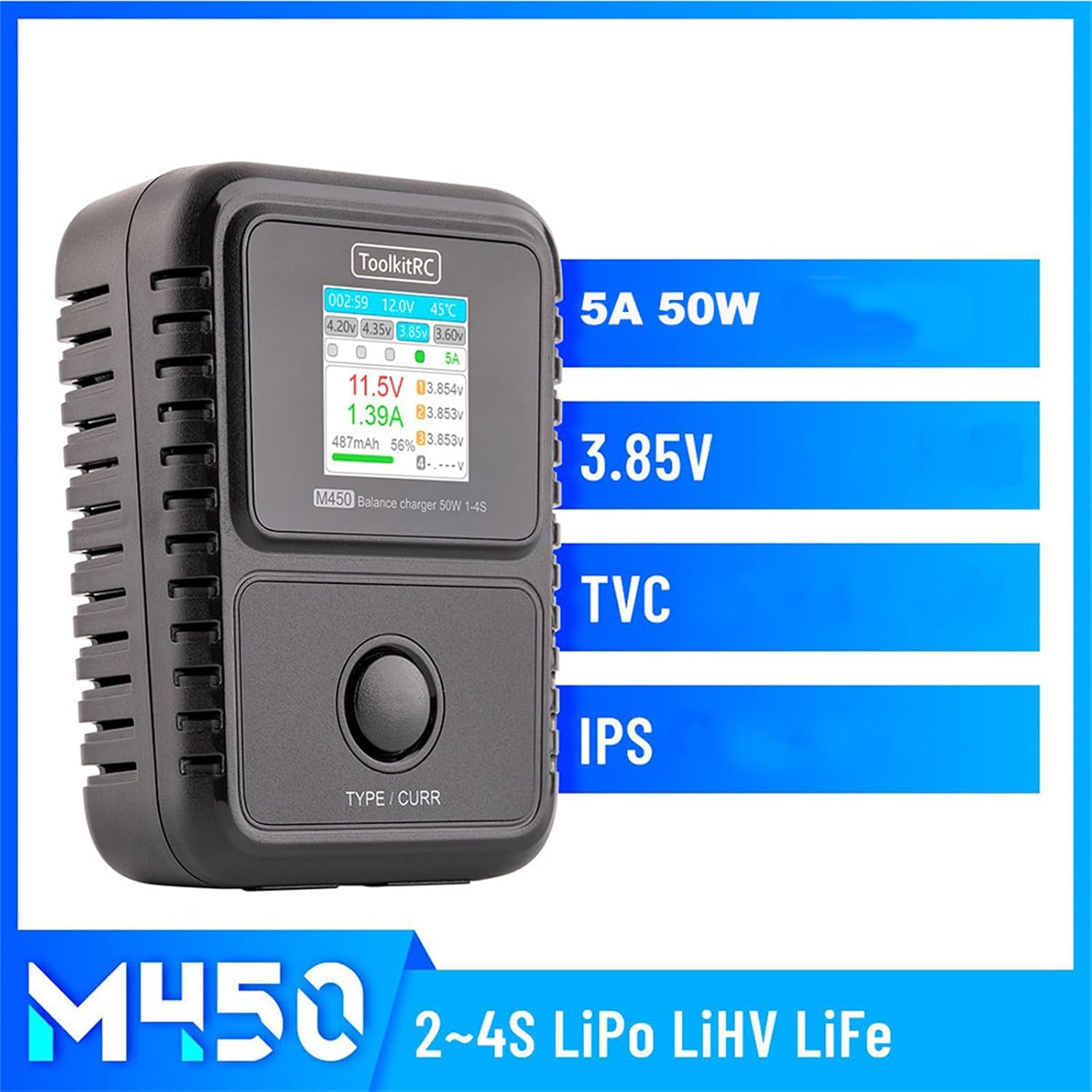
Image 4.2: Key features of the M450 charger, including its power output and display type.
5. Specifications
| Parameter | Value |
|---|---|
| Model No. | M450 |
| Input Voltage | AC 100-240V @MAX55W |
| Battery Type Support | LiPo, LiHv, LiFe, LipoStorage |
| Cell Count Support | 2-4S |
| Charging Power | 1.0-5.0A @50W |
| Balancing Current | MAX 200mA @2-4S |
| Balancing Accuracy | <0.005V |
| Operating Temperature | 0℃ - 40℃ |
| Storage Temperature | -10℃ - 70℃ |
| Product Dimensions | 109.0 × 79.0 × 42.0 mm (4.29 x 3.11 x 1.65 inches) |
| Net Weight | 230g |
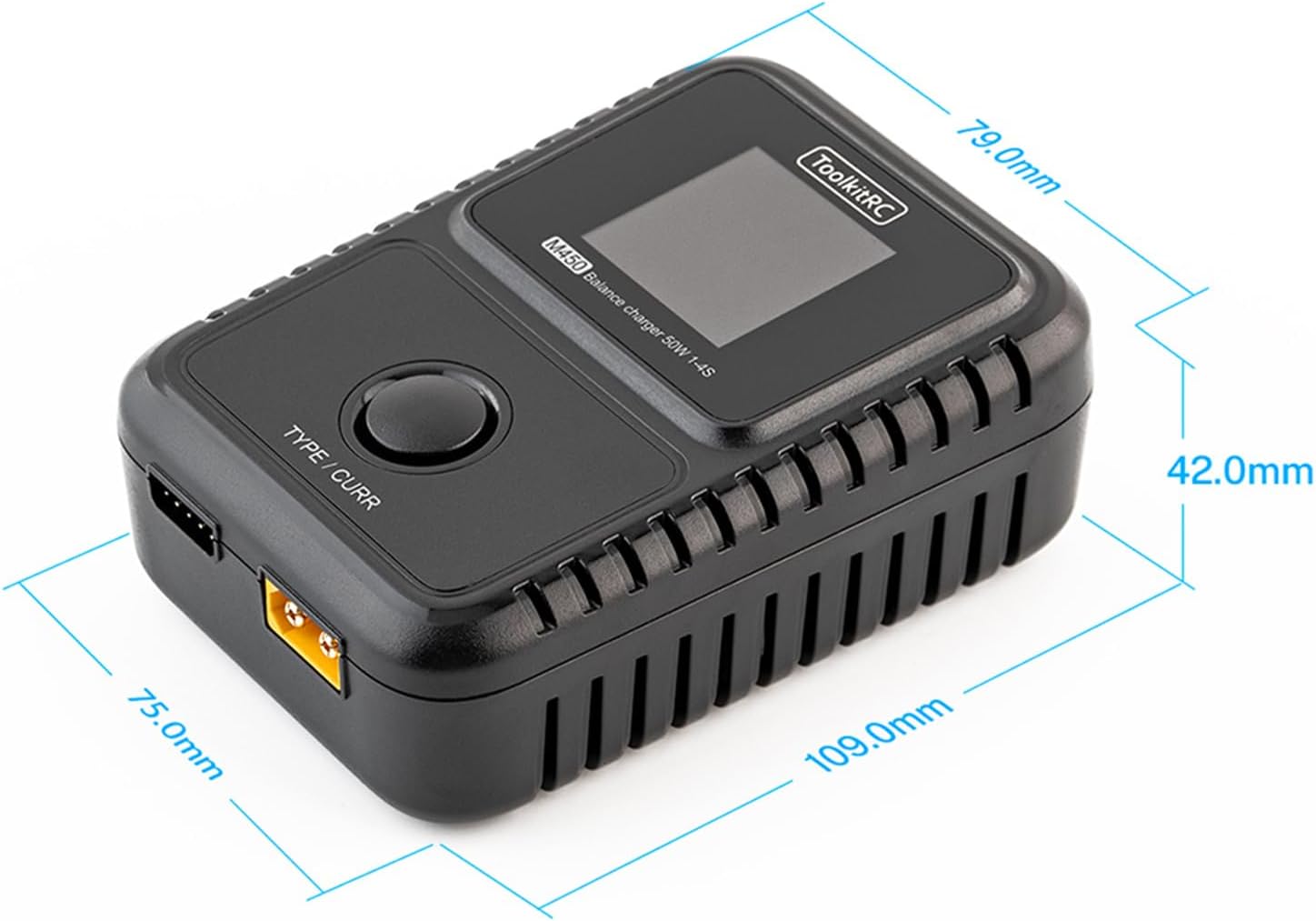
Image 5.1: Physical dimensions of the M450 charger.
6. Setup
- Unpack: Carefully remove the M450 charger and all accessories from the packaging. Inspect for any visible damage.
- Power Connection: Connect the supplied AC input cable to the charger's AC input port. Plug the other end of the AC cable into a suitable wall outlet (AC 100-240V). The charger will power on and display the main interface.
- Battery Connection: Connect your battery's main discharge lead to the charger's main output port (e.g., XT60). Connect the battery's balance lead to the corresponding balance port on the charger. Ensure correct polarity and secure connections.
7. Operating Instructions
7.1 General Operation
Once powered on and a battery is connected, the M450's IPS display will show real-time information about the battery, including total voltage, individual cell voltages, charging current, and capacity. Use the button below the screen to navigate through menus or confirm selections.
7.2 Charging a Battery
- Connect the battery as described in Section 6.
- The charger will automatically detect the battery type and cell count. Verify that the displayed information matches your battery.
- The charger will typically begin charging automatically. Monitor the display for charging progress.
- Once charging is complete, the charger will indicate full charge. Disconnect the battery safely.
7.3 Storage Mode
The M450 features a convenient one-touch storage mode to prepare your LiPo/LiHV/LiFe batteries for long-term storage, which is crucial for battery health and longevity. The charger will automatically adjust the battery voltage to 3.85V per cell.
- Connect the battery to the charger.
- The charger will automatically identify the battery's current voltage.
- If the battery voltage is lower than 3.85V per cell, the charger will initiate charging to reach 3.85V.
- If the battery voltage is higher than 3.85V per cell, the charger will initiate discharging to reach 3.85V.
- The display will indicate when the storage process is complete.

Image 7.1: Illustration of the M450's one-touch 3.85V storage mode operation.
8. Maintenance
- Cleaning: Use a soft, dry cloth to clean the charger's exterior. Do not use solvents or abrasive cleaners.
- Storage: Store the charger in a cool, dry place when not in use, away from direct sunlight and extreme temperatures.
- Cable Inspection: Regularly inspect the AC input cable and battery connection cables for any signs of wear, fraying, or damage. Replace damaged cables immediately.
- Ventilation: Ensure the ventilation slots on the charger are not obstructed during operation to prevent overheating.
9. Troubleshooting
| Problem | Possible Cause | Solution |
|---|---|---|
| Charger does not power on. | No power from outlet; faulty AC cable; internal issue. | Check wall outlet with another device. Ensure AC cable is securely connected. Try a different AC cable if available. If problem persists, contact support. |
| Battery not detected or error message. | Incorrect battery connection; damaged battery; incorrect settings. | Ensure main and balance leads are connected correctly and securely. Check battery for damage. Verify battery type and cell count are compatible. |
| Charging is slow or not reaching full capacity. | Low charging current setting; high internal resistance of battery; battery degradation. | Ensure charger is set to appropriate current (up to 5.0A). Consider battery health. |
| Charger gets hot during operation. | Normal operation; poor ventilation; excessive load. | Some heat is normal. Ensure adequate ventilation around the charger. Reduce charging current if overheating is severe. |
10. Warranty and Support
For warranty information and technical support, please refer to the documentation provided with your purchase or visit the official XBERSTAR website. Keep your purchase receipt as proof of purchase for warranty claims.
XBERSTAR Store: Visit the XBERSTAR Store on Amazon
Ask a question about this manual
Ask about setup, troubleshooting, compatibility, parts, safety, or missing instructions. Manuals+ will review the question and use this page’s manual context to help answer it.