
Introduction
Thank you for choosing the TOZO E1 Wireless Earbuds. These earbuds are designed to provide a high-quality audio experience with clear calls, extended battery life, and a comfortable, lightweight design. This manual will guide you through the setup, operation, maintenance, and troubleshooting of your new earbuds to ensure optimal performance.
Package Contents
Please check the package carefully to ensure all items are present:
- TOZO E1 Wireless Earbuds (Left and Right)
- Charging Case
- 3 pairs of Eartips (Sizes: Small, Medium, Large)
- USB-A to USB-C Charging Cable
- Quick Guide & User Manual (this document)
Product Overview
The TOZO E1 earbuds are engineered for comfort and durability, weighing only 3.9g per earbud. The compact charging case provides additional battery life, making them ideal for daily use.

Image: TOZO E1 Wireless Earbuds placed inside their charging case, showing the sleek design and charging contacts.

Image: Two TOZO E1 earbuds floating against a sky background, emphasizing their lightweight and durable construction.
Setup
1. Charging the Case and Earbuds
Before first use, fully charge the charging case and earbuds.
- Connect the USB-C charging cable to the charging port on the case and a USB power source.
- The three-color battery level indicator on the case will show charging status.
- Place the earbuds into the charging case. They will automatically begin charging.

Image: TOZO E1 earbuds in their charging case, illustrating the battery life and charging capabilities. The image highlights 8.5 hours of listening time on a single charge and 30 hours with the charging case.
2. Pairing with Your Device
The TOZO E1 earbuds utilize Bluetooth 5.3 for fast and stable connections.
- Open the charging case. The earbuds will automatically enter pairing mode.
- On your device (smartphone, tablet, laptop), enable Bluetooth.
- Search for "TOZO E1" in the list of available Bluetooth devices.
- Select "TOZO E1" to connect. Once connected, you will hear a confirmation sound.
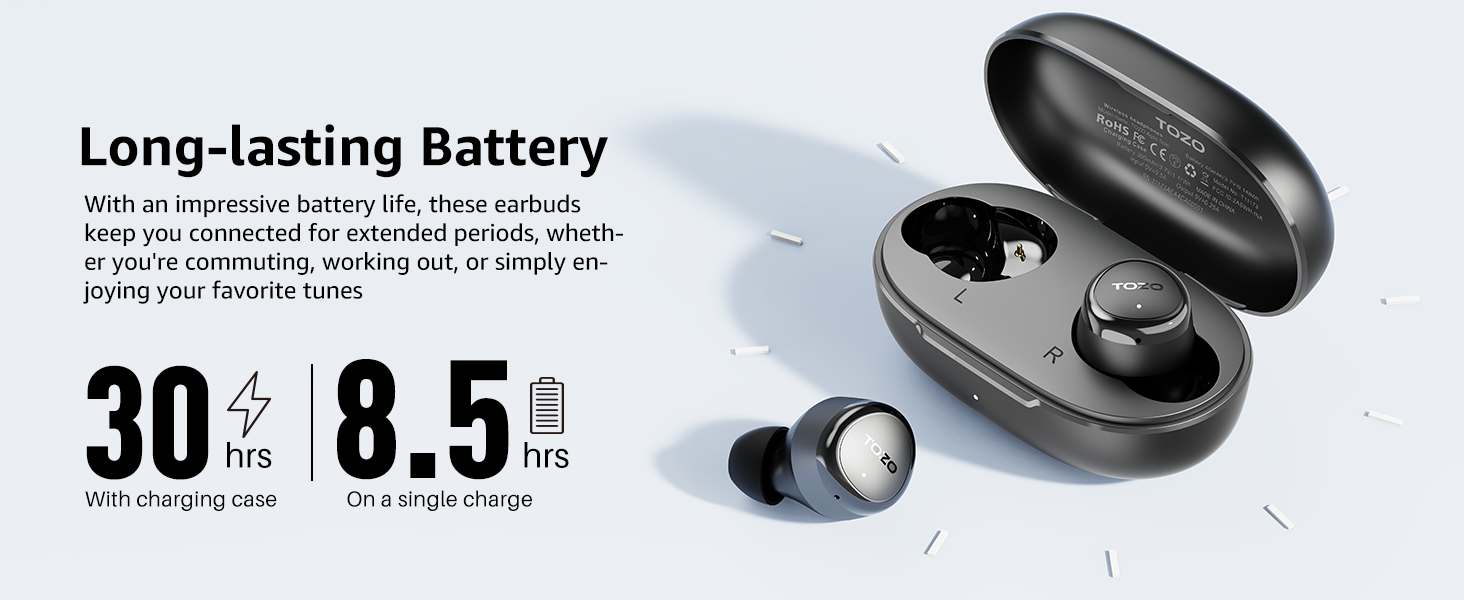
Image: A smartphone screen displaying Bluetooth settings with "TOZO E1" listed as a discoverable device, alongside the earbuds and their charging case, demonstrating the Bluetooth 5.3 pairing process.
3. TOZO App Installation and Use
Enhance your audio experience by downloading the TOZO app. The app allows for sound customization with 32 EQ presets and access to an exclusive 'EQ zone' for sharing custom EQs.
- Download the "TOZO" app from your device's app store (iOS App Store or Google Play Store).
- Open the app and follow the on-screen instructions to connect your TOZO E1 earbuds.
- Explore the EQ settings, white noise tracks, and user-shared EQs within the app.

Image: Multiple smartphone screens displaying the TOZO app interface, showing options for EQ adjustments, white noise tracks, and user-shared EQ settings, with the TOZO E1 earbuds and case in the foreground.
Operating Instructions
1. Wearing the Earbuds
For optimal sound quality and comfort, ensure a proper fit.
- Choose the eartip size (S/M/L) that best fits your ear canal.
- Gently insert the earbud into your ear and rotate it slightly until it feels secure and comfortable.
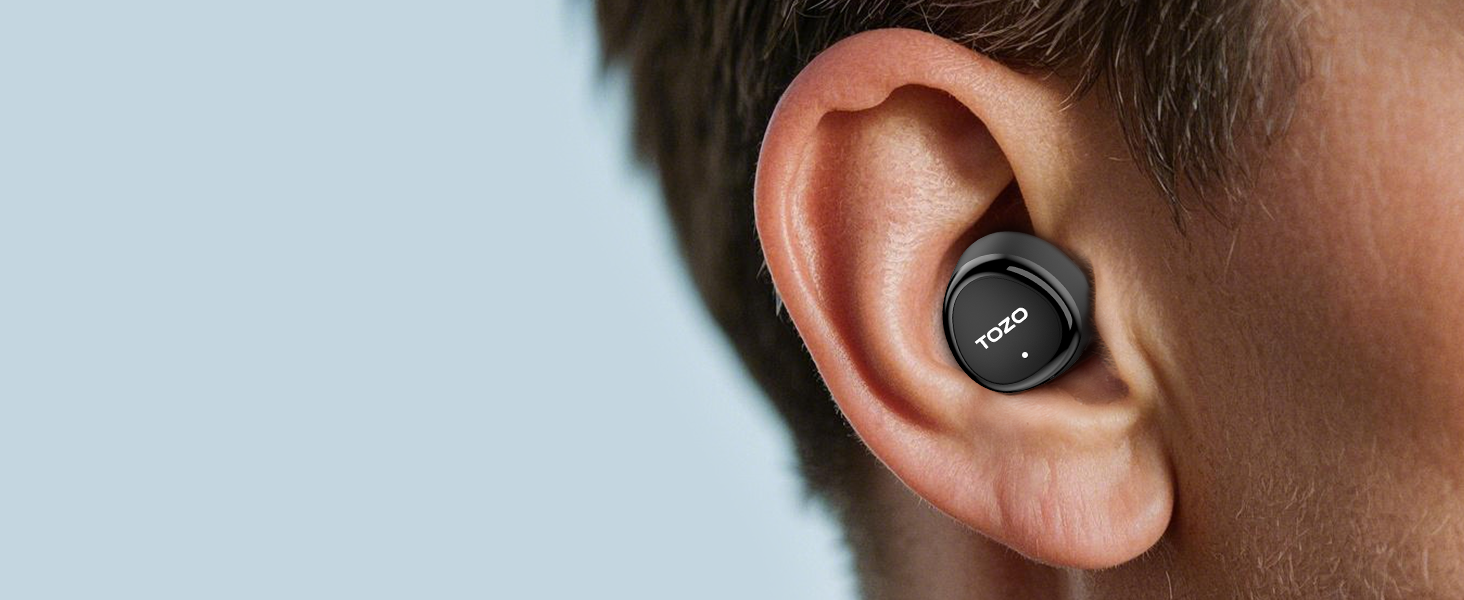
Image: A close-up of a person's ear with a TOZO E1 earbud comfortably inserted, demonstrating the ergonomic design for a snug fit.
2. Touch Controls
The TOZO E1 earbuds feature intuitive touch controls on each earbud.
| Action | Left Earbud | Right Earbud |
|---|---|---|
| Play/Pause | Single Tap | Single Tap |
| Next Track | Double Tap | Double Tap |
| Previous Track | Triple Tap | Triple Tap |
| Volume Up | Hold (Right) | Hold (Right) |
| Volume Down | Hold (Left) | Hold (Left) |
| Activate Voice Assistant | Long Press (2s) | Long Press (2s) |
3. Call Management
Manage your calls with ease using the touch controls.
- Answer/End Call: Single tap on either earbud.
- Reject Call: Long press on either earbud.

Image: A person smiling and gesturing while wearing a TOZO E1 earbud, illustrating the clear call quality provided by the advanced noise reduction technology.
Maintenance
Proper maintenance ensures the longevity and performance of your TOZO E1 earbuds.
- Cleaning: Regularly clean the earbuds and charging case with a soft, dry, lint-free cloth. Do not use harsh chemicals or abrasive materials.
- Eartips: Remove and clean the eartips periodically with water and mild soap, then dry thoroughly before reattaching.
- Storage: When not in use, store the earbuds in their charging case to protect them and keep them charged. Store in a cool, dry place away from extreme temperatures.
- Water Resistance: The earbuds are IPX6 water resistant, meaning they can withstand splashes and sweat. Do not submerge them in water or expose them to heavy rain. Ensure they are dry before placing them back in the charging case.
Troubleshooting
If you encounter issues with your TOZO E1 earbuds, try the following solutions:
- Earbuds not pairing:
- Ensure both earbuds are fully charged.
- Place both earbuds back into the charging case, close the lid, wait a few seconds, then open the lid again.
- Delete "TOZO E1" from your device's Bluetooth list and try pairing again.
- If issues persist, reset the earbuds (refer to the TOZO app or online support for specific reset instructions).
- No sound from one earbud:
- Ensure both earbuds are charged and connected.
- Try placing both earbuds back in the case and taking them out again.
- Check the audio balance settings on your device.
- Charging issues:
- Ensure the charging cable is securely connected to both the case and the power source.
- Try a different USB-C cable or power adapter.
- Clean the charging contacts on both the earbuds and inside the case with a dry cotton swab.
- Poor sound quality:
- Ensure the earbuds are properly seated in your ears and you are using the correct eartip size.
- Clean any debris from the earbud speakers.
- Move closer to your connected device to avoid interference.
- Adjust EQ settings in the TOZO app.
Specifications
| Model Name: | E1 |
| Bluetooth Version: | 5.3 |
| Connectivity Technology: | Wireless |
| Earbud Weight: | 3.9g (per earbud) |
| Charging Case Weight: | 34.1g |
| Earbud Battery Life: | Up to 8.5 hours (single charge) |
| Total Playtime (with case): | Up to 30 hours |
| Charging Case Battery Capacity: | 400 mAh |
| Charging Time (Case): | Approx. 1.5 hours |
| Driver Unit Size: | 6mm |
| Frequency Response: | 20Hz - 20,000Hz |
| Sensitivity: | 112 dB |
| Impedance: | 16 Ohm |
| Water Resistance Rating: | IPX6 |
| Control Type: | Touch Control, APP |
Warranty and Support
TOZO products come with a standard warranty. For detailed warranty information, product registration, or technical support, please visit the official TOZO website or contact their customer service. Contact information can typically be found on the product packaging or the TOZO official website.
Official TOZO Website: www.tozostore.com