
Important Safety Instructions
Please read all instructions carefully before operating your mini fridge and retain this manual for future reference. Failure to follow these instructions may result in electric shock, fire, or property damage.
- Ensure the power cord is not damaged and is properly plugged into a 120V AC outlet.
- Do not operate the appliance with a damaged cord or plug.
- Keep ventilation openings clear of obstructions.
- Do not immerse the appliance, cord, or plug in water or other liquids.
- This appliance is designed for indoor use only.
- Unplug the mini fridge before cleaning or performing any maintenance.
- Do not use electrical appliances inside the food storage compartments unless they are of the type recommended by the manufacturer.
- Keep away from direct sunlight and heat sources.
Package Contents
Verify that all items are present in the package:
- One (1) Orbit Innovations Avengers Mini Fridge
- One (1) AC Power Cord
- One (1) Removable Shelf
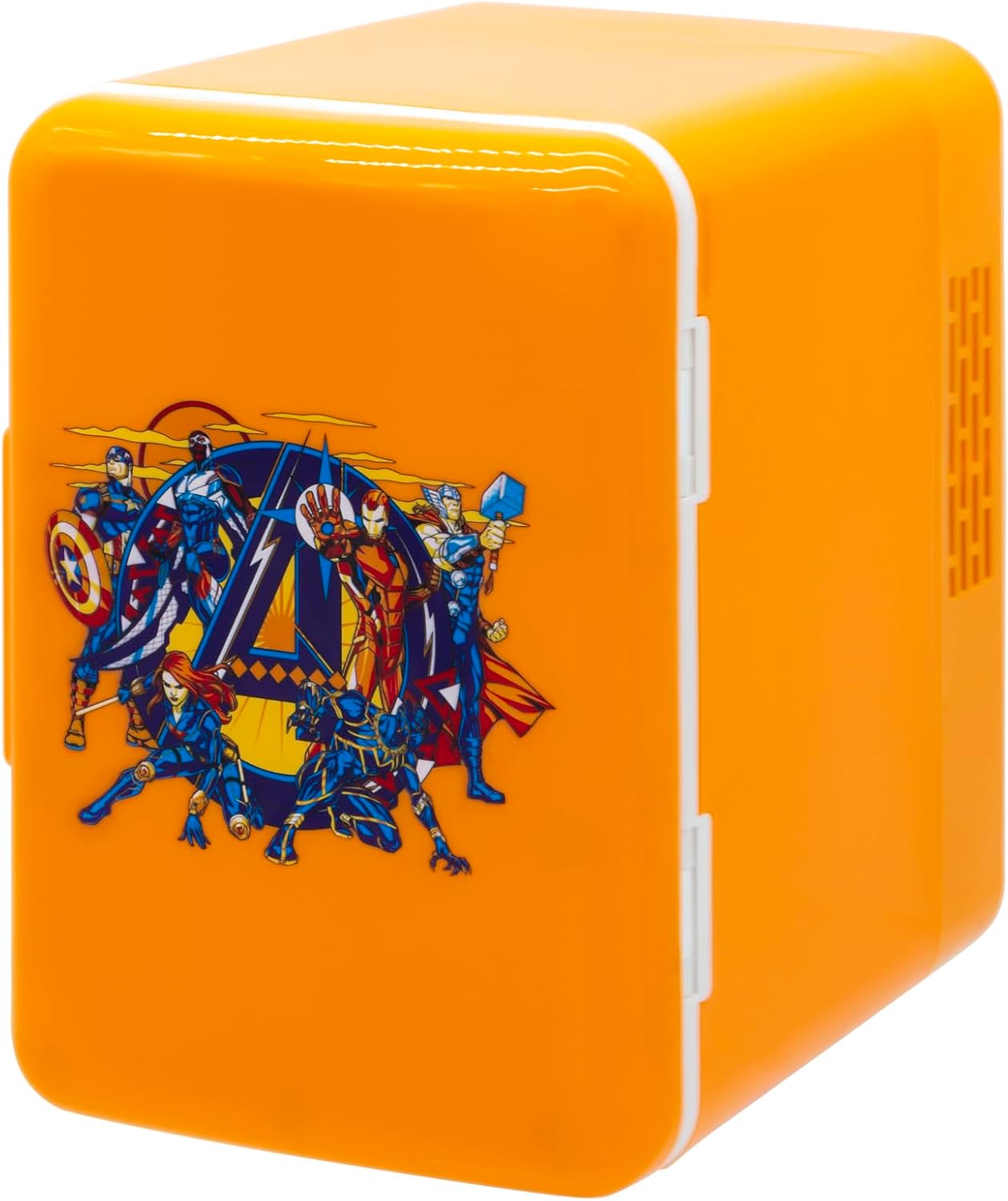
Image: Front-side view of the Orbit Innovations Avengers Mini Fridge, showcasing its compact design and Avengers artwork.
Setup
- Placement: Place the mini fridge on a flat, stable surface. Ensure there is adequate ventilation around the unit (at least 10 cm or 4 inches of space on all sides) to allow for proper heat dissipation. Avoid placing it near heat sources or in direct sunlight.
- Power Connection: Locate the AC power input on the back of the unit. Connect the provided AC power cord to the mini fridge, then plug the other end into a standard 120V AC wall outlet.
- Initial Cooling: For optimal performance, allow the mini fridge to cool for at least 30 minutes before placing items inside.

Image: The Avengers Mini Fridge positioned on a desk, demonstrating a typical setup environment.

Image: Rear view of the mini fridge, highlighting the 'COOL/OFF' switch and the 120V AC power input.
Operating Instructions
- Powering On/Off: On the back of the unit, locate the switch labeled 'COOL' and 'OFF'. To activate the cooling function, slide the switch to the 'COOL' position. To turn off the unit, slide the switch to the 'OFF' position.
- Loading Items: Open the door and place your beverages or snacks inside. The mini fridge has a 4-liter capacity, designed to hold up to six 12oz beverage cans.
- Using the Removable Shelf: The mini fridge includes one removable shelf. This shelf can be inserted or removed to accommodate items of different sizes. To adjust, simply slide the shelf out of its grooves and reposition it as needed.
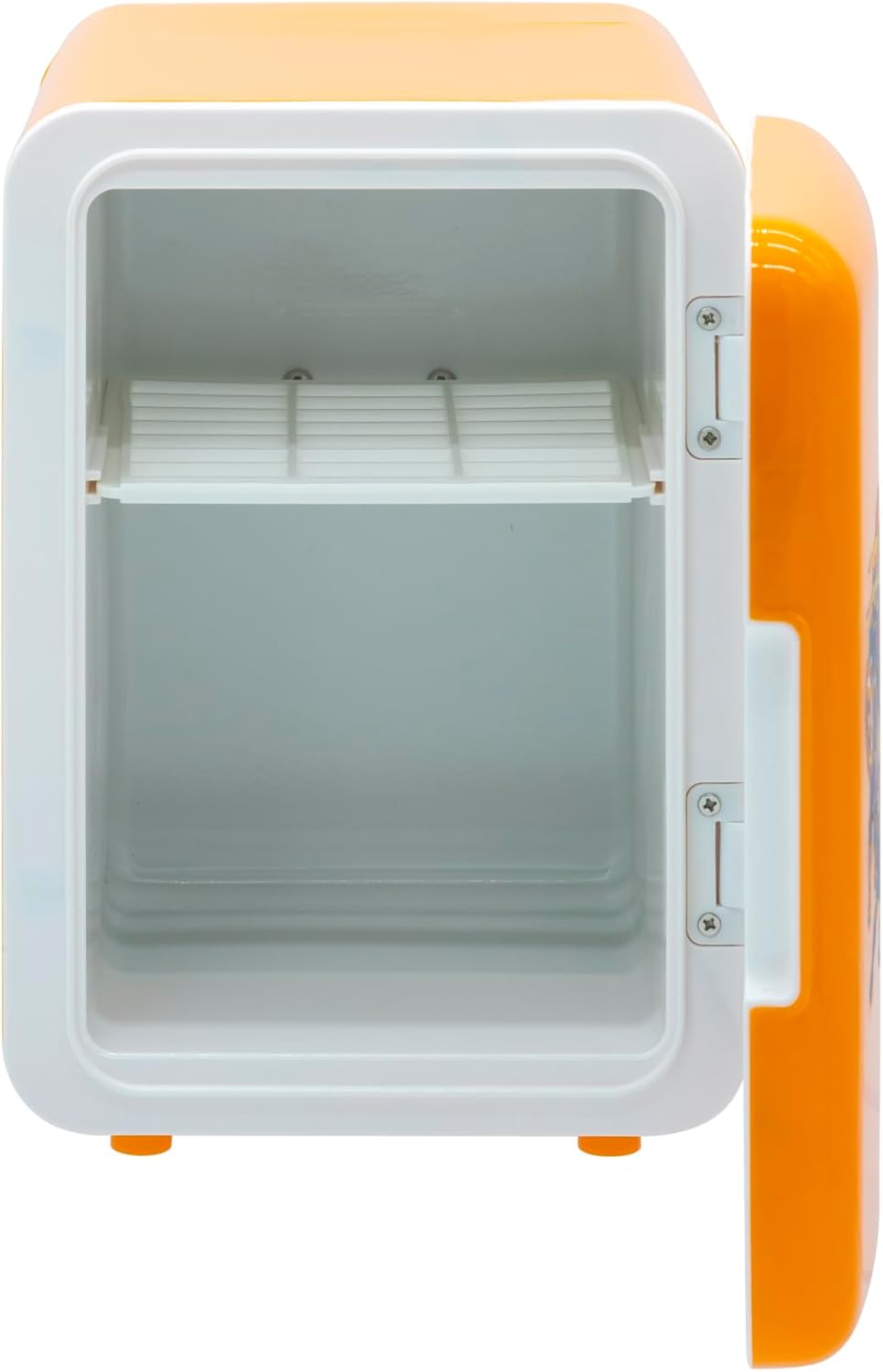
Image: Interior of the mini fridge, showing the removable shelf in place, ready for customization.
Maintenance
Regular maintenance ensures optimal performance and longevity of your mini fridge.
- Cleaning: Before cleaning, ensure the unit is unplugged from the power outlet. Wipe the interior and exterior surfaces with a soft cloth dampened with mild soap and water. Do not use abrasive cleaners or solvents. Ensure the unit is completely dry before plugging it back in.
- Defrosting: This mini fridge features a manual defrost system. If ice buildup occurs on the interior cooling plate, unplug the unit and allow the ice to melt naturally. Wipe away any melted water with a clean cloth.
- Ventilation: Periodically check that the ventilation openings on the back of the unit are free from dust and debris. Use a soft brush or vacuum cleaner to gently clear any blockages.
Troubleshooting
If you encounter issues with your mini fridge, refer to the following common problems and solutions:
| Problem | Possible Cause | Solution |
|---|---|---|
| Unit does not cool |
|
|
| Excessive noise |
|
|
| Poor cooling performance |
|
|
Specifications
- Model Number: AMZ-FRIDGE-MRVL6
- Brand: Orbit Innovations
- Capacity: 4 Liters (holds up to six 12oz cans)
- Cooling Method: Thermoelectric
- Voltage: 120 Volts AC
- Power Consumption: Low energy consumption
- Defrost System: Manual
- Number of Doors: 1
- Shelf Type: Removable shelf
- Adjustable Temperature Control: No
- Dimensions (D x W x H): 19D x 24.5W x 25H Centimetres (approximately 7.5D x 9.6W x 9.8H inches)
- Item Weight: Approximately 1 Pound (453.59 g)
- Installation Type: Freestanding

Image: Interior view of the mini fridge with key dimensions (height, width, depth) indicated.
Warranty and Support
For information regarding warranty coverage or technical support, please refer to the warranty card included with your purchase or contact Orbit Innovations customer service directly. Keep your proof of purchase for warranty claims.