
Introduction
The Reizen EL Button Talking Alarm Clock in Spanish Red is designed for ease of use, particularly for individuals with low vision or blindness. With a simple press of its large button, the clock clearly announces the current time and date in a high-quality Spanish-speaking voice. Its compact and portable design makes it suitable for various environments, from bedrooms and kitchens to offices and travel.
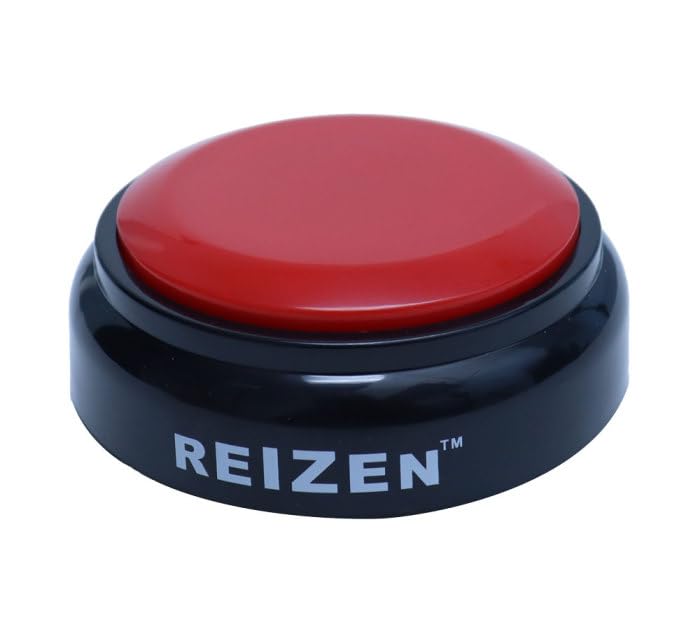
Image: The Reizen EL Button Talking Alarm Clock, featuring a large red button on a black base, designed for easy access and visibility.
Features
- Voice Announcement: Announces time and date with a clear, distinctive Spanish-speaking voice.
- Large Button: Features a big Red button (2.75-inch diameter) for easy activation.
- Stable Design: Housed in a compact black base with four low-profile, non-slip feet for stability.
- Portability: Ultra-portable design (3.50 in. diameter x 1.25 in. high) ideal for travel.
- Battery Operated: Operates on 2 AAA batteries (not included).
Setup
Battery Installation
- Locate the battery compartment on the bottom of the clock unit.
- Open the battery compartment cover.
- Insert 2 AAA batteries (not included), ensuring correct polarity (+/-).
- Close the battery compartment cover securely.
Power On/Off
On the bottom of the unit, locate the ON/OFF switch. Slide the switch to the 'ON' position to power on the clock. To conserve battery life, slide the switch to 'OFF' when not in use for extended periods.
Operating Instructions
Announcing Time and Date
To hear the current time and date announced, simply press the large Red button on the top of the clock.
Setting Time, Date, and Alarm
The clock features a black, Red-encircled Mode Button on the bottom. This button allows you to access the voice-announced Settings Menu. Follow the voice prompts to set the desired parameters:
- Press the Mode Button repeatedly to cycle through the settings:
- Set Hour (all hours - AM/PM)
- Set Minute (0-59)
- Set Year (2024-2045)
- Set Month (January - December)
- Set Date (1st-31st)
- Set Alarm Hour (all hours - AM/PM)
- Set Alarm Minute (0-59)
- Adjust the alarm ON or OFF
- When a setting is announced, use the UP/DOWN arrow buttons (located near the Mode Button) to adjust the value.
- After adjusting a value, press the Mode Button again to confirm and move to the next setting.
- Within 8 seconds of completing the setup, you will hear a short "dada" sound, indicating that the setup is complete.
Video: This video demonstrates the features and setup of a talking clock, including how to set the time, date, and alarm, and how to activate the voice announcement.
Maintenance
To clean your Reizen EL Button Talking Alarm Clock, use a soft paper towel. Avoid using any corrosive cleaners or chemical solutions, as these may damage the unit.
Troubleshooting
- No Sound/Low Volume: Ensure the ON/OFF switch is in the 'ON' position and that the batteries are correctly installed and not depleted. Replace batteries if necessary.
- Incorrect Time/Date: Follow the "Setting Time, Date, and Alarm" instructions carefully to reset the clock.
- Alarm Not Activating: Verify that the alarm hour and minute are set correctly and that the alarm is activated (ON) in the settings menu.
Specifications
- Brand: Reizen
- Color: Red
- Display Type: Button
- Product Dimensions: 3.5"W x 1.25"H (88.90 mm Diameter x 31.75 mm High)
- Power Source: Battery Powered (2 AAA batteries, not included)
- Indoor/Outdoor Usage: Indoor
- Frame Material: Plastic
Warranty & Support
This Reizen EL Button Talking Alarm Clock comes with a Limited 1-Year Warranty. For support or warranty claims, please refer to the contact information provided with your purchase or visit the official Reizen website.