
1. Introduction
Welcome to the user manual for your Generic S800pro Bone Conduction Headphones. These open-ear headphones are engineered for active lifestyles, providing a comfortable and secure fit for various sports and activities. Featuring IPX8 waterproofing, Bluetooth 5.4 connectivity, and a built-in 32GB MP3 player, they allow you to enjoy audio while remaining aware of your surroundings.
This manual provides essential information on setup, operation, maintenance, and troubleshooting to ensure optimal performance and longevity of your headphones.
2. What's in the Box

Image: The box contents include the bone conduction headphones, two magnetic charging cables, a user manual, an adjustable elastic band, a pair of earplugs, and a headphones bag.
- Bone Conduction Headset x1
- Magnetic Charging Cable x2
- User Manual x1
- Adjustable Elastic Band x1
- Pair of Earplugs x1
- Headphones Bag x1
3. Product Features
3.1. Design and Comfort

Image: A person wearing the S800pro headphones in a gym setting, with icons indicating IPX8 Waterproof, Bluetooth 5.4, 32GB Storage, Bone Conduction, Magnetic Charging, and Lightweight design.
- Open-Ear Design: Made from high-grade titanium and skin-friendly silicone, these headphones are lightweight and comfortable, designed to be worn without covering your ears. This allows for situational awareness during activities.
- Ergonomic Fit: The design ensures a secure and comfortable fit for extended wear during various physical activities.
3.2. Waterproofing

Image: A swimmer wearing the S800pro headphones in a pool, illustrating the IP68 waterproof rating for underwater use.
- IP68 Rated: Fully waterproof and sweat-proof, making them ideal for swimming, surfing, snorkeling, and other water sports.
3.3. Connectivity and Storage
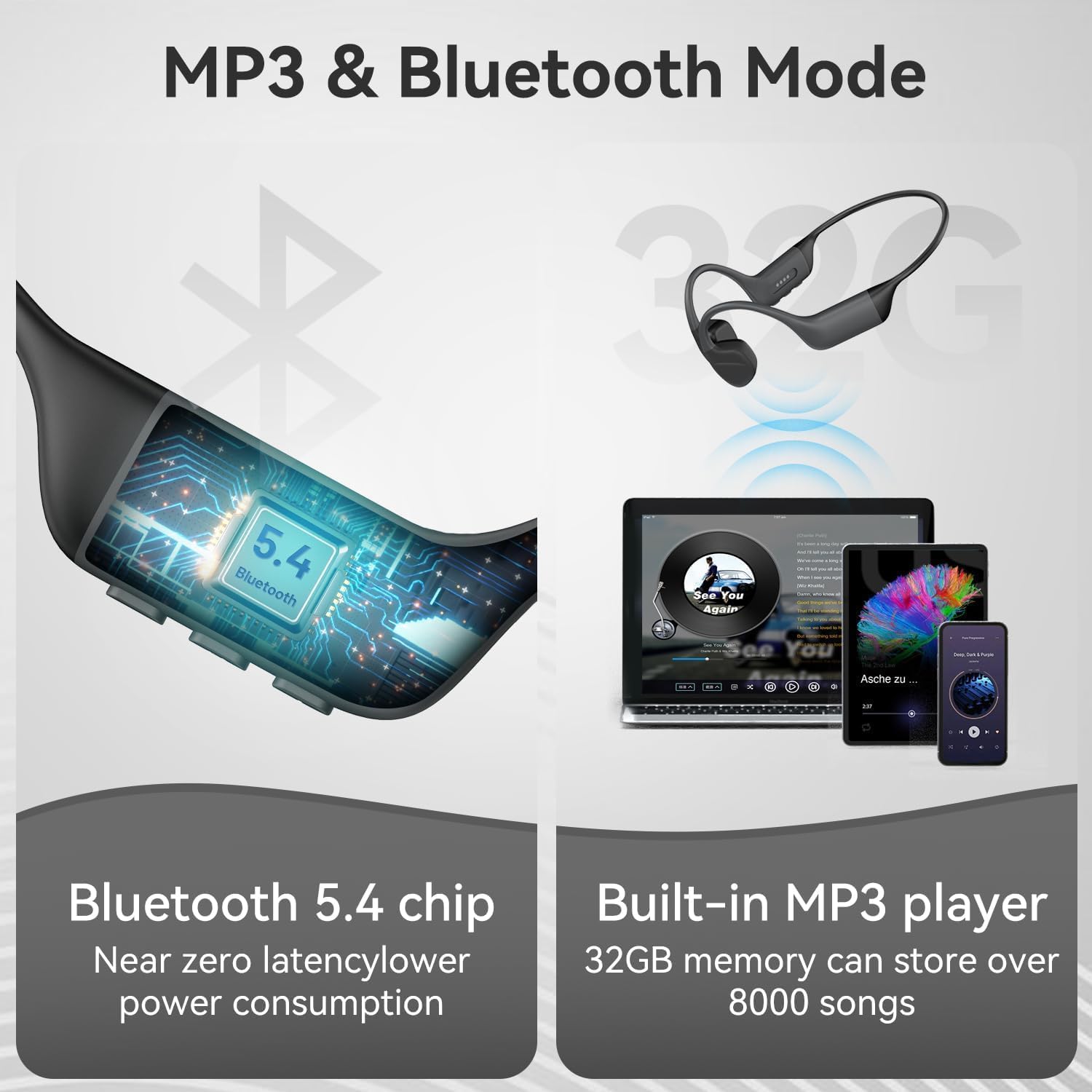
Image: A visual representation of the Bluetooth 5.4 chip and the user interface for the built-in MP3 player, indicating 32GB storage for over 8000 songs.
- Bluetooth 5.4: Provides a fast and stable wireless connection up to 10 meters (33 feet), compatible with both iOS and Android devices.
- Built-in 32GB MP3 Player: Store up to 8,000 songs directly on the headphones, allowing for music playback without a connected phone. This mode is essential for underwater use.
3.4. Bone Conduction Technology

Image: A diagram comparing bone conduction technology, which transmits sound vibrations through the cheekbones to the inner ear, with traditional air conduction.
- Acoustic System: Sound is transmitted through mechanical vibrations via the bone, bypassing the eardrum and allowing for open-ear listening.
3.5. Battery Life and Charging

Image: The S800pro headphones displayed with an overlay indicating 8 hours of continuous music playback.
- 8 Hours Playtime: Enjoy up to 8 hours of continuous music on a full charge.
- Magnetic Charging: Features a convenient magnetic charging port for easy and secure charging.
4. Setup
4.1. Charging the Headphones
- Connect the magnetic charging cable to the charging port on the headphones.
- Connect the other end of the cable to a USB power adapter (not included) or a computer's USB port.
- The LED indicator will show charging status. A full charge takes approximately 2 hours.
4.2. Powering On/Off
- Power On: Press and hold the Power button until the LED indicator lights up.
- Power Off: Press and hold the Power button until the LED indicator turns off.
4.3. Bluetooth Pairing
- Ensure the headphones are powered off.
- Press and hold the Power button for approximately 5-7 seconds until the LED indicator flashes red and blue, indicating pairing mode.
- On your device (smartphone, tablet, etc.), enable Bluetooth and search for available devices.
- Select "S800pro" from the list of devices.
- Once paired, the LED indicator will flash blue slowly.
4.4. Loading Music to MP3 Player
- Connect the headphones to a computer using the magnetic charging cable.
- The headphones will appear as a removable disk drive on your computer.
- Drag and drop your desired audio files (e.g., MP3, WAV) into the headphones' storage folder.
- Safely eject the headphones from your computer before disconnecting the cable.
5. Operating Instructions
5.1. Wearing the Headphones
- Place the headphones around the back of your head, with the transducers resting on your cheekbones, just in front of your ears.
- Ensure a comfortable and secure fit. The adjustable elastic band can be used for a tighter fit if needed.
5.2. Switching Between Bluetooth and MP3 Mode
- To switch between Bluetooth and MP3 mode, quickly double-tap the Power button.
- A voice prompt will indicate the current mode.
- Note: Only MP3 mode is supported for audio playback when submerged underwater.
5.3. Basic Controls
The headphones feature physical buttons for media control. Refer to the specific button layout on your device for exact functions.
| Button/Action | Function |
|---|---|
| Power Button (Press & Hold) | Power On/Off |
| Power Button (Double-tap) | Switch between Bluetooth and MP3 Mode |
| Volume Up (+) | Increase Volume / Next Track (Long Press) |
| Volume Down (-) | Decrease Volume / Previous Track (Long Press) |
| Multi-function Button (Play/Pause) | Play/Pause Music, Answer/End Call |
6. Maintenance
6.1. Cleaning

Image: A cross-section diagram of the headphone material, highlighting the waterproof coating, elastic airbag layer, and liquid silicone layer, along with visuals demonstrating durability and easy cleaning.
- The liquid silicone material is oil-proof and easy to clean. Wipe the headphones with a soft, damp cloth after use, especially after exposure to sweat or water.
- Do not use harsh chemicals or abrasive cleaners.
- Ensure the magnetic charging port is dry before charging.
6.2. Storage
- Store the headphones in the provided headphones bag when not in use to protect them from dust and damage.
- Avoid storing in extreme temperatures or direct sunlight.
7. Troubleshooting
If you encounter any issues with your S800pro headphones, please refer to the following common solutions:
| Problem | Possible Solution |
|---|---|
| Headphones do not power on. | Ensure the headphones are fully charged. Connect to the charger for at least 30 minutes. |
| Cannot pair with Bluetooth device. | Ensure headphones are in pairing mode (flashing red and blue LED). Turn off and on Bluetooth on your device. Move closer to the device (within 10 meters). Clear previous pairings on your device. |
| No sound or low volume. | Adjust volume on both the headphones and your connected device. Ensure headphones are not in MP3 mode if trying to use Bluetooth, or vice-versa. Check if earplugs are inserted if not intended for use. |
| Music playback issues in MP3 mode. | Ensure audio files are in a compatible format (e.g., MP3, WAV). Re-transfer files to the headphones. Ensure headphones are in MP3 mode. |
| Intermittent audio or strange chirping sounds. | Move away from potential sources of interference (e.g., Wi-Fi routers, other Bluetooth devices). Try resetting the headphones (refer to manufacturer support for specific reset instructions if not in manual). Ensure the headphones are fully charged. |
| Headphones stopped working after a few months. | Ensure the headphones are fully charged. Attempt a factory reset if possible. If the issue persists, contact customer support for warranty assistance. |
8. Specifications
| Feature | Detail |
|---|---|
| Brand | Generic |
| Model Number | S800pro |
| Color | Grey |
| Ear Placement | Open Ear |
| Form Factor | Open Ear |
| Impedance | 15 ohm |
| Connectivity Technology | Wireless (Bluetooth) |
| Wireless Technology | Bluetooth |
| Bluetooth Version | 5.4 |
| Bluetooth Range | 10 meters |
| Control Type | Media Control (Button) |
| Battery Charge Time | 2 hours |
| Battery Average Life | 8 hours (music play) |
| Water Resistance Level | IPX8 Waterproof |
| Built-in Storage | 32GB (for MP3 player) |
| Audio Driver Type | Bone Conduction Driver |
| Enclosure Material | Silicone |
| Additional Features | Lightweight, Microphone Included, Noise Cancellation, Sweatproof |
| Specific Uses For Product | Fitness (Cycling, Exercising, Motorcycling, Running, Swimming) |
9. Warranty and Support
9.1. Manufacturer's Warranty
The Generic S800pro Bone Conduction Headphones come with a 1-Year Manufacturer's Warranty. This warranty covers defects in materials and workmanship under normal use.
Please retain your proof of purchase for warranty claims.
9.2. Customer Support
For further assistance, technical support, or warranty inquiries not covered by the troubleshooting section, please contact the seller or manufacturer directly through your purchase platform.
When contacting support, please provide your product model (S800pro) and a detailed description of the issue.


