
TOPDON CarPal-A
TOPDON CarPal Bluetooth OBD2 Scanner User Manual
Model: CarPal-A
Brand: TOPDON

Image: The TOPDON CarPal Bluetooth OBD2 Scanner device next to its retail packaging, highlighting its compact size and key features.
1. Introduction
The TOPDON CarPal is a wireless Bluetooth OBD2 scanner designed to provide comprehensive vehicle diagnostics and maintenance functions. It connects to your smartphone (iOS or Android) to offer real-time data, fault code reading, and various reset services, empowering users to monitor and maintain their vehicle's health effectively.
This manual provides detailed instructions for setting up, operating, and maintaining your CarPal device, along with troubleshooting tips and product specifications.

Image: A promotional banner for the TOPDON CarPal, showcasing its wireless capabilities and key diagnostic features.
2. Product Features and Capabilities
The CarPal offers a wide range of diagnostic and maintenance functionalities:
- Full System Diagnostics: Comprehensive scanning across all crucial vehicle systems, including engine, transmission, ABS, SRS, and more.
- Read/Clear Codes: Easily read and clear diagnostic trouble codes (DTCs) with severity indicators and tailored repair instructions.
- 6 Essential Maintenance Functions: Includes Oil Reset, TPMS Reset, BMS Reset, EPB Reset, Throttle Adaptation, and DPF Regeneration.
- Vehicle Health Check: Meticulously evaluates your car's overall health.
- Smog Check: Pre-test vehicle emissions to ensure readiness for annual inspections.
- Battery Test: Monitors real-time voltage and tracks battery performance.
- Performance Test: Measures 0-60mph acceleration and other performance metrics.
- Live Data Stream: Visualizes real-time data in various formats (graphs, numerical values, gauge displays).
- AutoVIN: Rapid vehicle identification without manual input.
- DTC Repair Guides: Access detailed repair instructions for fault codes.
- Technical Service Bulletins (TSBs): Stay updated with the latest service information.
- DLC Location: Guide to quickly locate your vehicle's diagnostic port.
- Warning Light Library: Provides explanations, causes, and actions for dashboard warning lights.
- Bluetooth 5.0 Connectivity: Stable wireless connection up to 33ft/10m.
- Wide Compatibility: Supports Android 7.0+ and iOS 11.0+ devices, covering over 90 car brands and 10,000+ models.

Image: A smartphone displaying the CarPal app's vehicle health check interface, showing support for over 90 brands and 10,000+ models.

Image: Visual representations of the six essential maintenance reset services: Oil Reset, Throttle Adaptation, EPB Reset, BMS Reset, TPMS Reset, and DPF Regeneration.
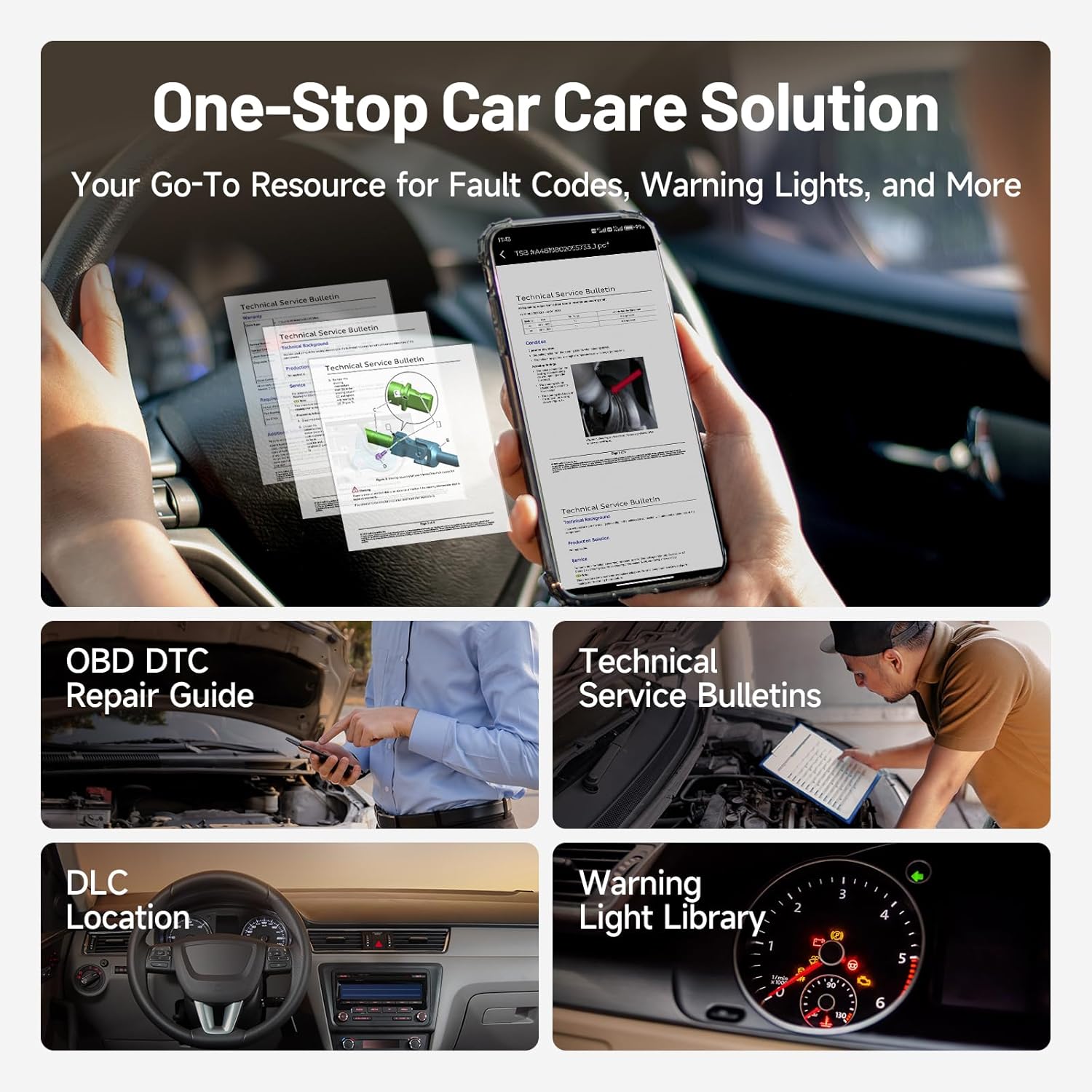
Image: Overview of CarPal's one-stop car care solutions, including OBD DTC Repair Guide, Technical Service Bulletins, DLC Location, and Warning Light Library.

Image: A smartphone screen showing engine trouble codes with severity indicators (Slight, Serious) and maintenance suggestions, overlaid on a car engine diagram.
3. Setup Guide
- Download the CarPal App: Search for "TOPDON CarPal" on the Apple App Store (for iOS) or Google Play Store (for Android) and install the application on your smartphone.
- Register and Log In: Open the CarPal app and follow the on-screen instructions to register a new account or log in if you already have one.
- Plug CarPal into the OBD Port: Locate your vehicle's OBD-II diagnostic port, typically found under the dashboard on the driver's side. Firmly plug the CarPal device into the port.
- Start the Engine: Turn your vehicle's ignition to the "ON" position or start the engine.
- Confirm Green Indicator: Ensure the green indicator light on the CarPal device is illuminated, indicating it is powered on.
- Establish Bluetooth Connection:
- For iOS: Open Bluetooth settings on your phone, search for available devices, and pair with "CarPal-xxxx" (where xxxx is a unique identifier).
- For Android: Open the CarPal app, navigate to the Bluetooth connection section, search for "CarPal-xxxx", and connect.
- Connection Confirmation: The blue indicator lights on the CarPal device will illuminate once successfully connected.

Image: A visual step-by-step guide demonstrating how to connect the CarPal device to a smartphone, from app download to Bluetooth pairing.
4. Operating Instructions
4.1. Vehicle Health Check & Diagnostics
After connecting the CarPal, the app will automatically perform an AutoVIN scan to identify your vehicle. You can then initiate a full system diagnostic scan.
- Reading DTCs: The app will display any detected Diagnostic Trouble Codes. Each code will include a description, severity level (slight or serious), and recommended repair instructions.
- Clearing DTCs: Once repairs are made or if a code is a false positive, you can clear the codes directly from the app.
- Live Data: Access real-time data streams from various sensors. This data can be viewed in numerical, graphical, or gauge formats. The 4-in-1 data graph allows for comparative analysis of multiple parameters simultaneously.

Image: A driver using the CarPal app on a smartphone mounted in the car, displaying real-time vehicle data in graphical and numerical formats, including engine coolant temperature, RPM, and throttle position.
4.2. Maintenance Functions
The CarPal provides access to 6 common reset services:
- Oil Reset: Resets the oil life monitoring system after an oil change.
- TPMS Reset: Resets the Tire Pressure Monitoring System after tire rotation or sensor replacement.
- BMS Reset: Registers a new battery to the vehicle's Battery Management System.
- EPB Reset: Resets the Electronic Parking Brake system after brake pad replacement.
- Throttle Adaptation: Relearns the throttle body position after cleaning or replacement.
- DPF Regeneration: Initiates the Diesel Particulate Filter regeneration process.
Note: Always refer to your vehicle's service manual for specific procedures before performing any maintenance function.
4.3. Special Tests
- Smog Check: Perform a pre-inspection readiness test to check if your vehicle's emission systems are ready for official inspection.
- Battery Test: Monitor the real-time voltage and health status of your vehicle's battery.
- Performance Test: Measure acceleration times (e.g., 0-60mph) and track fixed distance timings to evaluate vehicle performance.
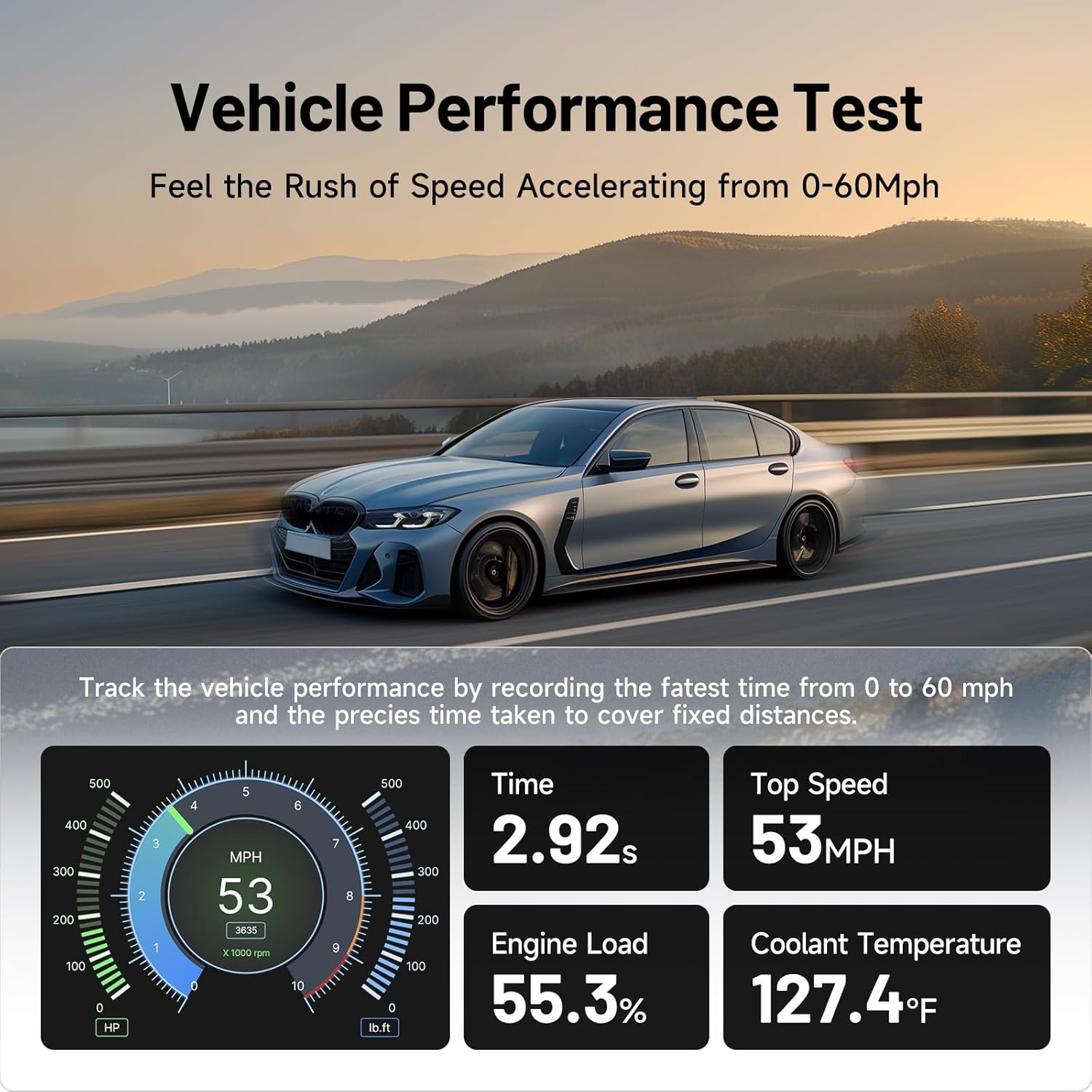
Image: A car on a scenic road with a smartphone displaying the CarPal app's performance test results, showing metrics like time, top speed, engine load, and coolant temperature.
5. Maintenance and Care
- Cleaning: Wipe the CarPal device with a soft, dry cloth. Do not use abrasive cleaners or solvents.
- Storage: Store the device in a cool, dry place away from direct sunlight and extreme temperatures.
- Software Updates: Regularly check the CarPal app for software updates to ensure optimal performance and access to the latest vehicle data and features. Updates are typically free for the first year.
- Connection: Ensure the OBD-II port is clean and free of debris before plugging in the CarPal.
6. Troubleshooting
| Problem | Possible Cause | Solution |
|---|---|---|
| Device not powering on (no green light) | Loose connection; Vehicle ignition off; Faulty OBD-II port. | Ensure CarPal is firmly plugged in. Turn vehicle ignition to ON. Test with another vehicle if possible. |
| Cannot establish Bluetooth connection | Bluetooth off on phone; App not open; Incorrect pairing process; Interference. | Ensure phone Bluetooth is on. Restart app and phone. Follow pairing steps carefully. Move closer to the device. |
| App not reading vehicle data | Vehicle not OBD2 compliant; Engine not running/ignition off; App permissions; Software glitch. | Verify vehicle is OBD2 compliant (1996+ in US). Start engine. Check app permissions. Restart app/device. |
| Inaccurate readings or intermittent connection | Poor connection; Outdated software; Environmental interference. | Ensure secure connection. Update app software. Avoid strong electromagnetic interference. |
7. Specifications
| Feature | Detail |
|---|---|
| Model | CarPal-A |
| Connectivity | Bluetooth 5.0 |
| Operating System Compatibility | Android 7.0 or above, iOS 11.0 or above |
| Power Source | Vehicle OBD-II Port |
| Product Dimensions | 2"L x 1"W x 3.3"H |
| Item Weight | 3.52 ounces |
| Supported Languages | English, French, German, Spanish, Portuguese, Russian, Japanese, Korean, Italian, Traditional Chinese, Chinese |
| Included in Package | CarPal*1, Quick Start Guide*1 |
8. Warranty and Support
TOPDON offers premium after-sales service to ensure your complete satisfaction. For any questions, technical assistance, or warranty claims, please contact TOPDON customer support. The customer support team is available to provide timely and professional assistance.
The product typically includes a 1-year free update for all features. Please refer to the official TOPDON website or the product packaging for specific warranty terms and contact information.
Related documentsCarPal-A


Ask a question about this manual
Ask about setup, troubleshooting, compatibility, parts, safety, or missing instructions. Manuals+ will review the question and use this page’s manual context to help answer it.