
Introduction
Thank you for choosing the INIU 45W Portable Charger. This compact and powerful 20000mAh power bank is designed to provide reliable and fast charging for your mobile devices on the go. Featuring a built-in USB-C cable and multiple output ports, it ensures you stay powered throughout your day. Please read this manual carefully to ensure proper use and maintenance of your device.
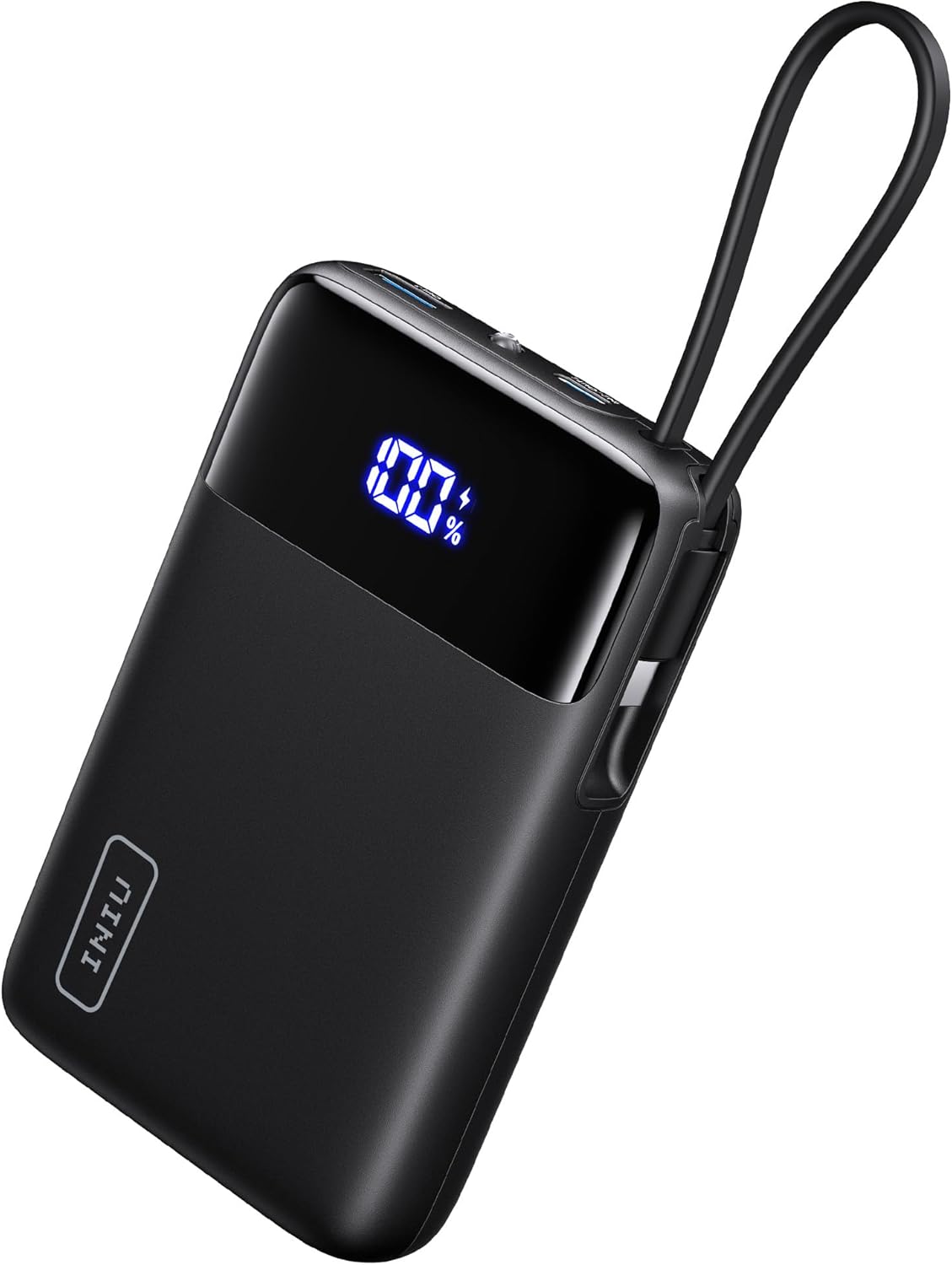
Image: The INIU 45W Portable Charger, showcasing its compact design and digital display.
Product Features
- 45W Full-Speed Charging: Delivers up to 45W output, supporting PD, QC, and other fast-charging protocols for rapid power delivery to compatible devices like iPhone 16 and Samsung S25.
- New-Gen Ultra-Compact 20000mAh: Utilizes TinyCell battery technology for a high capacity in a remarkably small form factor, making it ideal for travel.
- Built-In USB-C Cable: Features an integrated USB-C cable for ultimate convenience, eliminating the need to carry extra cables.
- Charge 3 Devices Simultaneously: Equipped with multiple output ports (built-in USB-C, USB-C port, USB-A port) to charge up to three devices at once.
- Digital Display: Provides a precise percentage readout of the remaining power, ensuring you always know your power bank's status.
- Integrated LED Light: A built-in LED light can be activated for use as a flashlight in low-light conditions.
Visual Features Overview

Image: Demonstrates 45W full-speed charging capabilities for modern smartphones.

Image: Illustrates the ultra-compact size of the 20000mAh power bank compared to larger models and a phone.

Image: Highlights the convenience of the built-in USB-C cable, ready for use without extra wires.

Image: Shows the power bank's ability to charge up to three devices concurrently, including its own recharge via the built-in cable.

Image: Details the vast compatibility of the power bank with various iPhone, Samsung, Google, and iPad models.
Official Product Videos
Video: An overview of the INIU Small 20000mAh 45W Power Bank, highlighting its features and built-in USB-C cable.
Video: A short demonstration of the smallest 20000mAh power bank with its built-in USB-C cable.
Setup
What's in the Box
- INIU Power Bank with Built-in USB-C Cable (Model P51L) x 1
- User Manual x 1
Initial Charging
Before first use, fully charge your INIU Portable Charger. Connect the built-in USB-C cable or an external USB-C cable to the power bank's USB-C input port and connect the other end to a compatible wall charger (not included). The digital display will show the charging progress, reaching 100% when fully charged. For optimal charging speed, use a 27W (max) PD compatible charger.
Operating Instructions
Charging Your Devices
- Using the Built-in USB-C Cable: Pull out the built-in USB-C cable from its storage slot and plug it directly into your USB-C compatible device.
- Using the USB-C Output Port: Connect your device's USB-C charging cable to the power bank's USB-C output port.
- Using the USB-A Output Port: Connect your device's USB-A charging cable to the power bank's USB-A output port.
The power bank will automatically begin charging your device. The digital display will show the power bank's remaining battery percentage. For fast charging, ensure your device and cable support PD/QC protocols and are connected to the appropriate ports. The maximum output is 45W.
Recharging the Power Bank
To recharge the power bank, use the built-in USB-C cable or an external USB-C cable connected to the USB-C input port. Connect the other end to a wall adapter. The power bank supports up to 27W input for quick recharging.
Using the LED Light
To activate the built-in LED light, quickly double-press the power button. Double-press again to turn it off. This feature can be useful as a small flashlight.
Maintenance
- Keep the power bank away from extreme temperatures, direct sunlight, and liquids.
- Do not disassemble, modify, or attempt to repair the device yourself.
- Clean the surface with a soft, dry cloth. Avoid using harsh chemicals or abrasive materials.
- Store the power bank in a cool, dry place when not in use. For long-term storage, it is recommended to keep the battery at around 50-70% charge.
Troubleshooting
| Problem | Possible Solution |
|---|---|
| Power bank not charging. | Ensure the charging cable and wall adapter are functioning correctly. Check if the cable is securely connected to both the power bank's USB-C input and the power source. Try a different cable or adapter. |
| Device not charging from power bank. | Verify the power bank has sufficient charge. Ensure the charging cable is securely connected to both the power bank and your device. Try a different cable or output port. Some devices may require the power button to be pressed to initiate charging. |
| Slow charging. | Ensure your device and cable support fast charging protocols (PD/QC). If charging multiple devices, the total output power is shared, which may reduce individual charging speeds. Use a compatible fast-charging wall adapter when recharging the power bank. |
| Digital display not working. | Press the power button once to activate the display. If it remains unresponsive, the power bank may be fully discharged or require service. |
Specifications
| Feature | Detail |
|---|---|
| Model | P51L |
| Battery Capacity | 20000mAh |
| Input (USB-C) | Up to 27W (PD) |
| Output (Built-in USB-C) | Up to 45W (PD) |
| Output (USB-C Port) | Up to 45W (PD) |
| Output (USB-A Port) | Up to 18W (QC) |
| Dimensions | 4.5 x 2.9 x 1.1 inches (11.5 x 7.3 x 2.9 cm) |
| Weight | 13.1 ounces (371.4 g) |
Warranty and Support
INIU provides an industry-leading 3-Year INIU Care warranty for this product. If you encounter any quality issues within this period, please contact INIU customer support for assistance. Refer to the official INIU website or the contact information provided on the product packaging for support details.


