
Introduction
This manual provides detailed instructions for the setup, operation, and maintenance of your One Fire Star Projector. This device combines a galaxy projector, night light, white noise generator, and Bluetooth speaker to create a versatile ambiance for any room.
What's in the Box
- One Fire Star Projector Unit
- Power Cable
- Remote Control
- User Manual (This document)
Product Features
- 4-in-1 Functionality: Combines a night light, galaxy projector, white noise generator, and Bluetooth speaker.
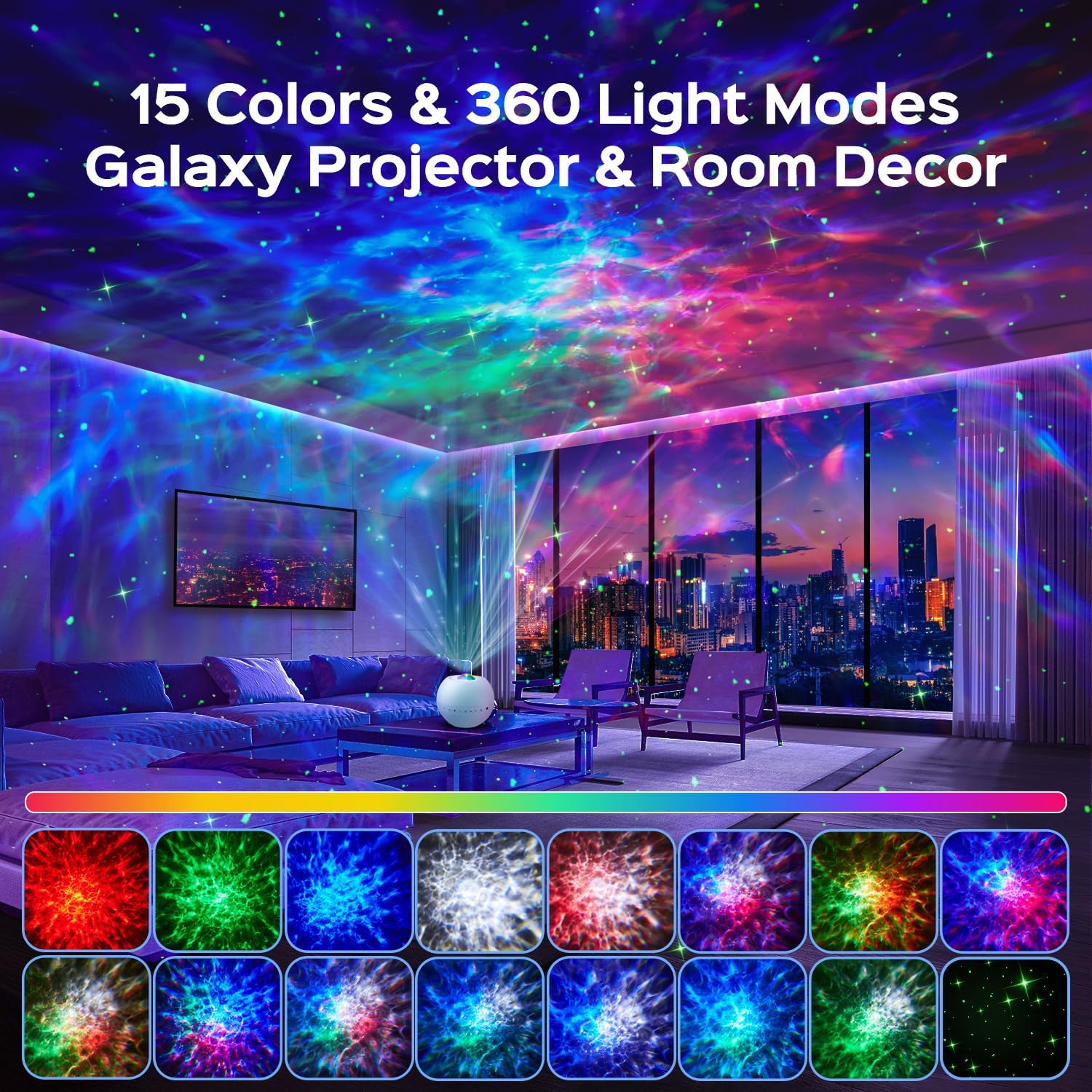
- Dynamic Light Effects: 15 color options, green stars, and 360-degree light effects covering over 250 square meters.
- 3 Projection Modes: Nebula, Nebulae & Stars, and Star modes for varied visual experiences.
- Integrated White Noise: 15 soothing sounds including lullabies, nature sounds (rain, waves, birds), and white noise.
- Bluetooth 5.3 Speaker: Connect your device to play music or stories with HiFi sound quality.
- Remote Control: Full control over colors, music, volume, modes, brightness (7 levels), speed (4 levels), and timers (0.5/1/2/8 hours).
Setup
- Unpack: Carefully remove all components from the packaging.
- Placement: Place the projector on a stable, flat surface in the desired room. Ensure there are no obstructions to the projection lens.
- Power Connection: Connect the provided power cable to the projector's power input port and then plug it into a standard electrical outlet.
- Initial Power On: Press the power button on the device or the remote control to turn on the projector.
Operating Instructions
Device Controls
The projector unit features several buttons for direct control:

- Power Button: Turns the projector On or Off.
- Light Toggle: Cycles through different light effects.
- Green Star Button: Activates or deactivates the green star projection.
- Previous Track / Volume Down: Short press for previous track, long press to decrease volume.
- Next Track / Volume Up: Short press for next track, long press to increase volume.
- White Noise / Bluetooth Button: Toggles between white noise modes and Bluetooth pairing mode.
- 2H Timer Function: Activates a 2-hour automatic shut-off timer.
Remote Control
The included remote control provides comprehensive functionality:

- On/Off: Powers the unit on or off.
- Green Star On/Off: Toggles green star projection.
- Color Buttons (Red, Green, Blue, White): Select individual colors or combinations.
- Change Light Effect: Cycles through different light patterns.
- Play/Pause: Controls music playback.
- Volume +/-: Adjusts audio volume.
- Previous/Next Track: Navigates audio tracks.
- Dynamic Speed: Adjusts the speed of light movement (4 levels).
- Light Modes (F1, F2): Activates preset light modes.
- Cancel Timer: Deactivates any active timer.
- Adjust Brightness: Changes the projection brightness (7 levels).
- Timers (2H, 4H, 6H): Sets automatic shut-off timers for 2, 4, or 6 hours.
Light Projection Modes
The projector offers three primary dynamic projection modes:
- Nebula Mode: Creates an intense, imaginative nebula atmosphere.
- Nebulae & Stars Mode: Projects realistic skies with shimmering stars and artistic nebula clouds.
- Star Mode: Displays a crystal-clear, fantastic starry sky on the ceiling with surprising depth effects.
Note: Green stars cannot be projected independently in Star Mode.

White Noise and Bluetooth Speaker
The projector includes 15 built-in white noise sounds and a Bluetooth 5.3 speaker for external audio playback.

- White Noise Selection: Press the White Noise / Bluetooth button on the device or use the remote to cycle through the 15 integrated sounds. These include lullabies, nature sounds (rain, waves, bird song), and various white noise types.
- Bluetooth Pairing:
- Ensure the projector is powered on.
- Press and hold the White Noise / Bluetooth button on the device or remote until you hear an audible prompt indicating Bluetooth pairing mode.
- On your mobile device, enable Bluetooth and search for "B0DCYV6CD2" or "One Fire Projector" in the list of available devices.
- Select the projector to pair. A confirmation sound will indicate successful pairing.
- You can now play music or audio from your device through the projector's speaker.

Timer Function
The projector features an automatic shut-off timer to conserve energy and assist with sleep.
- Using Device Button: Press the 2H Timer button on the unit to set a 2-hour timer.
- Using Remote Control: Use the 2H, 4H, or 6H buttons on the remote to set the desired timer duration. Press the "Cancel Timer" button to deactivate any active timer.

Maintenance
- Cleaning: Use a soft, dry cloth to clean the exterior of the projector. Do not use abrasive cleaners or solvents.
- Lens Care: Gently wipe the projection lens with a microfiber cloth to remove dust or smudges. Avoid touching the lens directly with fingers.
- Storage: When not in use for extended periods, store the projector in a cool, dry place, away from direct sunlight and extreme temperatures.
- Power: Always disconnect the power cable before cleaning or performing any maintenance.
Troubleshooting
| Problem | Possible Cause | Solution |
|---|---|---|
| Projector does not turn on. | No power connection; faulty power cable; unit malfunction. | Ensure power cable is securely connected to both the projector and a working outlet. Try a different outlet. Contact support if problem persists. |
| Lights are dim or not projecting clearly. | Brightness setting is low; lens is dirty; room is too bright. | Increase brightness using the remote. Clean the projection lens. Ensure the room is dark for optimal projection. |
| Bluetooth not connecting. | Projector not in pairing mode; device Bluetooth off; too far from projector. | Ensure projector is in Bluetooth pairing mode (indicated by an audible prompt). Turn on Bluetooth on your device. Move your device closer to the projector (within 10 meters). |
| Remote control not working. | Batteries are dead or incorrectly inserted; remote is too far or obstructed. | Replace remote control batteries. Ensure batteries are inserted with correct polarity. Point remote directly at the projector. Reduce distance or remove obstructions. |
| No sound from white noise or Bluetooth. | Volume is too low; incorrect mode selected. | Increase volume using the device buttons or remote. Ensure the correct mode (White Noise or Bluetooth) is selected. |
Specifications
| Brand | One Fire |
| Model | B0DCYV6CD2 |
| Manufacturer | TK CO.,Ltd. |
| Product Dimensions | 10.5 x 10.5 x 10 cm |
| Item Weight | 260 grams |
| Style | Minimalist |
| Color | White |
| Material | Plastic, Acrylonitrile Butadiene Styrene (ABS) |
| Finish Types | Matte |
| Number of Lights | 1 |
| Voltage | 5 Volts |
| Specific Uses | Sleep Aid, Decoration |
| Additional Features | Timer, Dimmer |
| Light Direction | LED |
| Power Source | Corded Electric |
| Switch Style | Push Button (Integrated) |
| Batteries Included | No |
| Batteries Required | No |
| Bulb Type | LED |
| Wattage | 10 watts |
| First Available | September 10, 2024 |
Warranty and Support
One Fire provides a 24-month quality guarantee for this product. If you encounter any issues with your galaxy projector, please do not hesitate to contact our customer support team.
Our commitment is to provide world-class quality and customer service. For support, please refer to the contact information provided with your purchase or visit the official One Fire store on Amazon.


Product Videos
Video: A general demonstration of the One Fire Star Projector's features and light effects (1 minute 14 seconds).
Video: A concise overview of the projector's capabilities and visual output (31 seconds).
Video: An extended demonstration showcasing various light modes, white noise, and Bluetooth functions (3 minutes 14 seconds).


