
Introduction
This manual provides essential information for the safe and effective operation, maintenance, and troubleshooting of your Tecnock 1/16 Scale Remote Control Car. Please read this manual thoroughly before first use to ensure optimal performance and longevity of your RC car.

Figure 1: Tecnock 1/16 Scale RC Car and included accessories.
Package Contents
Verify that all items are present in the package:
- 1 x Tecnock 1/16 Scale RC Car
- 1 x 2.4GHz Remote Control
- 2 x 1000 mAh Rechargeable Lithium Ion Batteries
- 1 x USB Charger Cable
- 1 x Screwdriver
- 1 x User Manual (this document)

Figure 2: All components included in the product packaging.
Safety Information
Please observe the following safety precautions to prevent injury or damage to the product:
- Adult Supervision: Recommended for users under 14 years of age.
- Battery Safety: Use only the provided charger and batteries. Do not overcharge, short-circuit, or expose batteries to extreme temperatures or fire. Remove batteries from the car and remote when not in use for extended periods.
- Operating Environment: Operate the RC car in open areas, away from people, pets, and obstacles. Avoid public roads, wet surfaces, or areas with high voltage lines.
- Moving Parts: Keep fingers, hair, and loose clothing away from the wheels and other moving parts to prevent entanglement.
- Impacts: Avoid collisions with hard objects or drops from heights, as this may damage the car's internal components or chassis.
- Water Exposure: This RC car is not waterproof. Avoid operating in rain, puddles, or wet conditions.
Setup
1. Charging the Batteries
The RC car comes with two 1000 mAh rechargeable Lithium Ion batteries. Each battery provides approximately 30 minutes of running time, for a total of 60+ minutes with both batteries.
- Connect the USB charger cable to a standard USB power adapter (not included) or a computer USB port.
- Connect the battery to the USB charger cable.
- The indicator light on the USB charger will show the charging status (e.g., red for charging, off or green for fully charged).
- Charging time for each battery is approximately 2 hours. Do not leave batteries charging unattended.

Figure 3: The RC car is powered by two 1000 mAh rechargeable batteries, offering extended play time.
2. Installing Batteries in the RC Car
- Locate the battery compartment on the underside of the RC car.
- Use the included screwdriver to open the battery compartment cover.
- Insert a fully charged 1000 mAh battery into the compartment, ensuring correct polarity.
- Connect the battery connector to the car's power port.
- Close the battery compartment cover and secure it with the screw.
3. Installing Batteries in the Remote Control
- Locate the battery compartment on the back of the remote control.
- Open the battery compartment cover.
- Insert 2 x AA batteries (not included) into the compartment, observing correct polarity.
- Close the battery compartment cover.
4. Pairing the Remote Control
The remote control operates on a 2.4GHz frequency, allowing multiple cars to operate simultaneously without interference.
- Ensure the RC car's battery is installed and the car's power switch is in the 'ON' position.
- Turn on the remote control.
- The remote control and car should automatically pair. An indicator light on the remote may change from blinking to solid once paired.
- If pairing fails, turn off both the car and remote, then repeat the steps.
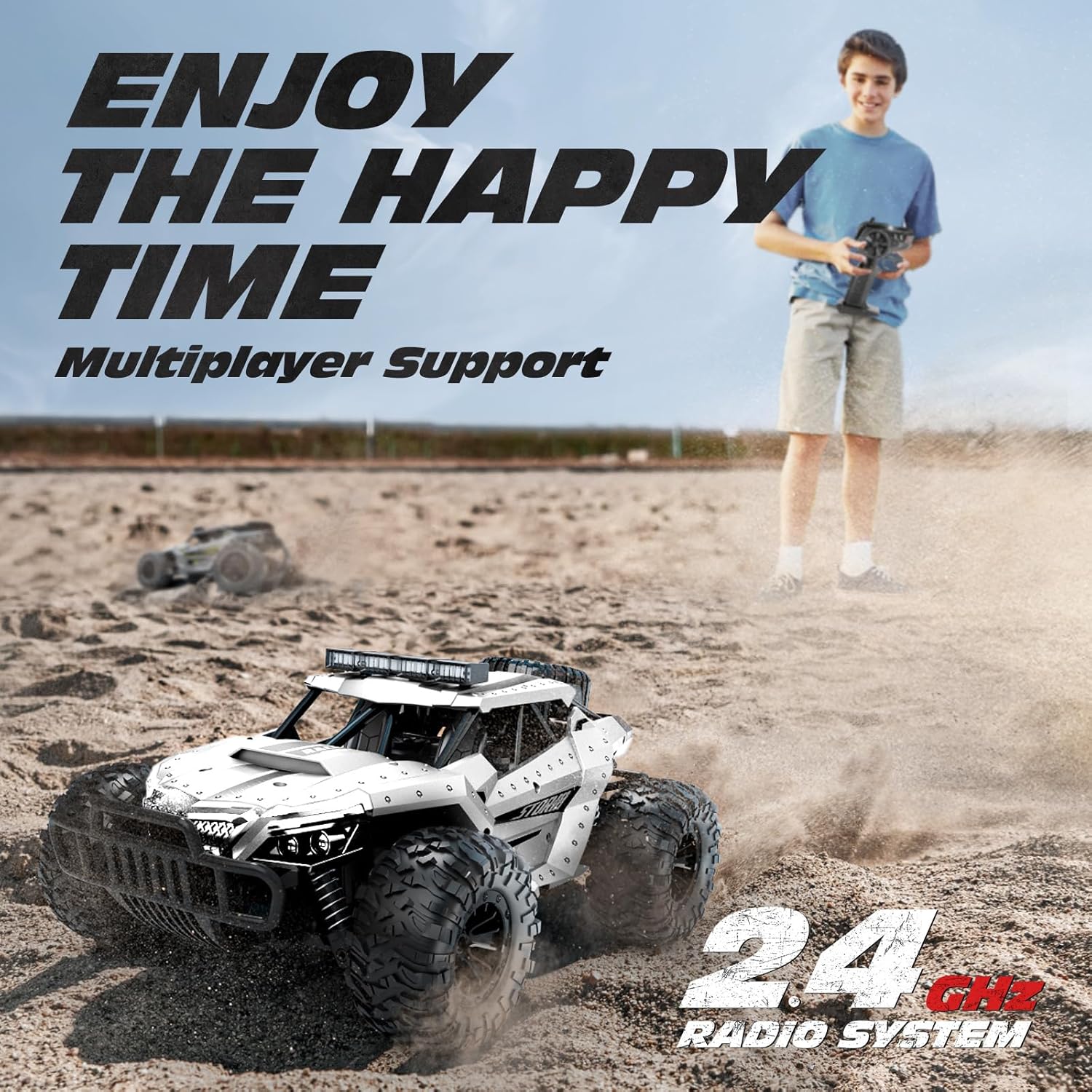
Figure 4: The 2.4GHz radio system allows for multiplayer racing without interference.
Operating Instructions
Basic Controls
- Throttle Trigger: Pull the trigger to move forward. Push the trigger to brake or reverse.
- Steering Wheel: Turn the wheel left or right to steer the car.

Figure 5: The RC car is capable of reaching speeds up to 20 km/h.
All-Terrain Capability
The Tecnock RC Car is designed for various terrains, including:
- Highway/Pavement
- Stone/Gravel
- Sand
- Grass
Its durable tires and shock absorption system provide stable performance across different surfaces.

Figure 6: The RC car is built to handle various types of terrain.
Headlights and Chassis Lights
The RC car is equipped with multiple LED lights, including bright headlights and chassis lights, enhancing visibility and aesthetic appeal during day and night operation.


Durable Construction
The RC car features a high-quality ABS material construction, providing wear-resistance, corrosion-resistance, and shock absorption. Its solid chassis, shell, and durable tires contribute to its robust design.


Maintenance
- Cleaning: After use, especially on dusty or sandy terrains, gently wipe the car with a soft, dry cloth to remove dirt and debris. Do not use water or chemical cleaners.
- Storage: Store the RC car and remote control in a cool, dry place away from direct sunlight and moisture. Remove batteries from both the car and remote if storing for an extended period to prevent leakage.
- Battery Care: Always fully charge batteries before storage and recharge them every few months if not in use to maintain battery health.
Troubleshooting
| Problem | Possible Cause | Solution |
|---|---|---|
| Car does not respond to remote. | Low battery in car or remote; Not paired; Interference. | Charge car battery, replace remote batteries; Re-pair car and remote; Move to an area with less interference. |
| Car runs slowly or stops. | Low car battery. | Recharge car battery. |
| Short control range. | Interference; Low remote battery. | Move to an open area; Replace remote batteries. |
| Lights not working. | Car battery low; Damaged wiring/LEDs. | Recharge car battery; Contact customer support if damaged. |
If the problem persists after attempting these solutions, please contact Tecnock customer support.
Specifications
| Feature | Detail |
|---|---|
| Model Number | 1803 |
| Scale | 1:16 |
| Product Dimensions | 11.8 x 1.97 x 5.12 inches |
| Item Weight | 3.03 pounds |
| Max Speed | Up to 20 Km/h |
| Control Frequency | 2.4GHz |
| Control Distance | Up to 165 feet (approx. 50 meters) |
| Car Battery | 2 x 1000 mAh Lithium Ion (included) |
| Remote Battery | 2 x AA (not included) |
| Running Time | Up to 60+ minutes (with both batteries) |
| Recommended Age | 8 years and up |

Figure 7: Product dimensions for the Tecnock RC Car.
Warranty and Support
For warranty information or technical support, please refer to the contact details provided on the product packaging or visit the official Tecnock website. Keep your purchase receipt as proof of purchase for any warranty claims.
Note: No official product videos were provided in the product data for embedding in this manual.