
Shark Shark Pet Pro Cordless Stick Vacuum
Shark Pet Pro Cordless Lightweight Stick Vacuum Cleaner User Manual
Model: Shark Pet Pro Cordless Stick Vacuum
Introduction
Thank you for purchasing the Shark Pet Pro Cordless Lightweight Stick Vacuum Cleaner. This manual provides essential information for the safe operation, maintenance, and troubleshooting of your new vacuum cleaner. Please read it thoroughly before first use and retain it for future reference.

The Shark Pet Pro Cordless Lightweight Stick Vacuum Cleaner in Teal/Grey.
Important Safety Instructions
When using an electrical appliance, basic precautions should always be observed, including the following:
- Read all instructions before using this vacuum cleaner.
- Do not use outdoors or on wet surfaces.
- Unplug from outlet when not in use and before servicing.
- Do not allow to be used as a toy. Close attention is necessary when used by or near children.
- Use only as described in this manual. Use only manufacturer’s recommended attachments.
- Do not use with damaged cord or plug. If appliance is not working as it should, has been dropped, damaged, left outdoors, or dropped into water, return it to a service center.
- Do not pull or carry by cord, use cord as a handle, close a door on cord, or pull cord around sharp edges or corners. Do not run appliance over cord. Keep cord away from heated surfaces.
- Do not unplug by pulling on cord. To unplug, grasp the plug, not the cord.
- Do not handle plug or vacuum cleaner with wet hands.
- Do not put any object into openings. Do not use with any opening blocked; keep free of dust, lint, hair, and anything that may reduce air flow.
- Keep hair, loose clothing, fingers, and all parts of body away from openings and moving parts.
- Turn off all controls before unplugging.
- Use extra care when cleaning on stairs.
- Do not use to pick up flammable or combustible liquids, such as gasoline, or use in areas where they may be present.
- Do not pick up anything that is burning or smoking, such as cigarettes, matches, or hot ashes.
- Do not use without dust cup and/or filters in place.
Package Contents
Verify that all components are present in your package:
- Main Vacuum Unit (Handheld)
- Wand
- Floor Nozzle with Self-Cleaning Brushroll
- Crevice Tool
- Charging Adapter
Setup
Assembly
- Insert the wand into the floor nozzle until it clicks securely into place.
- Insert the handheld vacuum into the top of the wand until it clicks securely into place.
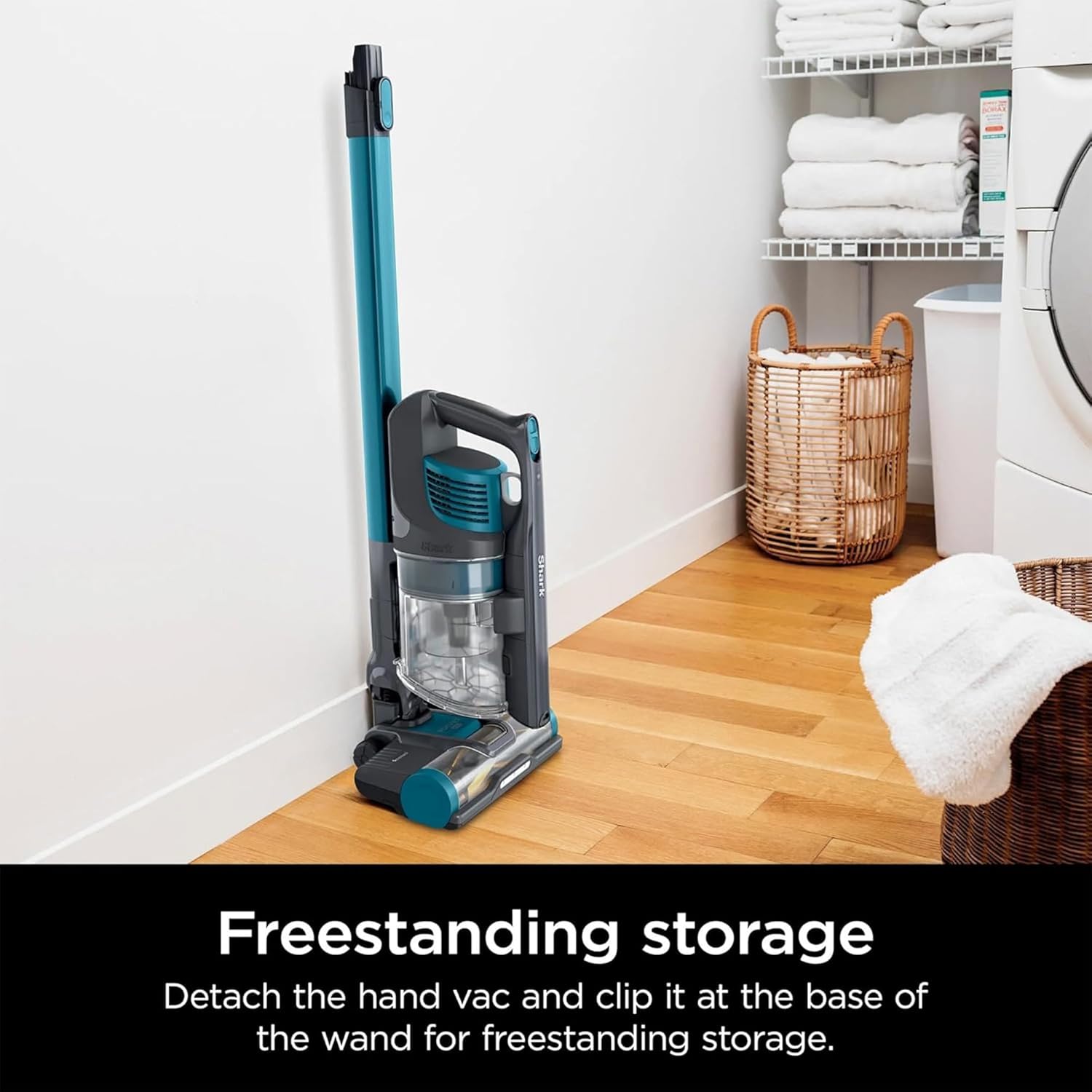
The vacuum can be stored upright by detaching the hand vac and clipping it to the base of the wand.
Charging the Battery
Before first use, fully charge the battery. The battery is integrated into the handheld unit.
- Plug the charging adapter into a wall outlet.
- Connect the charging adapter to the charging port on the handheld vacuum unit.
- The battery indicator lights will illuminate to show charging status. A full charge takes approximately 3.5 hours.
Operating Instructions
Using as a Stick Vacuum
For floor cleaning, ensure the handheld unit, wand, and floor nozzle are assembled.
- Press the power button to turn on the vacuum.
- The vacuum features powerful suction suitable for both carpets and hard floors.
- LED headlights on the floor nozzle illuminate hidden debris.

The vacuum provides powerful suction for deep cleaning carpets and tackling bare floors.
Using as a Handheld Vacuum
For above-floor cleaning, stairs, or furniture, detach the handheld unit.
- Press the release button on the wand to detach the handheld vacuum.
- Attach the crevice tool directly to the handheld unit for targeted cleaning.

The vacuum easily converts to a lightweight handheld unit for cleaning furniture, stairs, and other elevated surfaces.
Cleaning Hard-to-Reach Areas
For high or narrow spaces, use the wand with the handheld unit.
- Detach the floor nozzle from the wand.
- Keep the handheld unit attached to the wand.
- Use the wand to extend your reach for cleaning ceilings, corners, or high shelves.

Detach the nozzle and use the wand to reach higher areas for cleaning.
Maintenance
Emptying the Dust Cup
Empty the XL dust cup regularly to maintain optimal suction performance.
- Ensure the vacuum is turned off.
- Press the dust cup release button to detach it from the handheld unit.
- Position the dust cup over a trash bin.
- Press the CleanTouch Dirt Ejector button to open the bottom of the dust cup and release debris.
- Close the dust cup lid and reattach it to the handheld unit until it clicks.

The easy-empty dust cup allows for quick and mess-free debris disposal.
Cleaning Filters
Rinse the foam and felt filters regularly, typically once a month, or as needed.
- Remove the dust cup.
- Pull out the foam and felt filters from the top of the dust cup assembly.
- Rinse filters with cold water only. Do not use soap.
- Allow filters to air-dry completely for at least 24 hours before reinstalling. Do not use a hairdryer or other heating methods.
Cleaning the Self-Cleaning Brushroll
The self-cleaning brushroll is designed to minimize hair wrap, but occasional maintenance may be required.
- Ensure the vacuum is off and unplugged from charging.
- Inspect the brushroll for any debris, strings, or hair that may have wrapped around it.
- Carefully use scissors to cut away any stubborn wrapped material. Avoid damaging the bristles.
- Wipe the brushroll housing with a dry cloth.

The self-cleaning brushroll is designed to prevent hair wrap, ensuring consistent performance.
Troubleshooting
| Problem | Possible Cause | Solution |
|---|---|---|
| Vacuum not picking up debris or has low suction. | Dust cup is full. Filters need cleaning. Blockage in nozzle, wand, or hose. | Empty dust cup. Clean filters. Check for and remove any blockages. |
| Brushroll not spinning. | Brushroll is jammed. Floor nozzle is not properly connected. | Remove any obstructions from the brushroll. Ensure floor nozzle is securely attached to the wand. |
| Vacuum turns off on its own. | Overheating. Battery is low. | Allow vacuum to cool down for at least 45 minutes. Recharge the battery. |
| Battery not charging. | Charger not properly connected. Faulty charger or battery. | Ensure charger is securely plugged into outlet and vacuum. Contact customer support if issue persists. |
Specifications
- Brand: Shark
- Model Name: Shark Pet Pro Cordless Stick Vacuum
- Special Feature: Bagless
- Filter Type: Foam
- Included Components: Crevice Tool
- Cordless: Yes
- Capacity: 9.6 ounces
- Runtime: Up to 40 minutes (Measured at the hand vac in standard mode, without accessories)
- Charging Time: 3.5 Hours
- Recommended Uses: Carpet, Hardwood, Pet Hair Removal
- Form Factor: Stick
- Color: Teal/Grey
- Battery Type: Lithium-Ion
- Manufacturer: SharkNinja
- Item Weight: 8.2 pounds
- Control Method: Push Button, Touch
- Indoor/Outdoor Usage: Indoor
Warranty and Support
Warranty Information
This Shark Pet Pro Cordless Lightweight Stick Vacuum Cleaner (Renewed) comes with a 90-day limited warranty. This warranty covers defects in material and workmanship under normal use. Please retain your proof of purchase for warranty claims.
Customer Support
For product assistance, troubleshooting beyond this manual, or warranty inquiries, please contact SharkNinja customer service. Refer to the contact information provided with your product packaging or visit the official SharkNinja website for support options.
Online Resources: For additional tips, FAQs, and accessory purchases, visit the official Shark website.
Ask a question about this manual
Ask about setup, troubleshooting, compatibility, parts, safety, or missing instructions. Manuals+ will review the question and use this page’s manual context to help answer it.