
CASETiFY iPhone 16 Pro Max Case
CASETiFY Mirror Case for iPhone 16 Pro Max User Manual
Model: iPhone 16 Pro Max Case | Brand: CASETiFY
1. Introduction
This manual provides instructions for the proper installation, usage, and maintenance of your CASETiFY Mirror Case for iPhone 16 Pro Max. Please read this manual thoroughly to ensure optimal performance and protection for your device.
2. Product Features
The CASETiFY Mirror Case is engineered to provide robust protection and enhanced functionality for your iPhone 16 Pro Max.
- Reflective Surface: Features a mirror-like finish on the back panel.
- Drop Protection: Certified for 8.2 ft. drop protection (4x MIL-STD-810G standard).
- Side Sockets: Integrated side sockets for attaching phone charms or accessories.
- Camera Control Access: Designed for seamless access to the camera control button.
- Wireless Charging & MagSafe Compatibility: Fully compatible with wireless charging and MagSafe accessories.
- Material: Constructed from durable Polycarbonate and Thermoplastic Polyurethane.
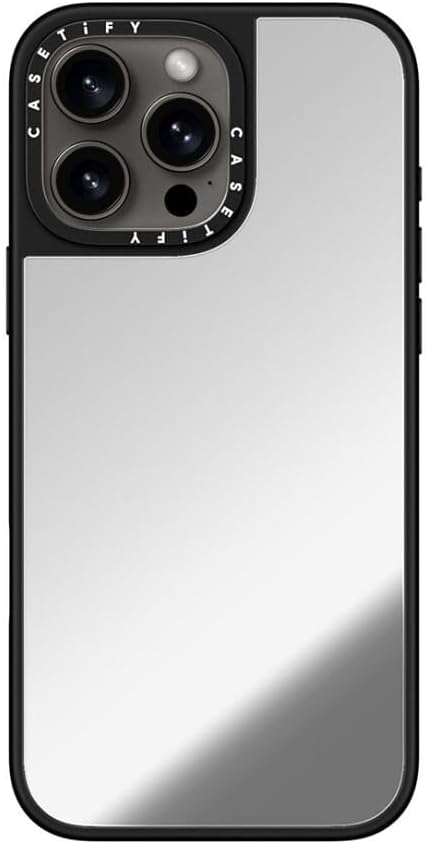
Image: Angled view of the CASETiFY Mirror Case, highlighting its reflective surface and camera cutout.
3. Setup and Installation
Follow these steps to properly install your CASETiFY Mirror Case onto your iPhone 16 Pro Max:
- Clean Your Device: Ensure your iPhone 16 Pro Max is clean and free of dust or debris before installation.
- Insert Top Edge: Gently align the top edge of your iPhone with the top edge of the case, ensuring the camera module fits correctly into the case's cutout.
- Press Down Sides: Carefully press the sides of your iPhone into the case, working your way down until all edges are securely seated. Ensure all buttons and ports align with the case openings.
- Verify Fit: Check that the case is snugly fitted around your entire iPhone, with no gaps or loose areas.
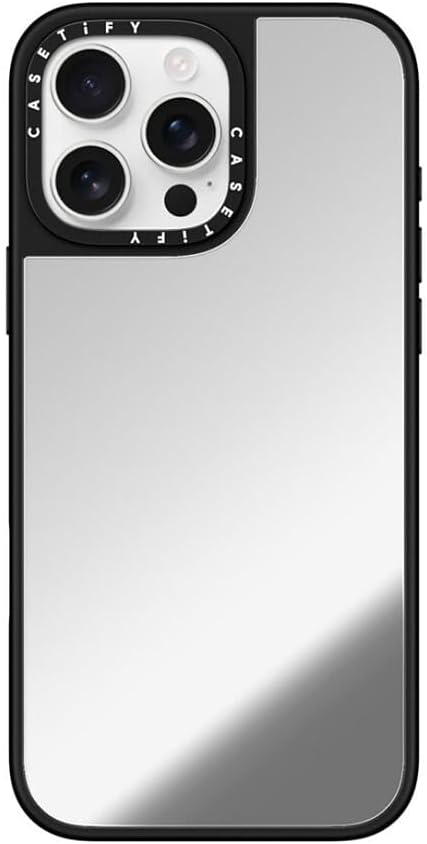
Image: Front view of the CASETiFY Mirror Case installed on an iPhone 16 Pro Max, showing a secure fit.

Image: Back view of the CASETiFY Mirror Case, illustrating the precise camera cutout and reflective surface.
4. Operating Instructions
The CASETiFY Mirror Case is designed for ease of use while providing maximum protection.
- MagSafe Compatibility: The case features an integrated MagSafe ring, allowing seamless attachment of MagSafe chargers and accessories. Simply align your MagSafe accessory with the back of the case for a secure connection.
- Wireless Charging: Place your iPhone with the case on any compatible wireless charging pad. The case material does not interfere with wireless charging functionality.
- Charm Attachment: Utilize the side sockets to attach phone charms or lanyards. Ensure charms are securely fastened to prevent accidental detachment.
- Button Access: The case provides tactile button covers for volume and power buttons, maintaining responsiveness. The camera control button remains fully accessible.

Image: Side view of the CASETiFY Mirror Case, demonstrating its MagSafe compatibility.
5. Maintenance
To keep your CASETiFY Mirror Case in optimal condition:
- Cleaning: Wipe the case regularly with a soft, damp cloth to remove fingerprints, smudges, and dirt. Avoid abrasive cleaners or solvents, as these can damage the reflective surface or case material.
- Avoid Scratches: While durable, the reflective surface can show minor scratches from sharp objects. Store your phone away from keys or other abrasive items.
- Inspection: Periodically inspect the case for any signs of wear or damage, especially after significant drops.
6. Troubleshooting
| Issue | Possible Cause | Solution |
|---|---|---|
| Case does not fit properly. | Incorrect model or improper installation. | Ensure you have the correct case for iPhone 16 Pro Max. Re-install the case following the steps in Section 3. |
| Reflective surface shows smudges/fingerprints. | Normal accumulation from handling. | Wipe the surface with a soft, clean, damp cloth. |
| Wireless charging not working. | Misalignment with charger or charger incompatibility. | Ensure the phone is centered on the wireless charger. Verify the charger is MagSafe compatible if using MagSafe accessories. |
7. Specifications
| Feature | Detail |
|---|---|
| Model Number | CTF-12692439-16007270 |
| Compatible Device | iPhone 16 Pro Max (6.7" screen size) |
| Drop Protection | 8.2 ft. (4x MIL-STD-810G certified) |
| Material | Polycarbonate, Thermoplastic Polyurethane |
| Special Features | Magnetic, Reflective, Slim Fit, Wireless Charging Compatible, Side Sockets |
| Item Weight | 4.6 ounces |
| Package Dimensions | 7.28 x 4.13 x 1.06 inches |
| Color | Silver On Black |
8. Warranty and Support
For warranty information or technical support, please refer to the official CASETiFY website or contact their customer service directly. Keep your proof of purchase for any warranty claims.
For further assistance, visit the CASETiFY Store on Amazon.
Ask a question about this manual
Ask about setup, troubleshooting, compatibility, parts, safety, or missing instructions. Manuals+ will review the question and use this page’s manual context to help answer it.