
1. Introduction
This manual provides essential information for the safe and efficient use of your Litime 12V 100Ah Trolling Motors LiFePO4 Battery (Group 31). Please read this manual thoroughly before installation and operation. Proper handling and maintenance will ensure optimal performance and longevity of your battery.
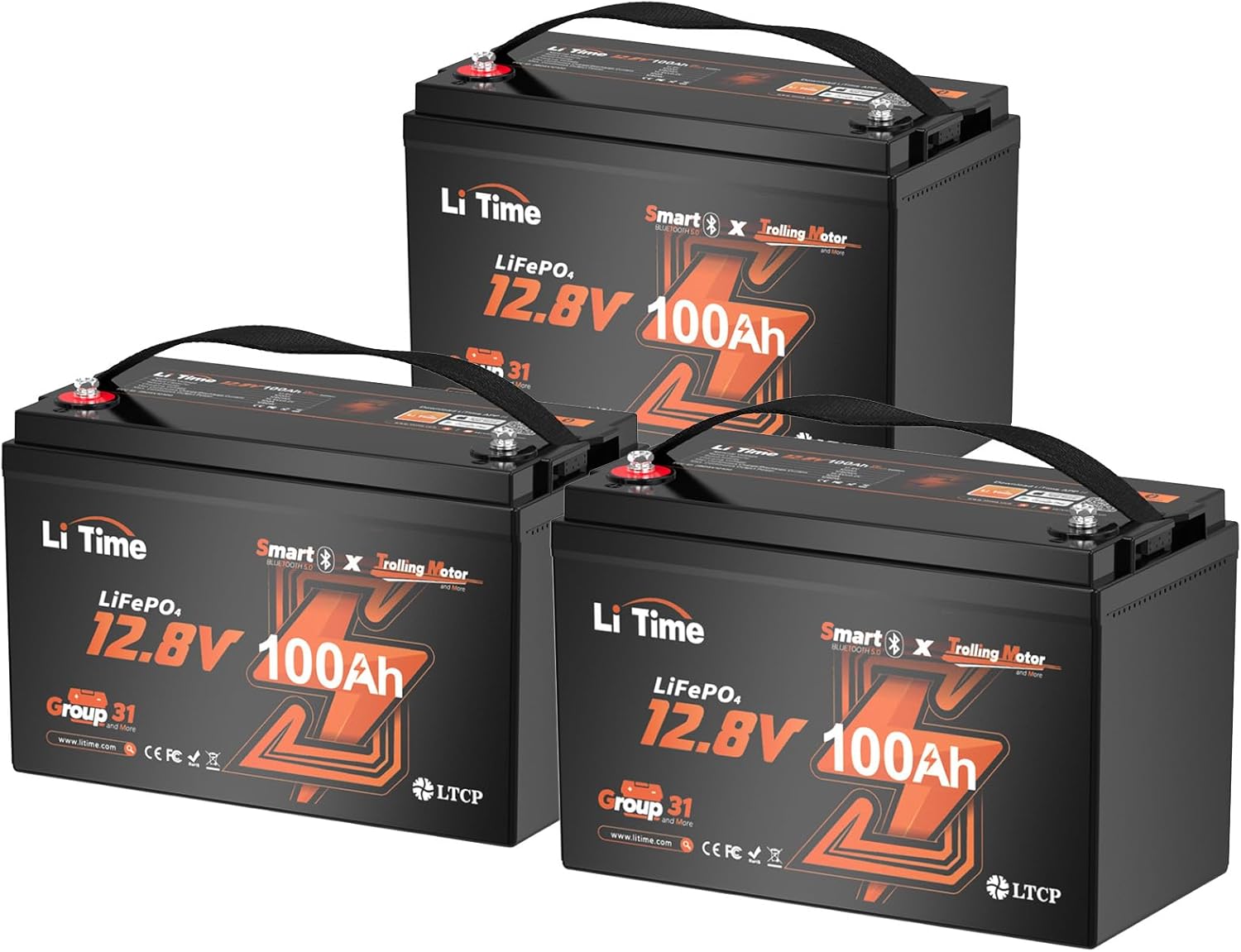
Figure 1: Litime 12V 100Ah LiFePO4 Trolling Motor Batteries (Pack of 3)
The Litime 12V 100Ah LiFePO4 battery is designed for deep cycle applications, offering high energy density, extended cycle life, and advanced safety features. It includes integrated Bluetooth monitoring and low-temperature protection, making it suitable for marine, RV, and solar energy storage systems.
Video 1: Overview of the Litime 12V 100Ah Trolling Motors LiFePO4 Battery (Group 31).
2. Product Features
- Smart Bluetooth Monitoring: Auto-connects to the LiTime app for real-time battery status, discharge control, and system checks.
- Smart Low-Temp Protection: Automatically stops charging below 32°F (0°C) and discharging below -4°F (-20°C) to prevent cold weather damage.
- 20+ Safety Protections: Includes safeguards against overcharging, low temperatures, short circuits, and features a 30-second overload auto-recovery.
- Durable Construction: IP65 dust/water resistance ensures reliable operation in rain, saltwater, and humidity.
- Lightweight Design: Weighs 22.2 lbs (standard Group 31 size), offering a lighter alternative to lead-acid batteries.
- Extended Lifespan: Provides 1280Wh energy, 4000+ deep cycles with premium LiFePO4 cells, and a 10-year life expectancy.
- Expandable System: Can be scaled up to 4P4S (51.2V 400Ah) for a maximum of 20.48kWh, suitable for RVs, home backup, and 30-70lb trolling motors.

Figure 2: IP65 rating for water, dust, and salt-spray resistance.
3. What's in the Box
- 3 x Bluetooth 12V 100Ah TM LiFePO4 Battery
- M8 Screws (2 per battery)
- Flat Washers (2 per battery)
- Insulation Caps (2 per battery)
- Product Manual
- Quick Start Guide

Figure 3: Package contents for the Litime 12V 100Ah LiFePO4 Battery.
4. Setup and Installation
4.1 Initial Battery Activation
The battery is powered off when received. To activate it for the first time or after it has been switched off, connect it to a lithium-activation/MPPT charger for 3-10 seconds. This will power on the battery and enable Bluetooth functionality.
4.2 Physical Installation
The Litime 12V 100Ah battery is designed for seamless installation in standard Group 31 battery trays. It features built-in handles for easy transport and positioning.
- Position the battery securely in a suitable battery tray or compartment.
- Connect the battery terminals using the provided M8 screws, flat washers, and insulation caps. Ensure proper polarity (red for positive, black for negative).
- Tighten the terminal bolts securely. Avoid over-tightening.

Figure 4: Example installation of Litime battery for trolling motor applications.
Video 2: Installation process for Litime LiFePO4 batteries in an RV.
5. Operating Instructions
5.1 Bluetooth App Monitoring
The Litime battery features Smart Bluetooth Monitoring via the LiTime app. This allows you to check battery status, control discharge, and perform system checks directly from your smartphone.
- Download the LiTime app from the App Store or Google Play.
- Ensure your phone's Bluetooth is enabled.
- Open the LiTime app and register/log in.
- Scan the QR code on the battery or search for the device via Bluetooth within the app to connect.
- Once connected, you can monitor real-time data such as State of Charge (SOC), voltage, current, power, internal temperature, and cycle times.
- The app also allows you to control the discharge switch (on/off) and power off the battery.

Figure 5: Smart Bluetooth monitoring via the LiTime app.
Video 3: Bluetooth Connection Guide and Troubleshooting for Litime batteries.
5.2 Charging Methods
The Litime LiFePO4 battery can be charged using various methods:
- LiFePO4 Charger: Use a dedicated 14.6V 20A LiFePO4 charger for optimal charging (approx. 5 hours).
- Solar Panel + MPPT: Connect to a solar panel system with an MPPT charge controller (e.g., 1 sunny day with ≥400W solar).
- Alternator + DC-DC Charger: Utilize your vehicle's alternator with a 40A DC-DC charger (approx. 2.5 hours).
- Generator + 14.6V 20A Charger: Charge via a generator connected to a LiFePO4 charger (approx. 5 hours).
5.3 Discharge Control
The battery's discharge can be controlled via the LiTime app. The discharge switch allows you to enable or disable power output to connected loads. The battery also features automatic low-temperature discharge protection, stopping discharge below -4°F (-20°C).
6. Maintenance
- Regular Inspection: Periodically check battery terminals for corrosion and ensure connections are secure.
- Cleaning: Keep the battery surface clean and dry. Use a damp cloth to wipe away any dirt or debris.
- Storage: For long-term storage, ensure the battery is charged to approximately 50% State of Charge (SOC) and stored in a cool, dry place. The battery's low-temperature protection will prevent damage during cold storage.
- Firmware Updates: Check the LiTime app regularly for any available firmware updates to ensure optimal performance and access to new features.
7. Troubleshooting
If you encounter issues with your Litime battery, refer to the following common troubleshooting steps:
7.1 Bluetooth Disconnection
Bluetooth may auto-disconnect in certain situations:
- No Power/Under-voltage Protection: If the battery is completely discharged or in under-voltage protection, it will power off and Bluetooth will disconnect. Charge the battery to power it on and then reconnect Bluetooth.
- App Closed: Bluetooth will disconnect if the LiTime app is closed. Reopen the app to reconnect.
- Out of Range: If the distance to the battery exceeds the Bluetooth communication range (typically less than 10 meters in unobstructed conditions), Bluetooth will disconnect. Move closer to the battery to reconnect.
- Other Abnormal Disconnections: If you experience other abnormal disconnections, please contact Litime customer support with your battery's serial number.
7.2 Battery Not Activating/Charging
If the battery does not activate or charge, ensure it is connected to a compatible lithium-activation/MPPT charger for 3-10 seconds to wake it up. Verify all connections are secure and correct.
8. Specifications
| Specification | Value |
|---|---|
| Model Number | L12V100-100-TM-BT-4-A100-3 |
| Nominal Voltage | 12.8 Volts |
| Rated Capacity | 100Ah |
| Rated Energy | 1280Wh |
| Max. Continuous Charge/Discharge Current | 100A |
| Max. Continuous Output Power | 1280W |
| Charging Voltage | 14.4V ±0.2V |
| Low-Temp Charge Protection | Stops charging below 32°F (0°C) |
| Low-Temp Discharge Protection | Stops discharging below -4°F (-20°C) |
| Product Dimensions | 13 x 6.77 x 8.5 inches |
| Item Weight | 22.2 pounds |
| Battery Cell Composition | Lithium Ion (LiFePO4) |
9. Warranty and Support
Litime offers up to 5-year service for its products. For any questions, feedback, or warranty claims, please refer to the contact information provided in your product manual or on the official Litime website. When contacting support, please provide your battery's serial number for efficient assistance.


