
1. Introduction
Thank you for choosing the HUANUO Electric Standing Desk. This desk is designed to enhance your workspace with its adjustable height, robust construction, and user-friendly features. It allows for seamless transitions between sitting and standing positions, promoting better posture and productivity.
This manual provides detailed instructions for the assembly, operation, and maintenance of your new electric standing desk. Please read it thoroughly before use to ensure proper setup and safe operation.
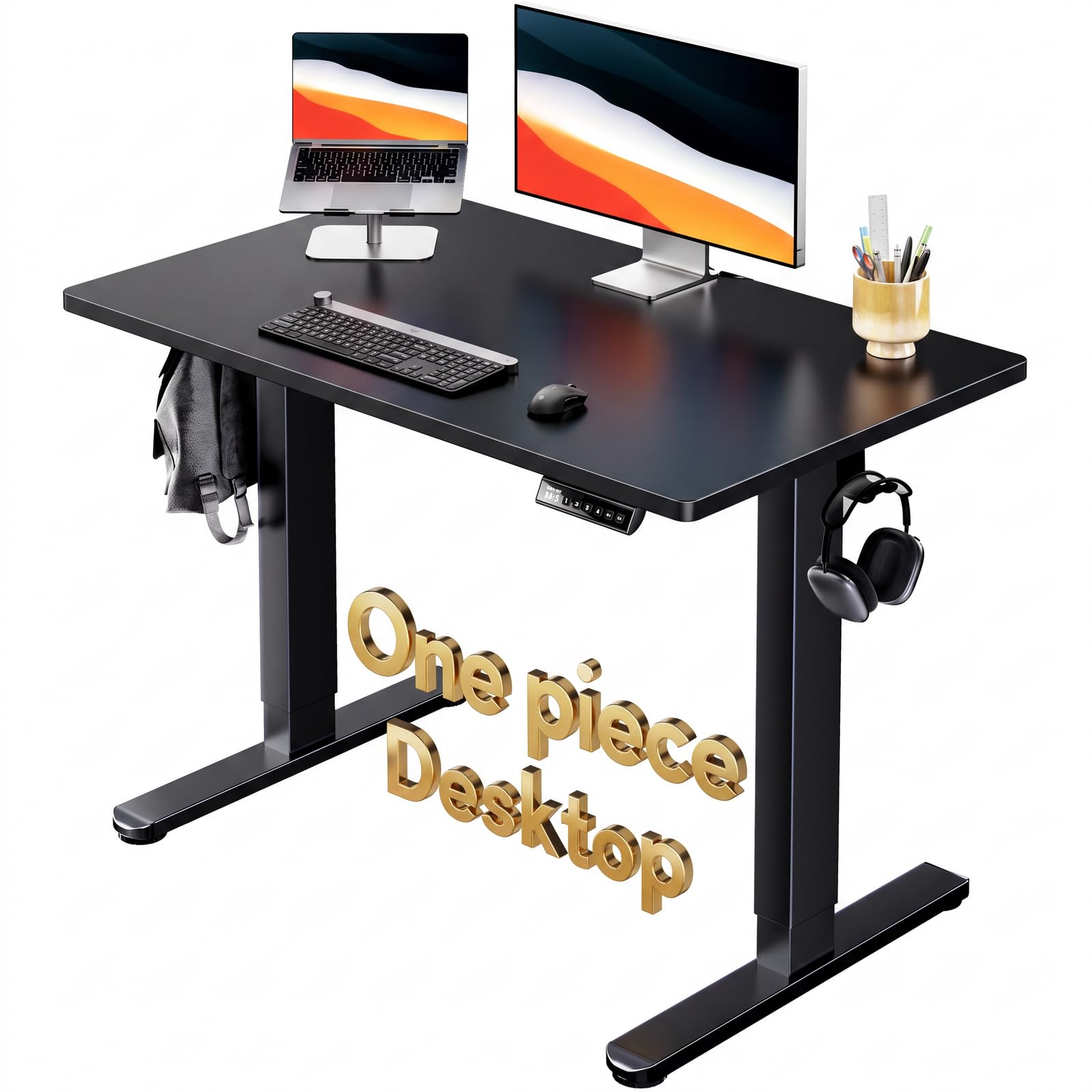
Image: The HUANUO Electric Standing Desk in a modern home office environment, showcasing its sleek black design and a monitor setup.
2. Safety Guidelines
To ensure safe operation and prolong the life of your desk, please observe the following safety precautions:
- Weight Capacity: Do not exceed the maximum weight capacity of 176 lbs (80 kg). Overloading can cause damage and potential injury.
- Clearance: Ensure there are no obstructions above or below the desk when adjusting its height. Keep hands and objects clear of moving parts.
- Power Source: Connect the desk only to a grounded power outlet with the correct voltage. Do not use damaged power cords.
- Children and Pets: Keep children and pets away from the desk during operation to prevent accidents.
- Stability: Always place the desk on a level surface. Adjust leveling feet if necessary to ensure stability.
- Cleaning: Disconnect power before cleaning. Use a soft, damp cloth; avoid abrasive cleaners or excessive moisture.
- Modifications: Do not attempt to modify or disassemble the desk's components. Contact customer support for service.
3. Package Contents
Verify that all components are present before beginning assembly:
- Whole Piece Desktop (non-split desktop)
- Electric Desk Frame (rated for 176 lbs)
- 2 Headphone Hooks
- LED Multi-Function Control Panel
- Assembly Hardware and Tools (e.g., Screwdriver)
- Instruction Manual (this document)
4. Setup Instructions
Assembly is required. For detailed, step-by-step instructions, please refer to the official Installation Manual PDF available at this link. A screwdriver is recommended for assembly.
The one-piece desktop design simplifies the setup process. Below is a general overview of the assembly steps:
- Unpack Components: Carefully remove all parts from the packaging and lay them out on a clean, soft surface to prevent scratches.
- Assemble Desk Legs: Attach the feet to the bottom of the desk legs.
- Connect Transmission Rod: Connect the transmission rod between the two lifting columns. Ensure it is securely fastened.
- Attach Lifting Columns to Desktop: Secure the assembled lifting columns to the underside of the desktop using the provided screws.
- Install Control Panel: Mount the LED multi-function control panel to the front edge of the desktop.
- Connect Cables: Connect the motor cables and control panel cable to the control box. Ensure all connections are firm.
- Attach Accessories: Install the headphone hooks as desired.
- Cable Management: Use the included cable management clips to organize power and accessory cables neatly.
- Power On: Plug the power cord into a wall outlet.

Image: An exploded diagram illustrating the main components of the HUANUO Electric Standing Desk, highlighting its one-piece desktop and frame for easy assembly.
Video: An official video demonstrating the assembly process of the HUANUO Standing Desk, including attaching the transmission rod and other frame parts.
5. Operating Instructions
Your HUANUO Electric Standing Desk features an intuitive LED control panel for easy height adjustments and memory settings.
5.1 Adjusting Height
Use the Up (^) and Down (v) arrow keys on the control panel to raise or lower the desk to your desired height. The current height is displayed on the LED screen. The desk can be adjusted between 28.35 inches and 46.46 inches.
5.2 Memory Presets
The desk features four programmable memory height settings, allowing you to save and recall your preferred sitting and standing positions instantly.
- Set a Memory Position: Adjust the desk to your desired height using the Up/Down keys. Press the 'M' button (or similar 'Set' button if present, though not explicitly shown, '1-4' are memory buttons). Then, press one of the numbered memory buttons (1, 2, 3, or 4) within 3 seconds. The LED display will show 'S-' followed by the number, indicating the height is saved.
- Recall a Memory Position: Simply press the corresponding numbered memory button (1, 2, 3, or 4) to automatically move the desk to the saved height.

Image: A detailed view of the desk's control panel, showing the LED height display, up/down arrows, and four memory preset buttons (1, 2, 3, 4).
Video: An official video showcasing the HUANUO Electric Standing Desk in operation, demonstrating its smooth height adjustment and the benefits of a sit-stand workstation.
6. Maintenance
Regular maintenance helps keep your HUANUO Electric Standing Desk in optimal condition:
- Cleaning: Wipe the desktop and frame with a soft, slightly damp cloth. Avoid harsh chemicals or abrasive materials that could damage the finish. Ensure the desk is unplugged before cleaning.
- Cable Management: Periodically check and reorganize cables to prevent tangles and ensure they do not interfere with the desk's movement.
- Fasteners: Occasionally check all screws and bolts to ensure they are tight. Retighten if necessary.
- Inspection: Inspect the power cord for any signs of damage. If damaged, discontinue use and contact customer support.
7. Troubleshooting Common Issues
If you encounter any issues with your HUANUO Electric Standing Desk, try the following solutions:
- Desk Not Moving:
- Check if the power cord is securely plugged into both the desk and the wall outlet.
- Ensure all cables connecting the control panel and motors to the control box are properly connected.
- If an error code appears on the display, refer to the full PDF manual for specific error code meanings and solutions.
- Uneven Height Adjustment:
- Perform a reset (refer to the full PDF manual for reset procedures, typically involving holding down certain buttons).
- Ensure the desk is not overloaded or unevenly weighted.
- Noise During Operation:
- A low noise level (around 55 dB) is normal during height adjustment. If the noise is excessive or unusual, check for loose components.
If these steps do not resolve the issue, please contact customer support.
8. Product Specifications

Image: A visual representation of the desk's dimensions, including desktop size (39.4"W x 23.6"D) and adjustable height range (28.4" to 46.5").
| Feature | Detail |
|---|---|
| Brand | HUANUO |
| Model Number | HNESD154B-US |
| Product Dimensions | 23.62"D x 39.37"W x 28.35"H |
| Adjustable Height Range | 28.35" to 46.46" |
| Weight Capacity | 176 lbs (80 kg) |
| Desktop Material | Engineered Wood (Laminated) |
| Frame Material | Carbon Steel |
| Color | Black |
| Number of Height Memory Settings | 4 |
| Lifting Mechanism | Electric |
| Noise Level | Approximately 55 dB |
| Assembly Required | Yes (detailed instructions included) |
| UPC | 810174342710 |
9. Warranty Information
The HUANUO Electric Standing Desk (Model HNESD154B-US) is covered by a 5-Year Limited Manufacturer Warranty. This warranty covers defects in materials and workmanship under normal use. Please retain your proof of purchase for warranty claims.
For full details regarding warranty terms and conditions, please refer to the documentation included with your product or contact HUANUO customer support.
10. Customer Support
If you have any questions, require assistance with assembly, or need to report an issue, please contact HUANUO customer support. You can typically find contact information on the manufacturer's official website or through the retailer where you purchased the product.
When contacting support, please have your model number (HNESD154B-US) and proof of purchase readily available.