
1. Introduction
This manual provides detailed instructions for the installation and maintenance of the LumeGen 1x4 FT Flat Panel Surface Mount Kit (Model: LG-BPL14-SMK). This kit is designed to securely and elegantly mount compatible 1x4 FT LED flat panel lights onto various surfaces, providing a clean and integrated lighting solution. The light fixture itself is sold separately and is not included with this kit. Please read all instructions carefully before beginning installation to ensure proper and safe setup.
2. Safety Information
- Always disconnect power to the installation area at the circuit breaker before beginning any electrical work or installation.
- Ensure that all electrical connections comply with local codes and ordinances. If you are unsure, consult a qualified electrician.
- Wear appropriate personal protective equipment, such as safety glasses and gloves, during installation.
- Do not exceed the maximum weight capacity of the mounting surface or the kit itself.
- Handle all components with care to prevent damage.
- This kit is intended for indoor use only in dry locations.
3. Package Contents
Verify that all components are present and undamaged before proceeding with installation.
- LumeGen 1x4 FT Flat Panel Surface Mount Kit Frame Components
- Mounting Hardware (screws, anchors, etc.)
- Instruction Manual (this document)
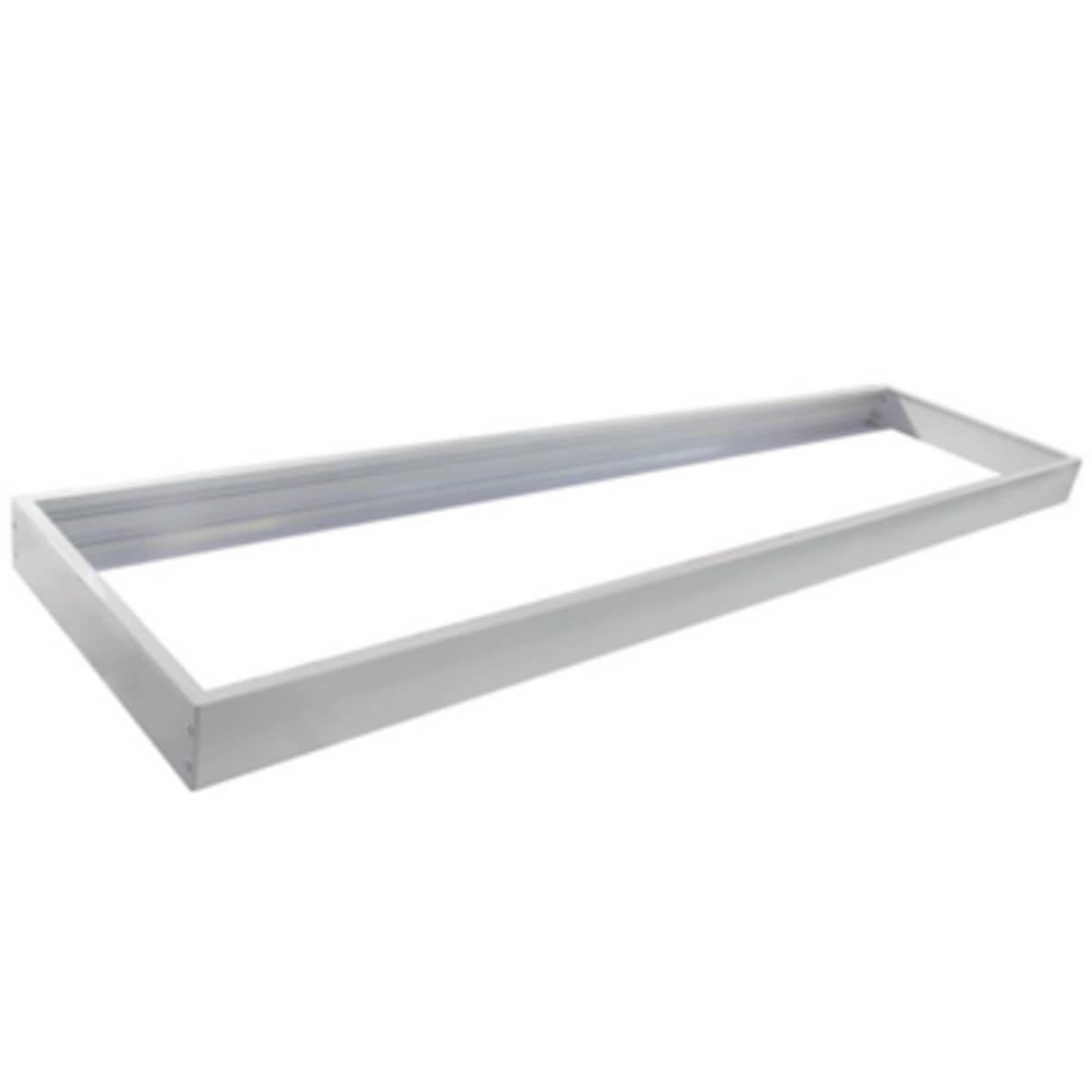
Figure 1: LumeGen 1x4 FT Flat Panel Surface Mount Kit components. This image displays the various components included in the LumeGen 1x4 FT Flat Panel Surface Mount Kit, such as the frame pieces and mounting hardware, essential for assembling the surface mount.
4. Installation Instructions
This kit is designed for easy installation, resulting in an installed depth of approximately 2.4 inches from the ceiling surface.
- Prepare the Installation Area: Ensure the power to the circuit is off at the breaker. Clear the area where the panel light will be mounted.
- Assemble the Frame: Carefully connect the frame components of the surface mount kit using the provided hardware. Ensure all connections are secure and the frame forms a rigid rectangular structure.
- Mark Mounting Points: Position the assembled frame on the desired mounting surface (e.g., ceiling). Use a pencil to mark the locations for drilling pilot holes for the mounting screws. Ensure the frame is level and properly aligned.
- Drill Pilot Holes: Drill pilot holes at the marked locations. Use appropriate drill bits for your mounting surface (e.g., wood, drywall, concrete). If mounting into drywall, insert the provided wall anchors.
- Mount the Frame: Secure the frame to the ceiling using the provided mounting screws. Ensure the frame is firmly attached and stable.
- Install the LED Panel Light: Carefully slide the compatible 1x4 FT LED flat panel light (sold separately) into the mounted frame. Ensure it fits snugly and is properly seated.
- Connect Electrical Wiring: Follow the wiring instructions provided with your LED panel light. Make all necessary electrical connections, ensuring they are secure and insulated.
- Secure the Panel: Once the panel light is in place and wired, secure it within the frame according to the panel light's instructions, if applicable. Some frames may have clips or additional screws for this purpose.
- Restore Power: Once installation is complete and all connections are secure, restore power at the circuit breaker and test the light fixture.
5. Post-Installation Considerations
After successful installation of the LumeGen Flat Panel Surface Mount Kit and your compatible LED panel light:
- Ensure the light fixture operates as expected.
- Periodically check the mounting screws for tightness, especially after initial installation.
- Avoid hanging objects from the mounted light fixture or applying excessive force to the frame.
6. Maintenance
The LumeGen Flat Panel Surface Mount Kit requires minimal maintenance.
- Cleaning: To clean the surface mount frame, gently wipe it with a soft, dry, or slightly damp cloth. Do not use abrasive cleaners, solvents, or harsh chemicals, as these can damage the finish.
- Inspection: Periodically inspect the frame for any signs of wear, damage, or loose connections. Address any issues promptly.
7. Troubleshooting
| Problem | Possible Cause | Solution |
|---|---|---|
| Frame is not level or stable. | Mounting screws are not tight; uneven mounting surface; incorrect pilot hole drilling. | Ensure all mounting screws are securely tightened. Use shims if the surface is uneven. Re-drill pilot holes if necessary. |
| LED panel light does not fit into the frame. | Incompatible panel light size; frame assembled incorrectly. | Verify the dimensions of your LED panel light against the kit's specifications (1x4 FT). Re-check frame assembly. |
| Light fixture does not turn on after installation. | Power not restored; incorrect electrical wiring; faulty light fixture. | Ensure power is on at the circuit breaker. Check all electrical connections. Refer to the light fixture's manual for troubleshooting its operation. |
8. Specifications
| Model Number | LG-BPL14-SMK |
| Brand | LumeGen |
| Compatible Panel Size | 1x4 FT Flat Panel LED Lights |
| Installed Depth | Approximately 2.4 inches from ceiling |
| Material | Durable materials |
| Color | White |
| Mounting Type | Surface Mount |
| Included Components | Mounting Hardware |
| UPC | 190140286171 |
9. Warranty and Support
For information regarding warranty coverage, technical support, or any questions about your LumeGen 1x4 FT Flat Panel Surface Mount Kit, please contact LumeGen customer service. Refer to the product packaging or the official LumeGen website for contact details.


