
Introduction
The V-Guard VIRC 02 Infrared Induction Cooktop is designed for efficient and versatile cooking. This manual provides essential information for the safe and effective use of your appliance, including setup, operation, maintenance, and troubleshooting.
This cooktop features a powerful 2000 W heating element, advanced infrared technology for faster heating, and compatibility with all types of cookware. It includes a digital touch control panel, multiple power levels, preset cooking modes, and various safety features.
Important Safety Instructions
Please read all instructions carefully before using the appliance to prevent injury or damage.
- Always connect the cooktop to a grounded electrical outlet with the correct voltage (220 Volts).
- Do not immerse the cooktop, cord, or plug in water or other liquids.
- Keep the appliance out of reach of children.
- Do not operate the cooktop if the cord or plug is damaged, or if the appliance malfunctions or has been damaged in any way.
- Ensure proper ventilation around the cooktop during operation.
- The surface of the cooktop remains hot after use. Avoid touching the hot surface immediately after cooking.
- Do not place metallic objects such as knives, forks, spoons, or lids on the cooktop surface as they can become hot.
- This cooktop is equipped with 3 KV surge protection, high/low voltage cut-off, and an auto-off function for enhanced safety.
- Always use the appliance on a stable, flat, and heat-resistant surface. The anti-skid legs help ensure stability.
- Unplug the cooktop from the outlet when not in use and before cleaning.
Setup
- Unpacking: Carefully remove the cooktop and all accessories from the packaging. Verify that all included components are present: one infrared cooktop, one BBQ grill, user manual, and warranty guide.
- Placement: Place the cooktop on a flat, stable, and heat-resistant surface. Ensure there is adequate space around the cooktop for ventilation (at least 10-15 cm from walls or other appliances).
- Power Connection: Plug the power cord into a suitable 220 Volt grounded electrical outlet.
- Initial Cleaning: Before first use, wipe the glass surface with a soft, damp cloth. Ensure the cooktop is completely dry before plugging it in.

Image: The V-Guard VIRC 02 Infrared Induction Cooktop, showcasing its design and key features like 2000W power, feather touch control, stainless steel body, and included BBQ grill.
Operating Instructions
Basic Operation
- Power On: Place your cookware on the center of the cooktop. Press the ON/OFF button on the touch control panel to turn on the appliance. The digital display will illuminate.
- Select Mode: The cooktop offers 6 preset cooking modes and a manual mode. Press the Menu button to cycle through the preset modes or select Manual for custom settings.
- Adjust Power/Temperature: Use the + and - buttons to adjust the power level (200W - 2000W) or temperature (80°C - 650°C) as desired.
- Power Off: After cooking, press the ON/OFF button to turn off the cooktop. The fan may continue to run for a short period to cool down the appliance.
Cooking Modes and Power Levels
The VIRC 02 cooktop features 6 preset cooking modes optimized for various Indian cuisines and 10 adjustable power/temperature levels.
- Preset Modes: Manual, Fry/BBQ, Dosa/Chappathi, Idli, Boil, Milk. Select the appropriate mode for your dish.
- Power Levels: 200W, 400W, 600W, 800W, 1000W, 1200W, 1400W, 1600W, 1800W, 2000W.
- Temperature Settings: Corresponding temperature settings range from 80°C to 650°C.

Image: Detailed view of the V-Guard VIRC 02 control panel, illustrating the 6 preset cooking modes and the 10 adjustable power and temperature levels.
Timer Functions
The cooktop includes convenient timer functions for precise cooking control.
- 4-Hour Timer: Press the Timer button to set a cooking duration up to 4 hours. The cooktop will automatically turn off once the set time expires.
- 24-Hour Preset Function: Use the preset function to schedule cooking to start at a later time, up to 24 hours in advance. Refer to the specific instructions in the included user manual for detailed steps on setting the preset function.
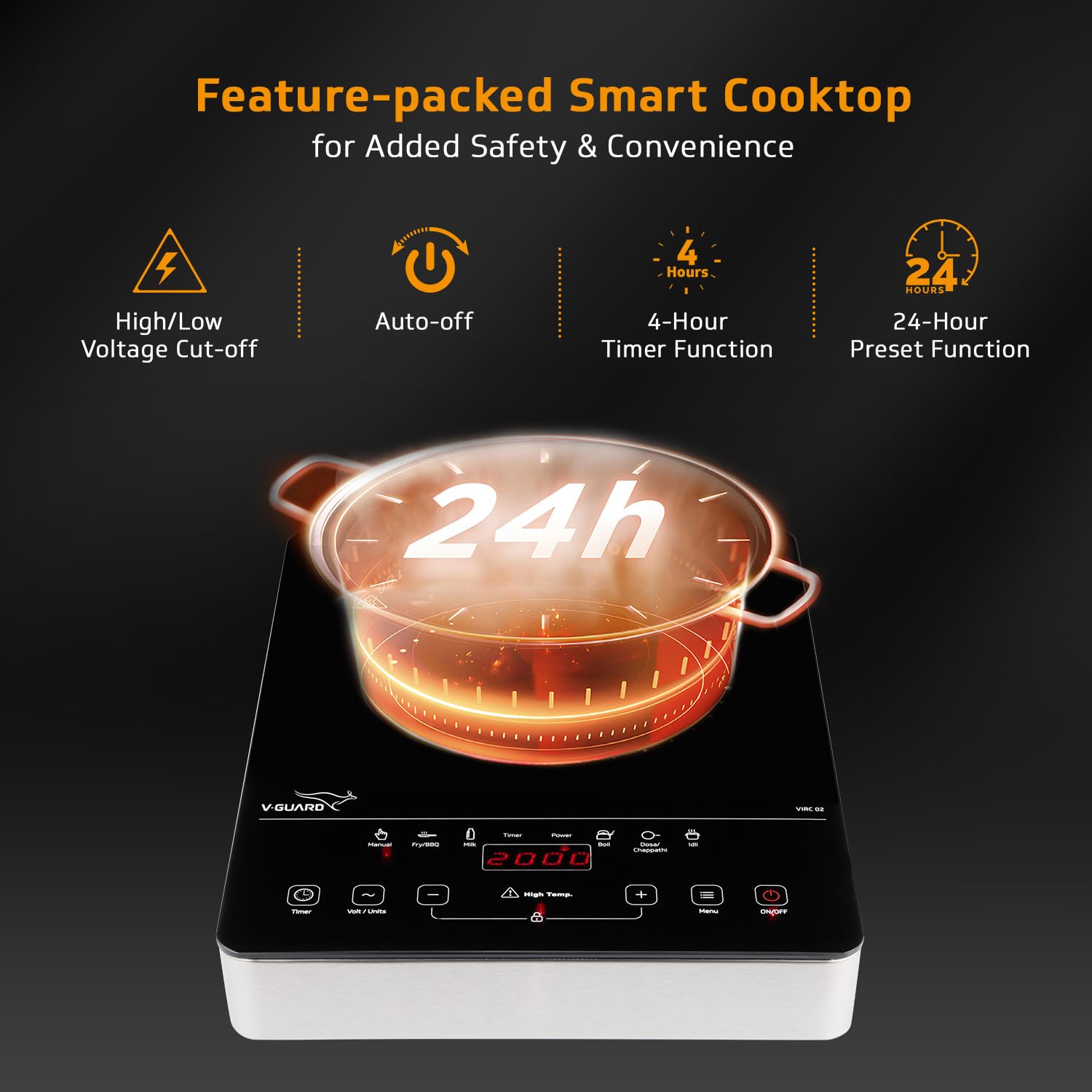
Image: The V-Guard VIRC 02 cooktop demonstrating its 24-hour preset function, along with icons for high/low voltage cut-off, auto-off, and 4-hour timer.
Cookware Compatibility
The V-Guard VIRC 02 Infrared Induction Cooktop is compatible with all types of cookware, unlike traditional induction cooktops that require specific magnetic materials. This includes:
- Steel
- Aluminium
- Ceramic
- Glass
- Copper
- Clay
- Cast Iron
- Hard Anodised
You can use various utensils such as kadhais, pressure cookers, idli ovens, pans, and even the included BBQ grill.
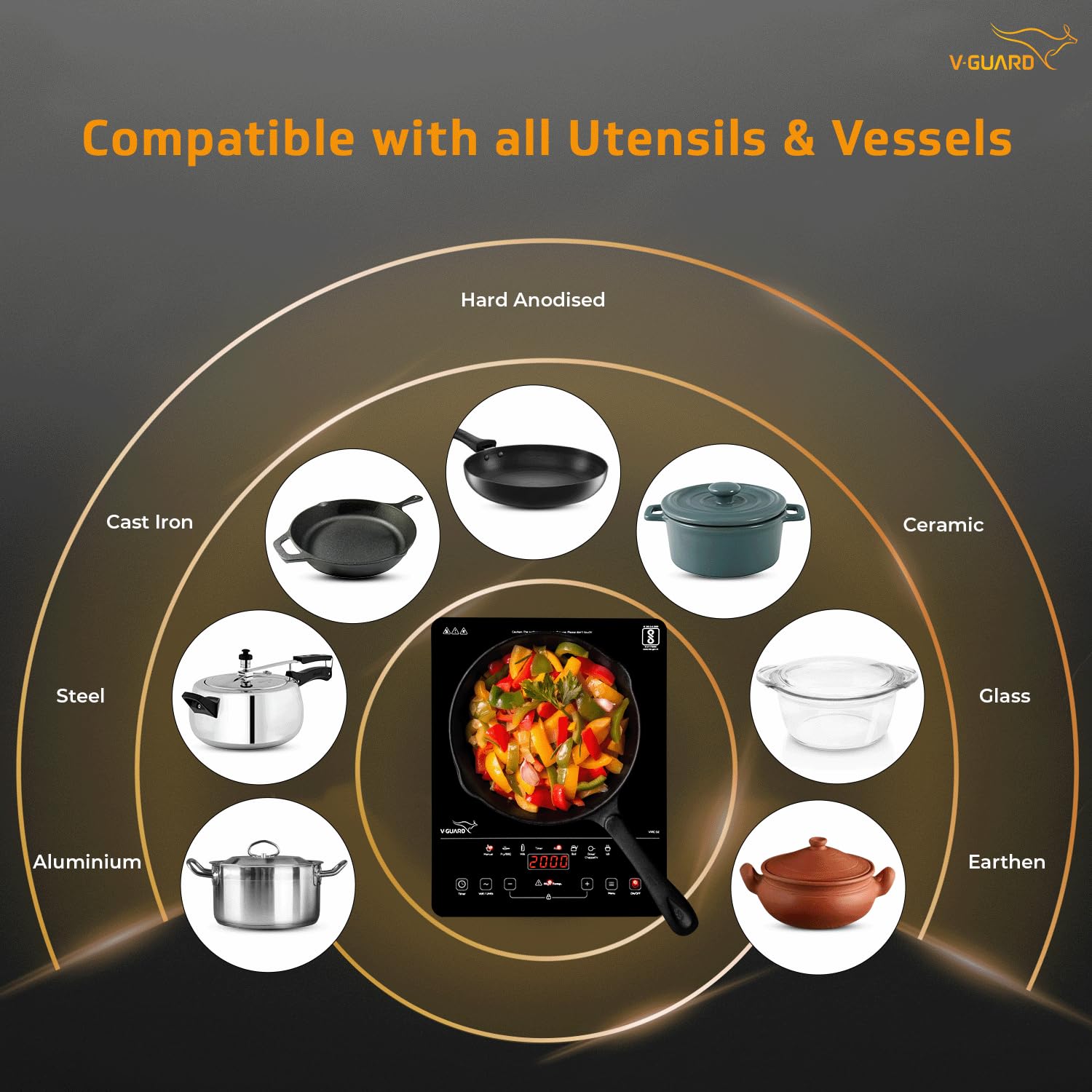
Image: Visual representation of the VIRC 02 cooktop's compatibility with a wide range of utensils and materials, including steel, aluminum, cast iron, ceramic, glass, and earthen.
Maintenance and Cleaning
Regular cleaning and maintenance will ensure the longevity and optimal performance of your V-Guard VIRC 02 cooktop.
- Before Cleaning: Always unplug the cooktop from the power outlet and allow it to cool completely before cleaning.
- Glass Top: The durable toughened glass surface is easy to clean. Wipe spills and food residue with a soft, damp cloth and mild detergent. For stubborn stains, use a non-abrasive cleaner specifically designed for glass cooktops. Avoid abrasive pads or harsh chemicals that can scratch the surface.
- Body: Wipe the metal outer body with a soft, damp cloth. Do not use water directly on the control panel or immerse the appliance.
- Ventilation Openings: Ensure the ventilation openings are free from dust and debris to prevent overheating. Use a soft brush or vacuum cleaner to gently clean these areas.
- Storage: When not in use for extended periods, store the cooktop in a dry, safe place.

Image: The V-Guard VIRC 02 cooktop, emphasizing its premium glass top for scratch resistance and easy cleaning, and its durable stainless steel metal outer body.
Troubleshooting
If you encounter issues with your V-Guard VIRC 02 cooktop, refer to the following common problems and solutions:
| Problem | Possible Cause | Solution |
|---|---|---|
| Cooktop does not turn on. | No power supply; Power cord not properly plugged in; Main switch off. | Check if the power cord is securely plugged into a working outlet. Ensure the main power switch is on. Check for tripped circuit breakers. |
| Cooktop stops heating during operation. | Overheating protection activated; High/low voltage cut-off activated; Timer expired. | Allow the cooktop to cool down. Check the power supply for voltage fluctuations. If a timer was set, it may have reached its end. |
| Display shows an error code (e.g., E0, E1). | Internal malfunction; Sensor error. | Turn off the cooktop, unplug it, wait for a few minutes, then plug it back in and restart. If the error persists, contact customer support. |
| Uneven heating. | Cookware not centered; Cookware base not flat. | Ensure the cookware is centered on the heating zone. Use cookware with a flat base for optimal heat distribution. |
If the problem persists after attempting these solutions, please contact V-Guard customer support for assistance.
Specifications
| Feature | Detail |
|---|---|
| Model Number | VIRC 02 |
| Brand | V-Guard |
| Wattage | 2000 Watts (Max) / 1800 Watts (Rated) |
| Voltage | 220 Volts |
| Heating Element | Infrared Coil |
| Number of Heating Elements | 1 |
| Controls Type | Touch Control Panel |
| Material | Glass, Metal, Plastic |
| Color | Black And Silver |
| Item Dimensions (D x W x H) | 35.9D x 27.9W x 4.1H Centimeters |
| Item Weight | 2.02 Kilograms |
| Special Features | Digital Display, Safety Lock, Temperature Control, Timer Function, Touch Control, 3 KV Surge Protection, High/Low Voltage Cut-off, Auto-off Function, Anti-skid Legs |
| Included Components | Infrared Cooktop, BBQ Grill, User Manual, Warranty Guide |
Warranty and Support
Your V-Guard VIRC 02 Infrared Induction Cooktop comes with comprehensive warranty coverage:
- Product Warranty: 1 year product warranty from the date of purchase.
- Heating Coil Warranty: An extended 3-year warranty specifically on the induction heating coil.
For warranty claims, technical assistance, or any other support inquiries, please refer to the contact information provided in your included warranty guide or visit the official V-Guard website.
Manufacturer: V-Guard Industries Ltd. 42/962, Vennala High School Road, Vennala, Kochi- 682028, Kerala, India.