
1. Introduction
This manual provides detailed instructions for the Zunate 7 Channel USB Audio Mixer, Model Zunatemcwbva46eu. This professional audio mixer is designed for various applications including recording, live streaming, and DJ mixing, offering versatile connectivity and control for optimal sound performance.

Image 1.1: Front view of the Zunate 7 Channel USB Audio Mixer, showcasing its compact design and array of controls and inputs.
2. Safety Information
- Ensure the mixer is placed on a stable, flat surface.
- Avoid exposing the unit to moisture, rain, or extreme temperatures.
- Do not open the mixer casing; refer servicing to qualified personnel.
- Use only the provided power supply cord or a compatible Type-C cable.
- Disconnect power before cleaning or if the unit will be unused for extended periods.
3. Setup
3.1 Power Connection
Connect the mixer to a power source using the included USB power cable. The mixer supports connection to a computer, mobile power bank, or other compatible USB power adapters via its Type-C power connector.
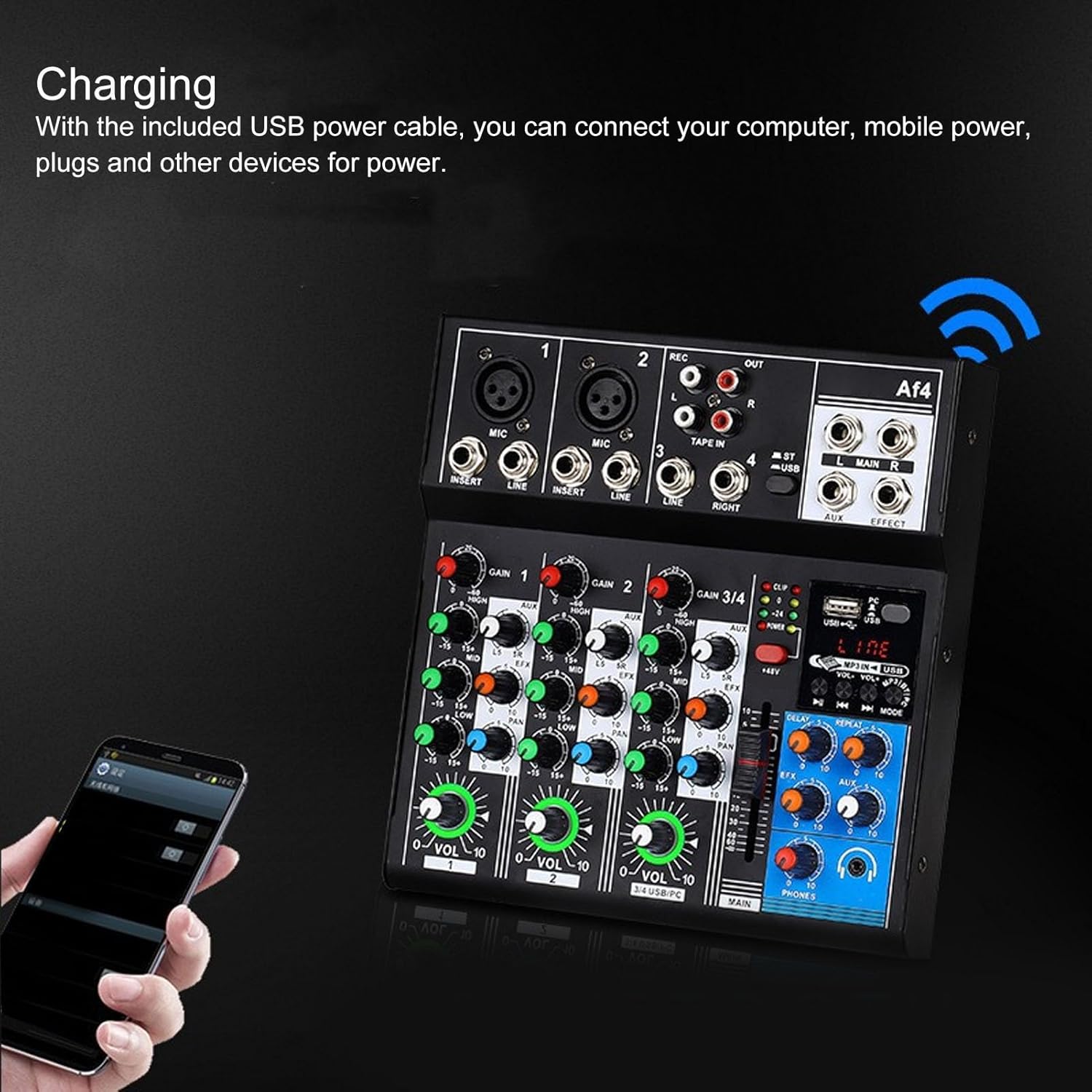
Image 3.1: The mixer being powered via a USB connection, illustrating its flexible power options.
3.2 Device Connectivity
The mixer offers multi-device compatibility, allowing connection to various audio sources and playback devices.
- Microphone Inputs: Connect microphones to the XLR or 1/4" LINE inputs. The mixer provides +48V phantom power for condenser microphones on balanced XLR inputs.
- Line Inputs: Connect instruments or other audio devices to the 1/4" LINE inputs.
- USB Connection: Connect the mixer to a computer (PC/laptop) for audio input/output and recording. This enables simple pairing with smartphones, tablets, and PCs.
- Bluetooth Function: Activate the Bluetooth function to wirelessly stream music directly from devices such as smartphones, tablets, or laptops to the mixer.
- Tape In/Out: Use RCA connections for external recording devices or playback.

Image 3.2: The mixer connected to a laptop via its USB port, demonstrating its digital audio interface capabilities.

Image 3.3: Detailed view of the mixer's input and output ports, including XLR, Line, Tape In/Out, and USB connections.
4. Operation
The Zunate 7 Channel USB Audio Mixer features intuitive controls for managing your audio. Each channel and the master output have dedicated controls.
4.1 Channel Controls
Each input channel (MIC, LINE) includes the following controls:
- GAIN Knob: Adjusts the input sensitivity for the channel.
- HIGH, MID, LOW Knobs: 3-band equalizer for adjusting the treble, midrange, and bass frequencies of the channel.
- AUX Knob: Controls the send level to the auxiliary output, often used for monitor mixes or external effects.
- EFX Knob: Controls the send level to the internal effects processor.
- PAN Knob: Adjusts the stereo positioning (left to right) of the channel in the main mix.
- VOLUME Knob: Adjusts the output level of the individual channel.

Image 4.1: Close-up view of the individual channel controls, including GAIN, EQ, AUX, EFX, PAN, and Volume knobs.
4.2 Master Controls
- MAIN Knob: Adjusts the overall output level of the stereo main mix.
- PHONES Knob: Controls the volume for the headphone output.
- +48V PHANTOM Power Switch: Activates phantom power for condenser microphones.
- LED Indicators: Provide visual feedback for input levels (CLIP), output levels, and power status.
- MP3/USB Section: Dedicated controls for USB playback, including volume, track navigation, and mode selection.
- Effects Section: Controls for built-in digital effects, including DELAY and REPEAT.

Image 4.2: Close-up of the master section, showing the main volume, headphone controls, and the integrated effects unit.
4.3 Bluetooth Pairing
To pair a Bluetooth device:
- Ensure the mixer's Bluetooth function is activated (refer to the MP3/USB section for mode selection).
- On your smartphone, tablet, or laptop, search for available Bluetooth devices.
- Select the mixer from the list of devices to establish a connection.
- Once paired, you can stream audio wirelessly to the mixer.
4.4 Recording and Live Streaming
The USB audio interface allows for direct connection to a computer for recording and live streaming applications. The mixer acts as an audio input and output device for your computer's software.
Video 4.1: A short demonstration of the Zunate Audio Mixer's capabilities, highlighting its use for studio-grade sound at home. This video provides a visual overview of the product in a professional audio environment.
5. Maintenance
- Cleaning: Use a soft, dry cloth to clean the mixer's surface. Avoid abrasive cleaners or solvents.
- Storage: Store the mixer in a cool, dry place away from direct sunlight and extreme temperatures when not in use.
- Dust Protection: The mixer features sealed rotary controls for good dust-proof performance. However, keeping it covered when not in use can further protect it from dust accumulation.
6. Troubleshooting
- No Power: Ensure the Type-C power cable is securely connected to both the mixer and a working power source.
- No Sound Output:
- Check all volume knobs (channel, main, headphones) are turned up.
- Verify input sources are connected correctly and are active.
- Ensure output cables are connected to active speakers or headphones.
- Distorted Sound:
- Reduce input GAIN levels to prevent clipping (indicated by CLIP LEDs).
- Check cable connections for damage or improper seating.
- Bluetooth Pairing Issues:
- Ensure the mixer is in Bluetooth pairing mode.
- Disable and re-enable Bluetooth on your device.
- Move your device closer to the mixer.
- Phantom Power Not Working: Ensure the +48V phantom power switch is engaged for condenser microphones.
7. Specifications
| Feature | Detail |
|---|---|
| Item Type | Sound Mixer |
| Material | ABS, Aluminum Alloy |
| Microphone Input Frequency Response | 10Hz to 200kHz |
| Microphone Input Gain Range | +14 dB to +60 dB |
| Microphone Input To Noise Ratio | 120dB E.I.N. Electronically Balanced |
| Stereo Channel Frequency Response | 10 Hz to 70 kHz |
| Stereo Channel Gain Range (Line) | -8 to +15 dB |
| Stereo Channel Gain Range (Mic) | +13 to +60 dB |
| Stereo Channel To Noise Ratio (Line) | 96 dB |
| Stereo Channel To Noise Ratio (Mic) | 104 dB E.I.N. |
| Input Channels | MICx5, RECx2, PC, Linex6, USB, 3.5MM |
| Phantom Power | Supports Large Diaphragm Condenser Microphones (+48V) |
| Power Connector | Type C |
| Number of Channels | 7 |
| Item Weight | 4.09 pounds |
| Package Dimensions | 14.21 x 10.2 x 3.35 inches |
| Model Number | Zunatemcwbva46eu |
8. Warranty and Support
For warranty information and technical support, please refer to the documentation provided with your purchase or contact Zunate customer service. Keep your purchase receipt for warranty claims.