1. Introduction
Thank you for choosing the GAIOUS Metal Pantry Cabinet. This manual provides essential information for the safe and efficient assembly, operation, and maintenance of your new cabinet. Please read these instructions thoroughly before beginning assembly or use.

Image description: The GAIOUS Metal Pantry Cabinet in white, with both doors open, revealing adjustable shelves filled with various kitchen and pantry items. The cabinet stands on short, sturdy legs.
2. Safety Information
Please observe the following safety precautions to prevent injury or damage to the product:
- Always ensure the cabinet is level and securely fastened to the wall using the provided anti-tipping hardware to prevent accidental tipping.
- Do not exceed the maximum weight capacity of 150 LBS (68 kg) per shelf. The total weight limit for the entire cabinet is 450 LBS (204 kg).
- Keep small parts and packaging materials away from children during assembly.
- Use appropriate tools and follow all assembly steps carefully as outlined in this manual.
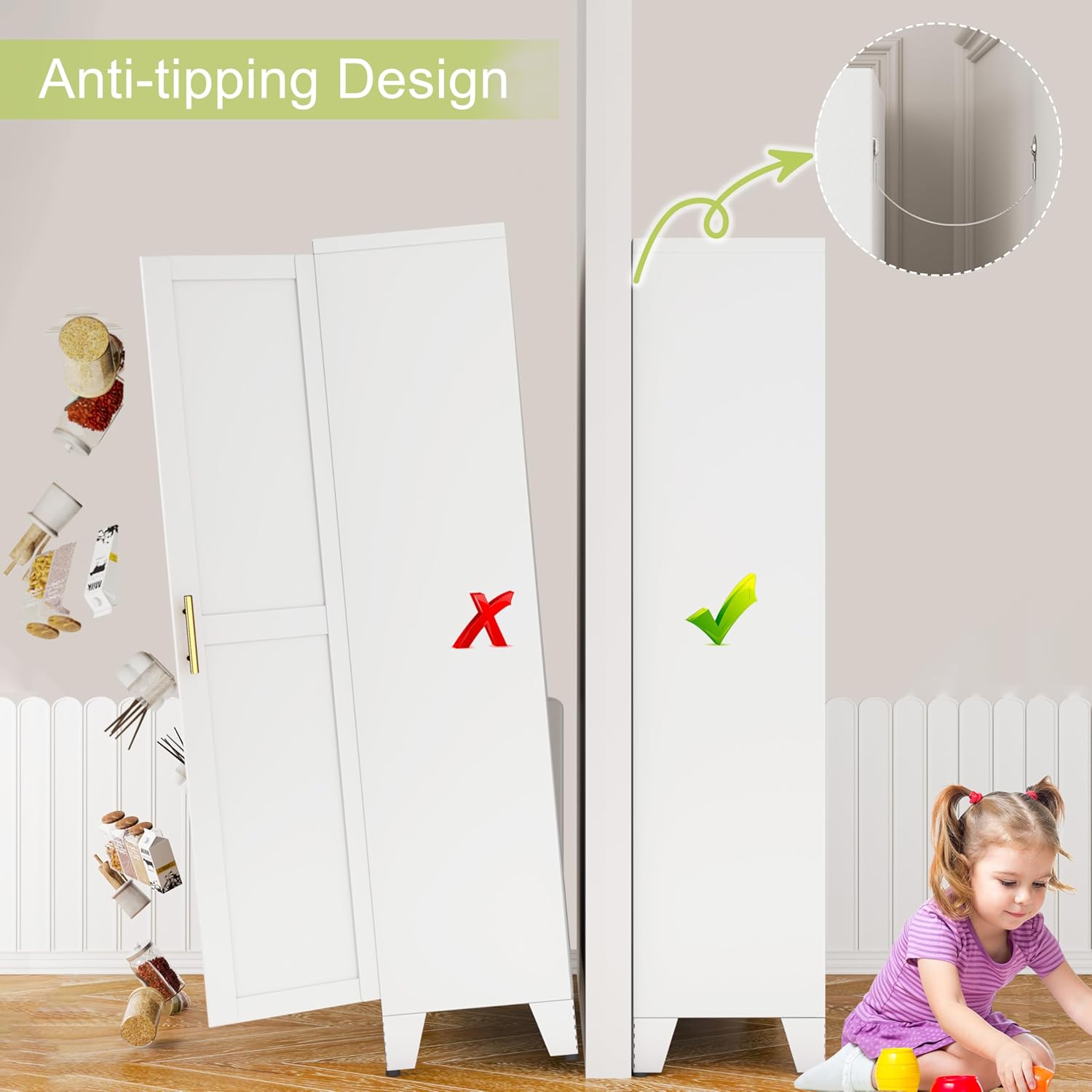
Image description: A visual guide illustrating the importance of the anti-tipping design, showing a cabinet without the device tipping over and a cabinet securely fastened to the wall with the device, preventing accidents.
3. Components List
Before assembly, please verify that all parts listed below are present and undamaged. If any parts are missing or damaged, please contact GAIOUS customer support.
- Cabinet Panels (Top, Bottom, Sides, Back, Doors)
- Adjustable Shelves (3 included)
- Door Handles (2 included)
- Adjustable Leveling Feet (4 included)
- Anti-Tipping Hardware (Wall anchor, strap, screws)
- Assembly Screws and Fasteners (various types)
- Shelf Clips (12 included)
- User Manual (this document)
4. Setup and Assembly
Assembly typically requires two adults. A Phillips head screwdriver is the only tool needed. Please follow the steps below carefully.
4.1. Step 1: Prepare the Base
Begin by assembling the base of the cabinet. Attach the adjustable leveling feet to the bottom panel. Ensure the feet are securely fastened and adjusted to provide a stable, level foundation.
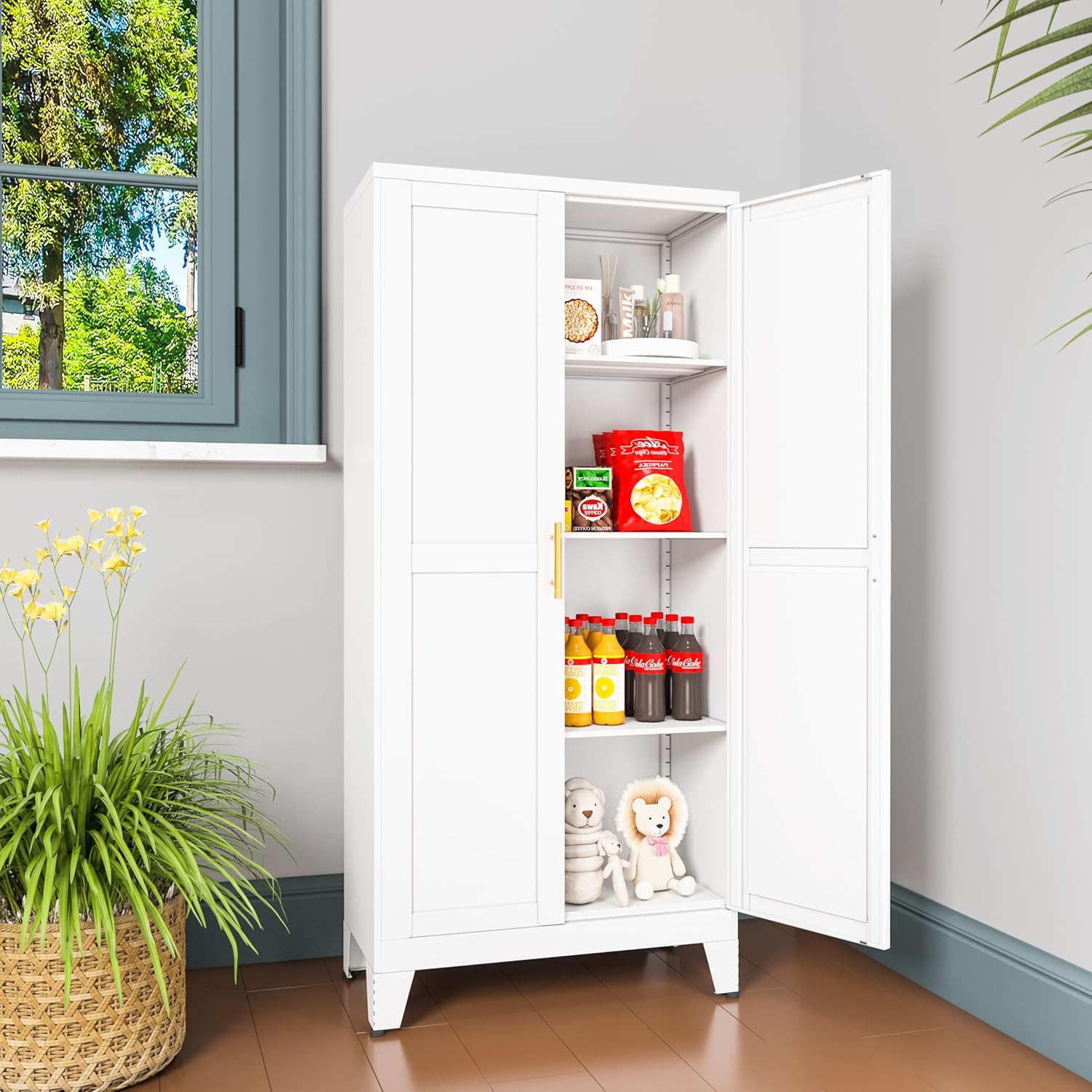
Image description: A detailed view of the cabinet's base, showing the adjustable leveling feet attached to the bottom panel, designed for stability on uneven surfaces.
4.2. Step 2: Construct the Frame
Connect the side panels to the base and back panels using the provided screws and fasteners. Ensure all connections are tight for structural integrity.

Image description: A diagram showing the overall dimensions of the cabinet (11.81"D x 23.62"W x 47.25"H) and indicating the total load capacity of 600 LBS, emphasizing its robust construction.
Video description: Official GAIOUS video demonstrating the step-by-step installation process of a similar metal pantry cabinet, including the assembly of the frame and panels.
4.3. Step 3: Install Adjustable Shelves
Insert the shelf clips into the desired slots on the side panels. Place the adjustable shelves onto these clips. The shelves can be repositioned to accommodate items of various heights.

Image description: An interior shot of the cabinet with its doors open, clearly showing the adjustable shelves and the multiple slots on the side panels for customized shelf placement.
Video description: Official GAIOUS video demonstrating the installation and adjustment of shelves inside the metal cabinet, highlighting the ease of customization.
4.4. Step 4: Attach Doors and Handles
Secure the doors to the cabinet frame using the hinges. Attach the golden handles to the doors. The doors feature magnetic suction plugs to ensure they remain securely closed.

Image description: A close-up view detailing the magnetic suction door plug, adjustable shelves, and adjustable height leveling feet, showcasing key features of the GAIOUS storage cabinet.
4.5. Step 5: Secure with Anti-Tipping Device
For enhanced safety, it is crucial to install the anti-tipping device. Secure the device to the top rear of the cabinet and then to a sturdy wall stud. This prevents the cabinet from accidentally falling forward.
5. Operating Instructions
5.1. Adjusting Shelves
To adjust a shelf, first remove all items from it. Lift the shelf slightly, remove the four shelf clips from their slots, and reinsert them into the desired new slots. Carefully place the shelf back onto the clips, ensuring it is level and secure before placing items back.
5.2. Opening and Closing Doors
The cabinet doors are equipped with magnetic latches for secure closure. To open, gently pull the handle. To close, push the door until the magnets engage, ensuring a tight seal.
Video description: Official GAIOUS video showcasing the usage and features of the 47-inch tall metal pantry cabinet, demonstrating its functionality in a home setting.
6. Maintenance
6.1. Care and Cleaning
The cabinet's textured electrostatic powder coating is designed to be scratch-resistant and easy to clean. To maintain its appearance and longevity:
- Wipe surfaces with a soft, damp cloth.
- Avoid abrasive cleaners, harsh chemicals, or scouring pads, as these may damage the finish.
- Promptly clean up any spills to prevent staining or corrosion.
6.2. Regular Inspection
Periodically check all fasteners, screws, and connections to ensure they remain tight. Re-tighten if necessary to maintain the cabinet's stability and structural integrity.
7. Troubleshooting
7.1. Cabinet is Unstable or Wobbly
- Ensure the adjustable leveling feet are properly adjusted on all four corners to compensate for uneven flooring.
- Verify that the anti-tipping device is securely installed to a wall stud.
- Check all assembly screws and fasteners to ensure they are tightened.
7.2. Doors Do Not Close Properly
- Check for any obstructions (e.g., items on shelves) preventing the doors from closing fully.
- Inspect the magnetic latches on the doors and cabinet frame for proper alignment and function.
- Ensure the cabinet itself is level, as an unlevel cabinet can affect door alignment.
7.3. Shelves Appear to be Sagging
- Ensure the weight on the shelf does not exceed the 150 LBS capacity. Redistribute items if necessary.
- Verify that the shelf clips are fully and correctly inserted into the support slots on all four corners of the shelf.
8. Specifications
| Feature | Detail |
|---|---|
| Brand | GAIOUS |
| Model Name | 120 White |
| Color | White |
| Product Dimensions | 11.81"D x 23.62"W x 47.25"H |
| Material | Metal (Cold-rolled steel plates) |
| Number of Shelves | 3 (Adjustable) |
| Weight Limit per Shelf | 150 LBS |
| Total Weight Limit | 450 LBS |
| Special Features | Adjustable Feet, Anti-Tipping, Magnetic Door Plugs, Rust Resistant, Powder Coated Finish |
| Assembly Required | Yes |
| Mounting Type | Floor Mount |
| Room Type | Bathroom, Bedroom, Dining Room, Kitchen, Living Room |
9. Warranty and Customer Support
GAIOUS products are manufactured with a commitment to quality and durability. For specific warranty details regarding your Metal Pantry Cabinet, please refer to the documentation included with your purchase. This typically outlines coverage for manufacturing defects and material flaws.
If you have any questions, require assistance with assembly, need to report missing or damaged parts, or have any concerns about your product, please do not hesitate to contact the GAIOUS customer service team. Our team is dedicated to providing professional support and aims to respond to inquiries within 24 hours.
Contact information can typically be found on the product packaging or on the official GAIOUS website.


