Introduction
Thank you for choosing ANCwear Open Ear Headphones. These lightweight, waterproof, and sweatproof sport earphones are designed to provide a comfortable and safe listening experience, allowing you to stay aware of your surroundings while enjoying high-quality audio. This manual will guide you through the setup, operation, and maintenance of your new headphones.
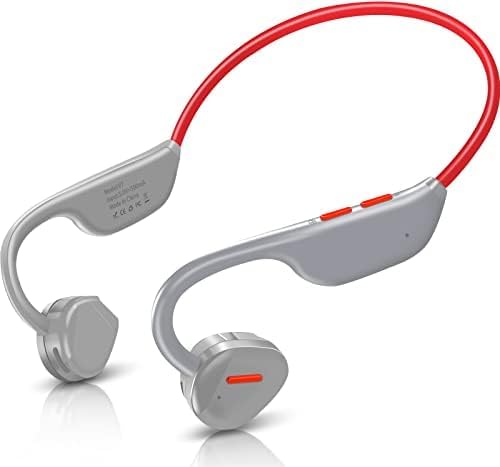
Image: ANCwear Open Ear Headphones in Light Grey, showcasing their design.
Safety and Comfort
The open-ear design of these headphones allows you to hear and react to your surroundings, enhancing safety during activities like exercising or driving. Weighing only 27g, they offer exceptional comfort for all-day wear, avoiding the discomfort often associated with in-ear earbuds.

Image: A man driving a car, wearing ANCwear open ear headphones, demonstrating the ability to hear surroundings.
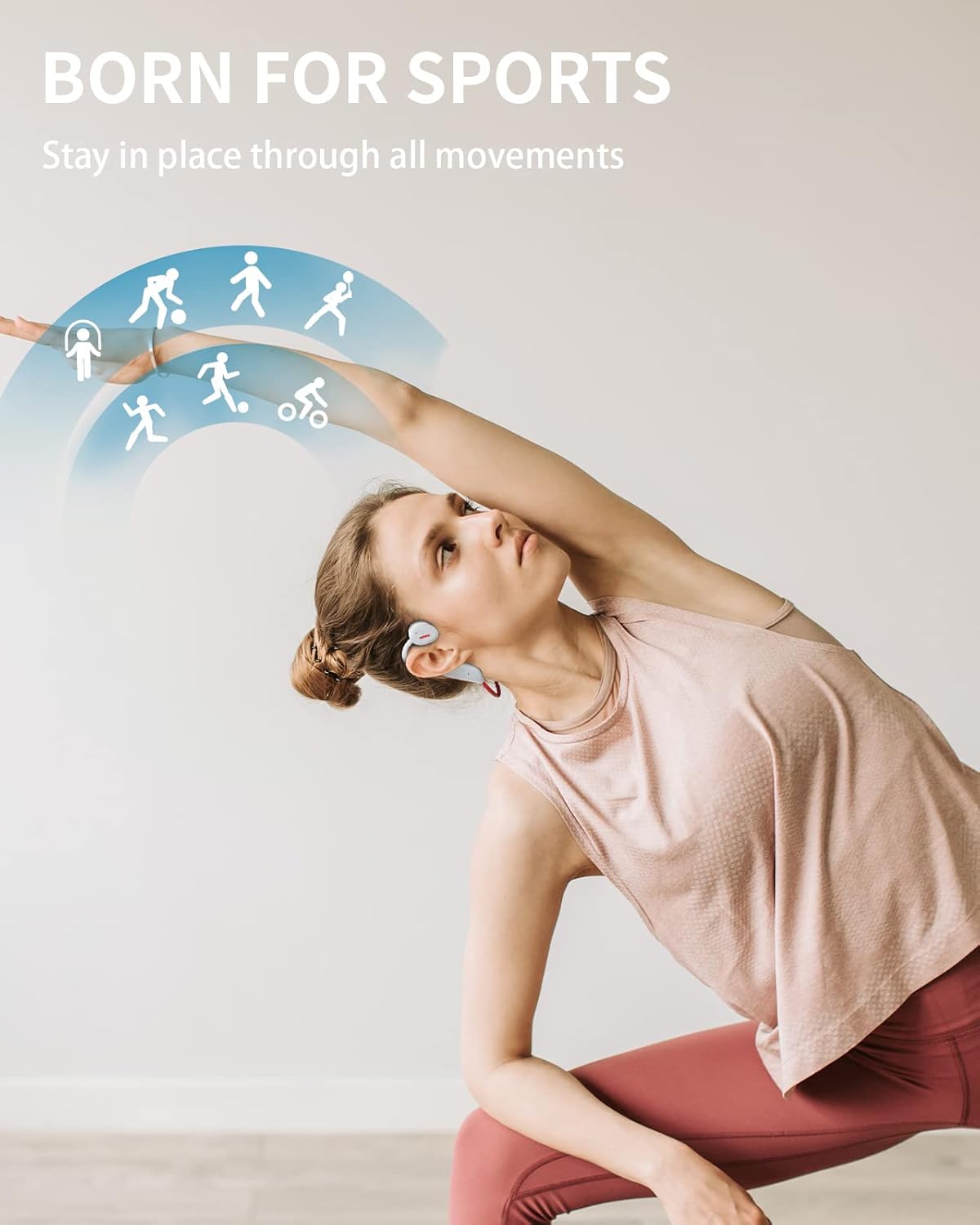
Image: ANCwear open ear headphones depicted with feathers, symbolizing their lightweight design of only 27 grams.
Setup
Charging the Headphones
Before first use, fully charge your ANCwear headphones. The headphones feature a magnetic charging port for easy connection.
- Connect the USB cable to a compatible USB power source (e.g., computer USB port, USB wall adapter).
- Align the magnetic end of the charging cable with the charging port on the headphones. The cable will snap into place.
- The indicator light on the headphones will show charging status (refer to LED indicator section for details).
- A full charge provides up to 8 hours of continuous operation.

Image: Visual representation of battery life (8-10 hours music time, 480 hours standby) and charging time (2 hours).
Video: A demonstration of the ANCwear Open Ear Headphones, highlighting their features including charging, controls, and use during various activities. This video shows the product in action and how to interact with its functions.
Bluetooth Pairing
The headphones utilize Bluetooth 5.3 for a faster transfer speed and stable connection.
- Ensure the headphones are charged and powered off.
- Press and hold the power button (also the '+' button) for 3 seconds until the LED indicator flashes blue and red, indicating pairing mode.
- On your device (smartphone, tablet, laptop), enable Bluetooth and search for available devices.
- Select "V7" from the list of found devices.
- Once connected, the LED indicator will turn solid blue or flash slowly, and you will hear a confirmation tone.

Image: A detailed view of the ANCwear headphones' internal components, highlighting the Bluetooth 5.3 chip for fast and stable connections.

Image: Illustration of the ANCwear headphones wirelessly connecting to a smartphone via Bluetooth, indicating wide compatibility.
Operating Instructions
Controls Overview
The headphones feature intuitive controls for managing audio playback and calls.

Image: A detailed diagram illustrating the control buttons on the ANCwear headphones, showing functions for music playback (play/pause, next/previous track) and call management (answer/reject).
Power On/Off
- Power On: Press and hold the MFB (Multi-Function Button) for 3 seconds.
- Power Off: Press and hold the MFB for 5 seconds.
Music Playback
- Play/Pause: Click the MFB once.
- Next Track: Long press the '+' button for 2 seconds.
- Previous Track: Long press the '-' button for 2 seconds.
Call Management
- Answer/End Call: Click the MFB once.
- Reject Call: Long press the MFB for 2 seconds.
Volume Control
- Volume Up: Short press the '+' button.
- Volume Down: Short press the '-' button.
Designed for Sports
These headphones are built for active lifestyles, ensuring they stay in place during various movements. With IP67 waterproof certification, they are resistant to sweat and water, making them ideal for running, cycling, hiking, and other sports activities.

Image: A woman performing a stretching exercise, demonstrating how the ANCwear headphones remain securely in place during physical activity.

Image: A couple running outdoors, both wearing ANCwear headphones, illustrating their suitability for active use.
Maintenance
- Cleaning: Wipe the headphones with a soft, damp cloth. Do not use harsh chemicals or abrasive materials.
- Storage: Store the headphones in a cool, dry place away from direct sunlight and extreme temperatures.
- Charging: Ensure the charging port is dry before connecting the charging cable to prevent damage.
Troubleshooting
| Problem | Possible Cause | Solution |
|---|---|---|
| Headphones won't turn on. | Low battery. | Charge the headphones fully. |
| Cannot pair with device. | Headphones not in pairing mode; Bluetooth off on device; device too far. | Ensure headphones are in pairing mode (flashing blue/red LED). Turn on Bluetooth on your device. Move device closer to headphones (within 10 meters). |
| No sound or low volume. | Volume too low; headphones not connected; audio source issue. | Increase volume on headphones and connected device. Re-pair headphones. Check audio source playback. |
| Intermittent connection. | Interference; device too far; low battery. | Move away from sources of interference (Wi-Fi routers, other Bluetooth devices). Keep device closer. Charge headphones. |
Specifications
| Feature | Detail |
|---|---|
| Model Name | ANC-V7 |
| Item Model Number | V7-NEW |
| Connectivity Technology | Wireless (Bluetooth 5.3) |
| Water Resistance Level | IP67 Waterproof |
| Battery Life | Up to 8 hours (continuous use) |
| Item Weight | 27g (0.95 ounces) |
| Earpiece Shape | Open Ear |
| Control Method | Touch, Voice |
| Frequency Range | 20 Hz - 20,000 Hz |
| Compatible Devices | Most Bluetooth-enabled devices (e.g., cellphones, tablets, laptops, desktops) |
Warranty and Support
ANCwear products are manufactured with high standards of quality. For any issues or inquiries regarding your headphones, please contact the seller directly through Amazon's messaging system.
Customer experience is a priority, and each running headphone is manually tested. For those seeking good Bluetooth headphones at a reasonable cost, ANCwear V7 open ear headphones are a reliable choice.

Image: A step-by-step guide on how to contact the seller on Amazon for quick response, high-quality products, no-cost replacements, and prioritized happiness.


