Introduction
Thank you for choosing the Anweller C8BF Fingerprint Bike Lock. This smart cable lock offers advanced security features including biometric fingerprint recognition, Bluetooth app control, and traditional key access. Designed for durability and convenience, it provides reliable protection for your bicycle, scooter, and other valuables in various environments.
What's in the Box
- 1 x C8BF Cable Lock
- 1 x Mounting Bracket
- 1 x USB-C Charge Cable
- 1 x User Manual
- 2 x Spare Keys
Setup
1. App Installation
Download the eSmartLock app from your device's app store (available for Android and iOS). Follow the on-screen instructions to create an account and register your lock.
2. Fingerprint Registration
To register a fingerprint:
- Ensure the lock is awake (touch the fingerprint sensor).
- Open the eSmartLock app and connect to your device.
- Navigate to "Fingerprint Management" within the app.
- Follow the app's prompts to add a new fingerprint. You will be asked to place your finger on the sensor multiple times (typically 5 times), adjusting its position slightly each time to capture a comprehensive scan.
- Keep your fingers clean and dry for optimal recognition.
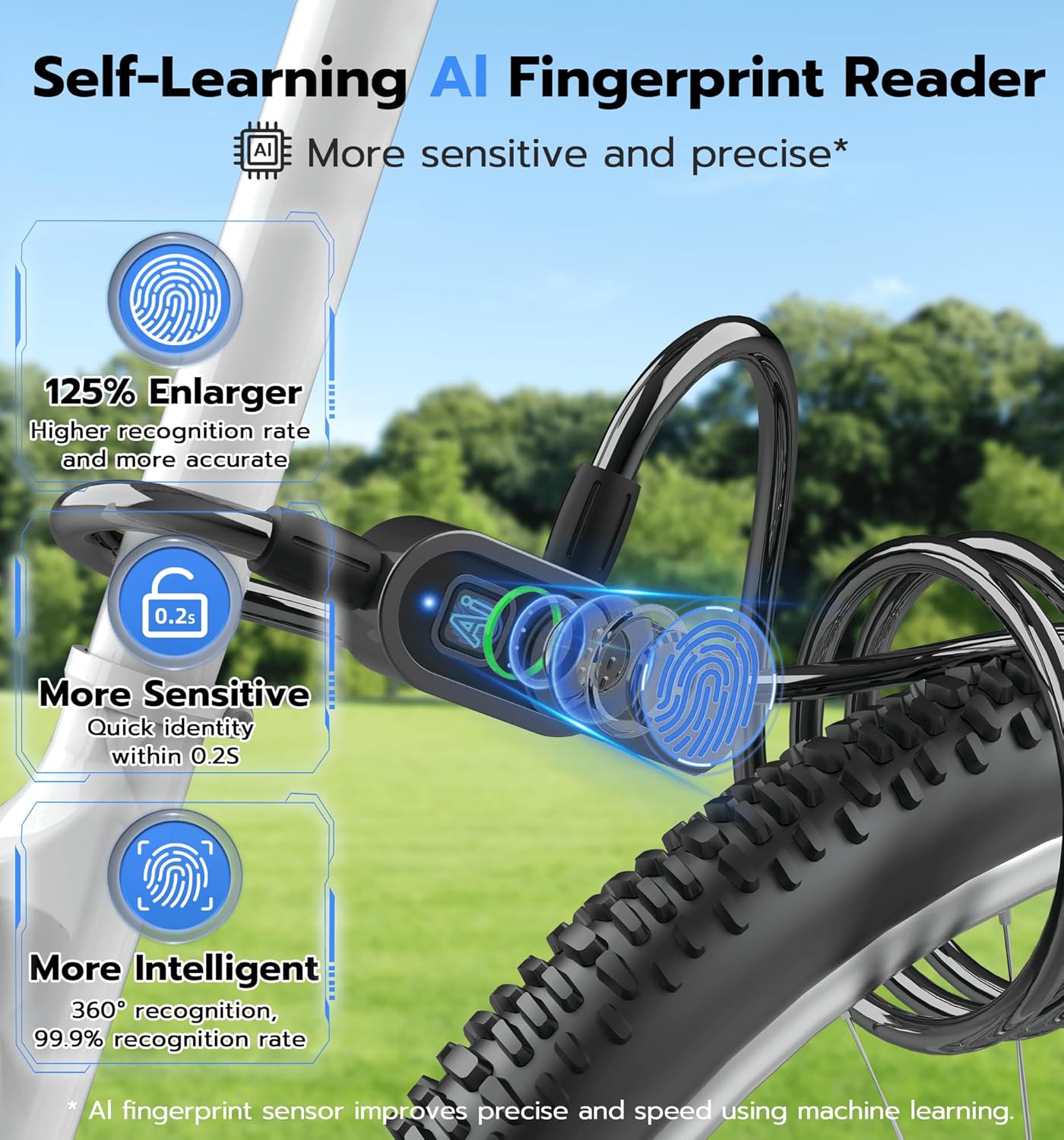
Image: The lock's self-learning AI fingerprint reader, highlighting its sensitivity and precision for quick identity recognition.
Operating the Lock
The Anweller C8BF offers multiple convenient unlocking methods:
1. Fingerprint Unlocking
Simply place your registered finger on the fingerprint sensor. The lock will unlock within 0.2 seconds if the fingerprint is recognized.
2. Mobile App Unlocking
Open the eSmartLock app on your smartphone. Ensure Bluetooth is enabled and your phone is close to the lock. Tap the "Unlock" button within the app to disengage the lock. The app also allows for fingerprint management, checking unlock records, and monitoring battery levels.
3. Apple Watch Unlocking
For Apple Watch users, the eSmartLock app supports unlocking directly from your watch for added convenience.
4. Spare Key Unlocking
In case of a dead battery or other issues, use one of the provided spare keys to manually unlock the device. The keyhole is located on the side of the lock unit, protected by a cover.

Image: Visual representation of the four unlocking methods: Fingerprint, Mobile App, Apple Watch, and Spare Key.
Mounting and Usage
The Anweller C8BF lock comes with a mounting bracket for easy transport and storage on your bike or scooter.
- Mounting: Use the provided mounting bracket and screwdriver to attach the lock securely to your bicycle frame.
- Securing: The 4.9-foot flexible cable allows you to secure your bike or scooter to various fixed objects such as poles, bike racks, or fences. The cable is designed to be long enough for versatile usage without being cumbersome.
- Versatile Use: Ideal for bikes, scooters, motorcycles, lawnmowers, skateboards, sports equipment, outdoor fences, gates, snowboards, and skis.

Image: The lock attached to a bicycle frame using the included mounting bracket for easy portability.

Image: Demonstrates the flexibility and length of the cable for various locking scenarios, including single lock, binding lock, and together lock configurations.
Battery and Charging
The Anweller C8BF features an upgraded 330mAh high-capacity Li-ion battery.
- Long Battery Life: A full charge provides up to 24 months of standby time or approximately 3000 unlocks.
- Charging: Recharge the lock using the provided USB-C charge cable. A full charge takes approximately 2 hours.
- Battery Indicator: The lock features an LED battery indicator and allows you to check the battery level via the eSmartLock app.

Image: Illustrates the lock's battery capacity (330mAh Lithium Battery), number of unlocks (3000), and standby time (365 Days).
Specifications
| Brand | Anweller |
| Model Name | C8BF |
| Lock Type | Biometric, Bluetooth, Cable, Heavy Duty Anti Theft |
| Material | Alloy Steel, Stainless Steel, Vinyl, Zinc Steel |
| Cable Dimensions | 59 x 0.5 x 0.5 inches (Length x Diameter x Diameter) |
| Item Weight | 1.5 Pounds |
| Special Features | 4 Unlocking Ways (Fingerprint & Mobile App & Apple Watch & Spare Key), Heavy Duty Anti Theft (55,000N Superior Shear-Resistant Strength & 3,600N Superior Pull Strength), IP67 Waterproof, 365 Days Long Standby Time, Battery Indicator |
| Connectivity Protocol | Bluetooth |
| Controller Type | Android, iOS |
| Battery Type | 1 Lithium Ion battery (included) |
| Waterproof Rating | IP67 |
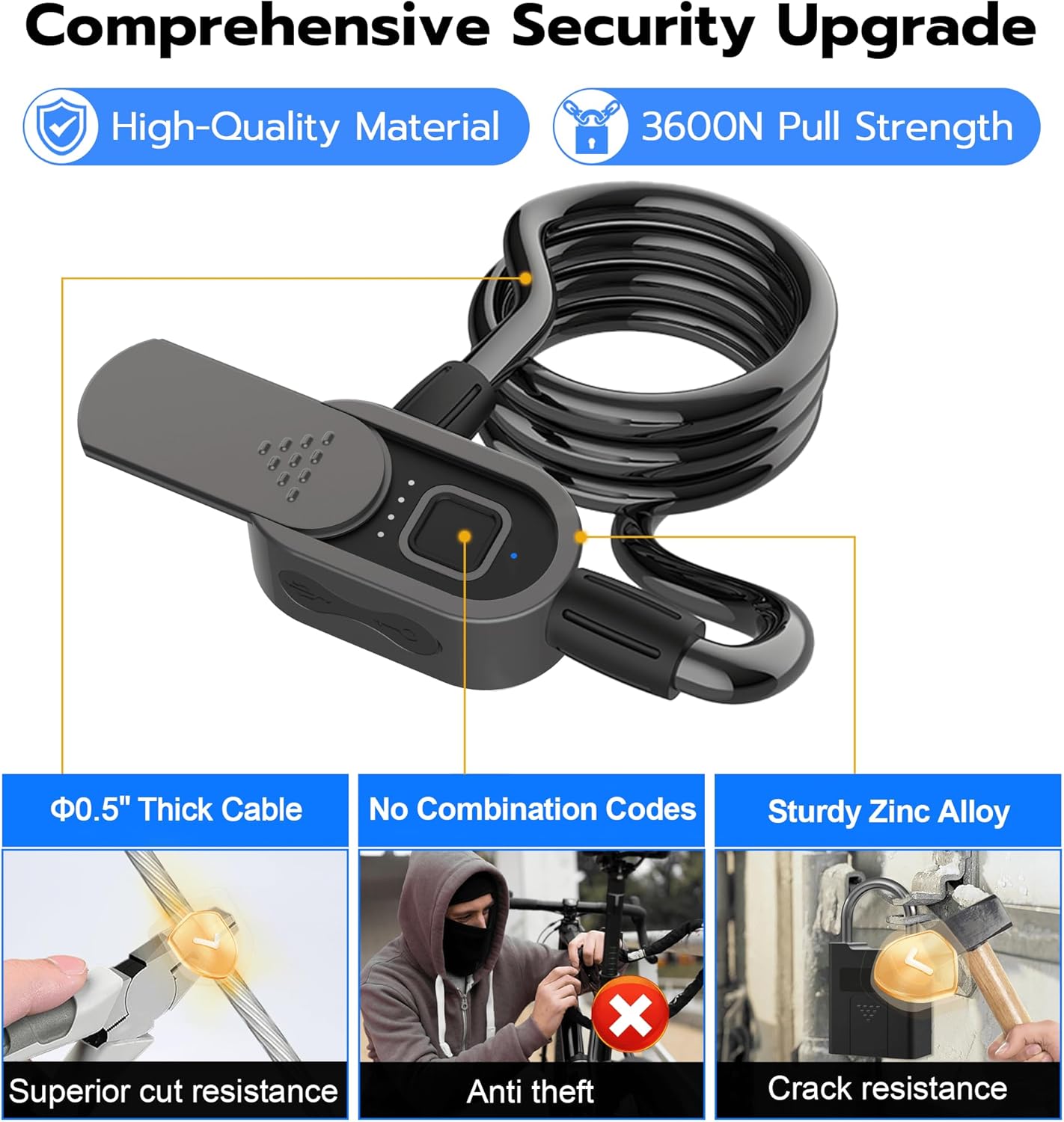
Image: Highlights the lock's robust construction with alloy steel and zinc alloy, 0.5" thick cable for superior cut resistance, and advanced keyhole design.
Maintenance
- Keep Clean: Regularly wipe the fingerprint sensor and lock body with a soft, dry cloth to ensure optimal performance.
- Charge Regularly: Although the battery life is long, it is recommended to charge the lock periodically to avoid unexpected power depletion.
- Weather Protection: While IP67 rated for water and dust resistance, prolonged exposure to extreme weather conditions should be minimized to extend product lifespan.
Troubleshooting
- Fingerprint Not Recognized:
- Ensure your finger is clean and dry.
- Try different angles or re-register your fingerprint in the app for better accuracy.
- Ensure the lock is awake by touching the sensor before attempting to unlock.
- App Connection Issues:
- Make sure Bluetooth is enabled on your phone and the lock is within range.
- The lock enters a dormant state to save power. Touch the fingerprint sensor to wake it up before attempting to connect via the app.
- Restart the app or your phone if connection persists.
- Lock Not Responding:
- Check the battery level. If low or dead, use the spare key to unlock and then charge the device immediately.
- If fully charged and still unresponsive, try a soft reset by connecting it to the charger for a few seconds.
Warranty and Support
Anweller provides a 6-month warranty and free lifetime technical support for the C8BF Fingerprint Bike Lock. For any queries, replacements, or refunds, please contact customer support via email: hongjdzwj@outlook.com.
