1. Product Overview
The GEEKVAPE Soul Kit 1500mAh 4ml is an innovative and exquisite open pod system designed for an optimal vaping experience. Its ergonomic and elegant design ensures maximum comfort and enjoyment when held. Featuring a revolutionary patented leak-proof design, this device allows you to vape with confidence, minimizing mess and maximizing flavor. With its large capacity cartridge and powerful battery, the GEEKVAPE Soul is perfect for enjoying your favorite e-liquids.
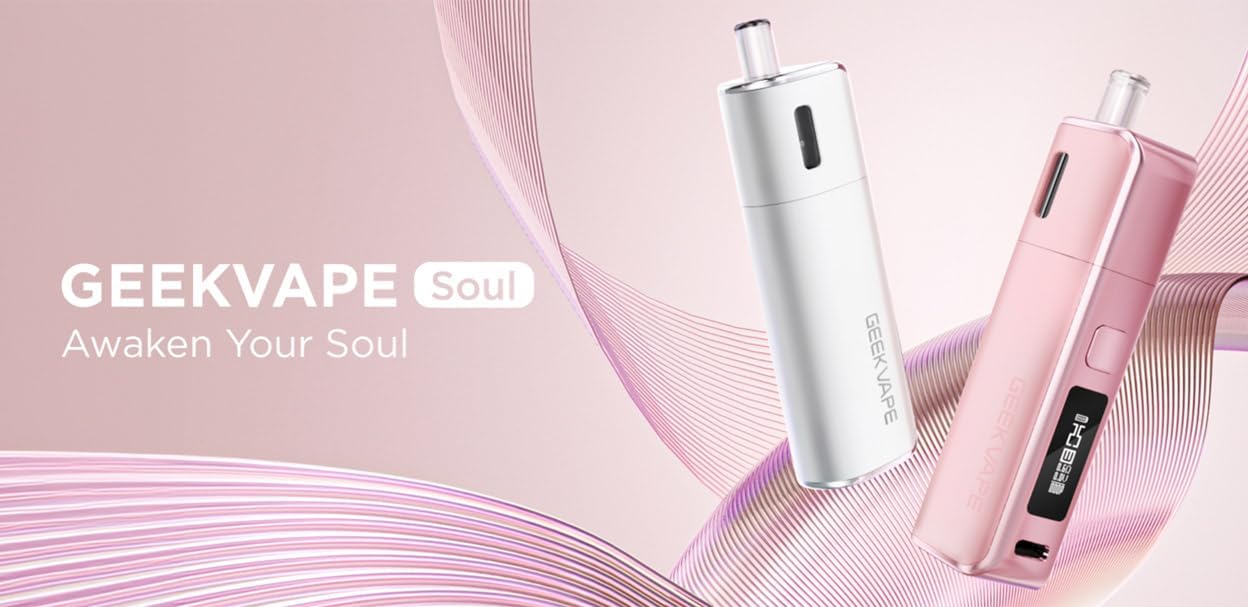
Image: GEEKVAPE Soul AIO Pod System Kit in white and pink, highlighting its sleek design.
2. Package Contents
Please check the package contents upon unboxing to ensure all items are present:
- 1 x GEEKVAPE Soul Device (0.6ohm cartridge pre-installed)
- 1 x Spare GEEKVAPE Soul Cartridge (1.0ohm)
- 1 x USB Type-C Cable (0.2m)
- 1 x User Manual
- 1 x Warning Card

Image: The GEEKVAPE Soul device in Olive Green, alongside a display of all available color options.
3. Key Features
- Patented Leak-Proof Design: Ensures a clean and worry-free vaping experience.
- 0.69-inch Display Screen: Provides clear information on device status.
- Dual Activation Modes: Supports both auto-draw and button activation for user preference.
- 4ml E-juice Capacity: Large capacity cartridge for extended vaping sessions.
- 1500mAh Battery: High-capacity battery for long-lasting performance, supporting up to 2 days of use.
- Adjustable Power and Airflow: Customize your vaping experience with precise control.
- Type-C Charging: Fast and convenient charging.

Image: An illustration highlighting the 1500mAh battery capacity and its 2-day endurance.
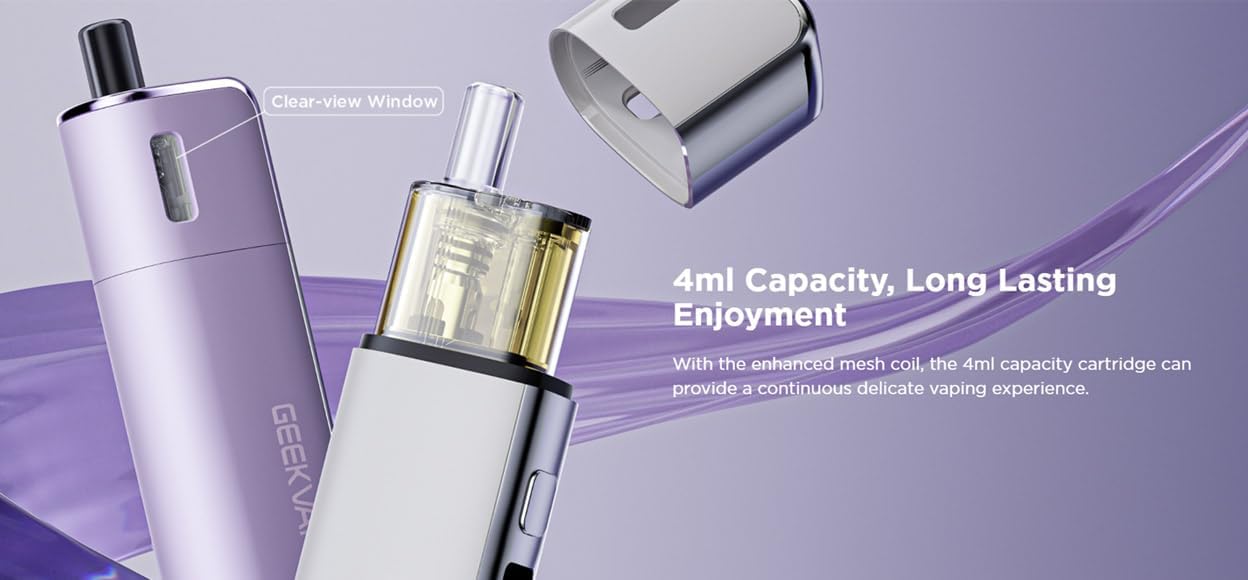
Image: A close-up of the GEEKVAPE Soul cartridge, showing its 4ml capacity and clear view window for e-liquid level.
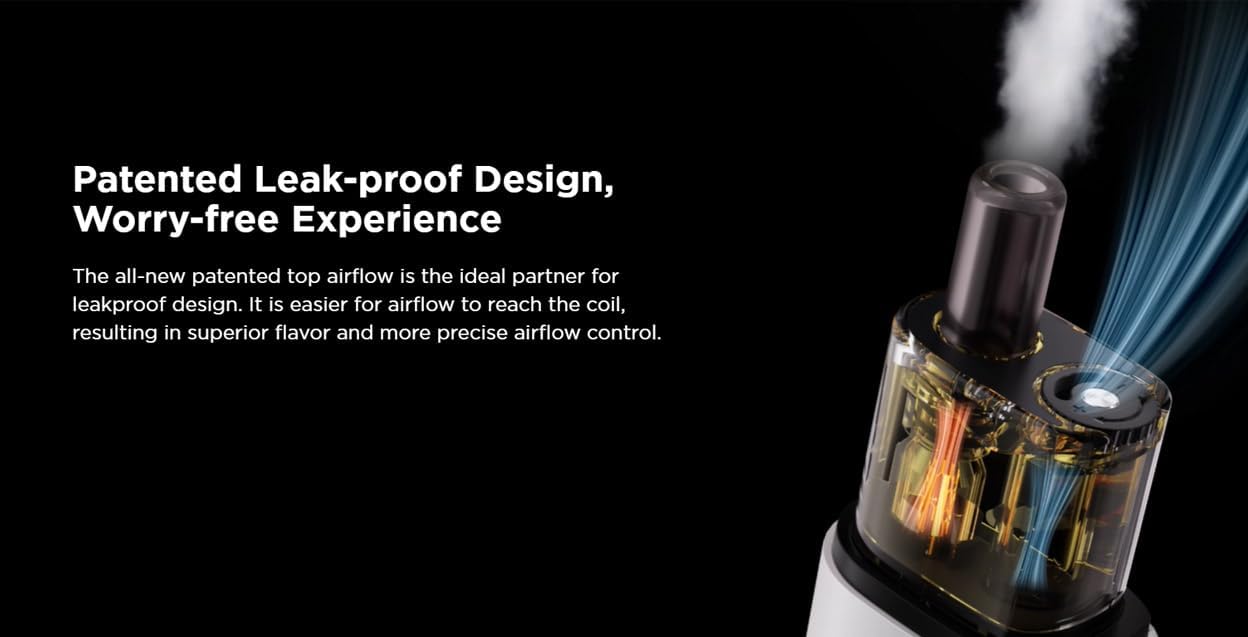
Image: Diagram illustrating the patented leak-proof design and optimized airflow path within the GEEKVAPE Soul cartridge.
4. Setup Guide
4.1 Charging the Device
Before first use, fully charge the device. Connect the provided USB Type-C cable to the charging port on the device and plug the other end into a suitable USB power source (e.g., wall adapter, computer USB port). The display will indicate charging status. Once fully charged, the indicator will change, and you can disconnect the cable.
4.2 Filling the Cartridge
- Remove the cartridge from the device.
- Locate the fill port on the cartridge.
- Carefully open the silicone plug.
- Insert the nozzle of your e-liquid bottle into the fill port and slowly fill the cartridge. Do not overfill.
- Securely close the silicone plug.
- Important: After filling a new cartridge, wait at least 5-10 minutes before vaping to allow the coil to become fully saturated with e-liquid. This prevents dry hits and extends coil life.
4.3 Installing the Cartridge
Align the cartridge with the pod slot on the device and push it firmly until it clicks into place. Ensure it is securely seated to prevent leakage and ensure proper connection.
5. Operating Instructions
5.1 Power On/Off
To turn the device on or off, rapidly press the fire button 5 times within 2 seconds. The display will show a power on/off animation.
5.2 Vaping
The GEEKVAPE Soul supports both auto-draw and button activation:
- Auto-Draw: Simply inhale from the mouthpiece to activate the device and produce vapor.
- Button Activation: Press and hold the fire button while inhaling from the mouthpiece.
5.3 Adjusting Power and Airflow
- Power Adjustment: Use the adjustment buttons (if present, typically below the screen) to increase or decrease the wattage output. Refer to the display for the current power setting.
- Airflow Adjustment: The device features an adjustable airflow control. Locate the airflow slider or ring on the device and slide/rotate it to open or close the airflow slots, customizing your draw from tight to airy.
6. Maintenance
6.1 Cleaning the Device
Regular cleaning helps maintain optimal performance and extends the lifespan of your device:
- Wipe down the exterior of the device with a soft, dry cloth.
- If e-liquid condensation accumulates in the pod slot, gently wipe it with a cotton swab or tissue.
- Ensure the charging port is free of dust and debris.
6.2 Cartridge Replacement
The cartridge (which contains the coil) is a consumable part and needs to be replaced periodically. Replace the cartridge when you notice a burnt taste, reduced vapor production, or a change in flavor. To replace:
- Remove the old cartridge from the device.
- Dispose of the old cartridge responsibly.
- Install a new cartridge as described in Section 4.3.
- Remember to prime new cartridges by waiting 5-10 minutes after filling before first use.
7. Troubleshooting
If you encounter issues with your GEEKVAPE Soul, refer to the table below for common problems and solutions:
| Problem | Possible Cause | Solution |
|---|---|---|
| No vapor production | Low battery; Cartridge not properly installed; No e-liquid; Coil burnt out. | Charge device; Re-install cartridge; Refill cartridge; Replace cartridge. |
| Burnt taste | Coil dry/burnt; Insufficient e-liquid; Vaping at too high wattage. | Replace cartridge; Refill cartridge; Reduce wattage. |
| Leaking | Overfilled cartridge; Worn out seals; Condensation. | Do not overfill; Replace cartridge; Clean condensation. |
| "10S-CUTOFF" message | Vaping duration exceeded 10 seconds. | This is a safety feature. Release the button and try again. |
| "Cartridge Short" message | Short circuit detected (atomizer resistance <=0.3ohm). | Check cartridge connection; Replace cartridge if issue persists. |
8. Specifications
| Feature | Value |
|---|---|
| Brand | GEEKVAPE |
| Model | G001 |
| Output Power | Max 30W |
| Cartridge Capacity | 4.0ml |
| Coil Resistance | 0.6ohm / 1.0ohm |
| Battery Capacity | 1500mAh |
| Charging Port | Type-C |
| Display Screen | 0.69 inch |
| Dimensions (W x L x H) | 31.45mm x 21.5mm x 107.85mm |
| Weight | 170 g |
| Origin | China |
9. Warranty and Support
GEEKVAPE products are manufactured to the highest quality standards. For specific warranty information and support, please refer to the warranty card included in your package or visit the official GEEKVAPE website. Keep your proof of purchase for any warranty claims.
For further assistance, please contact GEEKVAPE customer service through their official channels.


