Introduction
This manual provides instructions for the ZdalaMit EUR7623X70 replacement remote control, designed for use with various Panasonic DVD Home Theater Sound Systems. This remote offers direct functionality without the need for programming.
Compatible Panasonic DVD Home Theater Sound Systems:
- SC-HT900, SC-HT700, SC-HT690
- SA-HT690, SA-HT700, SA-HT900
- SB-FS900, SB-FS803A
- SB-PC701, SB-PC703
- SB-WA350, SB-WA340, SB-WA342
Package Contents
- 1x ZdalaMit EUR7623X70 Replacement Remote Control
Note: AAA Alkaline batteries are not included and must be purchased separately.
Setup
Installing Batteries
- Locate the battery compartment on the back of the remote control.
- Slide the battery compartment cover downwards or press the latch and lift to open.
- Insert two (2) 1.5V AAA Alkaline batteries, ensuring the positive (+) and negative (-) terminals match the diagrams inside the compartment.
- Replace the battery compartment cover, ensuring it clicks securely into place.
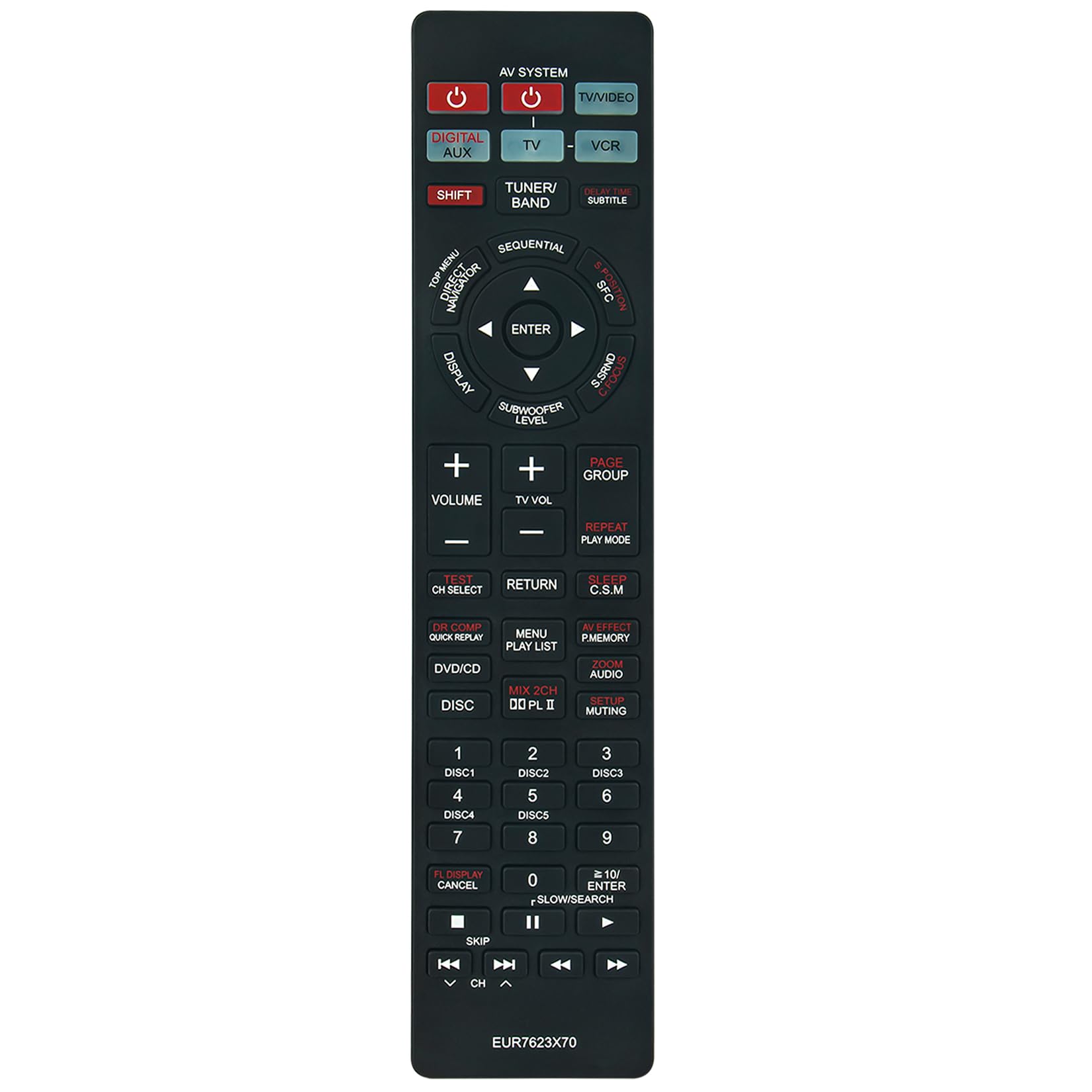
Image: Front view of the ZdalaMit EUR7623X70 replacement remote control. This image displays the layout of all buttons, including power, input selection, navigation, volume, and disc controls.
The remote control is ready for use immediately after battery installation. No additional programming or setup is required.
Operating Instructions
This replacement remote control functions identically to the original Panasonic EUR7623X70 remote. Refer to your Panasonic DVD Home Theater Sound System's original manual for detailed functions of specific buttons.
Basic Functions:
- Power (Red Button): Turns the home theater system on or off.
- AV System / TV/VIDEO: Selects the input source.
- Digital AUX / TV / VCR: Selects specific audio/video inputs.
- Tuner/Band: Switches between radio bands (AM/FM).
- Volume (+/-): Adjusts the master volume level.
- Muting: Mutes or unmutes the audio output.
- Navigation (Up/Down/Left/Right/ENTER): Used to navigate menus and confirm selections.
- DISC 1-6: Direct selection for disc trays in multi-disc changers.
- DVD/CD: Selects the DVD/CD function.
- Play/Pause/Stop/Skip: Standard media playback controls.

Image: Top-down view of the ZdalaMit EUR7623X70 remote control, showing the button layout clearly. This perspective highlights the ergonomic design and button placement for easy access to functions.
Maintenance
Battery Replacement:
When the remote control's range decreases or buttons become unresponsive, it is time to replace the batteries. Always replace both AAA batteries simultaneously with new alkaline batteries.
Cleaning:
To clean the remote control, wipe it gently with a soft, dry cloth. Do not use liquid cleaners, abrasive pads, or chemical solvents, as these may damage the remote's surface or internal components.
Storage:
If the remote control will not be used for an extended period, remove the batteries to prevent leakage and potential damage to the device.
Troubleshooting
| Problem | Possible Cause | Solution |
|---|---|---|
| Remote not responding. | Dead or incorrectly inserted batteries. | Replace batteries with new 1.5V AAA Alkaline batteries, ensuring correct polarity. |
| Remote has limited range. | Weak batteries or obstruction between remote and system. | Replace batteries. Ensure a clear line of sight to the home theater system's IR receiver. |
| Specific buttons not working. | Dirt or debris under the button, or internal malfunction. | Clean the remote control. If the issue persists, the remote may be faulty and require replacement. |
| Remote does not control the Panasonic system. | Incompatible system model. | Verify your Panasonic DVD Home Theater Sound System model is listed in the "Compatible Systems" section. |
Specifications
- Model: EUR7623X70
- Brand: ZdalaMit
- Power Supply: 2 x 1.5V AAA Alkaline Batteries (not included)
- Product Dimensions: 8.93 x 1.99 x 0.55 inches (approximately)
- Item Weight: 1.41 ounces (approximately, without batteries)
- Color: Black
- Compatible Devices: Panasonic DVD Home Theater Sound Systems (specific models listed in Introduction)
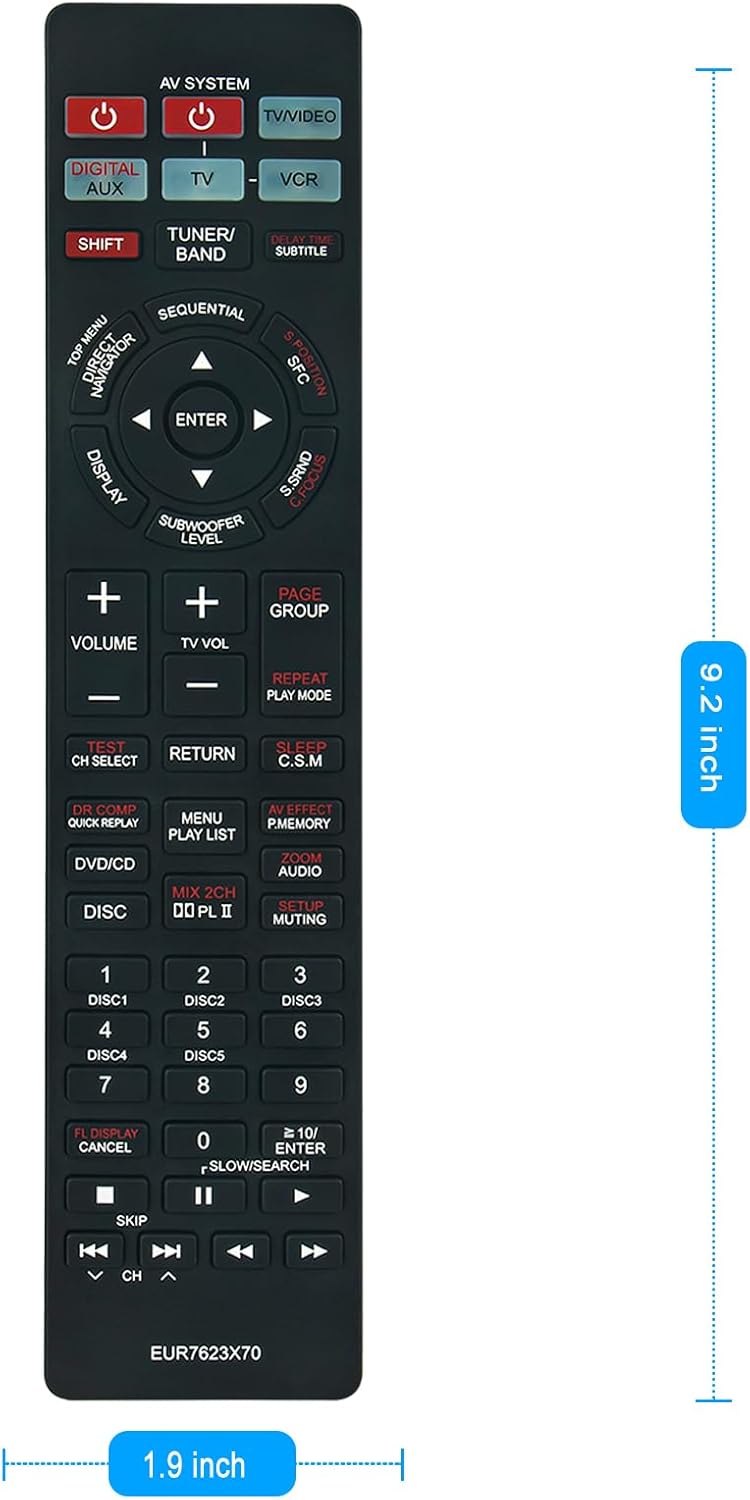
Image: The ZdalaMit EUR7623X70 remote control shown with its approximate dimensions: 9.2 inches in length and 1.9 inches in width. This image provides a visual reference for the remote's size.
Comparison with Original Remote
The ZdalaMit EUR7623X70 replacement remote is designed to replicate the functionality and button layout of the original Panasonic EUR7623X70 remote control.
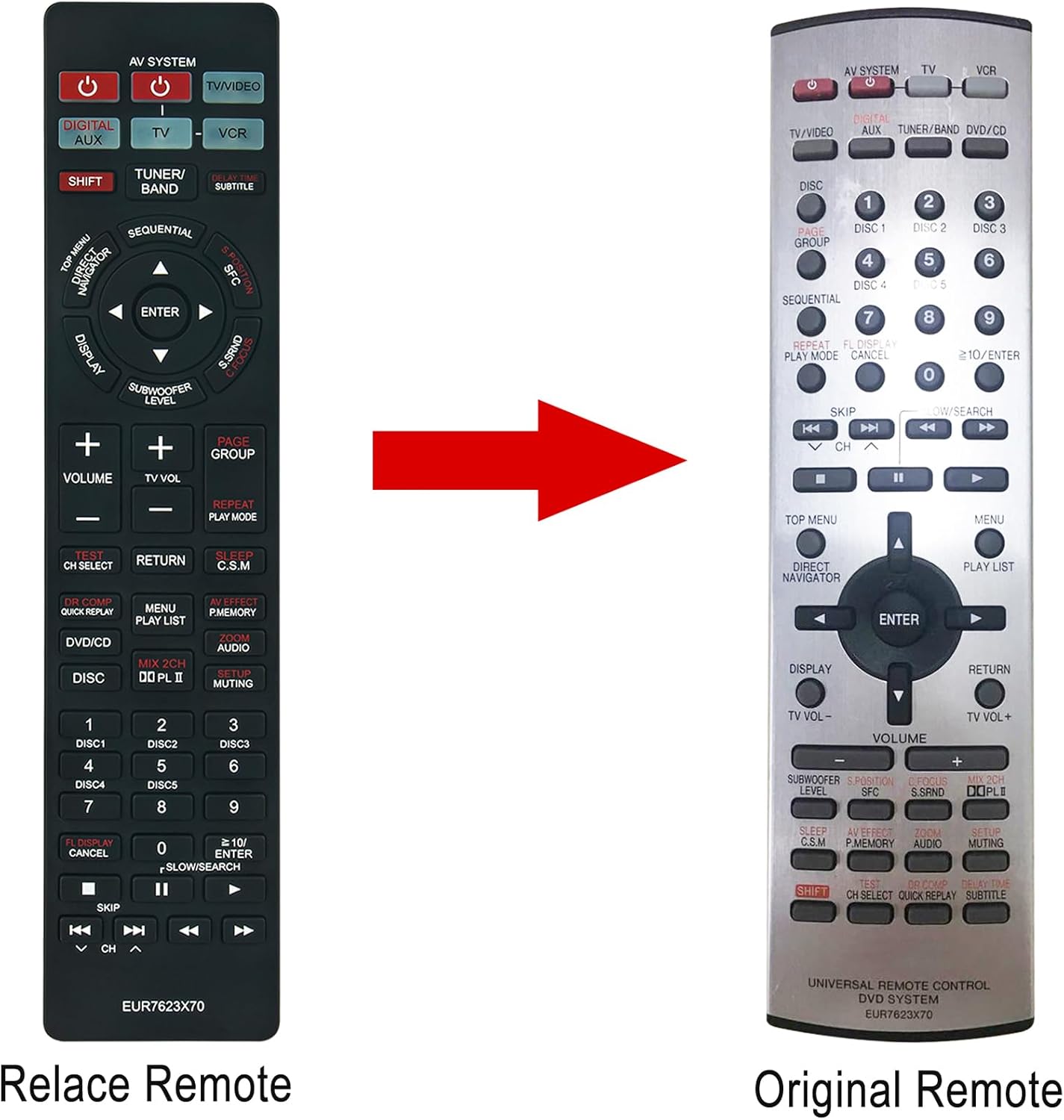
Image: A side-by-side comparison of the ZdalaMit EUR7623X70 replacement remote (left) and the original Panasonic remote (right). This visual demonstrates the similarity in design and button arrangement between the two remotes.
Warranty and Support
For any issues or inquiries regarding your ZdalaMit EUR7623X70 replacement remote control, please contact the seller or manufacturer directly through your purchase platform for assistance. Specific warranty details may vary by retailer.


