
1. Introduction
This manual provides detailed instructions for the operation and maintenance of your SGNICS K55 Military Smart Watch. Please read this manual thoroughly before using the device to ensure proper function and longevity.
The SGNICS K55 is a rugged smartwatch designed for various activities, featuring health monitoring, sports tracking, and communication capabilities.
2. Safety Information
- This device is not a medical instrument. Health monitoring data (heart rate, blood oxygen, sleep) is for reference only and should not be used for medical diagnosis or treatment.
- The watch is water-resistant for daily activities like hand washing and jogging in the rain. It is not suitable for swimming, diving, hot showers, or saunas. Exposure to hot water or steam may damage the device.
- Avoid extreme temperatures and direct sunlight for prolonged periods.
- Do not attempt to disassemble or repair the watch yourself. This will void the warranty.
- Keep the charging cable and watch away from children and pets.
3. Package Contents
Please check the package for the following items:
- 1 x SGNICS K55 Smart Watch
- 1 x Watch Band
- 1 x Charging Cable
- 1 x User Manual
4. Setup
4.1 Charging the Device
Before first use, fully charge your SGNICS K55 Smart Watch. Connect the magnetic charging cable to the charging contacts on the back of the watch and plug the USB end into a standard USB power adapter (not included).
- Battery Capacity: 350mAh
- Charging Time: Approximately 2 hours
- Usage Time: Up to 5-7 days (depending on usage)
- Standby Time: Approximately 15 days

Image: Rear view of the SGNICS K55 Smart Watch, highlighting the charging contacts and the PPG biotrack sensor for health monitoring.
4.2 App Installation and Pairing
To unlock the full functionality of your smartwatch, you need to install the companion application on your smartphone. Search for the app name (usually mentioned in the quick start guide or on the watch screen during initial setup) in your phone's app store (Google Play Store for Android or Apple App Store for iOS).
- Download and install the designated app on your smartphone.
- Open the app and create an account or log in.
- Ensure Bluetooth is enabled on your smartphone.
- In the app, navigate to the device pairing section and search for your SGNICS K55 Smart Watch.
- Select your watch from the list of available devices to initiate pairing. Follow any on-screen prompts on both your phone and watch to confirm the connection.
- For call functionality, ensure you also connect the watch's audio Bluetooth. This is often a separate Bluetooth connection that appears after the initial device pairing. Check your phone's Bluetooth settings for a second connection related to the watch (e.g., "K55_Audio").
5. Operating Instructions
5.1 Basic Navigation
- Touch Screen: Swipe left/right, up/down to navigate through menus and functions. Tap to select.
- Side Buttons: The watch features side buttons (labeled "OPEN" and "DOWN" in some images) which typically serve as power on/off, back, or quick access to specific functions. Refer to the on-screen prompts for specific button actions.
5.2 Call Features
Once the watch's audio Bluetooth is successfully connected to your smartphone, you can make and receive calls directly from your wrist.
- Making Calls: Access the dialer or contact list on the watch to initiate a call.
- Receiving Calls: When a call comes in, the watch will display the caller ID. You can answer or reject the call directly from the watch screen.
- Music Playback: The watch's high-quality speakers also support playing music from your connected smartphone.

Image: The SGNICS K55 Smart Watch showing an incoming call notification, demonstrating its call answering capabilities.
5.3 Sports Modes and Fitness Tracking
The watch supports over 20 sports modes to track your physical activity. Data from your workouts will be uploaded to the companion app for detailed analysis.
- Supported Modes: Walking, running, basketball, football, cycling, rope skipping, mountain climbing, and more.
- Activity Tracking: Monitors steps, distance, calories burned, and active minutes.
5.4 Health Monitoring
The SGNICS K55 provides 24-hour real-time activity tracking and health monitoring features.
- Heart Rate Monitoring: Continuously tracks your heart rate, providing data on heart rate intervals and warnings for too high or too low rates, and recognizing irregular heartbeats.
- Blood Oxygen Monitoring: Measures your blood oxygen saturation (SpO2) levels.
- Sleep Tracking: Automatically detects and records your sleep quality, including light, deep, and awake statuses.
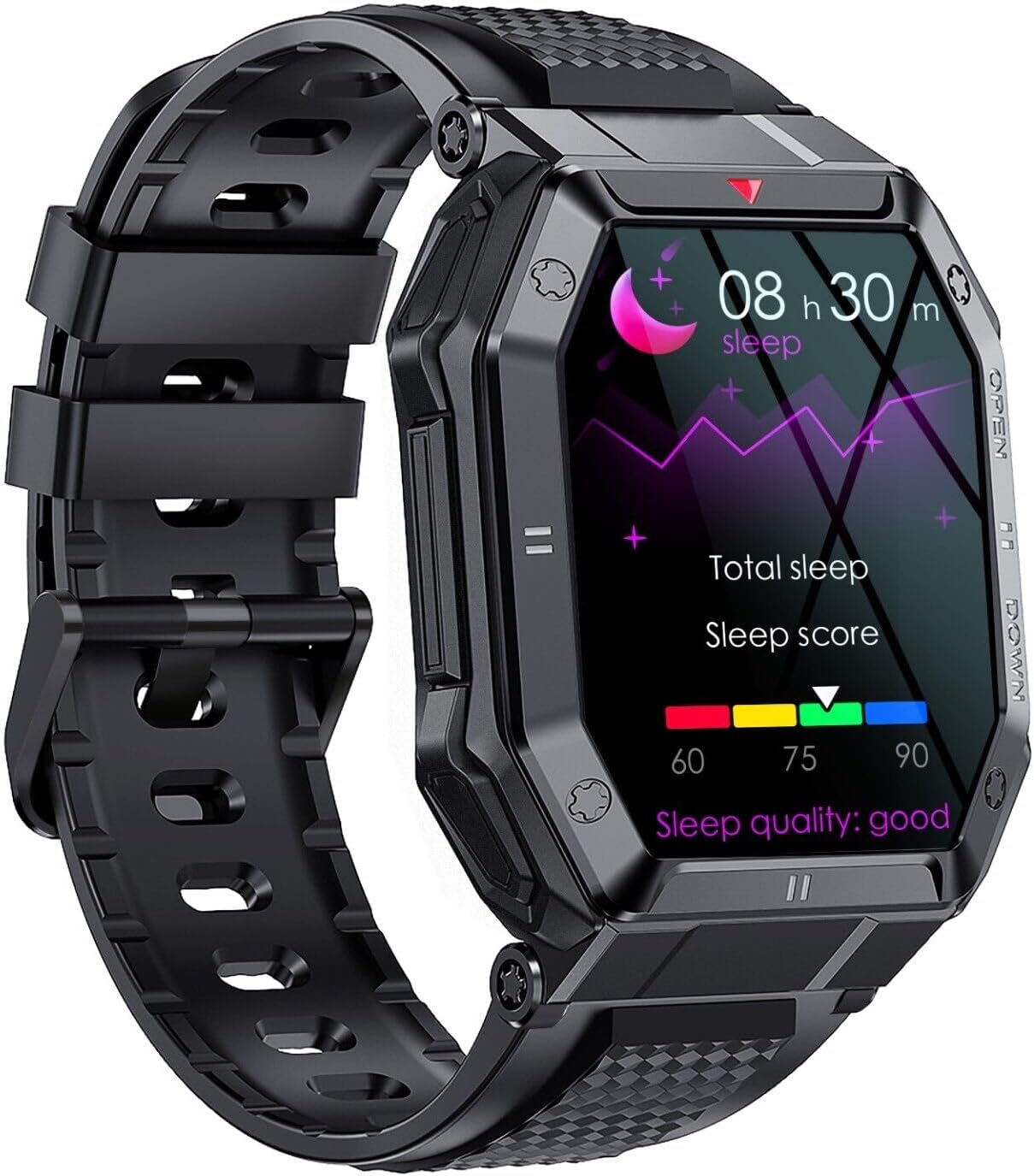
Image: The SGNICS K55 Smart Watch screen showing real-time heart rate monitoring with a graphical representation of heart rate intervals.

Image: The SGNICS K55 Smart Watch screen displaying sleep tracking data, including total sleep duration and sleep score, indicating sleep quality.

Image: A composite image showing the SGNICS K55 Smart Watch displaying blood oxygen levels, 24-hour heart rate monitoring, and sleep tracking data.
5.5 Other Functions
The watch offers several additional features to enhance daily convenience:
- Notifications: Receive app messages, SMS reminders, and call notifications.
- Alarm Clocks: Set alarms directly from the watch.
- Camera Controller: Remotely control your smartphone's camera.
- Weather Forecasts: Get current weather information.
- Sedentary Reminder: Alerts you to move after periods of inactivity.
- Find Phone: Locate your paired smartphone.
- Stopwatch: Basic timing function.

Image: The SGNICS K55 Smart Watch screen showing a grid of icons representing various functions such as messaging, heart rate, weather, music control, and more.
6. Maintenance
- Cleaning: Wipe the watch screen and body with a soft, damp cloth. Avoid using harsh chemicals or abrasive materials.
- Water Resistance: The watch is designed for daily water exposure (e.g., hand washing, rain). Do not submerge it in water, use it for swimming, diving, or expose it to hot water or steam (showers, saunas).
- Storage: Store the watch in a cool, dry place when not in use.
7. Troubleshooting
If you encounter issues with your SGNICS K55 Smart Watch, please refer to the following common solutions:
- Watch not turning on: Ensure the watch is fully charged. Connect it to the charging cable and a power source for at least 30 minutes.
- Cannot pair with smartphone:
- Ensure Bluetooth is enabled on your phone and the watch.
- Make sure the watch is within Bluetooth range of your phone.
- Restart both your phone and the watch.
- Forget the device in your phone's Bluetooth settings and try pairing again through the app.
- Call function not working: Ensure the watch's audio Bluetooth (e.g., "K55_Audio") is also connected in your phone's Bluetooth settings, in addition to the main device connection.
- Inaccurate health data: Ensure the watch is worn snugly on your wrist, not too tight or too loose. Clean the sensor on the back of the watch. Remember, this is not a medical device.
- Short battery life: Reduce screen brightness, disable unnecessary notifications, and limit continuous health monitoring if not required.
- App not syncing data: Ensure the watch is connected to the app and your phone has an active internet connection. Try restarting the app.
8. Specifications
| Brand | SGNICS |
| Model Name | K55 |
| Display Size | 1.85 inches HD IPS |
| Battery Capacity | 350mAh |
| Charging Time | Approx. 2 hours |
| Usage Time | 5-7 days |
| Standby Time | Approx. 15 days |
| Connectivity | Bluetooth |
| Material | Aluminum Alloy (Case) |
| Water Resistance Level | Waterproof (Daily use, not for swimming/diving) |
| Compatible Devices | Android/iOS Smartphones |
| Special Features | Heart Rate Monitor, Blood Oxygen Monitor, Sleep Tracker, Call Function, Multiple Sports Modes |
9. Warranty and Support
Your SGNICS K55 Smart Watch comes with a 60-day warranty from the date of purchase, covering manufacturing defects.
For technical support, warranty claims, or any questions not covered in this manual, please contact SGNICS customer service through the retailer's platform or the contact information provided with your purchase.