
1. Introduction
This manual provides essential instructions for the proper setup, operation, and maintenance of your SGNICS K55 Military Smart Watch. Designed for durability and functionality, this tactical sports smartwatch offers comprehensive fitness tracking, communication features, and health monitoring. Please read this manual thoroughly before using your device to ensure optimal performance and longevity.
2. Package Contents
Upon opening your SGNICS K55 Military Smart Watch package, please verify that all the following items are included:
- 1 x SGNICS K55 Smart Watch
- 1 x Watch Band
- 1 x Charging Cable
- 1 x User Manual (this document)
3. Product Overview
The SGNICS K55 Military Smart Watch features a rugged design with a 1.85-inch HD display, built to withstand challenging environments. It integrates various sensors for health and fitness tracking, along with Bluetooth connectivity for calls and notifications.

Image: Front view of the SGNICS K55 Smart Watch, showcasing its display with heart rate monitoring data (080 bpm) and a heart rate interval graph.
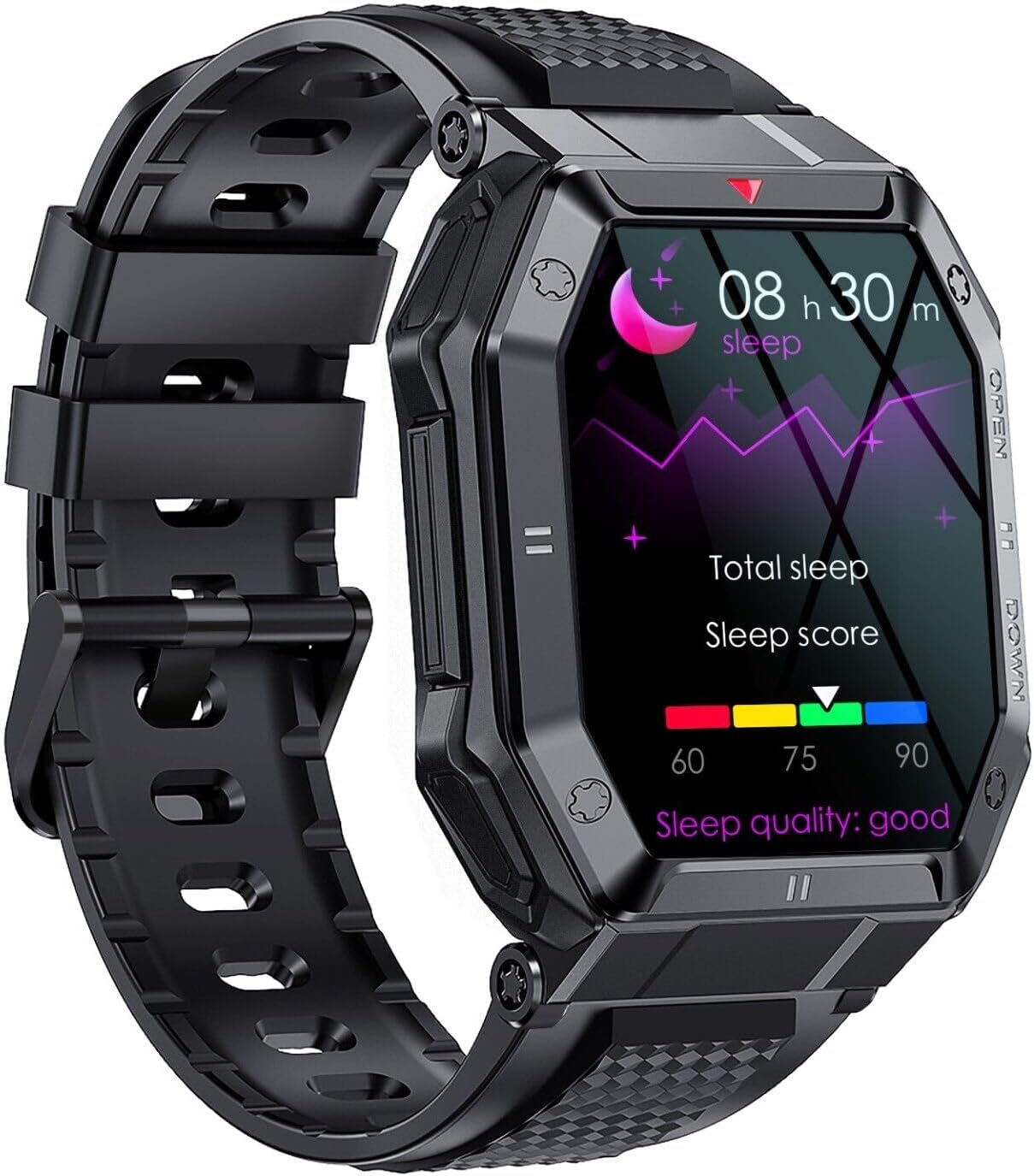
Image: Front view of the SGNICS K55 Smart Watch, displaying sleep tracking information including total sleep duration and a sleep score, with a moon icon indicating sleep mode.

Image: A man wearing the SGNICS K55 Smart Watch on his wrist. The watch display shows a call interface with a phone number, and another watch face with a skull design is visible in the foreground, illustrating customization options.

Image: Three SGNICS K55 Smart Watches in black, beige, and green, displayed side-by-side. Text overlays highlight key features: 'More than 20 multiple sport modes', '1.85 inch IPS HD screen', and '350mAh big battery Super long standby time 20days'.

Image: Close-up of the back of the SGNICS K55 Smart Watch, clearly showing the PPG biotrack sensor. In the blurred background, a person is seen hiking, suggesting outdoor use.

Image: A vertical collage of three watch screens. The top screen shows 'Bloox oxygen' (Blood oxygen) levels, the middle screen displays '24 hours heart rate monitor' data, and the bottom screen shows 'Sleep monitor' details, illustrating the watch's health tracking capabilities.

Image: The SGNICS K55 Smart Watch display showing a grid of various colorful app icons, representing features such as breathing exercises, message reminders, call rejection, SMS, alarm, music control, camera control, stopwatch, find phone, and weather report.
4. Setup
4.1. Charging the Device
Before initial use, fully charge your SGNICS K55 Smart Watch. Connect the provided charging cable to the watch's charging port and a standard USB power adapter (not included). The watch features a built-in 350mAh battery, which typically takes approximately 2 hours to fully charge. A full charge provides up to 5-7 days of active use and approximately 15 days of standby time.
4.2. App Installation and Pairing
To unlock the full functionality of your SGNICS K55 Smart Watch, you need to install the companion application on your smartphone (Android or iOS). Refer to the quick start guide included in the package for the specific app name and QR code for download. Once installed:
- Enable Bluetooth on your smartphone.
- Open the companion app and follow the on-screen instructions to create an account or log in.
- Select 'Add Device' or 'Pair Device' within the app.
- The app will search for your SGNICS K55 Smart Watch. Select your watch from the list of available devices.
- Confirm the pairing request on both your watch and smartphone.
- Ensure the watch's audio Bluetooth is also connected for call and music playback features.
5. Operating Instructions
5.1. Basic Navigation
The SGNICS K55 Smart Watch features a touch-sensitive display and physical buttons for navigation. Swipe left, right, up, or down on the screen to access different menus and functions. Press the side buttons to return to the home screen or access specific features as configured.
5.2. Call Functionality
Once successfully paired via Bluetooth (including audio Bluetooth), your SGNICS K55 Smart Watch can make and receive calls directly. You can also play music through the watch's high-quality speakers. Access the call log or dial pad from the watch's menu.
5.3. Sports Modes and Fitness Tracking
The watch supports over 20 sports modes, including:
- Walking
- Running
- Basketball
- Football
- Cycling
- Rope Skipping
- Mountain Climbing
- And more.
Select your desired sport mode before starting an activity. The watch will track relevant data such as steps, distance, calories burned, and heart rate. This data is uploaded to the companion app, allowing you to set and monitor your fitness goals.
5.4. Health Monitoring
The SGNICS K55 Smart Watch provides 24-hour real-time activity tracking and health monitoring features:
- Heart Rate Monitoring: Continuously monitors your heart rate, providing data and warnings for unusually high or low rates, and automatically recognizing irregular heartbeats.
- Sleep Tracking: Automatically detects and records your sleep quality, including light, deep, and awake statuses.
- Blood Oxygen Monitoring: Measures your blood oxygen saturation levels.
Important Note: The health monitoring functions of this device are for reference purposes only and cannot be compared with professional hospital equipment. This is not a medical device and should not be used for medical diagnosis or treatment.
5.5. Other Features
The watch offers additional useful functions to enhance your daily life:
- Weather Forecasts
- Alarm Clocks
- Camera Controller (remote shutter for your phone's camera)
- Music Control (play, pause, skip tracks on your phone)
- Sedentary Reminder
- Find Phone function
- SMS and App Message Reminders
6. Maintenance
6.1. Cleaning
Regularly clean your watch and band to prevent skin irritation and maintain functionality. Use a soft, damp cloth to wipe the watch face and body. For the band, follow the manufacturer's recommendations for the specific material. Avoid using harsh chemicals or abrasive materials.
6.2. Water Resistance Guidelines
The SGNICS K55 Smart Watch is designed with water resistance suitable for daily activities such as washing hands and jogging in the rain. However, it is not suitable for:
- Swimming
- Diving
- Showering
- Sauna use
Exposure to hot water, steam, or high-pressure water jets can compromise the watch's water resistance. Do not operate the watch's buttons while it is wet.
7. Troubleshooting
If you encounter issues with your SGNICS K55 Smart Watch, please try the following common troubleshooting steps:
- Watch not turning on: Ensure the watch is fully charged. Connect it to the charging cable and allow it to charge for at least 30 minutes before attempting to power it on again.
- Unable to pair with smartphone: Make sure Bluetooth is enabled on your phone and the watch. Ensure the watch is within range of your phone. Try restarting both the watch and your phone. If the issue persists, try unpairing and re-pairing the device through the companion app.
- Inaccurate health data: Ensure the watch is worn snugly on your wrist, not too tight or too loose. Clean the sensor on the back of the watch. Remember that health data is for reference only and not for medical purposes.
- Notifications not received: Check your phone's app settings to ensure notification permissions are granted for the companion app. Verify that the watch is properly connected via Bluetooth.
- Short battery life: Reduce screen brightness, disable unnecessary features, and ensure background app usage is minimized.
For further assistance, please refer to the support information provided in Section 9.
8. Specifications
| Brand | SGNICS |
| Model Name | K55 |
| Color | Black |
| Material | Alloy (Case: Aluminum) |
| Connectivity Technology | Bluetooth |
| Special Feature | Heart Rate Monitor |
| Compatible Devices | Smartphone (Android/iOS) |
| Water Resistance Level | Waterproof (for daily use, not swimming/diving) |
| Battery Capacity | 350mAh |
| Charging Time | Approx. 2 hours |
| Usage Time | 5-7 days (active use), 15 days (standby) |
9. Warranty and Support
Your SGNICS K55 Smart Watch is covered by a 60-day warranty from the date of purchase. This warranty covers manufacturing defects under normal use. It does not cover damage caused by misuse, accidents, unauthorized modifications, or failure to follow the instructions in this manual.
For warranty claims or technical support, please contact your retailer or the SGNICS customer service team through the contact information provided with your purchase or on the official SGNICS website. Please have your purchase receipt and product model number (K55) ready when contacting support.