
Lgnitek MT500
Lgnitek Smartwatch MT500 User Manual
Model: MT500
Brand: Lgnitek
Introduction
Welcome to the user manual for your new Lgnitek Smartwatch MT500. This guide provides detailed instructions on how to set up, operate, and maintain your smartwatch, ensuring you get the most out of its advanced features. The Lgnitek MT500 is designed to enhance your daily life with comprehensive health monitoring, smart notifications, and convenient communication capabilities.

Figure 1: Lgnitek Smartwatch MT500
What's in the Box
Upon unboxing your Lgnitek Smartwatch MT500, please verify that all the following items are included:
- 1 x Smartwatch
- 1 x Charging Cable
- 1 x User Manual (Deutsch) - This document serves as the English version.

Figure 2: Package Contents
Product Features
EKG & HRV Monitoring
The smartwatch features an EKG function that captures bioelectrical heart signals, allowing you to view EKG data within 60 seconds. It also provides continuous dynamic heart rate variability (HRV) monitoring. Please note that health data from the smartwatch is for reference only and has no medical value.
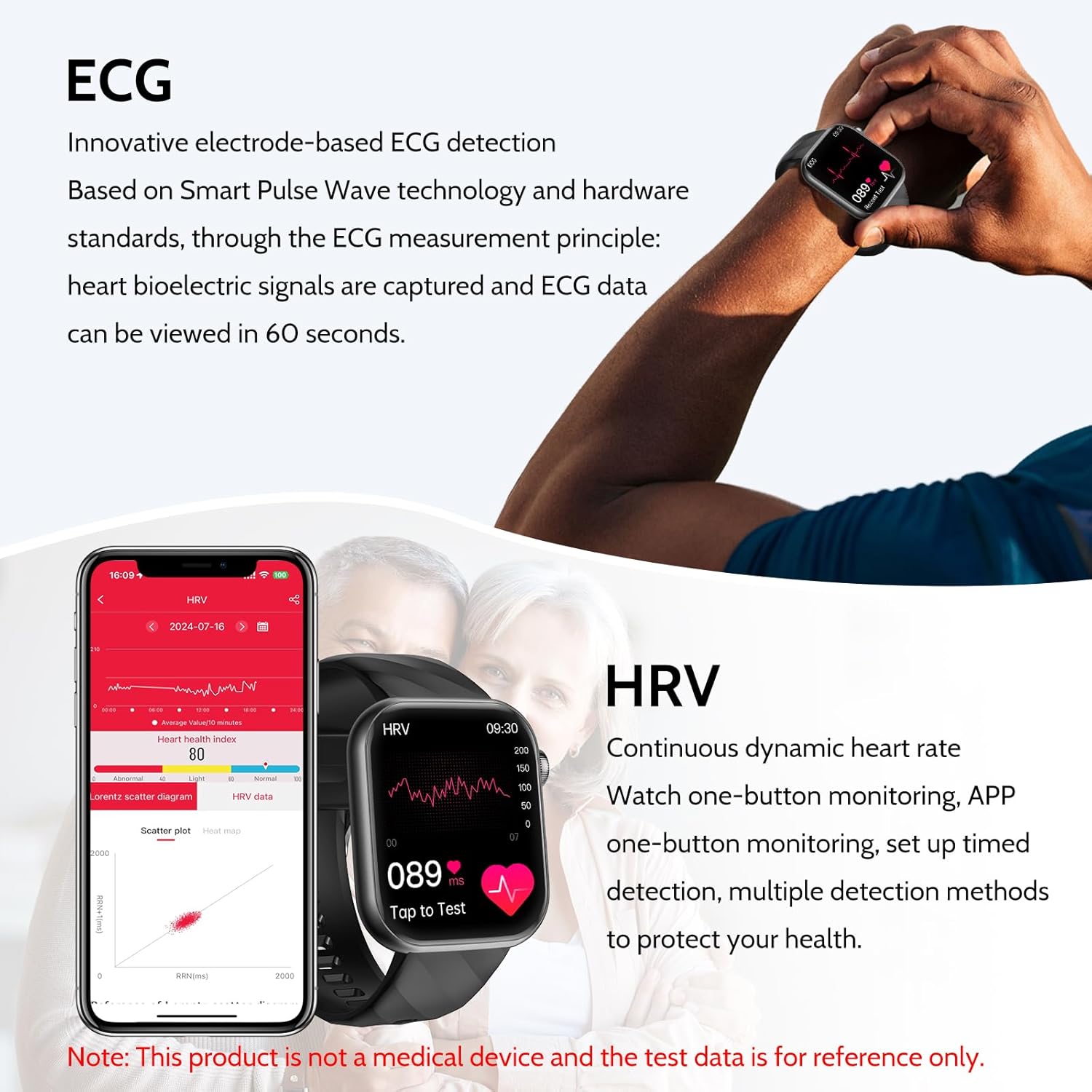
Figure 3: EKG Measurement on Smartwatch
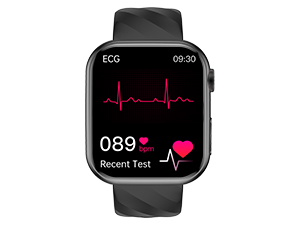
Figure 4: EKG & PPG Monitoring

Figure 5: HRV Monitoring
Figure 6: HRV-Lorenz Analysis
BMI / Lipid Monitoring
The smartwatch can detect uric acid and blood lipids in real-time, providing reminders to help prevent diseases caused by high uric acid levels in the blood. It also offers a 24-hour monitoring function for accurate tracking of your blood pressure, blood oxygen, blood sugar, heart rate, body temperature, and sleep status. This helps you better understand your overall health condition. [For reference only, no medical value]
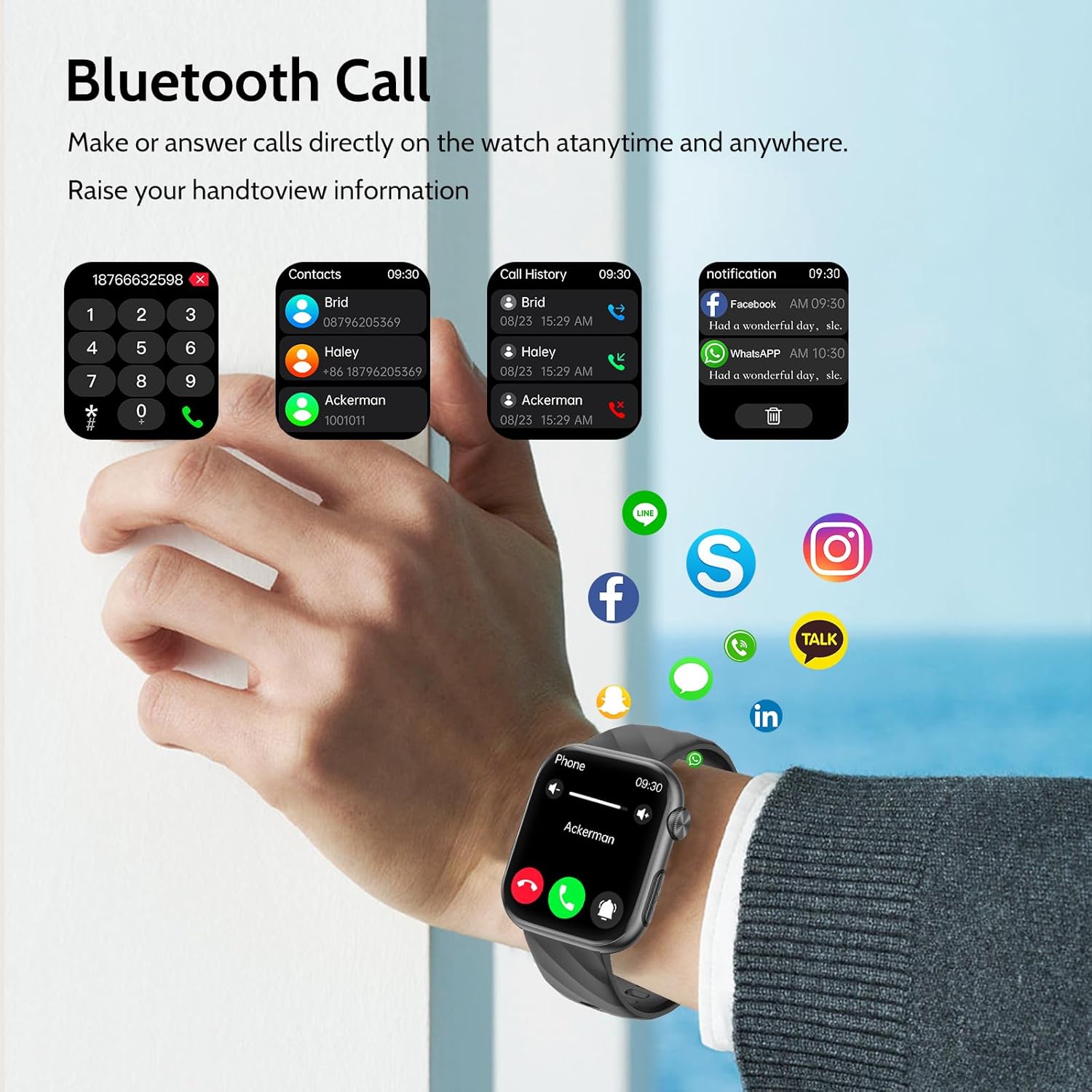
Figure 7: Body Composition and Blood Components
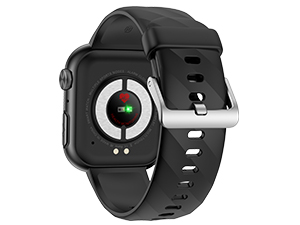
Figure 8: Uric Acid/Blood Lipid Monitoring
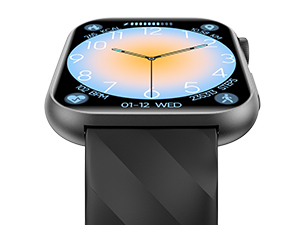
Figure 9: Body Composition Evaluation
Bluetooth Calls & Smart Notifications
The smartwatch offers stable calls, notifications, and data transfer via Bluetooth 5.3. You can receive messages from numerous apps without needing to reach for your phone. Answer and make calls, add contacts, and view call history directly on your smartwatch. Never miss an important call or message again, especially while driving or exercising.

Figure 10: Bluetooth Call Interface

Figure 11: Bluetooth 5.3 Connectivity
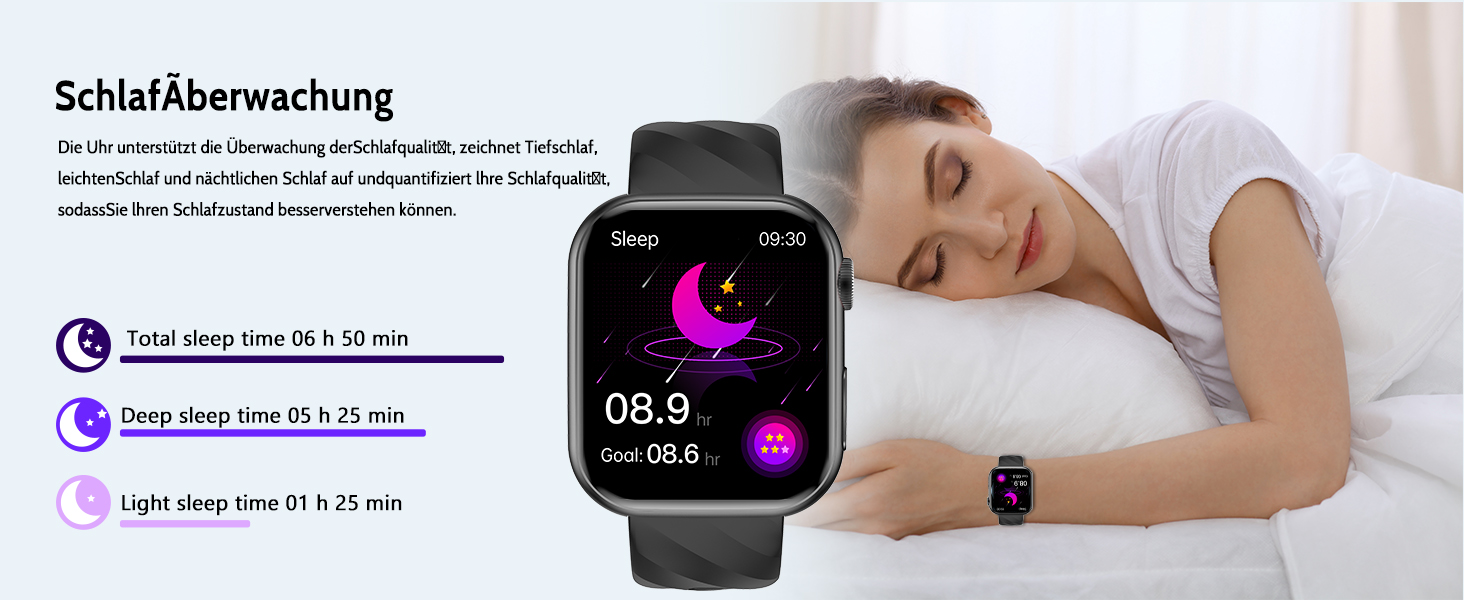
Figure 12: Message Notifications
Health & Fitness Tracking
This fitness watch features a precise gravity sensor for tracking steps, distance covered, and calories. You can select your desired training mode from over 50+ sports modes. It also includes breathing exercise and female menstrual cycle reminder functions to help you reduce stress and better regulate a healthy lifestyle. The watch also offers new emotion and fatigue detection functions that can recognize user mood swings and fatigue, allowing you to adjust your work and rest schedule in a timely manner and maintain a balance between body and mind.
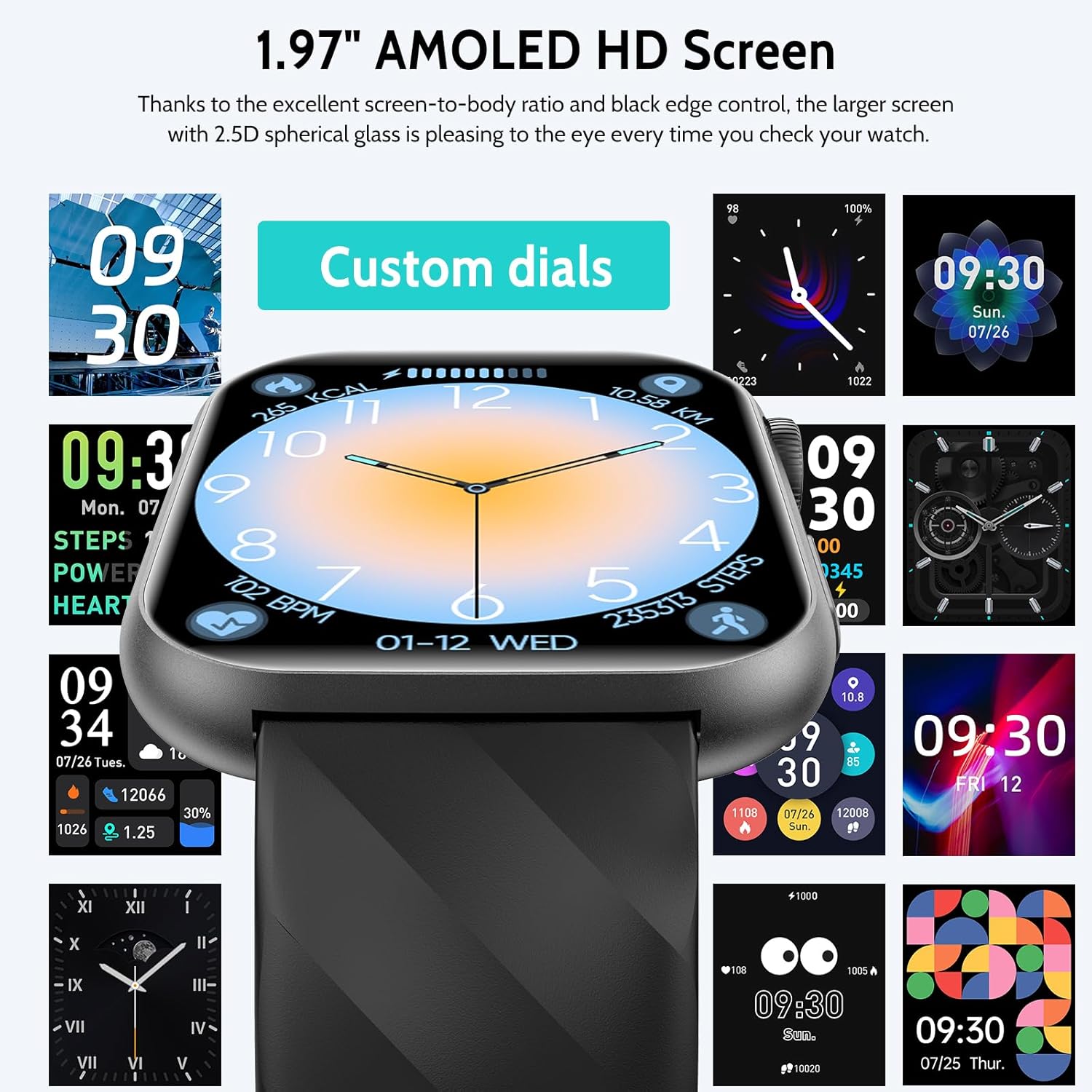
Figure 13: New Smart Health Management

Figure 14: 24/7 Health Monitoring

Figure 15: 50+ Sport Modes Fitness Tracker

Figure 16: MET Monitoring
1.97" AMOLED HD Touchscreen & Customization
The smartwatch features a 1.97-inch HD touchscreen with 390 x 450 resolution for vivid images and sensitive control. AMOLED technology provides higher contrast and deeper blacks, while saving energy and extending battery life. The image is vibrant and clearly visible, and it comes with an extra screen protector. You can also customize your watch with over 150+ DIY watch faces.
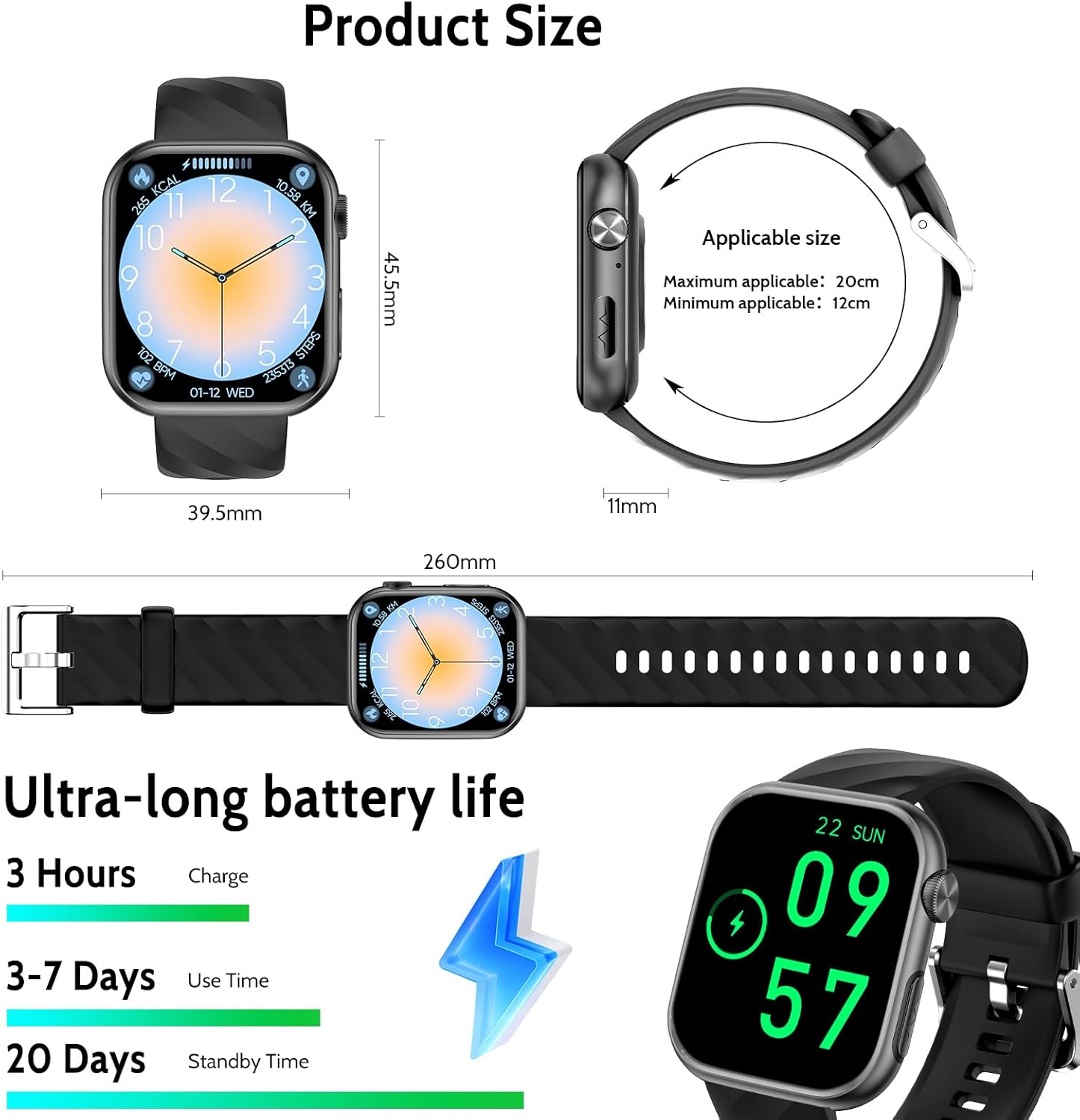
Figure 17: Customizable Watch Faces

Figure 18: 150+ DIY Dials
Ultra-long Battery Life
The sports watch is equipped with a 325 mAh battery, offering up to 20 days of standby time and 3-7 days of normal use. A full charge takes approximately 3 hours.

Figure 19: Battery Life Overview
Other Useful Functions
The smartwatch includes various practical functions such as an AI voice assistant (for asking questions, playing music, setting alarms/timers, checking weather), menstrual tracking, breathing exercises, heart rate alerts, calculator, games, alarm clock, and sedentary reminders.

Figure 20: Additional Smartwatch Functions
Setup
Connecting to the App
To fully utilize your Lgnitek Smartwatch MT500, you need to connect it to the companion app (referred to as 'H-Band' in the instructions, or 'VeriFit' as mentioned in some reviews).
- Download the 'H-Band' app from your smartphone's App Store (iOS) or Google Play Store (Android).
- Ensure Bluetooth is enabled on your mobile phone.
- Open the 'H-Band' App. The app will scan for nearby devices. Find 'MT500' in the list and select it to connect.
- After successful pairing, your watch will be able to receive and make direct calls.

Figure 21: Connecting the Watch to the App
Bluetooth Connection Tips
- Ensure Bluetooth is Activated: Please make sure Bluetooth is enabled on both your smartphone and your smartwatch. Some devices automatically disable Bluetooth in power-saving mode; ensure your device is not in this mode.
- Keep Devices Nearby During Pairing: It is recommended to keep the smartwatch and smartphone within one meter during the pairing and connection process to avoid connection errors due to long distances.
- Avoid Connecting Multiple Devices Simultaneously: Some smartwatches may experience issues when connected to multiple Bluetooth devices at once. It is recommended to connect only one smartphone at a time.
- Check System Compatibility: Ensure your smartphone's operating system version is compatible with the smartwatch's Bluetooth version (e.g., iOS 10.0 or higher, Android 5.0 or higher).
- Regular Disconnection and Reconnection: If your smartwatch experiences connection problems or synchronization delays, try disconnecting and reconnecting the Bluetooth connection or restarting the devices.

Figure 22: Bluetooth Connection Best Practices
Operating Instructions
How to Measure EKG
- Locate the EKG button on your smartwatch.
- Press and hold the EKG button with your finger until the test is complete (approximately 60 seconds).
- You can view the immediate result on the watch screen.
- For specific details and historical data, view the results within the companion app.

Figure 23: EKG Measurement Guide
How to Set Up SOS Emergency Call
The smartwatch features an SOS emergency call function for critical situations.
- In the companion app, navigate to 'My Device' and click on 'MT500'.
- Then, click on 'Contacts'.
- First, add your emergency contacts. After adding, click on 'SOS' to activate the emergency contact feature (it will turn red).
- On the watch, long press the On/Off button. Slide the option to the right to 'SOS'.
- You can now initiate an SOS emergency call from your smartwatch.

Figure 24: SOS Emergency Call Setup
Sleep Monitoring
The watch supports comprehensive sleep quality monitoring. It records deep sleep, light sleep, and nocturnal sleep, and quantifies your sleep quality to help you better understand and improve your sleep patterns.

Figure 25: Sleep Monitoring Feature
Maintenance
To ensure the longevity and optimal performance of your Lgnitek Smartwatch MT500, please follow these maintenance guidelines:
- Cleaning: Regularly wipe the watch screen and strap with a soft, dry cloth. For stubborn dirt, a slightly damp cloth can be used, but ensure no moisture enters the device.
- Charging: Use only the provided charging cable. Avoid using damaged cables or chargers. Do not charge the watch in wet conditions.
- Storage: Store the smartwatch in a cool, dry place away from direct sunlight and extreme temperatures.
- Water Resistance: While the watch may have some water resistance, avoid prolonged submersion or exposure to high-pressure water (e.g., showering, swimming) unless explicitly stated in product specifications.
- Avoid Impacts: Protect the watch from drops and impacts, which can damage the screen or internal components.
Troubleshooting
If you encounter any issues with your Lgnitek Smartwatch MT500, please refer to the following common troubleshooting steps:
- Connection Issues: If the watch fails to connect to your smartphone, ensure Bluetooth is enabled on both devices, they are within range (approx. 1 meter), and no other devices are interfering. Try restarting both the watch and your phone. Refer to the Bluetooth Connection Tips section for more details.
- Inaccurate Health Readings: Remember that health data (EKG, blood pressure, blood oxygen, etc.) is for reference only and not for medical diagnosis. Ensure the watch is worn correctly and snugly on your wrist for the most accurate readings possible.
- Battery Draining Quickly: Reduce screen brightness, disable unnecessary notifications, and limit continuous health monitoring if not needed. Ensure the watch is fully charged using the provided cable.
- Screen Unresponsive: Try restarting the watch by long-pressing the power button. If the issue persists, ensure the screen is clean and dry.
- App Synchronization Problems: Ensure the app is updated to the latest version. Check your phone's app permissions to ensure the app has access to Bluetooth and location services.
If these steps do not resolve your issue, please contact customer support.
Specifications
| Feature | Detail |
|---|---|
| Model Number | MT500 |
| Brand | Lgnitek |
| Display Size | 1.97 inches (5.1 cm visible diagonal) |
| Display Type | AMOLED HD Touchscreen |
| Battery Capacity | 325 mAh Lithium-Polymer |
| Battery Life (Normal Use) | 3-7 Days |
| Battery Life (Standby) | Up to 20 Days |
| Charging Time | Approx. 3 Hours |
| Connectivity | Bluetooth 5.3 |
| Storage Capacity | 128 MB |
| GPS | GPS via Smartphone |
| Shape | Rectangular |
| Special Feature | Always-on display |
| Country of Origin | China |
| Package Dimensions | 16.2 x 10.8 x 1.9 cm; 150 grams |
Important Notes & Disclaimer
Disclaimer: The health data provided by this smartwatch (including EKG, HRV, uric acid, blood lipids, blood pressure, blood oxygen, blood sugar, heart rate, body temperature, and sleep status) is for reference purposes only and should not be used for medical diagnosis, treatment, or prevention of any disease. It is not a medical device. Always consult with a qualified healthcare professional for any health concerns or medical advice.
Support & Warranty
Lgnitek is committed to providing excellent customer service. If you have any questions, encounter issues, or require support regarding your Smartwatch MT500, please do not hesitate to contact us. We aim to respond to all inquiries within 12 hours.
For contact information, please refer to the product packaging or the official Lgnitek website.