1. Introduction
The Chatthen eMylo CSAG333 WiFi Temperature and Humidity Sensor is designed to monitor environmental conditions in your home or other spaces. This device provides real-time temperature and humidity data, offers smart alerts, and supports data logging and calibration through a compatible mobile application. It integrates with popular smart home platforms for voice control and scene automation.

Image 1.1: The eMylo CSAG333 WiFi Temperature and Humidity Sensor.
2. Product Overview
Key Features:
- High Accuracy: Temperature range -20℃~60℃ with ±0.1℃ precision; Humidity range 0%~100%RH with ±1%RH precision.
- Smart APP Monitoring: Compatible with Smart Life and Tuya Smart apps for remote monitoring, hourly/daily/monthly/annual data recording, and email export.
- Data Calibration: Supports temperature and humidity data calibration within the app to ensure accuracy.
- Intelligent Notifications: Set custom temperature and humidity ranges to receive instant warning notifications on your smartphone if thresholds are exceeded.
- Voice Control: Integrates with Amazon Alexa and Google Assistant for convenient voice queries of current temperature and humidity.
- Compact and Durable Design: Small form factor (7.1 x 2.5 x 2.0 cm, 42g) with low power consumption, offering a battery life of at least 2 years.
- Flexible Placement: Includes a lanyard and adhesive for versatile mounting options.
What's in the Box:
- eMylo CSAG333 WiFi Temperature and Humidity Sensor
- 2 x AAA Batteries (pre-installed with pull tab)
- Lanyard
- Adhesive tape

Image 2.1: Overview of the sensor and its key functionalities.
3. Setup
3.1 Battery Installation
- Locate the battery compartment on the back of the device.
- Remove the battery pull tab to activate the pre-installed 2 AAA alkaline batteries.
- Ensure the compartment cover is securely closed.
3.2 App Download and Pairing
- Download the Smart Life or Tuya Smart application from your smartphone's app store (available on iOS and Android).
- Register or log in to your account.
- Ensure your smartphone's Wi-Fi and Bluetooth are enabled. The device supports 2.4GHz Wi-Fi networks.
- Open the app and tap the "Add Device" or "+" icon. The app should automatically detect the sensor. If not, select "Add Manually" and choose "T&H Sensor" or a similar category.
- Follow the on-screen instructions to connect the sensor to your Wi-Fi network. This typically involves confirming the device is in pairing mode (indicated by a blinking light) and entering your Wi-Fi password.
- Once successfully paired, the sensor will appear in your device list within the app.
Video 3.1: This video demonstrates the process of downloading the app, enabling Wi-Fi and Bluetooth, and pairing the eMylo sensor with the Smart Life/Tuya Smart application. It shows the steps for successful device connection and initial setup.
3.3 Placement
The sensor can be placed in various locations using the provided accessories:
- Adhesive Tape: Use the adhesive tape to mount the sensor on a clean, flat surface such as a wall or refrigerator.
- Lanyard: Hang the sensor using the lanyard on a hook or in a wardrobe.
- Magnetic Attachment: The sensor features a soft magnet on its back, allowing it to be adsorbed onto metallic surfaces like a refrigerator.
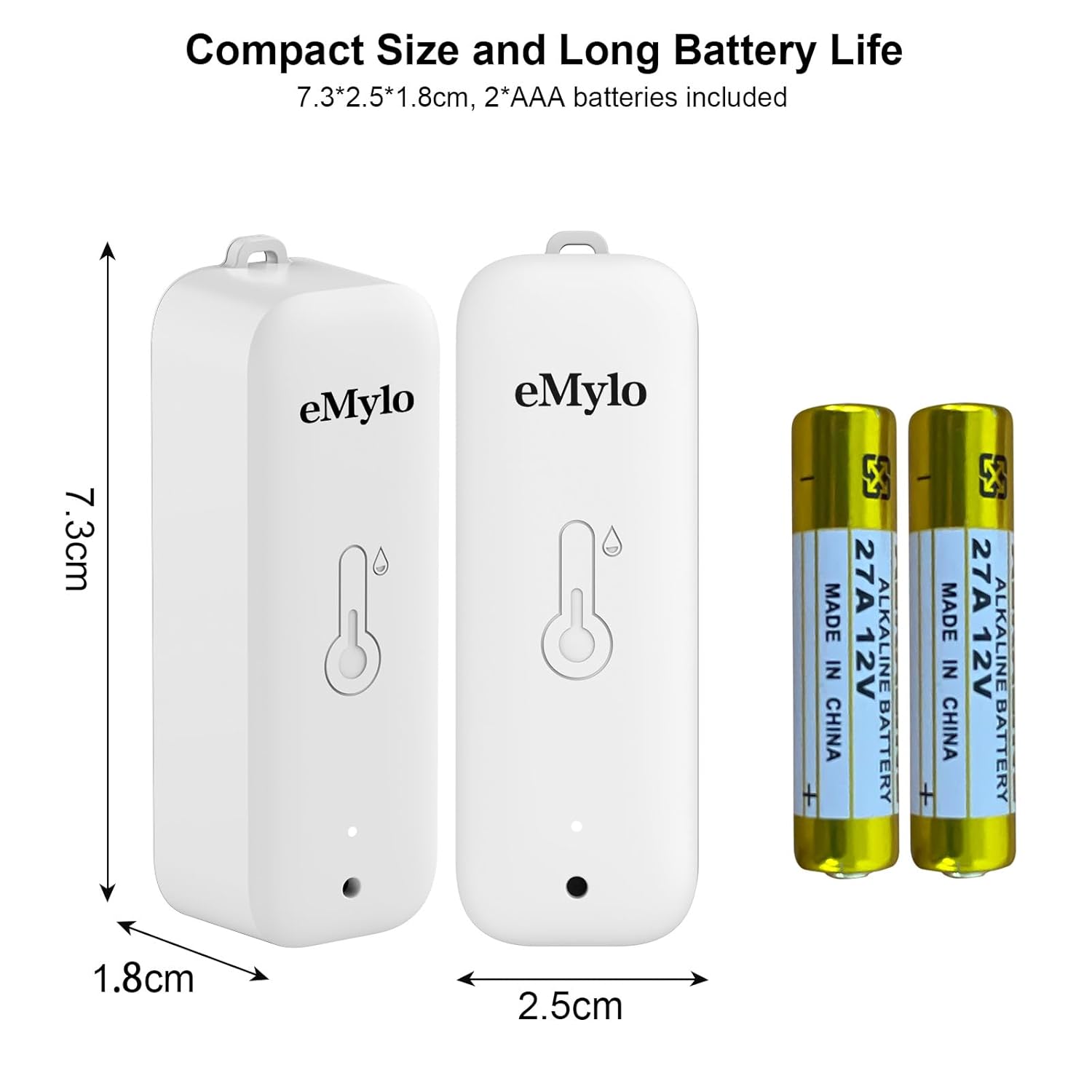
Image 3.1: The compact size of the sensor and its battery type (2*AAA batteries included).
4. Operating Instructions
4.1 Remote Monitoring and Data Logging
Once connected to the app, you can view real-time temperature and humidity data from anywhere. The app automatically records data hourly, daily, monthly, and annually, allowing you to track environmental changes over time. Historical data can be exported via email for further analysis.

Image 4.1: The mobile application interface displaying real-time temperature and humidity readings and historical data graphs.

Image 4.2: Illustration of data flow from the sensor to the Smart Life app and then to a laptop for data export.
4.2 Smart Alerts
Configure custom temperature and humidity thresholds within the app. If the measured values exceed or fall below these set ranges, the app will send an immediate warning notification to your smartphone, helping you maintain optimal conditions for your home, pets, or plants.

Image 4.3: An example of a smart alert notification received on a smartphone when temperature exceeds the set range.
4.3 Data Calibration
To ensure the highest accuracy, the app allows you to calibrate both temperature and humidity readings. Access the calibration settings within the device's interface in the app and adjust the values as needed based on a reference instrument.

Image 4.4: The sensor's high accuracy and the app's support for data calibration.
4.4 Voice Control
Integrate the sensor with Amazon Alexa or Google Assistant. You can then use voice commands to inquire about the current temperature and humidity. For example, say "Alexa, what's the temperature of [device name]?" or "Hey Google, what's the humidity in [device name]?"

Image 4.5: Voice control functionality with Alexa and Google Assistant.
4.5 Scene Linking
The sensor can be used to trigger smart scenes with other compatible devices. For instance, if the temperature rises above a certain point, you can set up an automation to turn on a smart fan or air conditioner. Similarly, if humidity drops, a humidifier can be activated.
5. Maintenance
5.1 Battery Replacement
The sensor is designed for low power consumption, providing a battery life of approximately 2 years. When the battery level is low, the app will notify you. To replace the batteries:
- Open the battery compartment cover.
- Remove the old AAA batteries.
- Insert two new AAA alkaline batteries, ensuring correct polarity.
- Close the battery compartment cover securely.
5.2 Cleaning
To maintain optimal performance, clean the sensor periodically. Use a soft, dry cloth to wipe the exterior. Do not use liquid cleaners or immerse the device in water.
6. Troubleshooting
- Device not connecting to app:
- Ensure your Wi-Fi network is 2.4GHz. The sensor does not support 5GHz Wi-Fi.
- Verify that your phone's Wi-Fi and Bluetooth are enabled.
- Check if the device is in pairing mode (blinking indicator light). If not, refer to the app's instructions for resetting the device to pairing mode.
- Ensure your Wi-Fi signal is strong where the sensor is located.
- Restart your router and try pairing again.
- Inaccurate readings:
- Ensure the sensor is not placed near heat sources, direct sunlight, or areas with high airflow (e.g., near vents or open windows) that could affect readings.
- Use the in-app calibration function to adjust temperature and humidity values if you have a reliable reference instrument.
- Check battery level; low batteries can sometimes affect sensor performance.
- App notifications not received:
- Verify that app notifications are enabled in your smartphone's settings.
- Ensure the sensor is connected to Wi-Fi and reporting data to the app.
- Check the alert thresholds set in the app to ensure they are configured correctly.
- Short battery life:
- While designed for long battery life, extreme temperatures or frequent data updates might slightly reduce it.
- Ensure you are using high-quality alkaline AAA batteries.
7. Specifications
| Manufacturer | Chatthen |
| Model Number | CSAG333 |
| Dimensions (L x W x H) | 7.3 x 2.5 x 1.8 cm |
| Weight | 50 grams |
| Power Source | 2 x AAA Alkaline Batteries (included) |
| Temperature Range | -20℃ to 60℃ |
| Temperature Accuracy | ±0.1℃ |
| Humidity Range | 0% to 100%RH |
| Humidity Accuracy | ±1%RH |
| Connectivity Technology | Wi-Fi (2.4GHz) |
| Compatible Apps | Smart Life, Tuya Smart |
| Voice Assistant Compatibility | Amazon Alexa, Google Assistant |
| Special Features | High precision, Data logging, Calibration, Smart alerts |
| Material | Plastic |
| Certifications | CE |
8. Warranty and Support
8.1 Return Policy
This product is typically covered by a 30-day return policy for refund or replacement, subject to the retailer's terms and conditions.
8.2 Customer Support
For any technical assistance, troubleshooting, or warranty inquiries, please contact Chatthen customer support through the retailer's platform or their official website. Please have your product model number (CSAG333) and purchase details ready when contacting support.

