
Marsail TZESD7V-N1-US
Marsail TZESD7V-N1-US Rustic Standing Desk User Manual
Model: TZESD7V-N1-US
Introduction
Thank you for choosing the Marsail TZESD7V-N1-US Rustic Standing Desk. This manual provides essential information for the proper setup, operation, and maintenance of your new desk. Please read it thoroughly before assembly and use to ensure optimal performance and longevity of the product.

Image: The Marsail TZESD7V-N1-US Rustic Standing Desk, highlighting its spacious 40x29 inch surface, suitable for various activities. The image shows a person sitting on the desk, with a laptop and a monitor, demonstrating its robust construction.
Product Features
- One-touch Adjustment: Seamlessly switch between sitting and standing positions with a single touch. The desk supports up to four custom height presets, allowing for personalized ergonomic settings. The height range is from 27.5 to 46.7 inches, accommodating various user heights.
- Spacious Work Surface: A generous 40x29 inch desktop provides ample room for work, study, writing, or creative projects, ensuring a productive and organized workspace.
- Multifunctional Side Storage Pocket: Includes a double-layered side pocket for convenient storage of folders, notebooks, and office supplies, helping to keep your desktop clutter-free.
- Stable and Quiet Operation: Equipped with an energy-efficient motor that operates below 50 dB, ensuring smooth and quiet height adjustments. The solid steel frame provides wobble-free stability even at maximum load.
- Certified Desktop: The desktop meets strict environmental and health standards, including CARB certification, ensuring low formaldehyde and VOC emissions for a safer indoor environment.

Image: The Marsail TZESD7V-N1-US Rustic Standing Desk integrated into a home office environment, demonstrating its aesthetic appeal and functional design with a computer setup and organized accessories.
Setup and Assembly
Assembly of the Marsail TZESD7V-N1-US desk is required. Please follow the instructions provided in the separate assembly guide included with your package. Ensure all components are present before beginning assembly.
Before You Begin:
- Unpack all components and verify against the parts list in the assembly guide.
- Clear a spacious area for assembly.
- Gather necessary tools (usually included or standard household tools).
- Ensure the power outlet is easily accessible for the desk's motor.
Key Assembly Steps (Refer to Assembly Guide for detailed steps):
- Attach the desk legs to the desktop.
- Connect the motor and control box according to the wiring diagram.
- Install the control panel in the designated slot.
- Attach the side storage pocket and headphone hook.
- Ensure all screws are tightened securely.

Image: A visual representation of the Marsail TZESD7V-N1-US Rustic Standing Desk's dimensions, indicating a desktop size of 48" x 24" and an adjustable height range from 27.5" to 46.7".
Operating Instructions
Adjusting Desk Height:
- Up/Down Buttons: Use the ▲ (Up) and ▼ (Down) buttons on the control panel to manually adjust the desk to your desired height.
- Memory Presets: The desk allows you to save up to four custom height settings.
- Adjust the desk to your preferred height using the Up/Down buttons.
- Press the "M" button. The display will show "S-".
- Press one of the numbered preset buttons (1, 2, 3, or 4) within 3 seconds. The height is now saved to that preset.
- To recall a saved height, simply press the corresponding numbered preset button. The desk will automatically move to the saved position.
Safety Precautions:
- Keep hands and objects clear of the moving parts (legs) during height adjustment.
- Do not overload the desk beyond its specified weight capacity (refer to specifications).
- Ensure cables are managed to prevent snagging during movement.
- Do not allow children to operate the desk unsupervised.

Image: This image illustrates the smooth height adjustment capability of the Marsail TZESD7V-N1-US Rustic Standing Desk, showcasing its versatility for both sitting (27.5") and standing (46.7") positions, accommodating different user preferences.
Maintenance
- Cleaning: Wipe the desktop and legs with a soft, damp cloth. Avoid abrasive cleaners or harsh chemicals that could damage the finish.
- Regular Checks: Periodically check all screws and bolts to ensure they remain tight. Retighten if necessary.
- Cable Management: Ensure power cables and other cords are neatly managed and do not interfere with the desk's movement.
- Motor Care: The motor is designed for long-term use and requires minimal maintenance. Avoid spilling liquids on the control box or motor components.
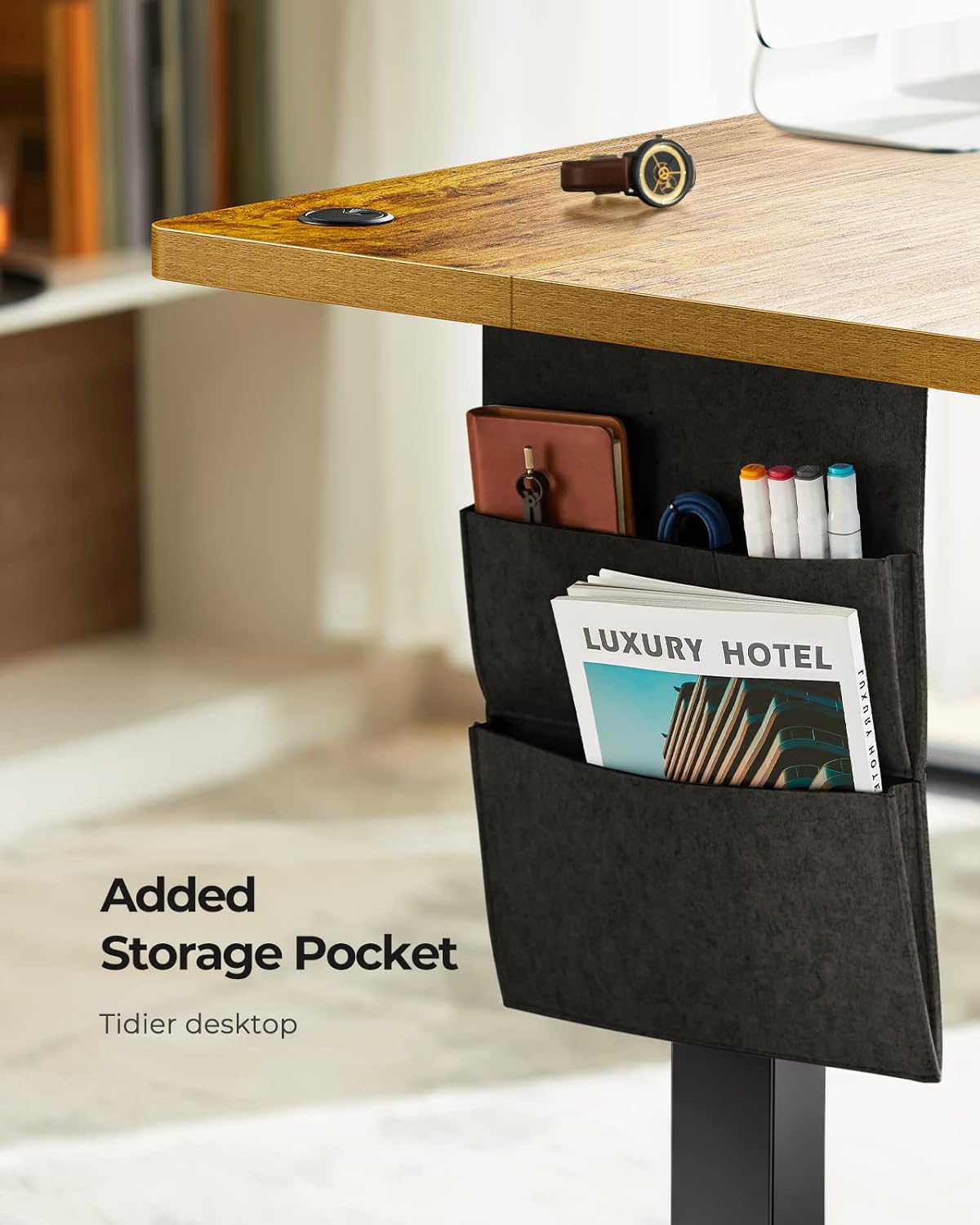
Image: A detailed view of the double-layered side storage pocket, designed to keep the desktop tidy by holding notebooks, pens, and other office essentials, enhancing organization and productivity.
Troubleshooting
| Problem | Possible Cause | Solution |
|---|---|---|
| Desk does not move. | Power cable disconnected; Overload; Motor error. | Check power connection. Reduce weight on desk. Unplug and replug power after 30 seconds to reset. |
| Desk moves unevenly. | Uneven load; Loose connections; Damaged leg. | Distribute weight evenly. Check all assembly connections. Contact customer support if a leg appears damaged. |
| Memory presets not working. | Incorrect saving procedure. | Refer to "Operating Instructions" for correct memory preset saving steps. |
| Unusual noise during operation. | Obstruction; Loose components. | Check for any obstructions under or around the desk. Ensure all screws are tight. |
If the problem persists after attempting these solutions, please contact Marsail customer support for further assistance.

Image: The Marsail TZESD7V-N1-US Rustic Standing Desk showcasing its sturdy T-shaped desk legs, which provide wobble-free stability, ensuring a firm and reliable workspace even when adjusted to standing height.
Specifications
| Brand | Marsail |
| Model | TZESD7V-N1-US |
| Desk Design | Standing Desk |
| Product Dimensions | 121.9D x 61W x 71.1H Centimetres (Approx. 48D x 24W x 28H inches) |
| Adjustable Height Range | 27.5 to 46.7 inches |
| Item Weight | 19.67 kg (Approx. 43.37 lbs) |
| Colour | Rustic |
| Finish Type | Laminated |
| Special Features | Adjustable, Adjustable Height, Compact, Electric, Ergonomic, Memory Presets, Side Storage Pocket, Headphone Hook |
| Assembly Required | Yes |
| Motor Noise Level | Below 50 dB |
| Certifications | Meets US safe air standards (low VOC, CARB certified) |

Image: The Marsail TZESD7V-N1-US Rustic Standing Desk highlighting its certified desktop, which meets US safe air standards with low emission of VOCs, ensuring a healthier work environment.
Warranty and Support
For information regarding the product warranty, please refer to the warranty card included with your purchase or visit the official Marsail website.
If you require technical support, have questions about assembly, or need to report a defect, please contact Marsail customer service. Contact details can typically be found on the manufacturer's website or on the packaging.
Related documentsTZESD7V-N1-US


Ask a question about this manual
Ask about setup, troubleshooting, compatibility, parts, safety, or missing instructions. Manuals+ will review the question and use this page’s manual context to help answer it.