Introduction
The Radiolink T16D 16 Channels RC Transmitter and R16F Telemetry Receiver system offers advanced control and real-time data monitoring for a wide range of RC models. Designed for precision and user-friendliness, this manual provides essential information for setup, operation, and maintenance to ensure optimal performance and longevity of your device.
What's in the Box
- 1* T16D Transmitter
- 1* R16F Receiver
- 1* TF Card (Installed) + 1* Lanyard
- 1* Type-C Update Cable + 1* Hook and Spring
- 1* User Instruction + 1* Carrying Bag
Product Overview and Key Features
The Radiolink T16D is a versatile 16-channel RC transmitter designed for various models including drones, airplanes, cars, and boats. It boasts excellent anti-interference performance and stable transmission, offering a control range of up to 4km (2.5 miles) with a rapid 3ms response time across all channels.

Figure 1: Radiolink T16D Transmitter and R16F Receiver with included accessories.
External Module Support
The T16D supports mainstream long-range modules such as ELRS (ExpressLRS) and TBS Crossfire. Specific modules like TBS Crossfire Nano TX and BETAFPV ELRS Nano TX can be directly inserted for extended capabilities.

Figure 2: The T16D supports various external modules for enhanced functionality.
Customizable Voice Broadcast
Personalize your flight experience with the T16D's built-in speaker, allowing for custom voice alerts. This feature enhances user-friendliness by providing audible feedback for various functions.

Figure 3: Customizable voice broadcast provides audible alerts for different operational modes.
Real-Time Data Telemetry
When paired with the R16F receiver, the T16D provides real-time telemetry data, including signal strength, battery voltage, and receiver voltage, for continuous monitoring during operation.
Wide Applicability and Model Storage
The T16D is highly versatile, supporting a broad range of RC models including helicopters, fixed-wings, gliders, multi-rotors, racing drones, and more. It features extensive storage for up to 100 model data sets, making it easy to switch between different configurations.

Figure 4: The T16D is compatible with a wide array of RC vehicles and models.
Open-Source Simulator Support
Practice and refine your control skills with the T16D's compatibility with various open-source simulators like AeroFly, Uncrashed, Liftoff, Tryp FPV, FPV LogicV, and Velocidrone. No additional dongle is required, though firmware update to V1.7.1 is necessary for this function.

Figure 5: The T16D supports popular open-source flight simulators.
User-Friendly Interface and Multi-Language Support
Navigate settings easily with the 2.8-inch color screen and intuitive menu. The interface supports multiple languages, including English, German, French, Russian, Chinese, Japanese, Spanish, Korean, Thai, and Polish.

Figure 6: The T16D features a multi-language menu for user convenience.
Programmable Mix Control
The T16D offers 32 sets of programmable mix control, allowing advanced settings for all 16 channels. This includes multi-mixes for V-shaped tail models, Delta-wing mixes, rate/curve adjustments, which can be toggled ON/OFF.
Receiver Compatibility
The transmitter is compatible with a wide range of Radiolink receivers, including R16F, R12F, R8EF, R8SM, R8FM, R8XM, R8FG, R8FGH, R7FG, R6FG, R6F, and R4FGM.

Figure 7: The T16D is compatible with a broad selection of Radiolink receivers.
Setup
Binding the Receiver
The included R16F receiver is pre-bound to the T16D transmitter. If you need to bind this or any other compatible receiver, simply power on the receiver and press the bind button located on its side. If the transmitter is already on and on the correct model, the receiver will automatically connect and bind. No special binding mode is required on the transmitter.
Firmware Update
To ensure optimal performance and access to all features, including simulator support, it is recommended to update the T16D's firmware to the latest version (V1.7.1 or later). Connect the receiver to your computer via the USB-C port, hold the bind button, and plug it in. The receiver will appear as a drive. Download the latest firmware from the Radiolink website and drag it into the drive folder. Disconnect the receiver once the transfer is complete.
Battery Connection and Telemetry
The T16D supports various battery types, including 2S-4S LiPo batteries and 8*AA batteries. It also features a Type-C port for temporary power supply. For real-time battery voltage telemetry, connect a dual battery voltage lead to the designated port on the receiver. If no external voltage lead is connected, the transmitter may continuously alert you about low voltage. To disable this alarm, navigate to the receiver settings on the transmitter, go to 'Sensors', and turn off the 'EXT VOLTAGE ALARM' option.
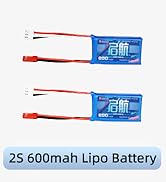
Figure 8: The T16D supports multiple battery types for flexible power options.
Operating
Control Functions
The T16D offers 16 fully-proportional channels for precise control. Ensure all control surfaces (ailerons, elevator, rudder) and throttle are functioning correctly. You can verify their movement and adjust reversals and end points in the transmitter's settings.
Flaps and Trim Adjustment
For models with flaps, ensure they are properly configured. You can adjust the travel and trim of the flaps to achieve the desired neutral position. This is crucial for stable flight and proper landing/takeoff characteristics.
Throttle Cutoff
The throttle cutoff feature is essential for safety, preventing accidental motor activation. This function can be configured in the transmitter's advanced settings under 'Throttle Hold'. Ensure the throttle is set to zero when the cutoff is active.
Auxiliary Channels and Switches
The T16D features various switches and knobs for auxiliary channel control. These can be assigned to different functions based on your model's requirements. It is important to consistently set up your radio for each model to avoid confusion and potential crashes during flight.

Figure 9: Detailed view of the T16D's interface and functions.
Maintenance
Regular maintenance ensures the longevity and reliability of your Radiolink T16D. Keep the transmitter and receiver clean and free from dust and moisture. Periodically check all connections and ensure the antennas are not damaged. Store the device in its carrying bag when not in use to protect it from physical damage.
Troubleshooting
Motor Beeping/Low Voltage Alarm
If your motor is beeping or the transmitter continuously alerts about low voltage, even with sufficient battery, it might be due to the external voltage alarm setting. Ensure you have connected a battery voltage lead to the receiver for telemetry. If you do not intend to use this feature, navigate to the transmitter's receiver settings, select 'Sensors', and turn off the 'EXT VOLTAGE ALARM' option. Additionally, ensure your firmware is updated to the latest version, as this can resolve various operational issues.
Specifications
- Product Dimensions: 6.86 x 4.21 x 8.15 inches
- Item Weight: 1.23 pounds
- Model Number: T16D
- Manufacturer Recommended Age: 14 years and up
- Batteries: 1 Lithium Polymer batteries required (not included)
- Manufacturer: Radiolink
Safety Information
Warning: Not suitable for kids below 14 years old.


