
Introduction
The INIU Portable Charger (Model P51-E2) is a compact and powerful 20,000mAh power bank designed to keep your devices charged on the go. Featuring 22.5W fast charging, multiple input/output ports, and a built-in emergency flashlight, it's an essential companion for travel and daily use. Its advanced safety features ensure reliable and secure charging for all your compatible devices.
What's in the Box
- INIU Power Bank (Model P51-E2) x 1
- 0.3M/1ft USB-A to USB-C Cable x 1
- User Manual x 1
Product Features
Compact Design & High Capacity
The INIU P51-E2 is engineered to be the market's smallest 20,000mAh power bank, making it incredibly portable without compromising on power. Despite its tiny size, it can charge an iPhone 16 up to four times and a Galaxy S23 three times.
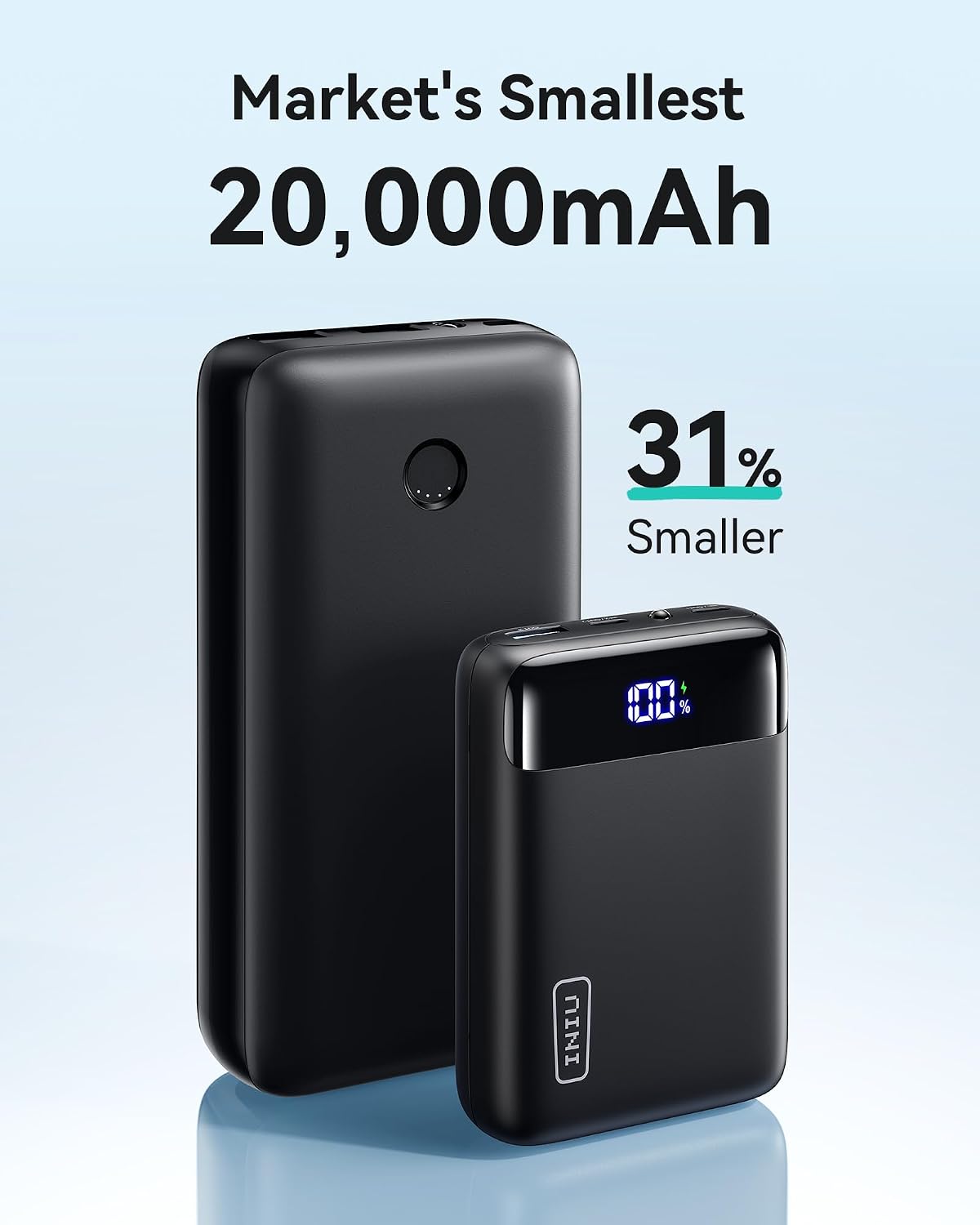
Image: The INIU P51-E2 (right) is significantly smaller than a typical 20,000mAh power bank (left), demonstrating its compact design.
Fast Charging Capability
Experience rapid charging with 22.5W output, allowing your devices to reach 75% power in just 25 minutes. The power bank itself can be fully recharged in approximately 1.7 hours with a 20W charging adapter (not included).

Image: An iPhone 15 being fast-charged by the INIU power bank, illustrating its 22.5W output.

Image: Visual representation of fast charging performance for various devices, including iPhone 15, Samsung S23, and iPad.
Versatile Compatibility
Equipped with two USB-C input/output ports and one USB-A output port, this power bank can charge a wide array of devices, from smartphones and tablets to camping lights and GPS devices. It also supports low-current device charging mode for smaller electronics like earbuds.

Image: A diagram illustrating the broad compatibility of the INIU power bank with different electronic devices.
Emergency Flashlight
A convenient built-in LED flashlight is included, providing illumination when needed. Double-press the power button to turn it on or off.
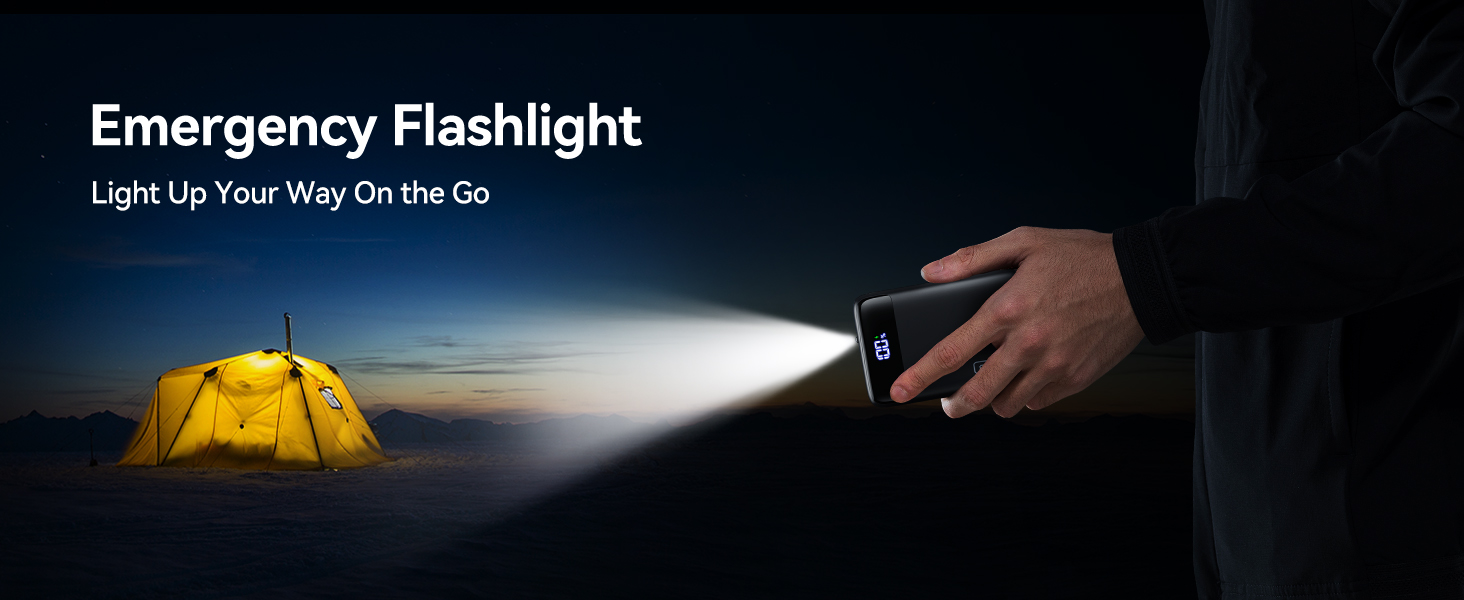
Image: The INIU power bank's emergency flashlight feature demonstrated in a low-light outdoor setting.
Setup
Initial Charging of the Power Bank
Before first use, fully charge your INIU Portable Charger. Connect the provided USB-A to USB-C cable (or any compatible USB-C cable) to one of the power bank's USB-C input/output ports and plug the other end into a suitable USB wall adapter (not included). The digital display will show the charging percentage, indicating progress.

Image: The INIU power bank connected to a wall adapter for recharging, showing its digital display.
Checking Power Level
Press the power button once to check the current battery percentage on the digital display.
Using the Flashlight
Double-press the power button to turn the built-in LED flashlight on or off.
Operating Instructions
Charging Your Devices
Connect your device to the power bank using a compatible USB cable. The INIU P51-E2 features:
- USB-C Input/Output Ports (x2): These ports support both charging the power bank and fast charging your USB-C compatible devices.
- USB-A Output Port (x1): This port is for charging your USB-A compatible devices.
The power bank will automatically detect your device and begin charging. The digital display will show the remaining battery percentage of the power bank.
Simultaneous Charging
You can charge up to three devices simultaneously using the available USB-C and USB-A ports. The power bank intelligently distributes power to ensure efficient charging for all connected devices.
Low-Current Device Charging Mode
For small devices that require low current (e.g., Bluetooth earbuds, smartwatches), the power bank supports a low-current charging mode. This prevents overcharging and ensures safe power delivery. Refer to your device's manual for specific charging requirements.
Demonstration Video: 22.5W Portable Charger
Video: A brief demonstration of the INIU Portable Charger's features and charging capabilities.
Maintenance
- Storage: Store the power bank in a cool, dry place away from direct sunlight and extreme temperatures.
- Cleaning: Use a soft, dry cloth to clean the surface of the power bank. Do not use harsh chemicals or abrasive materials.
- Battery Care: For optimal battery life, fully charge the power bank at least once every three months if not in regular use.
- Safety: Avoid dropping, crushing, or disassembling the device. Do not expose it to fire or incinerate. Follow all manufacturer's instructions and safety guidelines.
Troubleshooting
Power Bank Not Charging
- Ensure the charging cable is securely connected to both the power bank's input port and the wall adapter.
- Verify that the wall adapter is functioning correctly and provides sufficient power (20W recommended for fast recharge).
- Try a different USB-C cable or wall adapter.
Device Not Charging from Power Bank
- Press the power button on the power bank to activate charging.
- Ensure your device's charging cable is securely connected to both the power bank's output port and your device.
- Try a different output port on the power bank.
- Check if your device's charging port is clean and free of debris.
- If charging a low-current device, ensure it is compatible with the power bank's output.
Slow Charging
- Ensure you are using a fast-charging compatible cable and your device supports fast charging.
- Charging multiple devices simultaneously may reduce the charging speed for individual devices.
- Environmental factors (e.g., extreme temperatures) can affect charging efficiency.
Specifications
| Feature | Detail |
|---|---|
| Model Number | P51-E2 |
| Battery Capacity | 20000 Milliamp Hours (74Wh) |
| Product Dimensions | 2.8 x 4.1 x 1.2 inches |
| Item Weight | 13.4 ounces |
| Input (USB-C1/C2) | 5V=3A, 9V=2.22A, 12V=1.67A (20W Max) |
| Output (USB-C1/C2) | 5V=3A, 9V=2.22A, 12V=1.67A (22.5W Max) |
| Output (USB-A) | 5V=3A, 9V=2.0A, 10V=2.25A, 12V=1.5A (22.5W Max) |
| Fast Charging Protocol | PD3.0, PD2.0, QC3.0, QC2.0, PPS, AFC |
| Special Features | Mini Size, Ultra Small, Compact, LED Indicator Lights, Travel Essential, Pocket Size, Fast Charging |
Warranty and Support
INIU offers an industry-leading 3-year iNiu Care warranty and lifetime technical support for this product. For any inquiries or assistance, please contact INIU support.
Contact Support: support@iniu.shop
