
1. Overview
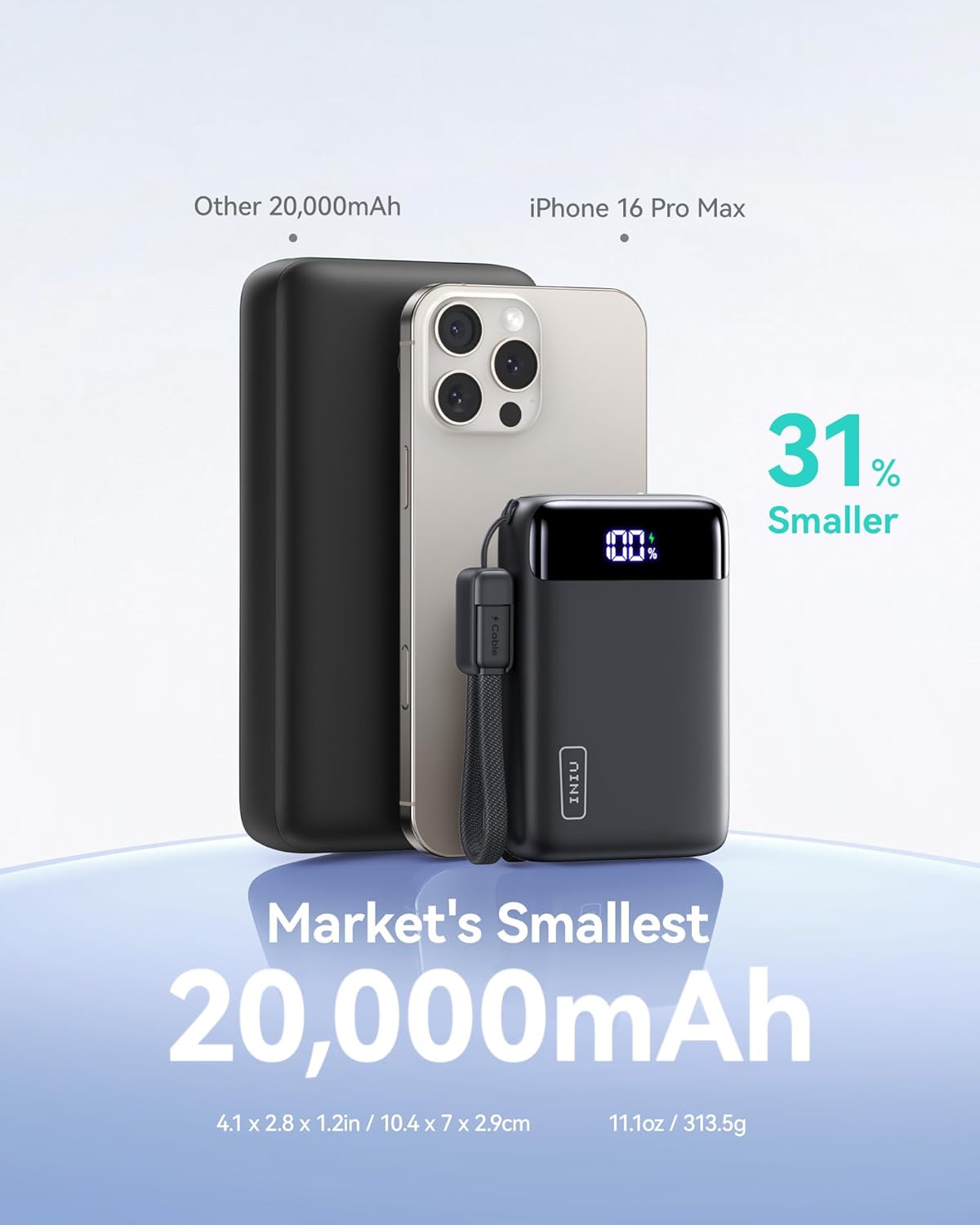
The INIU 20000mAh 22.5W Fast Charging Power Bank (Model P51) is designed to provide portable and efficient power for a wide range of electronic devices. Its compact size and high capacity make it ideal for travel and daily use.
This power bank features multiple charging ports, including USB-C for both input and output, and a USB-A output port, ensuring broad compatibility. The integrated LED display provides real-time battery status, and advanced safety features protect your devices during charging.
2. What's in the Box
- INIU 20000mAh Portable Charger (Model P51) x 1
- 0.3M/1ft USB-C to USB-C Cable x 1
- Travel Pouch x 1
- User Manual x 1
3. Product Features
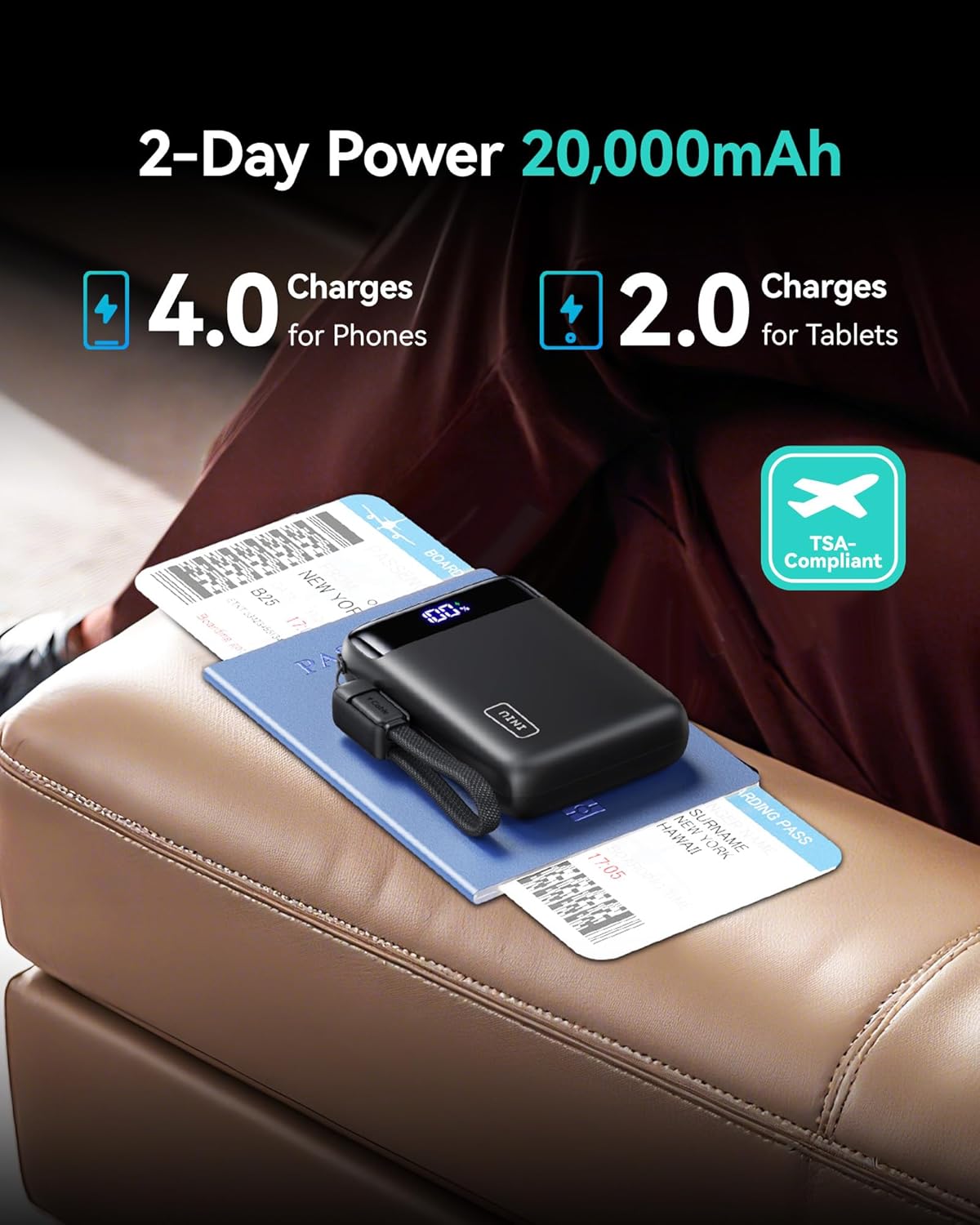
- High Capacity & Compact Design: The tiniest 20,000mAh power bank, measuring just 1.94" diagonally, capable of charging an iPhone 15 four times and a Galaxy S23 three times.
- Travel-Friendly: Easily fits into pockets, bags, and is TSA-compliant for air travel.
- 22.5W Fast Charging: Achieve 75% power in approximately 25 minutes for compatible devices.
- Versatile Connectivity: Equipped with 2 USB-C input/output ports and 1 USB-A output port.
- Low-Current Device Charging: Supports charging for small devices like smartwatches and earbuds.
- Digital Display: Clear LED screen shows the remaining battery percentage.
- Built-in Flashlight: Provides convenient illumination when needed.
- Advanced Safety: Features 18-Layer SmartProtect technology, passing ETL Safety Certification.
4. Setup
- Initial Charge: Before first use, fully charge the power bank using the provided USB-C to USB-C cable and a compatible wall adapter (not included). The LED display will show the charging progress.
- Check Battery Level: Press the power button once to view the current battery percentage on the LED display.
5. Operating Instructions
5.1 Charging the Power Bank
To recharge the INIU P51 Power Bank:
- Connect the provided USB-C to USB-C cable to one of the USB-C ports on the power bank.
- Connect the other end of the cable to a compatible USB wall charger (e.g., 22.5W or higher for fast charging, sold separately).
- The LED display will show the battery percentage increasing as it charges.
5.2 Charging Your Devices
The power bank can charge up to three devices simultaneously.
- Connect your device's charging cable to an available output port on the power bank (USB-C or USB-A).
- Connect the other end of the cable to your device.
- The power bank will automatically begin charging. The LED display will show the power bank's remaining charge.
Fast Charging Compatibility:
For 22.5W fast charging, ensure your device and cable support PD 3.0 or QC 4.0 protocols. The power bank will automatically detect and deliver the optimal charging speed.
5.3 Low-Current Device Charging Mode
For devices requiring lower charging currents (e.g., smartwatches, Bluetooth earbuds):
- Press and hold the power button for approximately 3 seconds to activate low-current mode.
- Connect your low-current device.
- To exit low-current mode, press and hold the power button again for 3 seconds, or it will automatically exit after 2 hours.
5.4 Flashlight Function
To use the built-in flashlight:
- Double-press the power button to turn the flashlight ON.
- Double-press the power button again to turn the flashlight OFF.
6. Maintenance
- Store the power bank in a cool, dry place away from direct sunlight and extreme temperatures.
- Clean the device with a soft, dry cloth. Do not use harsh chemicals or abrasive materials.
- If not used for extended periods, charge the power bank at least once every three months to maintain battery health.
- Avoid dropping or subjecting the power bank to strong impacts.
7. Troubleshooting
- Device not charging: Ensure the power bank is charged. Check the charging cable and connections. Try a different cable or port.
- Slow charging: Verify that your device and cable support fast charging. Ensure the power bank is not in low-current mode for standard devices.
- Power bank not charging: Use the provided USB-C to USB-C cable and a compatible wall adapter. Check connections.
- LED display not working: Press the power button once to activate the display. If it remains off, the battery might be completely depleted or there could be a fault.
8. Specifications
| Feature | Detail |
|---|---|
| Model Number | P51 |
| Battery Capacity | 20000mAh |
| Product Dimensions | 4.09 x 2.76 x 1.14 inches |
| Item Weight | 12.7 ounces |
| Input (USB-C) | Up to 22.5W (PD) |
| Output (USB-C) | Up to 22.5W (PD/QC) |
| Output (USB-A) | Up to 22.5W (QC) |
| Special Features | Digital Display, Fast Charging, Flashlight, Slim, Pocket Size, Lightweight, Compact Design, USB-C In&Out |
9. Media Gallery
9.1 Product Images




9.2 Official Product Videos
No official product videos from the seller were found for this product.
10. Warranty and Support
INIU offers an industry-leading 3-year iNiu Care warranty along with lifetime technical support for the 20000mAh Portable Charger (Model P51).
For warranty claims, technical assistance, or any product-related inquiries, please contact INIU customer support through their official channels.


