
1. Introduction
This manual provides instructions for the safe and efficient use of your Tiffcofio Outdoor Remote Control Power Strip, Model TF-28017-09. This device is designed to provide convenient power distribution for outdoor electrical appliances, featuring independent outlet control and a waterproof design. Please read this manual thoroughly before installation and operation.
2. Safety Information
WARNING: To reduce the risk of electric shock, fire, or injury, always follow basic safety precautions.
- Do not immerse the power strip or remote control in water.
- Ensure all outlet covers are securely closed when not in use to maintain waterproof integrity.
- Do not exceed the maximum electrical rating of 15A/1875W.
- Always plug the power strip into a Ground Fault Circuit Interrupter (GFCI) protected outlet.
- Keep children and pets away from the power strip during operation.
- Do not use if the cord or housing is damaged.
- Disconnect power before performing any maintenance or cleaning.
- This product is ETL Listed, ensuring compliance with safety standards.
3. Product Features
- 6 Grounded Outlets: Divided into three independently controllable groups (CH1, CH2, CH3).
- 100FT Remote Control: Operate outlets from a distance.
- Waterproof Design: Each socket features a waterproof cover.
- Off-ground Design: Includes a stake for elevated installation, preventing water entry.
- Durable Construction: ETL Listed, anti-pressure, and weather-resistant.
- 9 FT 14 AWG Cord: Provides ample reach and robust power delivery.
4. Setup and Installation
Your Tiffcofio Outdoor Remote Control Power Strip offers flexible installation options.
4.1 Ground Stake Installation
- Attach the ground stake to the bottom of the power strip by twisting it securely.
- Select a suitable outdoor location with stable ground.
- Insert the stake firmly into the ground, ensuring the power strip is elevated and stable.
- Ensure the power strip is positioned to prevent water accumulation around the outlets.
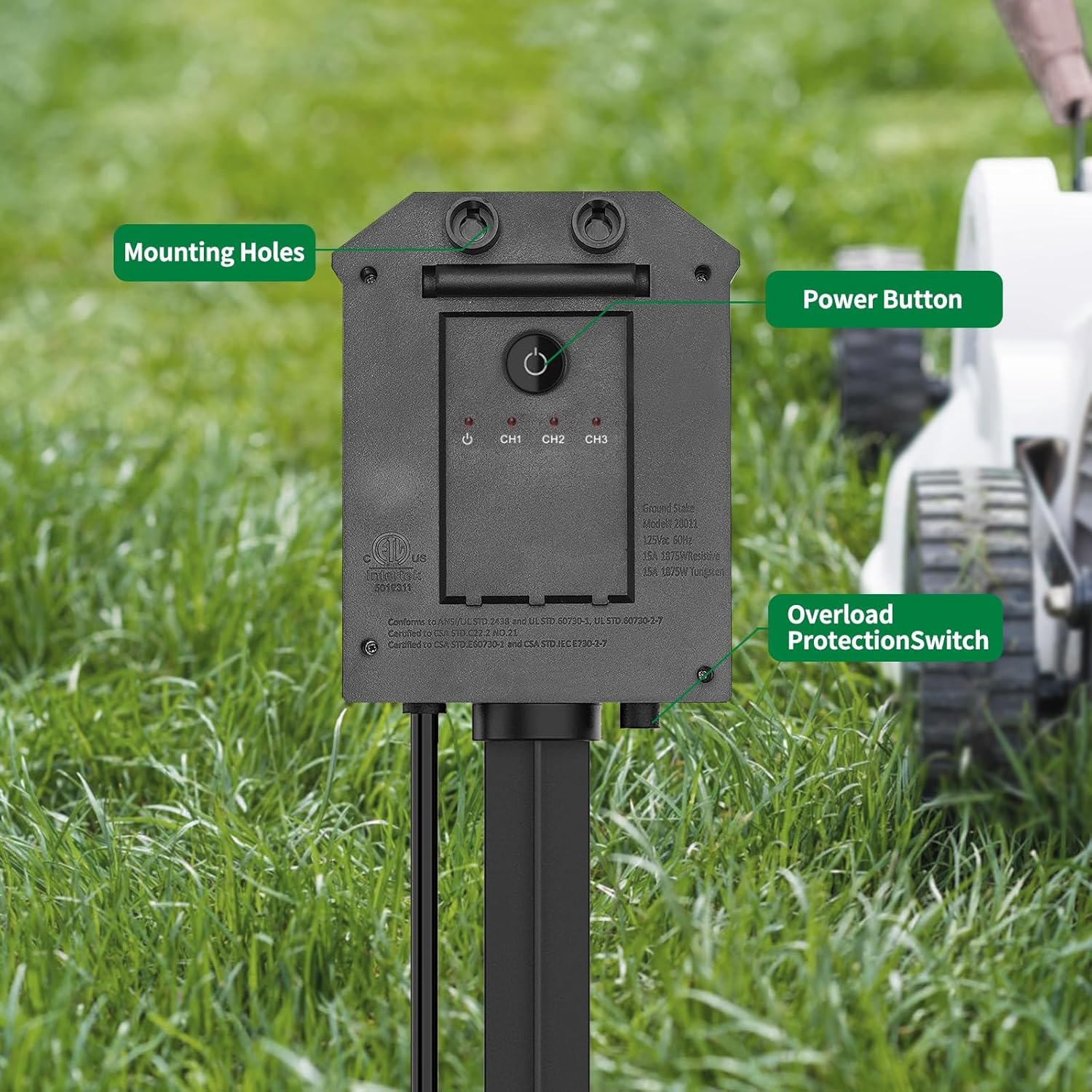
Image: The Tiffcofio Outdoor Power Strip installed with its ground stake in a grassy area. Labels indicate "Mounting Holes," "Power Button," and "Overload Protection Switch" on the device's main body. This setup keeps the unit elevated from the ground.

Image: The Tiffcofio Outdoor Power Strip with multiple power cords connected to its outlets, demonstrating its use in a wet, outdoor environment. The image highlights the waterproof design of the individual outlet covers.
4.2 Wall Mount Installation
The power strip can also be mounted to a wall or other vertical surface.
- Identify the mounting holes on the back of the power strip.
- Mark the desired mounting location on the wall.
- Drill pilot holes and insert appropriate screws (not included) into the wall, leaving a small gap.
- Align the mounting holes on the power strip with the screws and slide the unit down to secure it.
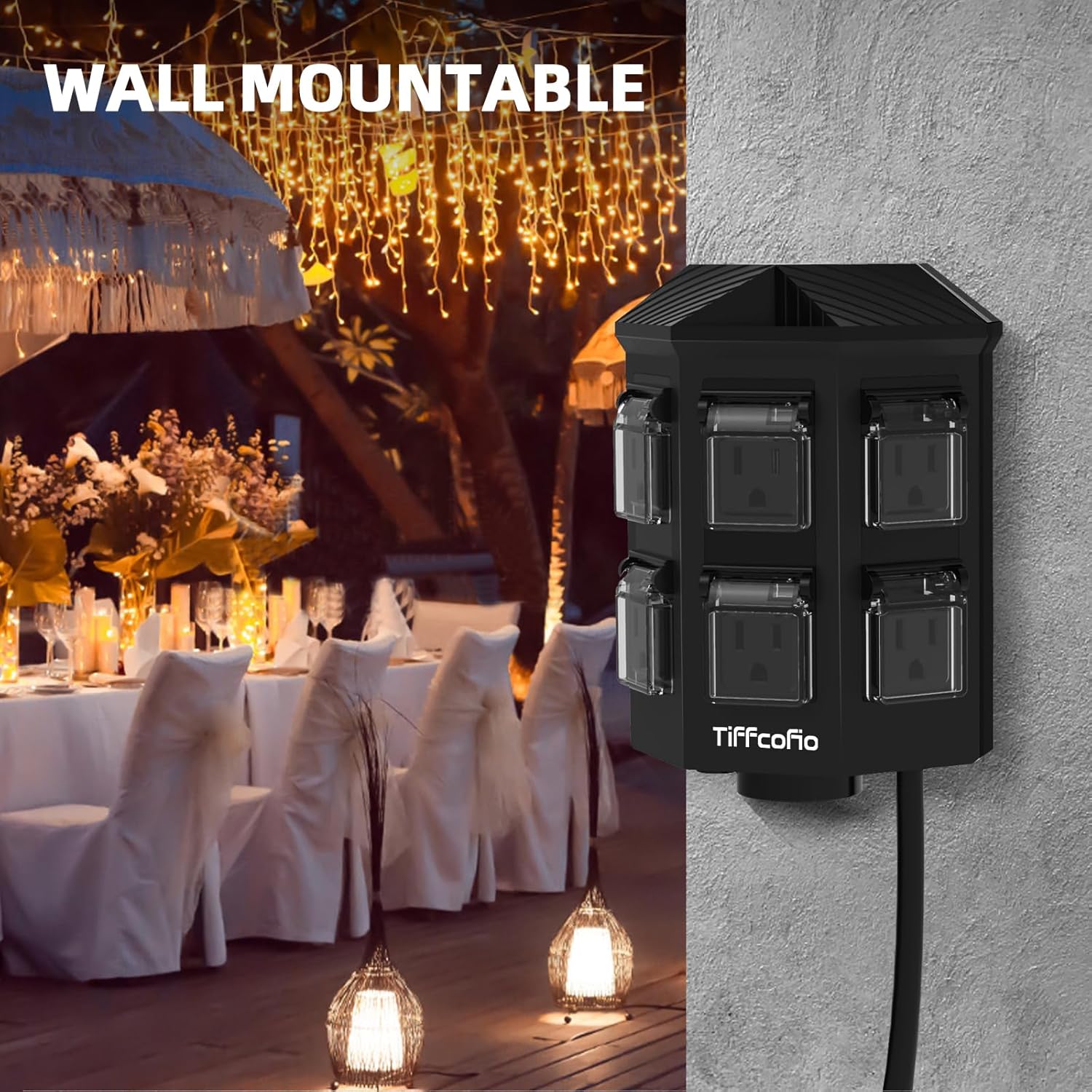
Image: The Tiffcofio Outdoor Power Strip shown mounted on a wall, illustrating its versatility beyond ground installation. This setup is suitable for patios or outdoor entertainment areas.
4.3 Power Connection
- Plug the power strip's 9-foot cord into a standard 125V outdoor GFCI-protected electrical outlet.
- Ensure the connection is secure and protected from moisture.

Image: The Tiffcofio Outdoor Power Strip positioned in a garden, with its 9-foot power cord extending towards a house, demonstrating the length of the cord for flexible placement.
5. Operating Instructions
The Tiffcofio Outdoor Remote Control Power Strip features independent control for its six outlets, divided into three channels.
5.1 Understanding Outlet Channels
- CH1: Controls the first pair of outlets.
- CH2: Controls the second pair of outlets.
- CH3: Controls the third pair of outlets.
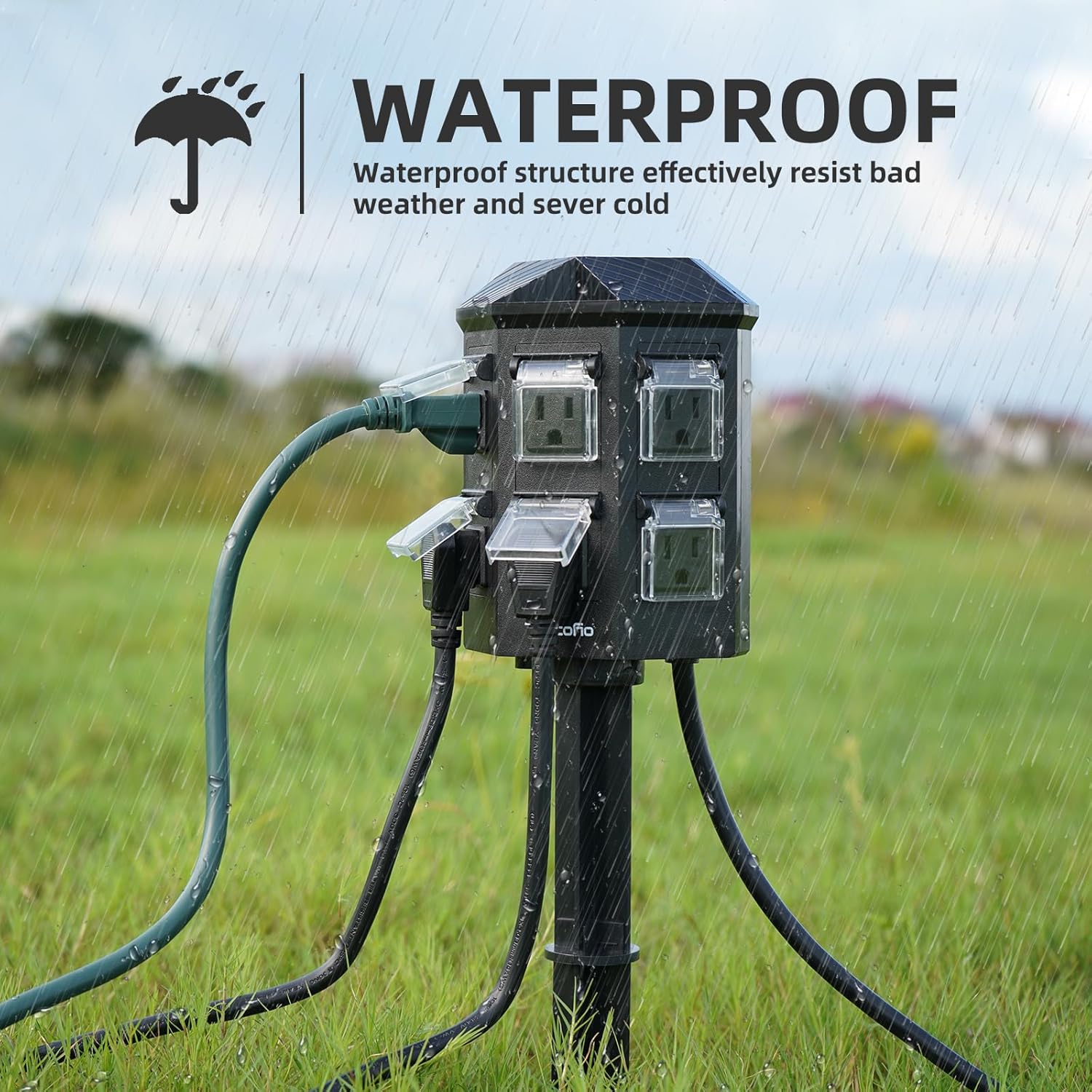
Image: A detailed view of the Tiffcofio Outdoor Power Strip's outlets, clearly labeled with CH1, CH2, and CH3 to indicate the three independently controllable groups. An accompanying diagram illustrates the remote control buttons for each channel and an "ALL" button.
5.2 Using the Remote Control
The included remote control allows you to power on or off individual channels or all outlets simultaneously from up to 100 feet away.
- Press the "1 ON/OFF" button to control outlets in CH1.
- Press the "2 ON/OFF" button to control outlets in CH2.
- Press the "3 ON/OFF" button to control outlets in CH3.
- Press the "ALL" button to turn all 6 outlets ON or OFF simultaneously.

Image: A hand holding the remote control, demonstrating its use to operate the power strip from a distance in an outdoor environment. The image emphasizes the 100-foot range capability.
Video: A demonstration of the remote control functionality. The video shows a light being turned on and off using the remote, illustrating the independent control of an outlet.
5.3 Manual Power Button
The power strip also features a manual power button on its body for direct control.
- Press the "Power Button" on the unit to cycle power for all connected devices.
6. Maintenance
Proper maintenance ensures the longevity and safe operation of your power strip.
- Cleaning: Disconnect the power strip from the main power source before cleaning. Wipe the exterior with a damp cloth. Do not use harsh chemicals or abrasive cleaners.
- Waterproof Covers: Regularly inspect the waterproof covers on each outlet to ensure they are intact and close securely when not in use.
- Cord Inspection: Periodically check the power cord for any signs of damage, fraying, or cuts. If damage is found, discontinue use immediately.
- Storage: When not in use for extended periods, store the power strip in a dry, protected area.
7. Troubleshooting
| Problem | Possible Cause | Solution |
|---|---|---|
| Power strip not turning on. |
|
|
| Remote control not working. |
|
|
| Individual outlets not responding. |
|
|
8. Specifications
| Feature | Detail |
|---|---|
| Model Number | TF-28017-09 |
| Outlets | 6 Grounded Outlets (3 independently controlled groups) |
| Cord Length | 9 FT |
| Wire Gauge | 14 AWG |
| Electrical Rating | 15A / 1875W / 125V |
| Remote Control Range | Up to 100 feet |
| Certifications | ETL Listed |
| Dimensions (Package) | 8.7 x 8.5 x 3.39 inches |
| Item Weight | 2.09 pounds |
9. Warranty and Support
For warranty information or technical support, please refer to the contact details provided with your purchase or visit the official Tiffcofio website.