
HiFuture HEO3
Contents
HiFuture OLYMBUD3 TWS Earbuds User Manual
Model: HEO3
Introduction
Thank you for choosing the HiFuture OLYMBUD3 TWS Earbuds. These earbuds are designed to provide a superior audio experience with enhanced bass, clear calls, and long-lasting comfort. Featuring Bluetooth 5.3 technology, IPX5 splashproof rating, and up to 30 hours of total playtime, the OLYMBUD3 are your ideal companion for daily listening.

Image: The HiFuture OLYMBUD3 TWS Earbuds, black in color, resting inside their open charging case. The earbuds are clearly visible with 'HiFuture' branding, and the case shows 'L' and 'R' indicators for left and right earbuds.
Package Contents
Please check the package for the following items:
- HiFuture OLYMBUD3 TWS Earbuds (Left and Right)
- Charging Case
- USB Charging Cable
- Multiple Sizes of Ear Tips (S, M, L)
- User Manual
Setup
1. Charging the Earbuds and Case
Before first use, ensure both the earbuds and the charging case are fully charged. Place the earbuds into the charging case. Connect the USB charging cable to the charging port on the case and the other end to a USB power adapter (not included).
- The indicator light on the charging case will show charging status.
- A full charge typically takes approximately 1.5 to 2 hours.
- The earbuds will charge automatically when placed inside the case.

Image: The black HiFuture OLYMBUD3 charging case standing upright with a green indicator light, and the two black earbuds placed beside it on a white surface. This illustrates the components outside the case.
2. Pairing with Your Device
The OLYMBUD3 earbuds utilize Bluetooth 5.3 for a fast and stable connection.
- Open the charging case. The earbuds will automatically enter pairing mode.
- On your smartphone or Bluetooth-enabled device, go to the Bluetooth settings.
- Search for available devices and select "OLYMBUD3" from the list.
- Once connected, you will hear a confirmation tone, and the earbuds will be ready for use.
Note: The earbuds should automatically reconnect to the last paired device when taken out of the case, if Bluetooth is enabled on the device.

Image: A white smartphone displaying its Bluetooth settings, showing "HiFuture OlymBuds3" as connected. Next to the phone is an open white charging case with two white earbuds inside, illustrating the wireless connection process.
Operating the Earbuds
Wearing the Earbuds
For optimal sound quality and comfort, choose the ear tips that best fit your ears. Gently insert the earbuds into your ear canal and twist slightly to secure them. The OLYMBUD3 are designed for a comfortable fit, ensuring hours of wear without discomfort.
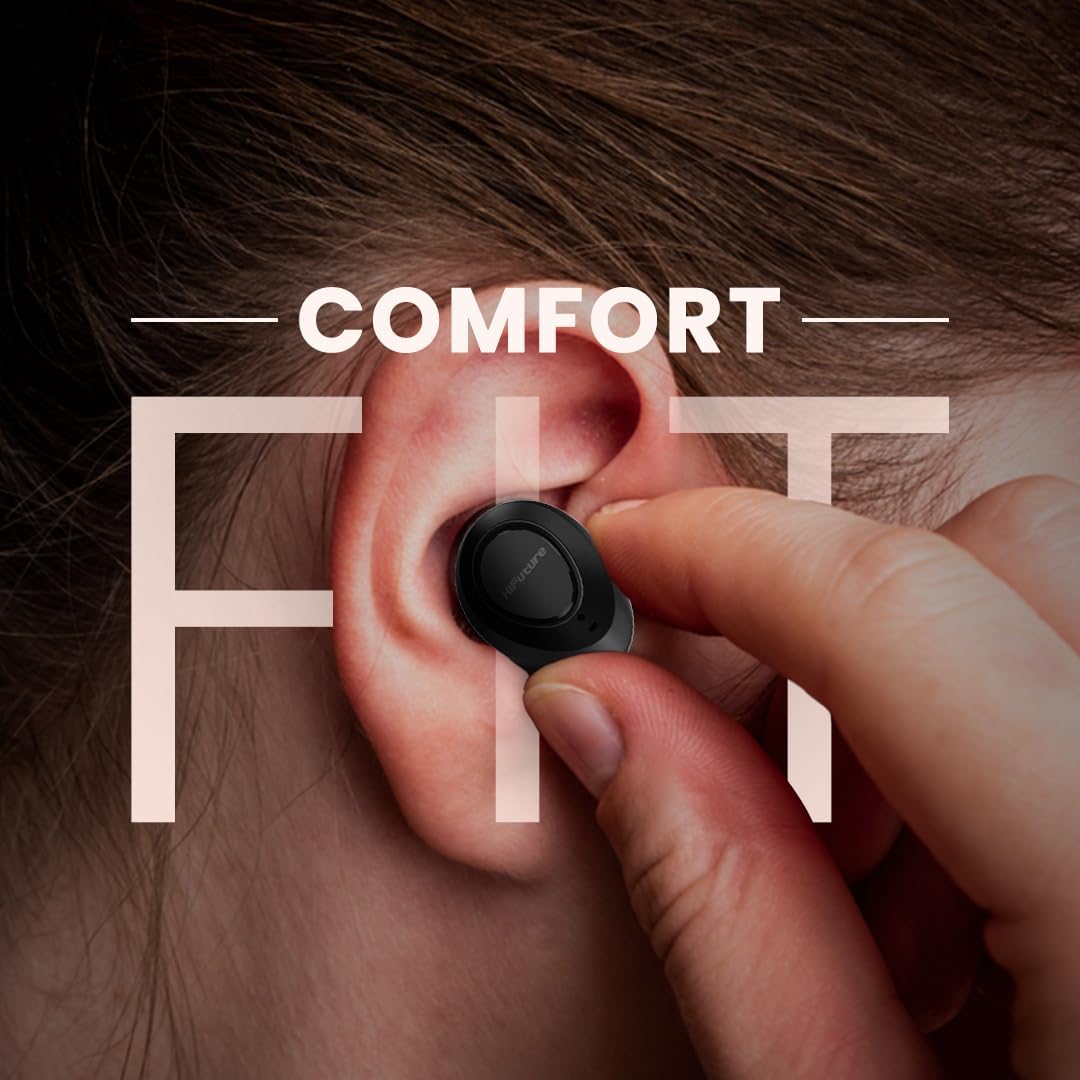
Image: A close-up of a person's ear with a black HiFuture earbud being gently inserted, emphasizing the comfortable fit design of the OLYMBUD3 earbuds.
Smart Touch Controls
The OLYMBUD3 earbuds feature intuitive smart touch controls on each earbud. The specific functions may vary slightly depending on your device and application, but common controls include:
- Single Tap: Play/Pause music, Answer/End call.
- Double Tap (Left Earbud): Previous track.
- Double Tap (Right Earbud): Next track.
- Triple Tap: Activate voice assistant (Siri, Google Assistant, etc.).
- Long Press (2 seconds): Reject incoming call.
- Long Press (3 seconds): Manual pairing mode (when not connected).
Call Management with ENC Technology
The built-in ENC (Environmental Noise Cancellation) technology ensures crystal-clear calls by reducing background noise, allowing your voice to be heard clearly even in noisy environments.
Audio Playback
Experience powerful audio quality with the 6mm drivers and enhanced bass. The OLYMBUD3 delivers a rich and immersive sound profile for all your music and media.
Maintenance
Cleaning Your Earbuds
To maintain optimal performance and hygiene, regularly clean your earbuds and charging case:
- Use a soft, dry, lint-free cloth to wipe the earbuds and charging case.
- For ear tips, remove them from the earbuds and clean with a mild soap solution if necessary, then rinse and dry thoroughly before reattaching.
- Do not use abrasive cleaners, alcohol, or chemical solvents.
- Ensure charging contacts on both earbuds and case are clean and free of debris.
Storage and Battery Care
Store the earbuds in their charging case when not in use to protect them and keep them charged. For long-term storage, charge the earbuds and case at least once every three months to prevent battery degradation.
IPX5 Splashproof Rating
The OLYMBUD3 earbuds are rated IPX5 splashproof, meaning they are resistant to sweat and light splashes of water. They are not designed for submersion in water or for use during swimming. Ensure the earbuds are dry before placing them back into the charging case to prevent damage.
Troubleshooting
If you encounter any issues with your OLYMBUD3 earbuds, please refer to the following common solutions:
| Problem | Possible Solution |
|---|---|
| Earbuds not pairing with device. |
|
| No sound from one or both earbuds. |
|
| Charging case not charging. |
|
| Poor call quality. |
|
Specifications
| Feature | Detail |
|---|---|
| Model Name | HEO3 (OLYMBUD3) |
| Brand | HiFuture |
| Connectivity | Bluetooth 5.3 |
| Audio Technology | ENC (Environmental Noise Cancellation) |
| Driver Size | 6mm |
| Playtime | Up to 30 hours (with charging case) |
| Water Resistance | IPX5 Splashproof |
| Color | Black |
| Ear Placement | In Ear |
| Form Factor | In Ear |
| Package Dimensions | 13.2 x 11.1 x 4.4 cm; 180 g |
| Country of Origin | China |

Image: A graphic featuring the HiFuture OlymBuds3 earbuds and charging case, with a large "25 Hr Play Time" text overlay. Note: While this image indicates 25 hours, the product features list states up to 30 hours of total playtime.
Warranty and Support
For warranty information and customer support, please refer to the warranty card included in your product packaging or visit the official HiFuture website. You can also find more information and products from HiFuture at their official Amazon store:
Ask a question about this manual
Ask about setup, troubleshooting, compatibility, parts, safety, or missing instructions. Manuals+ will review the question and use this page’s manual context to help answer it.