
1. Introduction
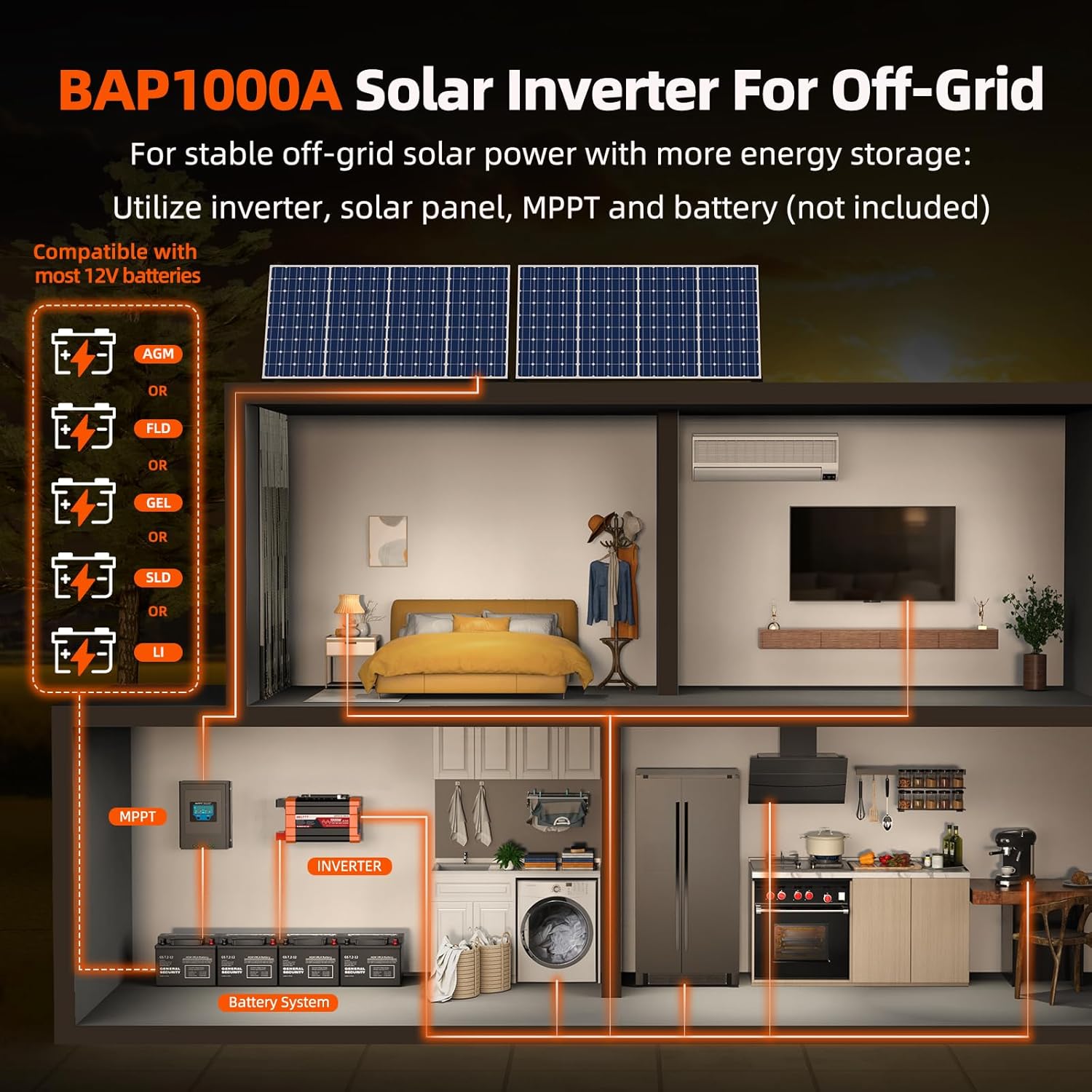
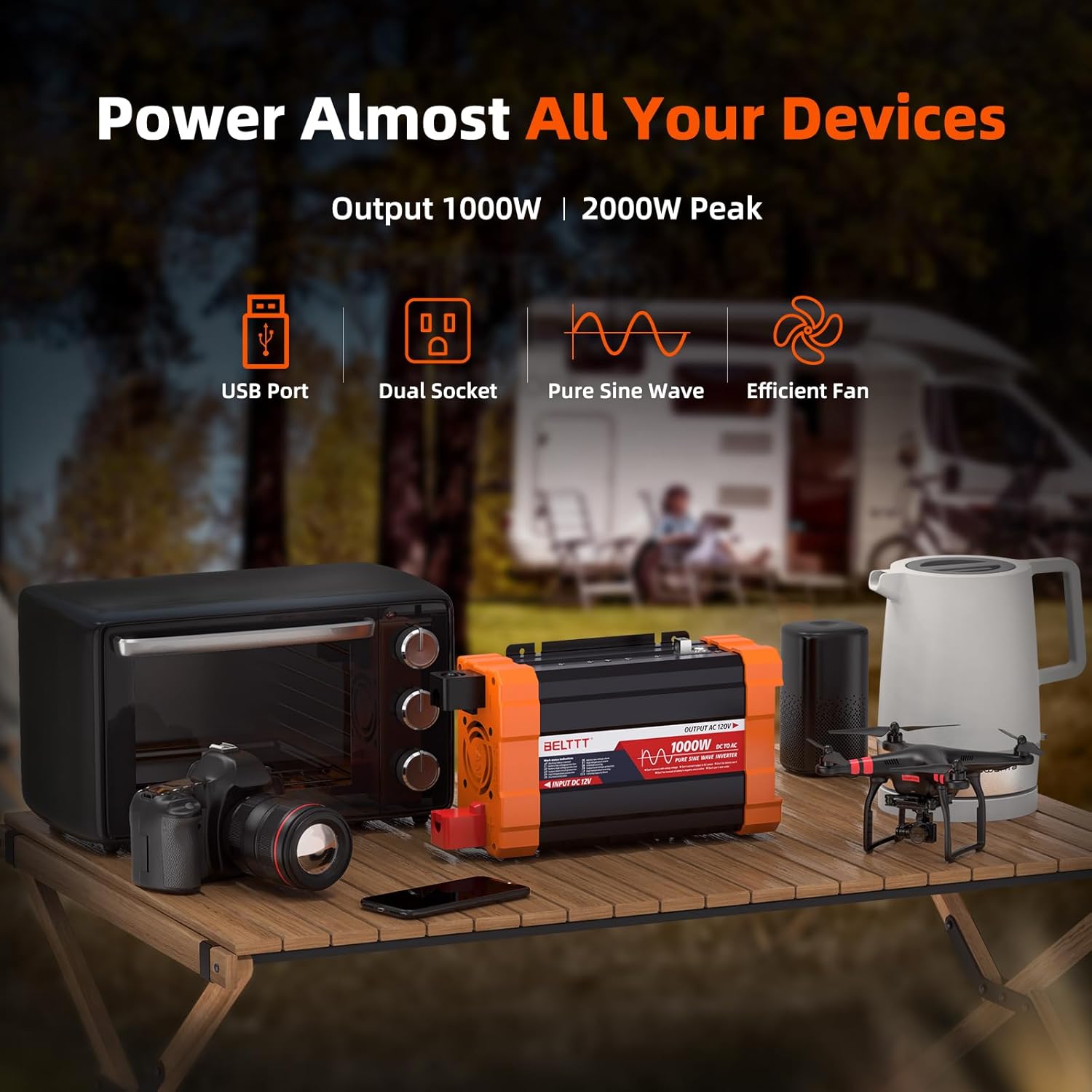
The BELTTT BAP1000A 1000W Pure Sine Wave Inverter converts 12V DC battery power to 120V AC household electricity. It provides 1000W of continuous power and up to 2000W of peak surge power, with a conversion efficiency greater than 90%. This inverter is designed for reliable power in various applications, including RVs, trucks, off-grid systems, and outdoor use. Its pure sine wave output ensures compatibility with sensitive electronics, extending equipment lifespan and reducing fault rates.
2. Safety Instructions
- Ensure proper ventilation around the inverter to prevent overheating.
- Connect the inverter only to a 12V DC power source.
- Always connect the negative terminal first, then the positive terminal. Disconnect in reverse order.
- Do not connect the inverter to AC distribution wiring.
- Avoid short circuits and reverse polarity connections.
- Keep the inverter away from water, flammable materials, and direct sunlight.
- Do not attempt to disassemble or modify the inverter. Refer to qualified personnel for service.
- Ensure all connections are tight and secure to prevent arcing and overheating.
- Always use appropriate gauge wiring for connections to prevent voltage drop and overheating.
3. Product Overview
3.1 Package Contents
- 1000 Watt Pure Sine Wave Inverter
- 2x 5AWG 3Ft Battery Cables (Red and Black)
- 3x 40A Fuses
- Thimble Spanner
- User Manual
3.2 Key Features
- Pure Sine Wave Output: Provides clean, stable power suitable for sensitive electronics.
- High Efficiency: Greater than 90% conversion efficiency with low no-load losses.
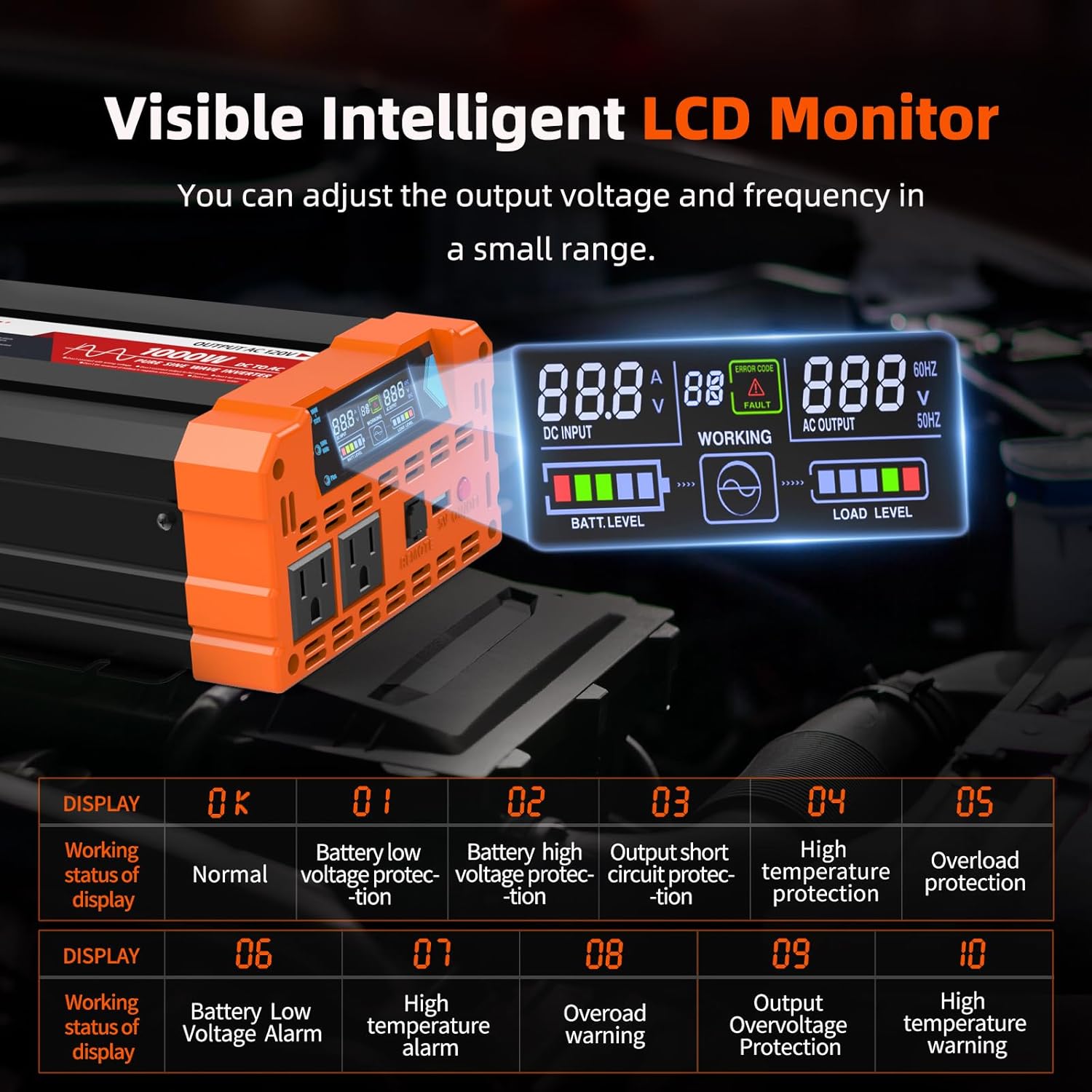
- Intelligent LCD Display: Real-time monitoring of input/output voltages, battery status, and load level.
- Multiple Output Ports: Dual AC sockets (120V) and a 5V 2.1A USB port.
- Comprehensive Safety Protections: Undervoltage, overvoltage, overload, over-temperature, short circuit, and reverse connection protection.
- Durable Construction: Aluminum and sturdy plastic housing for long-term use.
- Quiet Operation: Intelligent cooling fan operates quietly, especially under 300W.
3.3 Product Diagram

4. Setup
4.1 Connecting to a 12V Battery
- Ensure the inverter is turned off before making any connections.
- Connect the black (negative) battery cable to the negative terminal of the 12V battery.
- Connect the other end of the black (negative) battery cable to the negative DC input terminal on the inverter. Tighten securely using the provided thimble spanner.
- Connect the red (positive) battery cable to the positive terminal of the 12V battery.
- Connect the other end of the red (positive) battery cable to the positive DC input terminal on the inverter. Tighten securely.
- Ensure all connections are firm and free from corrosion.

Video 1: Demonstrates the correct procedure for connecting the BELTTT Pure Sine Wave Inverter to a battery, highlighting the positive and negative terminals and the use of included cables and tools. This video features a 3000W model, but the connection process is similar.
4.2 Grounding the Inverter
For safety, it is recommended to properly ground the inverter. Connect a suitable grounding wire (not included) from the inverter's grounding terminal to a reliable earth ground point (e.g., vehicle chassis, ground rod).
4.3 Mounting the Inverter
The inverter can be mounted using the integrated mounting brackets. Choose a dry, well-ventilated location away from direct heat sources and flammable materials. Ensure sufficient airflow around the unit for optimal cooling.

5. Operation
5.1 Powering On/Off
- After connecting the battery, press the red ON/OFF button on the inverter's front panel to turn it on. The LCD display will illuminate.
- To turn off the inverter, press the ON/OFF button again.
5.2 Using AC Outlets and USB Port
- Plug your 120V AC appliances into the dual AC sockets.
- Connect USB-powered devices to the 5V 2.1A USB port for charging.
- Ensure the total wattage of connected appliances does not exceed the inverter's continuous power rating (1000W).

Video 2: An official product video from BELTTT showcasing the Pure Sine Wave Power Inverter, demonstrating its features and applications.
5.3 Intelligent LCD Display
The high-brightness real-time smart screen displays the following information:
- Input DC Voltage
- Output AC Voltage
- Battery Level
- Load Level
- Working Status (OK/Fault)
- Output Frequency (50Hz/60Hz)
The output voltage and screen settings can be adjusted within a small range using the attached tool and long-pressing the adjustment button for 5 seconds.
6. Maintenance
- Regularly check battery connections for tightness and corrosion. Clean terminals if necessary.
- Keep the inverter clean and free from dust and debris. Use a dry cloth for cleaning.
- Ensure the cooling fan vents are unobstructed to maintain proper airflow.
- Store the inverter in a cool, dry place when not in use.
- Replace fuses with the correct type and rating (3x 40A fuses included).
7. Troubleshooting
The intelligent LCD display provides error codes for timely troubleshooting. Refer to the table below for common indications:
| Display Code | Indication |
|---|---|
| OK | Working status is normal |
| 01 | Battery low voltage protection |
| 02 | Battery high voltage protection |
| 03 | Output short circuit protection |
| 04 | High temperature protection |
| 05 | Overload protection |
| 06 | Battery low voltage alarm |
| 07 | High temperature alarm |
| 08 | Overload warning |
| 09 | Output overvoltage protection |
| 10 | High temperature warning |
| CCb | Carrying Capacity Boost |
8. Specifications
| Feature | Value |
|---|---|
| Brand | BELTTT |
| Model Name | BAP1000A |
| Wattage | 1000.0 W (Continuous), 2000 W (Peak) |
| Input Voltage | 12 Volts (DC) |
| Output Voltage | 110 Volts (AC) |
| Electrical Output Waveform | Pure Sine Wave |
| Frequency | 60 Hz |
| Number of Outlets | 2 (AC), 1 (USB 5V 2.1A) |
| Conversion Efficiency | > 90% |
| No-Load Loss | ≤ 0.8A |
| Item Dimensions L x W x H | 11"L x 6.36"W x 3.49"H |
| Item Weight | 4.4 Pounds |
| Display Type | LCD |
| Manufacturer | POOJIN ELECTRONIC |
| GTIN | 06973452090209 |
9. Warranty and Support
The BELTTT BAP1000A Pure Sine Wave Inverter comes with a One Year Warranty from the manufacturer, POOJIN ELECTRONIC. For technical support or warranty claims, please refer to the contact information provided in the product packaging or visit the official BELTTT website.
For additional resources and product information, you may visit the BELTTT Store on Amazon.


