
1. Introduction
The KAIY Bluetooth 5.3 Transmitter Receiver (Model C28) is a versatile 2-in-1 audio adapter designed to enhance your audio experience. It functions as both a Bluetooth transmitter and a Bluetooth receiver, allowing you to wirelessly connect various audio devices.
- RX Mode (Receiver): Stream audio wirelessly from your Bluetooth-enabled devices (e.g., smartphone, tablet) to non-Bluetooth audio systems such as home stereos, car stereos, or wired speakers.
- TX Mode (Transmitter): Transmit audio wirelessly from non-Bluetooth audio sources (e.g., TV, PC, MP3 player, airplane entertainment system) to Bluetooth headphones or speakers.
Equipped with Bluetooth 5.3 technology, this adapter ensures stable, fast, and high-fidelity audio transmission with minimal latency.

Image 1.1: The KAIY Bluetooth 5.3 Transmitter Receiver C28 device.
2. Package Contents
Please check the box for the following items:
- KAIY Bluetooth Audio Adapter (C28)
- 3.5mm Male to Male Connector
- Type-C Data Cable (for charging)
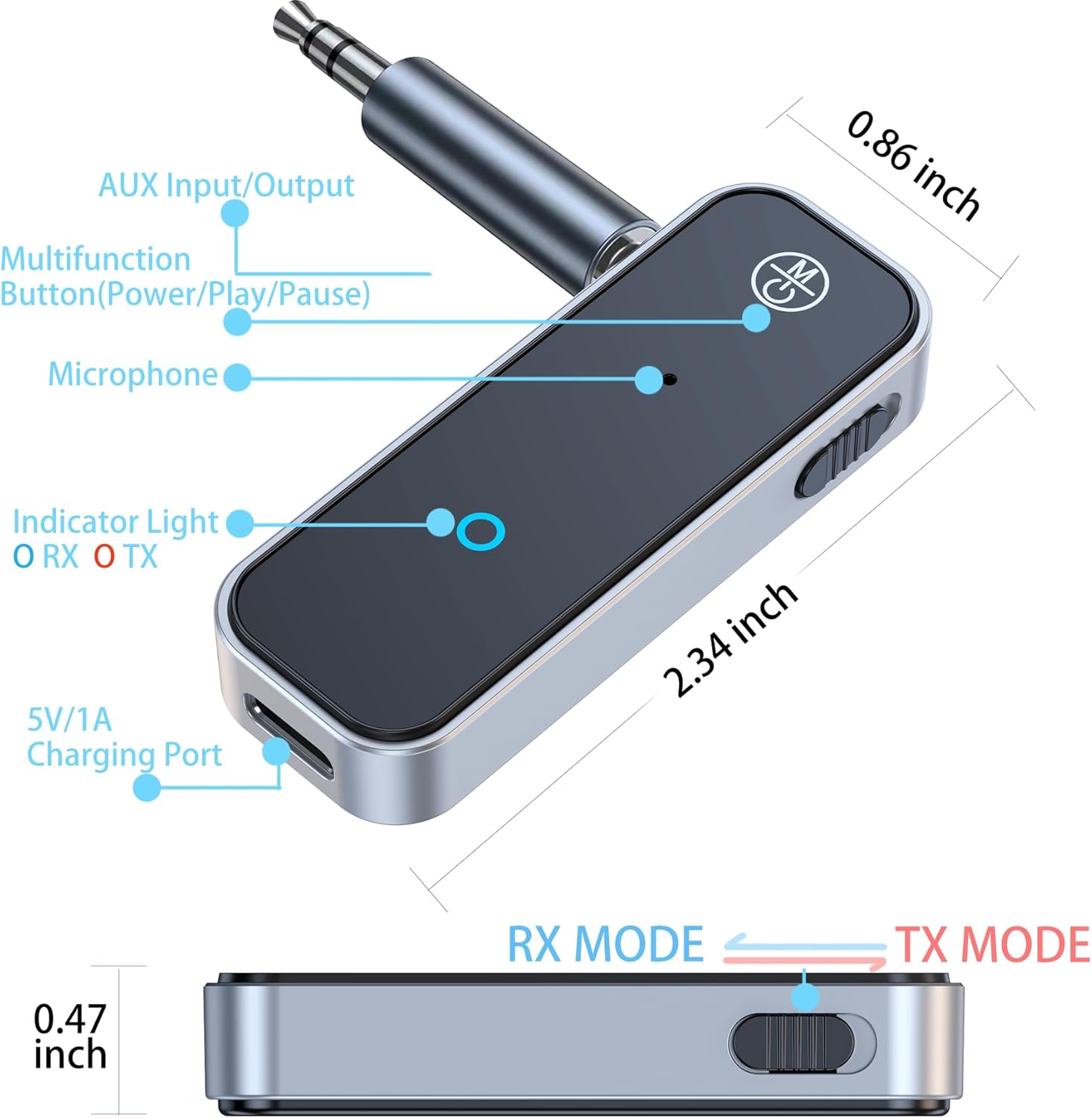
Image 2.1: Illustration of the KAIY C28 device and its included accessories, highlighting key components like the AUX input/output, multifunction button, microphone, indicator light, and charging port.
3. Product Overview
Familiarize yourself with the device's components:
- AUX Input/Output: 3.5mm jack for connecting to audio sources or receivers.
- Multifunction Button: Controls power, play, and pause functions.
- Microphone: For hands-free calls in RX mode.
- Indicator Light: Displays current mode (Blue for RX, Red for TX) and pairing status.
- RX / TX Mode Switch: Slide switch to select between Receiver (RX) and Transmitter (TX) modes.
- 5V/1A Charging Port: USB Type-C port for charging the device.
Image 3.1: Detailed diagram of the KAIY C28, labeling its AUX input/output, multifunction button, microphone, indicator light, RX/TX mode switch, and 5V/1A charging port.
4. Setup
4.1 Charging the Device
Before initial use, fully charge the KAIY C28. Connect the provided Type-C data cable to the device's charging port and a 5V/1A USB power source (e.g., wall adapter, computer USB port). The indicator light will show charging status and turn off when fully charged. A full charge provides approximately 4 hours of continuous use.

Image 4.1: The KAIY C28 connected to a charging cable, illustrating the charging process.
4.2 Selecting Operating Mode
The KAIY C28 features a slide switch to select between Transmitter (TX) and Receiver (RX) modes. Ensure the correct mode is selected for your intended use.
- Slide to RX for Receiver Mode (to receive audio from a Bluetooth device).
- Slide to TX for Transmitter Mode (to transmit audio to a Bluetooth device).
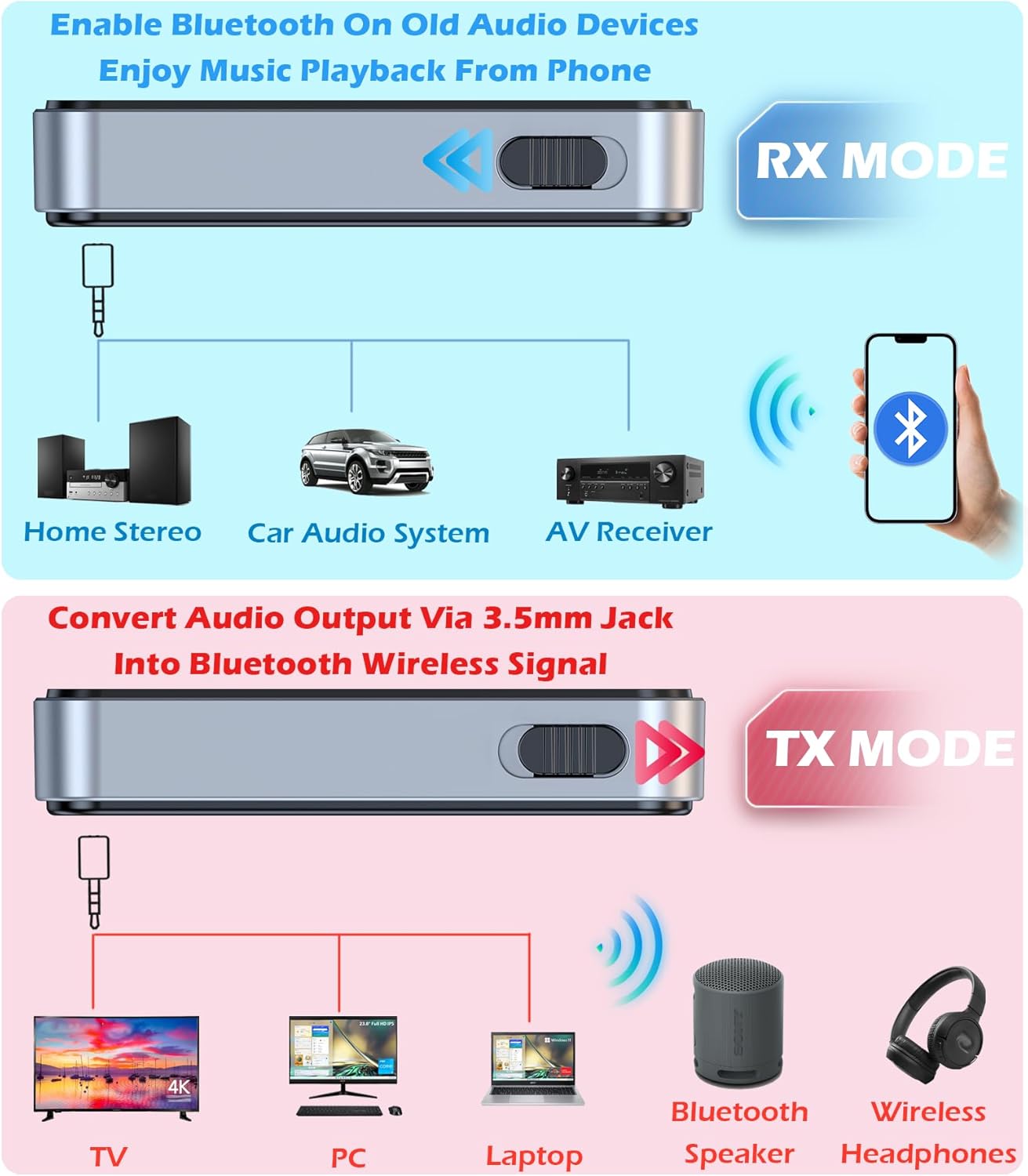
Image 4.2: Diagram illustrating the KAIY C28's RX and TX modes, showing how it connects to different audio devices in each mode.
5. Operating Instructions
5.1 RX Mode (Receiver)
Use RX mode to stream audio from your Bluetooth device (e.g., smartphone) to a non-Bluetooth audio system (e.g., car stereo, home stereo, wired headphones).
- Power On: Hold the multifunction button for 3 seconds to turn on the device.
- Select RX Mode: Slide the switch to the RX position. The indicator light will turn BLUE.
- Connect to Audio System: Plug the KAIY C28 into the 3.5mm AUX input of your car stereo, home stereo, or wired speakers using the provided 3.5mm connector.
- Pair with Phone: On your smartphone or Bluetooth device, go to Bluetooth settings and search for "C28". Select it to pair.
- Play Audio: Once paired, the blue indicator light will remain solid. You can now play audio from your phone, and it will stream to your connected audio system.
For Car Stereo Use: The KAIY C28 includes a built-in HD microphone, allowing you to answer or hang up calls with a single click of the multifunction button. It also supports broadcasting voice notifications from navigation apps.
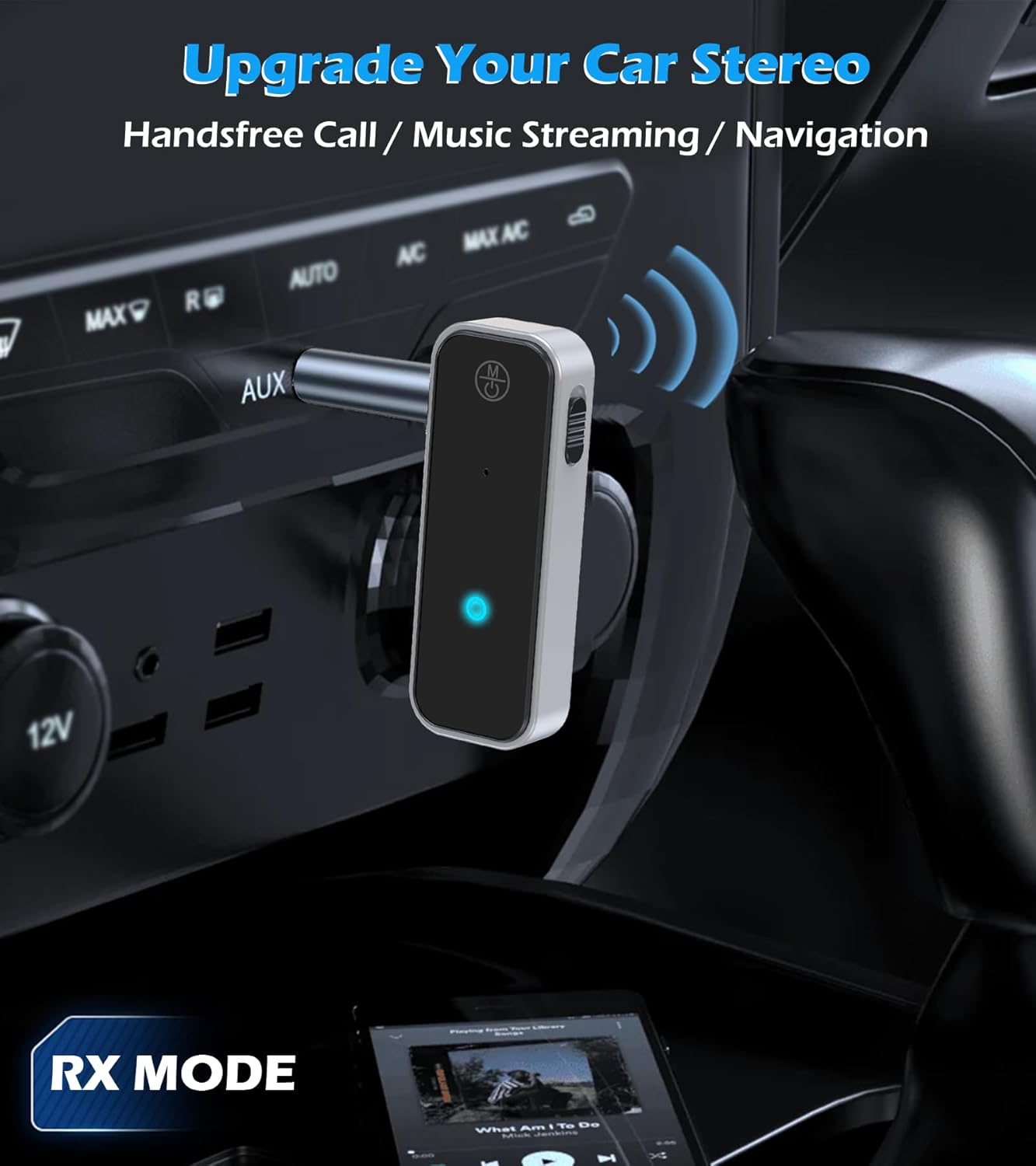
Image 5.1: The KAIY C28 connected to a car stereo's AUX input, operating in RX mode to stream music and enable hands-free calls.

Image 5.2: The KAIY C28 connected to a home stereo speaker, functioning in RX mode to receive audio from a smartphone.
5.2 TX Mode (Transmitter)
Use TX mode to transmit audio from a non-Bluetooth audio source (e.g., TV, PC, airplane entertainment) to Bluetooth headphones or speakers.
- Power On: Hold the multifunction button for 3 seconds to turn on the device.
- Select TX Mode: Slide the switch to the TX position. The indicator light will turn RED.
- Connect to Audio Source: Plug the KAIY C28 into the 3.5mm audio output jack of your TV, PC, MP3 player, or airplane entertainment system.
- Pair with Headphones/Speakers: Put your Bluetooth headphones or speakers into pairing mode. The KAIY C28 will automatically search for and connect to them.
- Confirm Connection: Once connected, the red indicator light on the KAIY C28 will remain solid.
- Adjust Audio Output (if needed): If sound only comes through one side or there is no sound, adjust the audio output settings on your TV or audio source.

Image 5.3: The KAIY C28 connected to a TV, operating in TX mode to transmit audio to Bluetooth headphones.
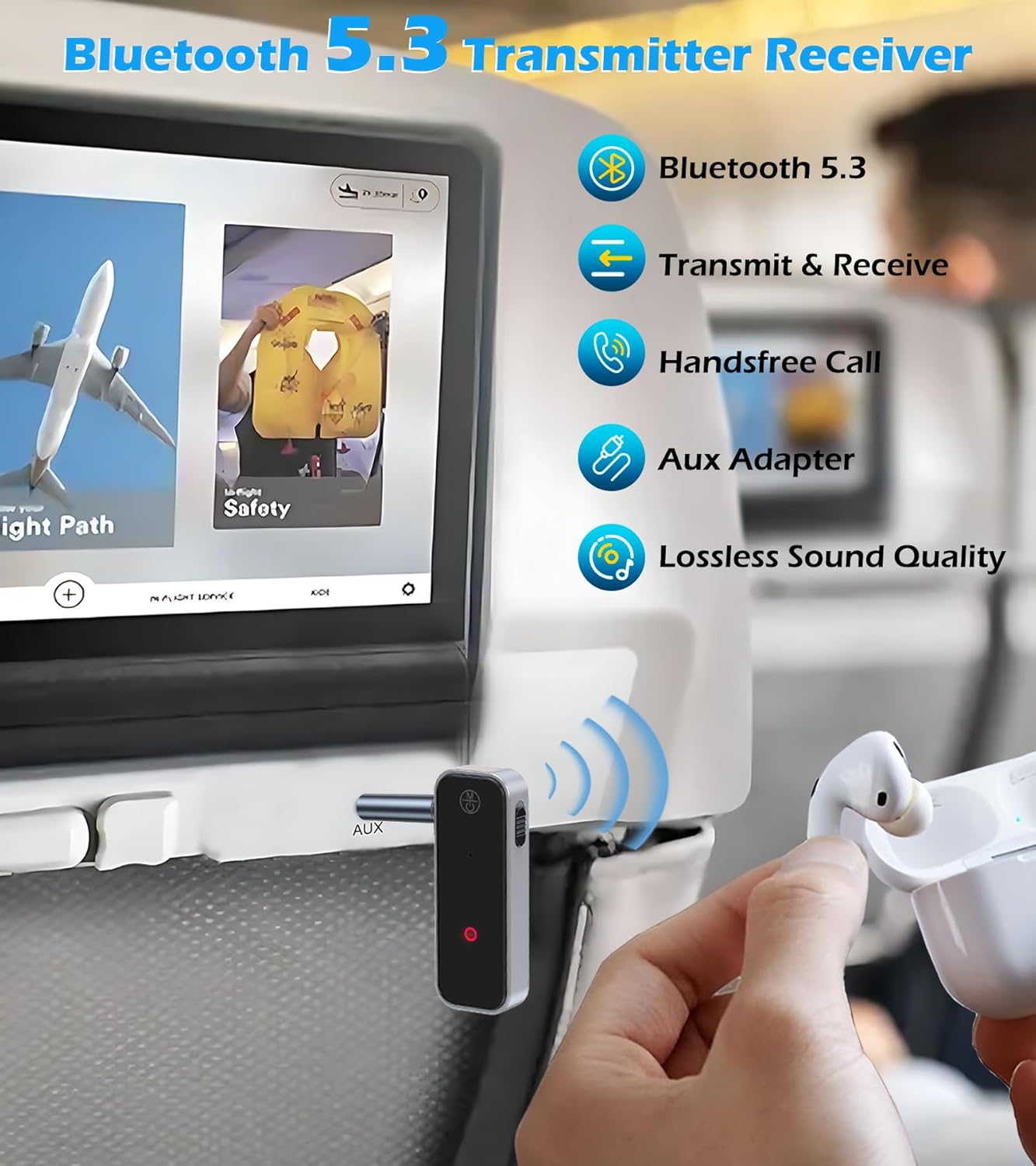
Image 5.4: The KAIY C28 connected to an airplane's entertainment system, transmitting audio to wireless earbuds.
6. Troubleshooting
- Device not pairing: Ensure both the KAIY C28 and your target Bluetooth device (headphones, speakers, phone) are in pairing mode. For headphones, refer to their manual to confirm the correct pairing procedure. Many pairing issues occur because headphones are not correctly in pairing mode.
- No sound or sound from only one side (TX Mode): Verify that the KAIY C28 is securely plugged into the audio output jack of your source device (TV, PC). Check the audio output settings on your source device to ensure it is configured to output audio through the 3.5mm jack.
- Intermittent connection or poor audio quality: Ensure the KAIY C28 is within the recommended operating range (up to 33 feet/10 meters) of the paired device. Obstacles like walls or other electronic devices can interfere with the signal. Try moving the devices closer together.
- Device not turning on: Ensure the KAIY C28 is sufficiently charged. Connect it to a power source using the provided Type-C cable and allow it to charge.
- Device does not automatically turn on/off with source device: The KAIY C28 requires manual power on/off by pressing the multifunction button. It does not automatically power on or off when the connected source device is turned on or off.
7. Specifications
| Feature | Detail |
|---|---|
| Model Number | C28 |
| Bluetooth Version | 5.3 |
| Operating Modes | Transmitter (TX) / Receiver (RX) |
| Connectivity | 3.5mm Auxiliary |
| Power Source | Battery Powered (1 Lithium Ion battery included) |
| Battery Life | Approximately 4 hours continuous use |
| Wireless Range | Up to 33 feet (10 meters) |
| Dimensions (L x W x H) | 2.34 x 0.86 x 0.47 inches (approx.) |
| Item Weight | 1.05 ounces |
| Material | Metal, Plastic |
| Special Features | Built-In Microphone, Hands-free Calling |
8. Safety Information
Always use the device responsibly, following local regulations and guidelines. Be aware of your surroundings and avoid using the device in situations where it may distract you or pose a risk to your safety.
9. Warranty and Support
For warranty information or technical support, please refer to the contact details provided with your purchase or visit the official KAIY website. Keep your purchase receipt for warranty claims.